

Hello!
Inspired by the publication , I decided to create my own laptop-tablet combination, but not with IDisplay, rather with . The program, like IDisplay, can be installed on PC and Mac, iOS and Android. The author of the post has the tablet functioning as a second monitor through a virtual machine, without a taskbar, which disappointed me greatly, as it is far more convenient to manage with a tablet that has a taskbar.
I turn to the program . With it, we can establish an independent taskbar on the second desktop, add a Start menu button that leads to Metro in Windows 8, prevent the mouse from leaving the desktop vertically or horizontally, or even completely restrict leaving the desktop. You can set hotkeys for actions, such as centering the mouse cursor on the first desktop.
The program has Russian localization, so you will have no trouble quickly setting it up.
Since the new desktop acquires a real taskbar, we can enable auto-hide, which helps save space on small tablet screens.
You can install Air Display on a PC as a server or as a client (700 rubles per copy).
Installing the programs does not require any special knowledge; everything is visually clear. During the installation of Air Display, you will be prompted to install new drivers and asked to restart your computer. After that, we install Actual Multiple Monitors and, when connecting the tablet, set the 'Monitor Location' in Air Display as an extended display.
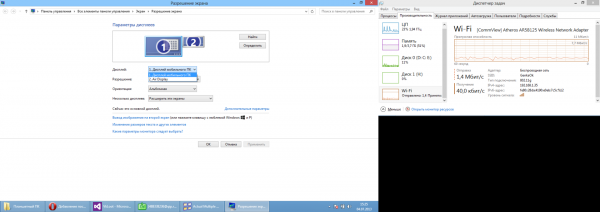
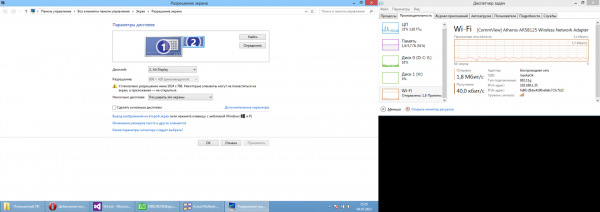
As you can see, when creating a screenshot in Windows 8, the second desktop becomes part of the image; at the moment, I have the Task Manager there to monitor data.
With standard tablet specifications of 1.0 GHz, 512 RAM, 800×400 screen, the Chinese tablet works remarkably fast with the laptop.
On the first launch, it is possible that the main desktop and the additional one will swap places, and you will see only the background image, while your desktop will appear on the tablet. This can be resolved by changing the settings in the Air Display program under Monitor Location.
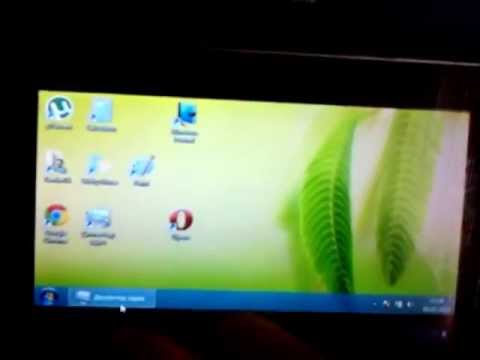
You can evaluate the convenience of this combination yourself (I apologize for the poor quality):
Thank you for your attention!
Links
Source: habr.com
