

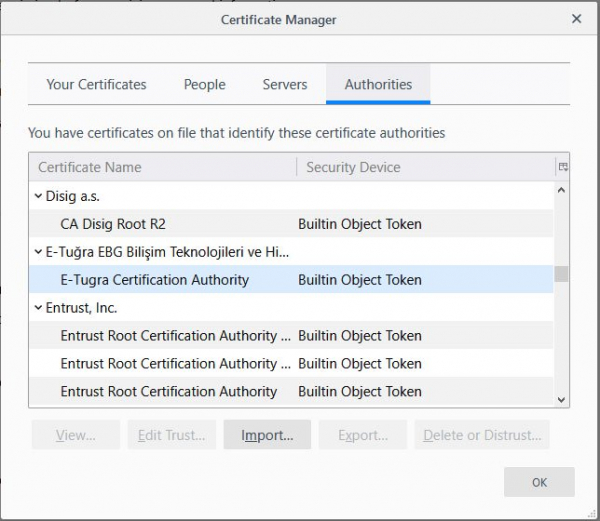
Firefox Certificate Store
With the release of Mozilla Firefox 65 in February 2019, some users connecting to HTTPS websites like “Your Connection is not secure” or “SEC_ERROR_UNKNOWN_ISSUER”. The reason turned out to be antivirus programs like Avast, Bitdefender, and Kaspersky, which install their root certificates on users' computers for MiTM injection into HTTPS traffic. Since Firefox has its own certificate store, they also try to inject into it.
Browser developers users to refrain from installing third-party antivirus programs that interfere with the operation of browsers and other software, but the general public is still not heeding these calls. Unfortunately, by acting as a transparent proxy, many antivirus programs reduce the quality of cryptographic protection on client computers. For this purpose, , which determine the presence of MiTM, such as antivirus, on the server side within the channel between client and server.
One way or another, in this case, antivirus programs again interfered with the operation of the browser, and Firefox had no choice but to address the issue from its side. In the browser's configs, there is a setting security.enterprise_roots.enabled. If this flag is activated, Firefox will start using the Windows certificate store for validating SSL connections. If someone encounters the aforementioned errors when visiting HTTPS sites, they can either disable SSL connection scanning in the antivirus or manually set this flag in the browser settings.
The Problem in Mozilla's bug tracker. The developers decided to temporarily activate the flag security.enterprise_roots.enabled by default so that the Windows certificate store could be used without any action from the user. This will happen with Firefox 66 on Windows 8 and Windows 10 systems where third-party antivirus programs are installed (the ability to detect antivirus presence in the system via the API is only available from Windows 8).
Source: habr.com
