


We have several integration components that allow any partner to create their own products: an Open API for developing any alternative to Ivideon's user dashboard, a Mobile SDK to create a fully functional solution equivalent to the Ivideon applications, and also a Web SDK.
Recently, we released an improved Web SDK equipped with a new documentation system and a demo application that will make our platform even more flexible and user-friendly for developers. If you were already familiar with our SDK, you'll immediately notice the changes — you now have a clear example of how to integrate API functions into your application.
For everyone else, we will provide more details about everyday use cases and integrations implemented using the Ivideon API/SDK.
Web SDK: New Opportunities
Ivideon is not just a cloud video surveillance service and equipment provider. Within Ivideon, we manage the entire development cycle: from camera firmware to the web version of the service. We create client and server SDKs, improve LibVLC, implement WebRTC, work on video analytics, develop a client with White Label support for partners, and create demo projects for the SDK.
As a result, we have become a platform on which partners can build their own solutions. Our Web SDK has received a significant upgrade, and we hope to see even more integration solutions.
For your convenience, we have added a 'Quick Start' section at the beginning that will help you easily navigate device management.
The code below demonstrates the basic usage of the Ivideon Web SDK: a player has been added to the page, and video playback for a public camera has started.
<!DOCTYPE html>
<html>
<head>
<title>Ivideon WEB SDK example</title>
<link rel="stylesheet" href="/vendor/ivideon-web-sdk-1.0.0/iv-standalone-web-sdk.css" />
<script src="/vendor/ivideon-web-sdk-1.0.0/iv-standalone-web-sdk.js"></script>
</head>
<body>
<div class="myapp-player-container" style="max-width: 640px;"></div>
<script>
_ivideon.sdk.init({
rootUrl: 'https://<your-domain>/vendor/ivideon-web-sdk-1.0.0/',
i18nOptions: {
availableLanguages: [
'de',
'en',
'fr',
],
language: 'en',
}
}).then(function (sdk) {
sdk.configureWithCloudApiAuthResponse({
api_host: 'openapi-alpha.ivideon.com',
access_token: 'public',
});
// `id` used below is not an actual camera ID. Replace it with your own.
var camera = sdk.createCamera({
id: '100-481adxa07s5cgd974306aff47e62b639:65536',
cameraName: 'Demo Cam',
imageWidth: 800,
imageHeight: 450,
soundEnabled: true,
});
var player = sdk.createPlayer({
container: '.myapp-player-container',
camera: camera,
defaultControls: true,
playerEngine: sdk.playerEngines.PLAYER_ENGINE__WEBRTC,
});
player.playLive();
}, function (error) {
console.error(error);
});
</script>
</body>
</html>
We have also added several new features:
- support for one-time links to videos;
- buttons for controlling video quality and playback speed have been added to the player;
- player controls can now be toggled individually (earlier, you could either enable everything available or hide everything);
- the ability to mute the camera has been added.
Demo Application
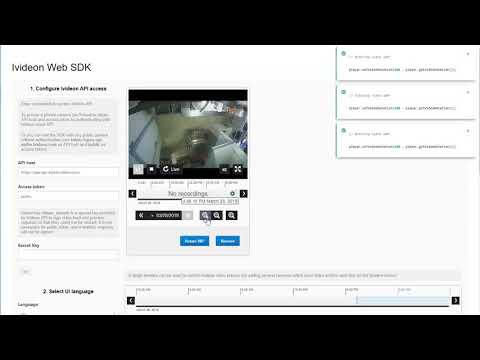
To demonstrate how to use the Ivideon Web SDK with the user interface library, we provide it along with a demo application. Now you have the opportunity to see how the Ivideon Web SDK works with ReactJS.
The demo application is available online at . For it to function, a random camera from Ivideon TV is added. If the camera happens to be offline, simply follow the link above again.
Another way to explore the demo is to study the source code in the Web SDK and build the application yourself.
Our application shows which code corresponds to user actions.
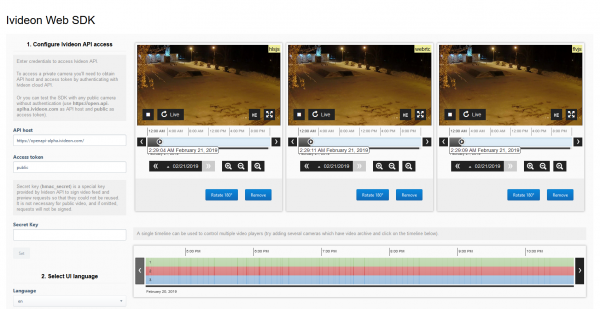
Add several players to the page with different engines and compare their performance.
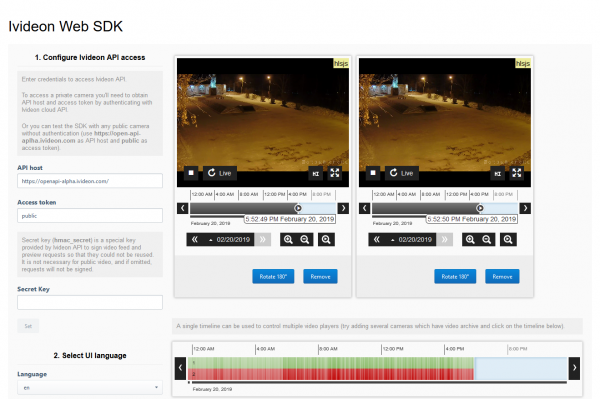
Create multiple players and control them from a single timeline, where the archives of multiple cameras will be displayed simultaneously.
The demo application remembers the settings from the last session in the browser's local storage: API access parameters, camera settings, and others. They will be restored upon re-login.
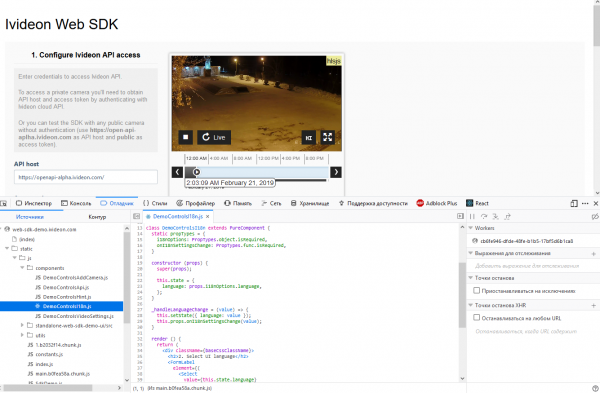
The demo application code is compiled with source maps – you can view the demo code directly in the debugger.
Integration Examples
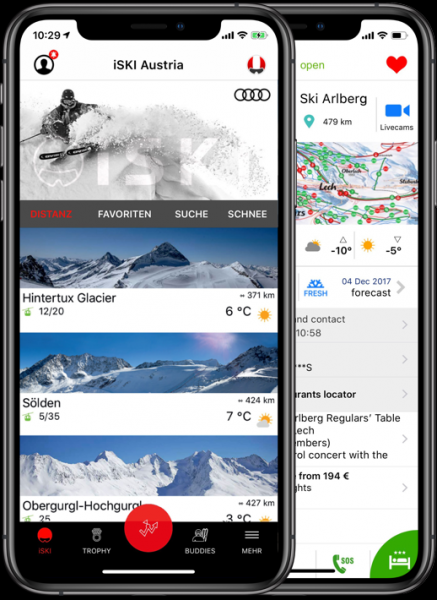
A group of programs with the prefix “” includes separate applications for almost all European ski countries: iSKI Austria, iSKI Swiss, iSKI France, iSKI Italia (Czech Republic, Slovakia, Finland, Germany, Slovenia, and more). The application shows the snow conditions at ski resorts, a list of mountain restaurants, piste maps, and other useful information to give a complete picture of the destination before the trip. Internet access is not required – it works offline (except for camera streaming). All applications are available for free.
Today, almost every ski resort has a camera displaying the conditions on the slope. To view cameras remotely through the application, we provided iSKI with our SDK, allowing anyone to see not only the weather forecast, snow depth, and the number of open lifts but also video directly from the slope.

Various smart home systems. With integration into the Ivideon system, these solutions gain enhanced benefits for home security, as they monitor the home and securely store video recordings in the cloud archive. Full control is achieved through a mobile application that alerts to any threats in real-time and allows for quick responses to unusual situations.
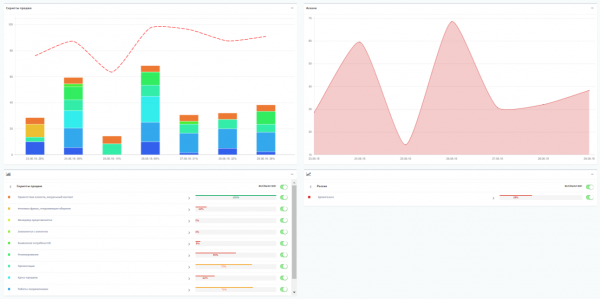
Perfect Service Solution's sales consultants and advisors analytics system. The cloud-based video surveillance system monitors and archives data, with checks performed by operators, and results displayed online in the user dashboard. The client ultimately receives a short clip with a specific event—either a sales protocol violation or a disputed incident. In the web interface, they see details about the violation along with an embedded video snippet. The entire data set is divided into two categories: critical events and regular ones. Regular events appear in the online dashboard the day after they occur, while reports on critical violations can be received via SMS or messenger.
, to gain access to the Web SDK and learn more about our integration capabilities.
Source: habr.com
