

Hello.
There are many articles about Telegram bots, but few write about skills for Alice, and I couldn't find any information on how to create a single bot, so I decided to share my experience on how to create a simple Telegram bot and a Yandex.Alice skill for a website, having unified functionality.
So, how to set up a web server and obtain an SSL certificate I will not discuss this, as there is already enough written about it.
Creating a Telegram bot
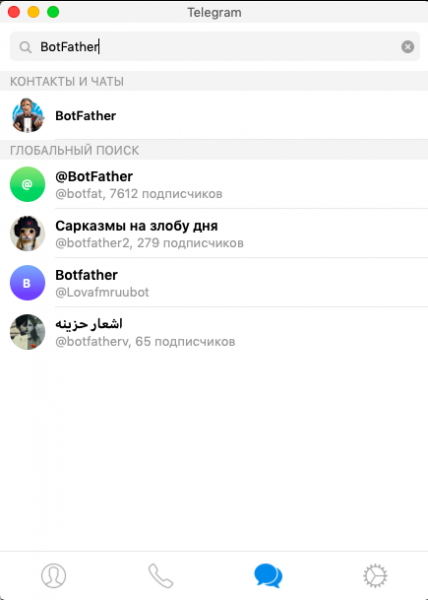
First, let's create a Telegram bot. To do this, go to Telegram and find the BotFather bot.
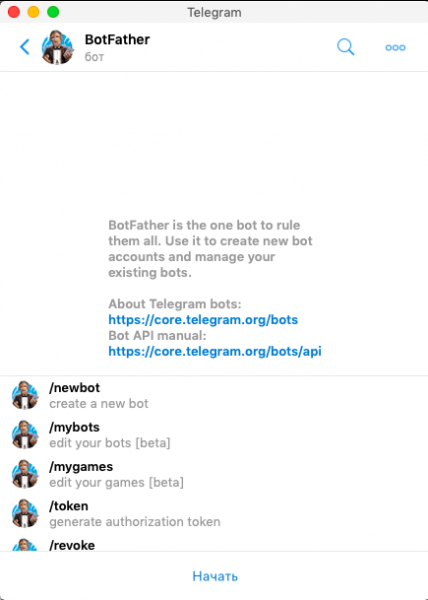
Select /newbot
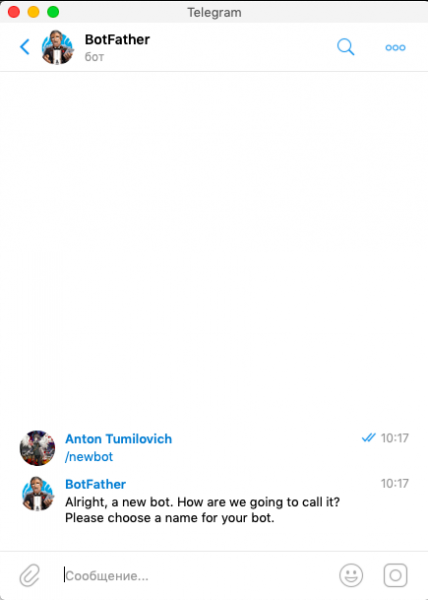
Enter the name of the bot that it will respond to, then enter the bot's username, and in response, you will receive a token to manage the bot. Write down this key; it will be useful later.
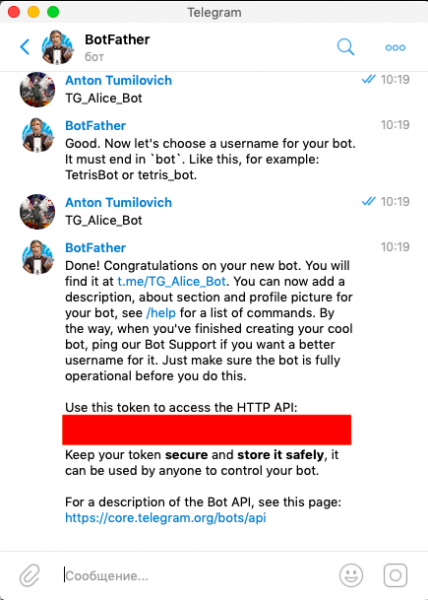
The next step is to notify Telegram servers about which server to send data from the bot. To do this, create a link like this:
https://api.telegram.org/bot___TOKEN___/setWebhook?url=https://____PATH_TO_SCRIPT___
Replace ___TOKEN___ with our previously obtained bot token
Replace ____PATH_TO_SCRIPT___ with the address of the script on our server where data processing will occur (for example, www.my_server.ru/webhook_telegram.php).
There is a problem here; the api.telegram.org server is blocked, but you can do this: rent the cheapest server server where there are no restrictions and run the command from that server's console
wget ___RESULTING_ADDRESS___
That's it, the Telegram bot is created and linked with your proxy server.
Creating a skill for Yandex.Alice
Let's move on to creating a skill for Yandex.Alice.
To create a skill, go to the Yandex.Dialogues developers page the Yandex.Dialogues developers page, click "Create dialogue" and select "Skill for Alice."
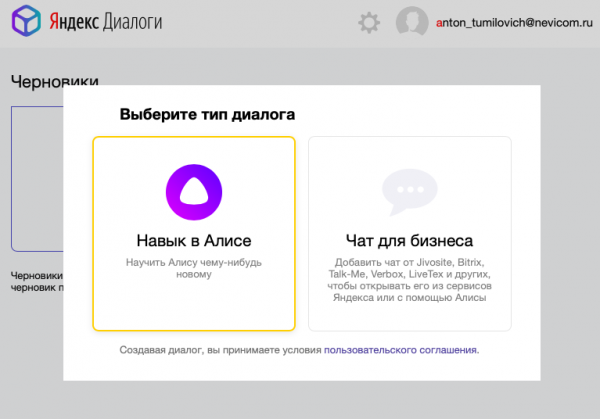
The skill settings dialogue will open.
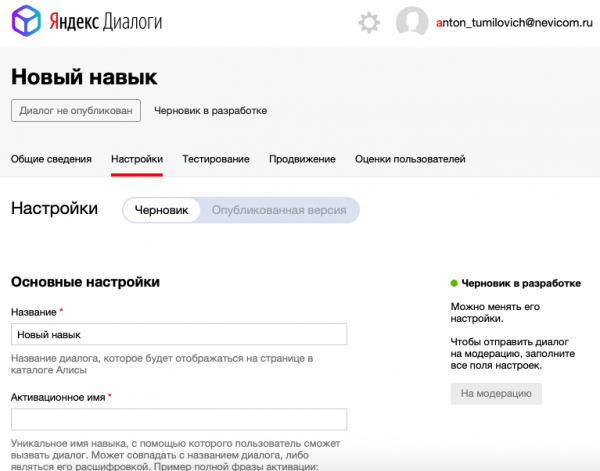
Let's start entering the skill settings.
Enter the name of your skill.
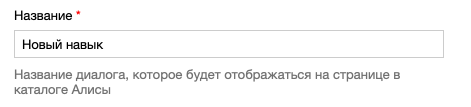
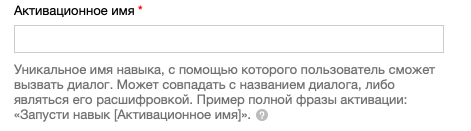
The activation name should be chosen very carefully so that Alice understands it correctly. One nuance is that the mobile application with Alice and devices like Yandex.Station or Irbis A might interpret words differently.
Enter the path to the script on our server just like for Telegram, but this will be the script specifically for Alice, for example, www.my_server.ru/webhook_alice.php.
Choose the voice that the skill will speak in; I prefer Alice's voice.
If the plan is to work only on mobile devices or in a browser, select "Need a device with a screen."
Next, we enter the settings for the Alice skills directory. If you plan to use a brand word for activation, you need to verify the brand website at webmaster.yandex.ru.
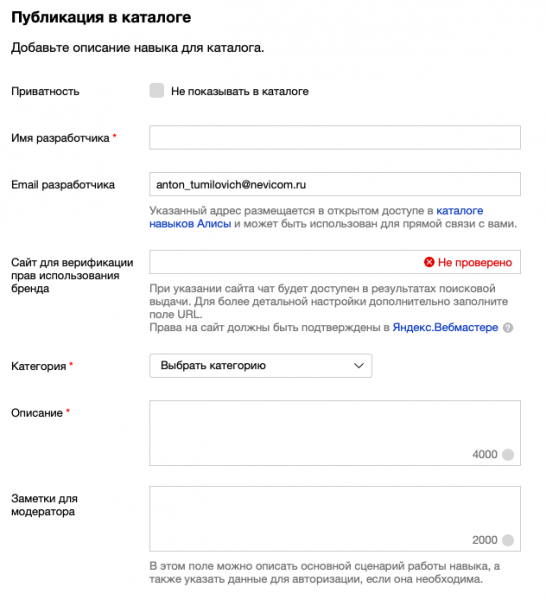
That's all for the settings; let's move on to the scripts.
Telegram Bot Script
Let's start with the script for Telegram.
We connect the library that will handle messages from the bot and Alice:
include_once 'webhook_parse.php';
We set the token for our bot:
$tg_bot_token = "_____YOUR_BOT_TOKEN_____";
We get the data:
$request = file_get_contents('php://input');
$request = json_decode($request, TRUE);
We parse the data into variables:
if (!$request)
{
  die();
    // Some Error output (request is not valid JSON)
}
else if (!isset($request['update_id']) || !isset($request['message']))
{
  die();
    // Some Error output (request has not message)
}
else
{
  $user_id = $request['message']['from']['id'];
  $msg_user_name = $request['message']['from']['first_name'];
  $msg_user_last_name = $request['message']['from']['last_name'];
  $msg_user_nick_name = $request['message']['from']['username'];
  $msg_chat_id = $request['message']['chat']['id'];
  $msg_text = $request['message']['text'];


  $msg_text = mb_strtolower($msg_text, 'UTF-8');


  $tokens = explode(" ", $msg_text);
}
Now we can work with the variables:
$tokens — this now contains all the words the user entered
$user_id — this is the user's id
$msg_chat_id — the chat where the bot received the command
$msg_user_name — the user's name
Next, we call the function Parse_Tokens for processing:
$Out_Str = Parse_Tokens($tokens);
And we send the response:
Send_Out($user_id, $Out_Str);
The Send_Out function is simple and looks like this:
function Send_Out($user_id, $text, $is_end = true)
{
  global $tg_bot_token;
  if (strlen($user_id) < 1 || strlen($text) < 1) {return;}
  $json = file_get_contents('https://api.telegram.org/bot' . $tg_bot_token . '/sendMessage?chat_id=' . $user_id . '&text=' . $text);
}
Skill script for Yandex.Alice
Now let's move on to the script for Alice, which is almost the same as the one for Telegram.
We also connect the library that will handle messages from the bot and Alice, plus the library with classes for Alice:
include_once 'classes_alice.php';
include_once 'webhook_parse.php';
We get the data:
$data = json_decode(trim(file_get_contents('php://input')), true);
We parse the data into variables:
if (isset($data['request']))
{

//original_utterance


  if (isset($data['meta']))
  {
    $data_meta = $data['meta'];
    if (isset($data_meta['client_id'])) {$client_id = $data_meta['client_id'];}
  }

  if (isset($data['request']))
  {
    $data_req = $data['request'];

    if (isset($data_req['original_utterance']))
    {
      $original_utterance = $data_req['original_utterance'];
    }


    if (isset($data_req['command'])) {$data_msg = $data_req['command'];}
    if (isset($data_req['nlu']))
    {
      $data_nlu = $data_req['nlu'];
      if (isset($data_nlu['tokens'])) {$tokens = $data_nlu['tokens'];}
//      $data_token_count = count($data_tokens);
    }
  }
  if (isset($data['session']))
  {
    $data_session = $data['session'];
    if (isset($data_session['new'])) {$data_msg_new = $data_session['new'];}
    if (isset($data_session['message_id'])) {$data_msg_id = $data_session['message_id'];}
    if (isset($data_session['session_id'])) {$data_msg_sess_id = $data_session['session_id'];}
    if (isset($data_session['skill_id'])) {$skill_id = $data_session['skill_id'];}
    if (isset($data_session['user_id'])) {$user_id = $data_session['user_id'];}
  }
}
Here, there are slightly fewer necessary variables:
$tokens — this now contains all the words the user entered
$user_id — this is the user's id
Yandex constantly pings published skills, and I've added a line to exit the script immediately without running full message processing:
if (strpos($tokens[0], "ping") > -1) {Send_Out("pong", "", true);}
We call the Parse_Tokens function for processing, which is the same as for Telegram:
$Out_Str = Parse_Tokens($tokens);
And we send the response:
Send_Out($user_id, $Out_Str);
The Send_Out function is a bit more complex here:
function Send_Out($user_id, $out_text, $out_tts = "", $is_end = false)
{
  global $data_msg_sess_id, $user_id;

  ////////// GENERATE BASE OF OUT //////////
    $Data_Out = new Alice_Data_Out();
    $Data_Out->response = new Alice_Response();
    $Data_Out->session = new Alice_Session();
  ////////// GENERATE BASE OF OUT End //////////

  ////////// OUT MSG GENERATE //////////
  $Data_Out->session->session_id = $data_msg_sess_id;;
  $Data_Out->session->user_id = $user_id;

  $Data_Out->response->text = $out_text;
  $Data_Out->response->tts = $out_tts;

  if (strlen($out_tts) response->tts = $out_text;}

  $Data_Out->response->end_session = $is_end;

  header('Content-Type: application/json');
  print(json_encode($Data_Out, JSON_HEX_TAG | JSON_HEX_AMP | JSON_HEX_APOS | JSON_HEX_QUOT));

  die();
}
Completed the script for Alice.
The Parse_Tokens processing script is purely for example; you can perform any checks and processing there.
function Parse_Tokens($tokens)
{
  $out = "";
  // do something with tokens //
  $out =  "You entered " . count($tokens) . " words: " . implode($tokens, " ");
  return $out;
}
If you need more complex interaction with the user than question-answer, you will need to store the $user_id in a database (for example, MySQL) and the information received from the user, then analyze it in the Parse_Tokens function.
That is almost everything; if everything is done correctly, the Telegram bot is already available, and you can check Alice's skill. dialogs.yandex.ru/developer, by going to your new skill on the testing tab.
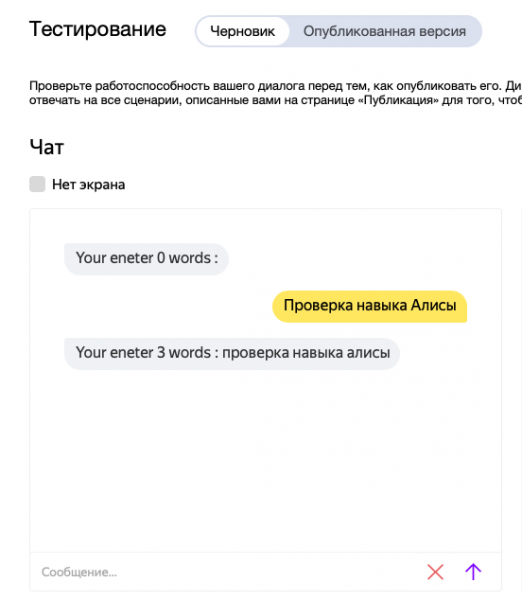
If everything works correctly, you can submit the skill for moderation by clicking the "Submit for Moderation" button.
Now you have two bots for different platforms that work the same way.
Documentation for the Yandex.Dialogs service here
Full scripts are available on GitHub download.
Source: habr.com
