

A Beginner's Penetration Testing Toolkit: Introducing a brief overview of essential tools that will be useful for penetration testing of internal networks. These tools are already widely used by a broad range of professionals, making it beneficial for everyone to know their capabilities and master them.

Contents:
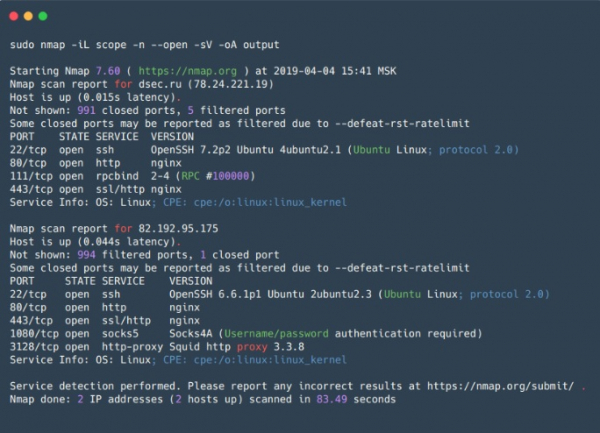
Nmap
– an open-source utility for network scanning, it is one of the most popular tools among security professionals and system administrators. Primarily used for port scanning, it also has a vast array of useful features that essentially make Nmap a super tool for network exploration.
In addition to checking open/closed ports, Nmap can identify the service listening on an open port and its version, and can sometimes help to determine the OS. Nmap supports scripting for scanning (NSE — Nmap Scripting Engine). Using scripts, it is possible to check for vulnerabilities for various services (if, of course, there is a script for them, or one can always write their own) or brute-force passwords for different services.
Thus, Nmap allows creating a detailed map of the network, gathering maximum information about running services on hosts in the network, and preemptively checking for some vulnerabilities. Nmap also has flexible scanning settings, enabling adjustment of the scanning speed, number of threads, number of groups for scanning, etc.
Convenient for scanning small networks and indispensable for targeted scanning of individual hosts.
Pros:
- Works quickly with a small range of hosts;
- Flexibility of settings — options can be combined in a way to obtain the most informative data in a reasonable time;
- Parallel scanning — the list of target hosts is divided into groups, and then each group is scanned sequentially, using parallel scanning within the group. This grouping is also a minor drawback (see below);
- Predefined script sets for different tasks — you can save time on selecting specific scripts by specifying groups of scripts;
- Output formats — 5 different formats, including XML, which can be imported into other tools;
Cons:
- Host group scanning — information about any host is unavailable until the scanning of the entire group is completed. This can be resolved by setting maximum group size and maximum timeout options for how long to wait for a response to a request before ceasing attempts or making another;
- When scanning, Nmap sends SYN packets to the target port and waits for any response packet or a timeout in cases where there is no response. This negatively impacts the performance of the scanner as a whole, compared to asynchronous scanners (such as zmap or masscan);
- When scanning large networks using flags to speed up the scan (--min-rate, --min-parallelism), it may yield false-negative results, missing open ports on a host. These options should also be used cautiously, considering that a high packet rate can lead to unintentional DoS.
Zmap
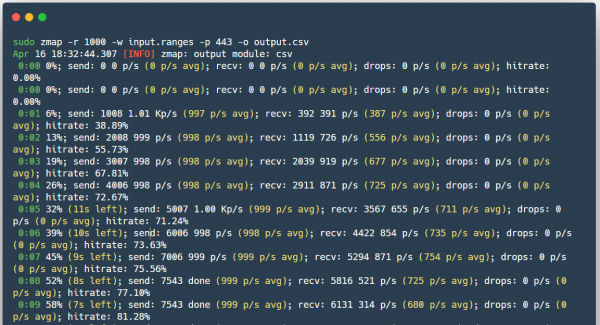
(not to be confused with ZenMap) — is also an open-source scanner, created as a faster alternative to Nmap.
Unlike nmap — Zmap does not wait for a response when sending SYN packets and continues scanning while concurrently awaiting responses from all hosts, thus effectively not maintaining connection state. When a response to the SYN packet arrives, Zmap understands which port and on which host was opened based on the content of the packet. Moreover, Zmap sends only one SYN packet to the scanned port. There is also the possibility of using PF_RING for fast scanning of large networks if you happen to have a 10-gigabit interface and a compatible network card on hand.
Pros:
- Scanning speed;
- Zmap generates Ethernet frames bypassing the system's TCP/IP stack;
- Possibility of using PF_RING;
- ZMap randomizes targets for even load distribution on the scanned side;
- Ability to integrate with ZGrab (a tool for gathering information about services at the application level L7).
Cons:
- Can cause denial of service of network equipment, for example, incapacitating intermediate routers, despite the distributed load, since all packets will pass through one router.
Masscan
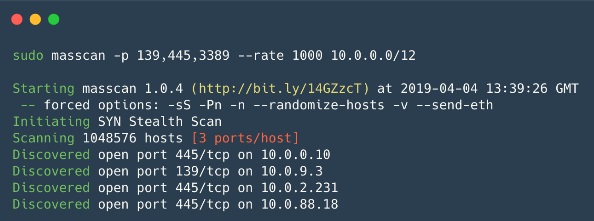
Surprisingly, it is also an open-source scanner created with one purpose: to scan the Internet even faster (in less than 6 minutes at a speed of ~10 million packets/s). Essentially, it works almost the same as Zmap, only even faster.
Pros:
- The syntax is similar to Nmap, and the program supports some options compatible with Nmap.
- Speed is one of the fastest asynchronous scanners.
- Flexible scanning mechanism — resuming interrupted scans, distributing load across multiple devices (like in Zmap).
Cons:
- As with Zmap, the load on the network itself is extremely high, which can lead to DoS.
- By default, it cannot scan at the application level L7.
Nessus
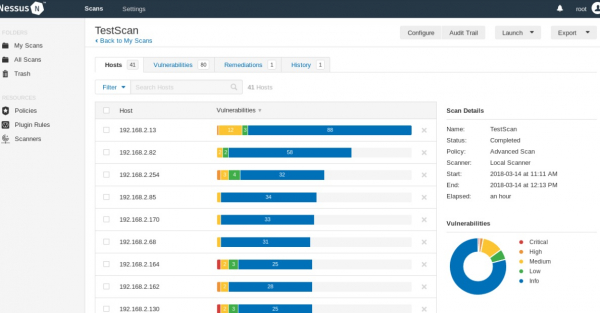
It is a scanner for automating the checking and discovery of known vulnerabilities in the system. The source code is closed; there is a free version called Nessus Home, which allows scanning up to 16 IP addresses with the same speed and detailed analysis as the paid version.
It can identify vulnerable versions of services or servers, discover configuration errors in the system, perform bruteforce dictionary password attacks. It can be used to verify the correctness of service settings (mail, updates, etc.), as well as in preparation for PCI DSS audits. Furthermore, in Nessus, credentials for the host (SSH or domain account in Active Directory) can be provided, allowing the scanner to access the host and conduct checks directly on it; this option is called credential scan. It is convenient for companies conducting audits of their own networks.
Pros:
- Specific scripts for each vulnerability, with a constantly updated database.
- Result output formats - plain text, XML, HTML, and LaTeX.
- Nessus API - allows automation of scanning processes and result retrieval.
- Credential Scan, can use Windows or Linux credentials to check for updates or other vulnerabilities.
- Ability to write custom embedded security modules - the scanner has its own scripting language called NASL (Nessus Attack Scripting Language).
- You can set a time for regular scanning of the local network - this way, the Information Security Service will be aware of all changes in security configuration, the appearance of new hosts, and the use of dictionary passwords or default passwords.
Cons:
- There may be disruptions in the operation of scanned systems — caution is required when working with the safe checks option disabled;
- The version allowing commercial use is not free.
Net-Creds
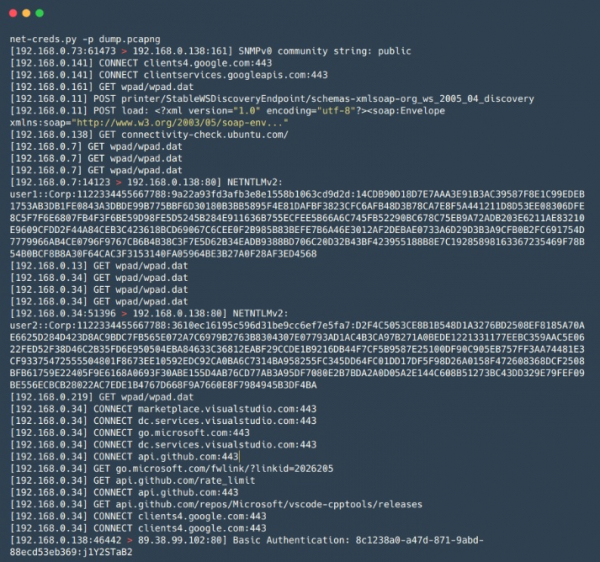
— a Python tool for collecting passwords and hashes, as well as other information, such as visited URLs, uploaded files, and other data from traffic, both in real time during a MiTM attack and from previously saved PCAP files. Suitable for rapid and superficial analysis of large volumes of traffic, for instance, during network MiTM attacks when time is limited, and manual analysis with Wireshark is time-consuming.
Pros:
- Service identification is based on packet analysis instead of determining the service by the port number used;
- Easy to use;
- A wide range of extractable data — including usernames and passwords for FTP, POP, IMAP, SMTP, NTLMv1/v2 protocols, as well as information from HTTP requests, such as login forms and basic auth;
network-miner
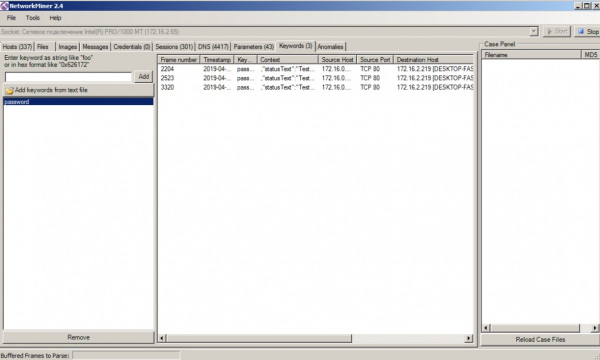
— similar to Net-Creds in its operation principles, but with greater functionality, such as the ability to extract files transferred over SMB protocols. Like Net-Creds, it is convenient for quickly analyzing large volumes of traffic. It also features a user-friendly graphical interface.
Pros:
- Graphical interface;
- Visualization and classification of data into groups — simplifies traffic analysis and makes it swift.
Cons:
- The demo version has some functional limitations.
mitm6
— a tool for executing attacks on IPv6 (SLAAC-attack). IPv6 is prioritized in Windows OS (generally, and in other OSs too), and by default, the IPv6 interface is enabled, which allows an attacker to set their DNS server for the victim using Router Advertisement packets, after which the attacker can spoof the victim's DNS. It is excellent for carrying out Relay attacks together with the ntlmrelayx utility, enabling successful attacks on Windows networks.
Pros:
- It works exceptionally well in many networks due to the standard configurations of Windows hosts and networks;
Responder
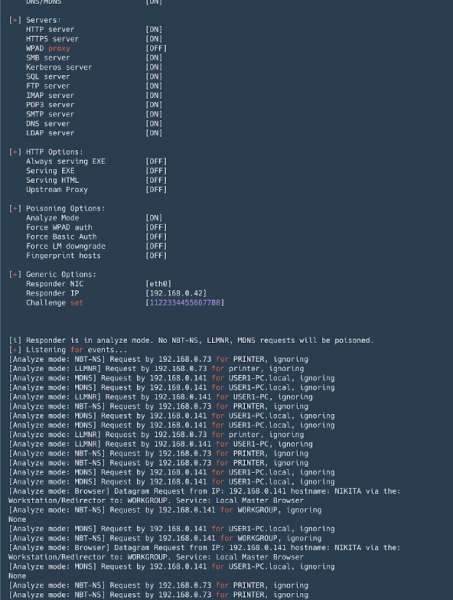
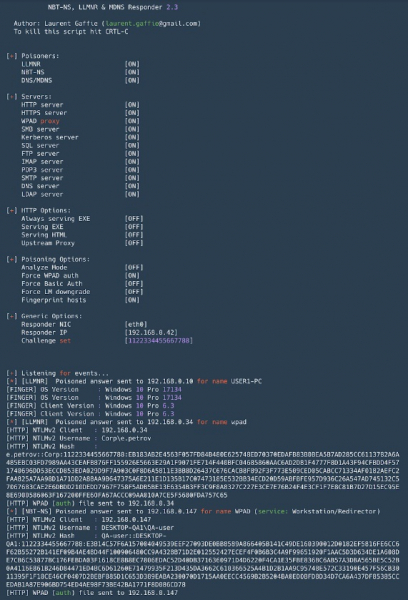
— a tool for spoofing broadcast name resolution protocols (LLMNR, NetBIOS, MDNS). An indispensable tool in Active Directory networks. Besides spoofing, it can intercept NTLM authentication, and comes with a set of tools for collecting information and executing NTLM-Relay attacks.
Pros:
- By default, it raises multiple servers with NTLM authentication support: SMB, MSSQL, HTTP, HTTPS, LDAP, FTP, POP3, IMAP, SMTP;
- Allows DNS spoofing in the case of MITM attacks (ARP spoofing, etc.);
- Fingerprinting hosts that have made a broadcast request;
- Analyze mode — for passive monitoring of requests;
- The format of intercepted hashes during NTLM authentication is compatible with John the Ripper and Hashcat.
Cons:
- When running on Windows, binding port 445 (SMB) is associated with some complexities (requires stopping relevant services and rebooting);
Evil_Foca
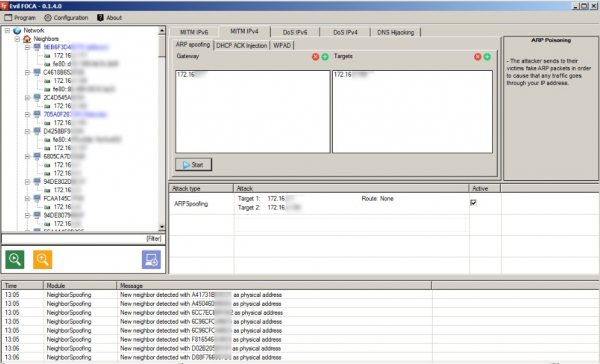
— a tool for testing various network attacks in IPv4 and IPv6 networks. Scans the local network, identifying devices, routers, and their network interfaces, after which various attacks can be executed against network participants.
Pros:
- Convenient for conducting MITM attacks (ARP spoofing, DHCP ACK injections, SLAAC attack, DHCP spoofing);
- Can perform DoS attacks — with ARP spoofing for IPv4 networks, with SLAAC DoS in IPv6 networks;
- DNS hijacking can be performed;
- Easy to use, with a user-friendly graphical interface.
Cons:
- Works only on Windows.
Bettercap
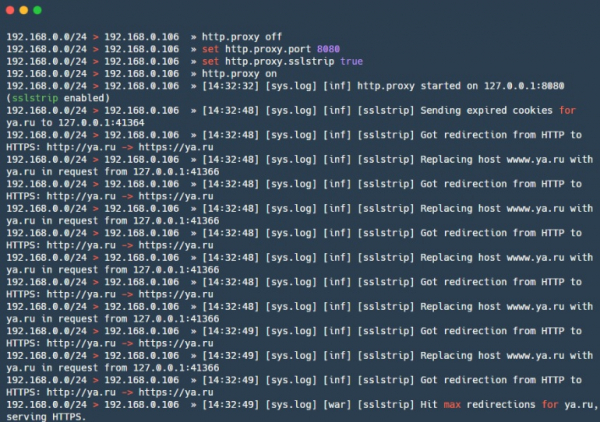
— a powerful framework for analyzing and attacking networks, including attacks on wireless networks, BLE (Bluetooth Low Energy), and even MouseJack attacks on wireless HID devices. It also includes functionality for gathering information from traffic (similar to net-creds). In general, a Swiss army knife (all in one). Recently, it also has .
Pros:
- Credential sniffer — can capture visited URLs and HTTPS hosts, HTTP authentication, and credentials across various protocols;
- Many built-in MITM attacks;
- Modular HTTP(S) transparent proxy — traffic can be managed according to needs;
- Built-in HTTP server;
- Support for caplets — files that allow complex and automated attacks to be described in a scripting language.
Cons:
- Some modules — for example, ble.enum — are partially unsupported on macOS and Windows, and some are only designed for Linux — packet.proxy.
gateway_finder
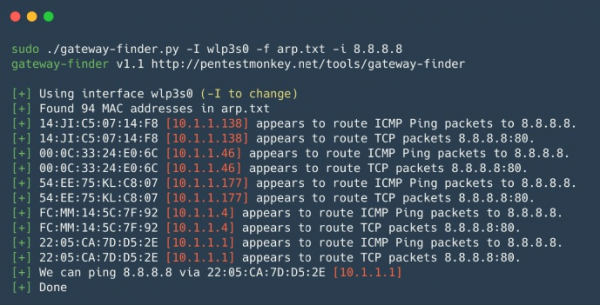
— a Python script that helps identify possible gateways in the network. Useful for checking segmentation or finding hosts that can route to the necessary subnet or the Internet. Suitable for internal pentests when a quick check of unauthorized routes or routes to other internal local networks is needed.
Pros:
- Easy to use and customize.
mitmproxy
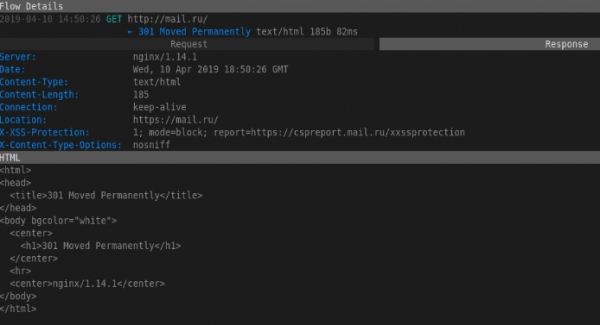
— an open-source tool for analyzing traffic secured with SSL/TLS. mitmproxy is convenient for intercepting and modifying secure traffic, of course with some caveats; the tool does not perform SSL/TLS decryption attacks. It is used when you need to intercept and log changes in SSL/TLS secured traffic. It consists of Mitmproxy — for proxying traffic, mitmdump — similar to tcpdump, but for HTTP(S) traffic, and mitmweb — a web interface for Mitmproxy.
Pros:
- Works with various protocols and supports modification of different formats, from HTML to Protobuf;
- API for Python — allows you to write scripts for non-standard tasks;
- Can operate in a transparent proxy mode with traffic interception.
Cons:
- The dump format is incompatible with anything — it's hard to use grep, you have to write scripts;

SIET
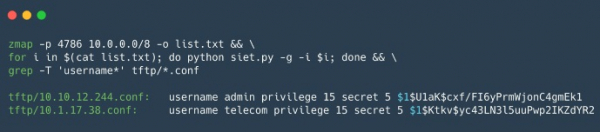
— a tool for exploiting the capabilities of the Cisco Smart Install protocol. It allows for obtaining and modifying the configuration, as well as taking control of the Cisco device. If you managed to obtain the configuration of the Cisco device, you can check it using , this tool is useful for analyzing the security of the configurations of Cisco devices.
Pros:
The use of the Cisco Smart Install protocol allows for:
- Changing the TFTP server address on the client device by sending a single malformed TCP packet;
- Copying the configuration file of the device;
- Replacing the device configuration, for example, by adding a new user;
- Updating the iOS image on the device;
- Executing arbitrary commands on the device. This new feature works only in versions 3.6.0E and 15.2 (2) E iOS;
Cons:
- Works with a limited set of Cisco devices, and a 'white' IP is needed to receive a response from the device, or it must be in the same network as the device;
yersinia
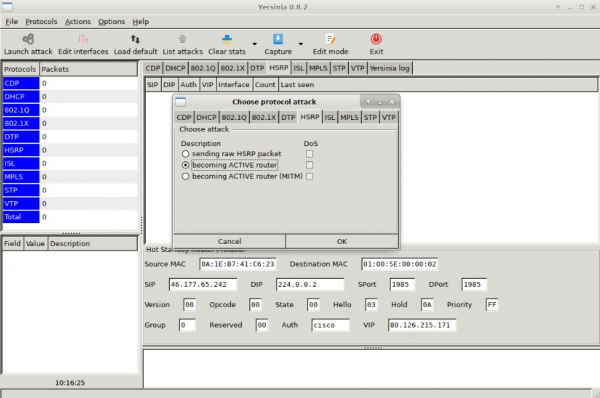
— a framework for L2 attacks, designed to exploit security flaws in various L2 network protocols.
Pros:
- Allows for attacks on STP, CDP, DTP, DHCP, HSRP, VTP and other protocols.
Cons:
- Not the most user-friendly interface.
proxychains
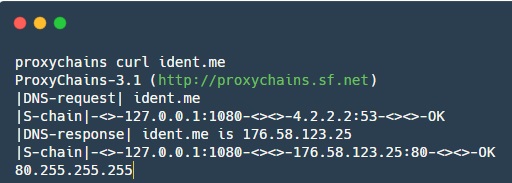
— a tool that allows redirecting application traffic through a specified SOCKS proxy.
Pros:
- Helps redirect traffic for some applications that do not natively support proxies;
In this article, we briefly reviewed the advantages and disadvantages of the main tools for pentesting an internal network. Stay tuned for updates, as we plan to release such compilations in the future: Web, databases, mobile applications — we will definitely cover that as well.
Share your favorite tools in the comments!
Source: habr.com
