

When people think about privacy online, the first thing that comes to mind is the 'incognito mode' in Chrome and other browsers. Many believe this is enough to prevent sites from tracking them, but that's not the case. In this mode, the browser doesn't save the history of visits and deletes cookies, but the provider can still monitor user activity. Additionally, this mode doesn't hide the IP address and other data.

However, times are changing, and Google has finally some data protection features to this mode that keep personal information confidential. They are present in the recently build of Chrome 74. Previously, websites could see when a user was browsing in 'incognito mode', but this possibility has now been closed.
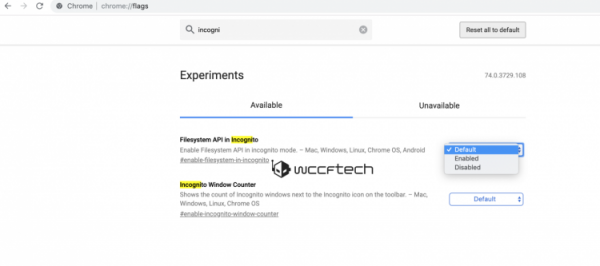
This feature was previously in the Canary build, but has recently moved to the release version. To enable it, you need to go to the chrome://flags section, search for the flag 'Filesystem API in Incognito' and activate it. After restarting the browser, the incognito mode will work fully.
However, to enhance 'masking', it's advisable to log out of all social networks first, since Facebook and others love to monitor users. Additionally, this mode does not bypass restrictions— for that, there are Tor and extensions like FriGate.
Let us remind you once more— this mode is not completely secure, as it does not use third-party proxies, anonymizers, and so on. Therefore, one should not think that 'incognito mode' can truly disguise one from hackers and cybercriminals.
Source: 3dnews.ru
