

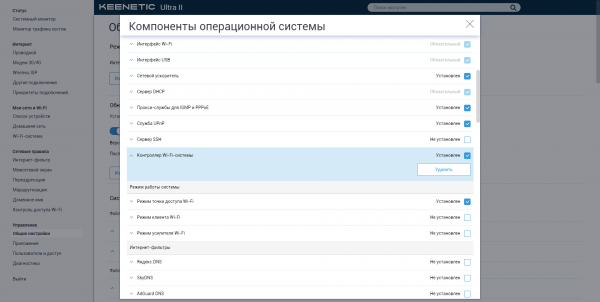
Also at last year's December several important announcements were made, but in this review, we are interested in only two. First, the company indeed continues to support older models by adding new features to the firmware. Second, among these new features in the release, a Wi-Fi system has finally been included. We will explore it using devices from different generations: the 2015 models and last year's new product . This is another vivid example of the importance of software in modern devices.
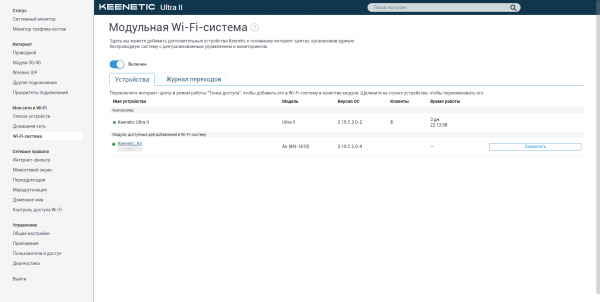
What is according to Keenetic? In brief, it is centralized management of Wi-Fi access points (AP) based on any modern devices from the company, connected via Ethernet cable to one of the Keenetic routers, which then becomes the system's controller. Previously, it was also possible to simply run a cable to the desired location, place a router there, switch it to the mode of an ordinary AP, and even set identical names and passwords for connecting to the wireless network. However, the Wi-Fi system offers unified management of the entire network. This includes firmware updates, transferring all network settings, controlling users and devices, and of course, roaming, which we explored using the example of .
This is somewhat of a response to mesh systems while also being a trial for SMB solutions. In both cases, the company benefits from the combination of price and capabilities. The situation with the SMB segment is clear, as the cost of a solution for an office with several rooms will still be significant even in the case of simpler and cheaper devices, and for home use, such solutions are still somewhat excessive. The situation with mesh options, however, is not clear to everyone. Tri-band sets, where one band is dedicated exclusively to data transfer between points to create a backbone network, are not cheap. Dual-band options suffer from the classic problem of repeaters—halving (or more) the base speed due to the half-duplex nature of Wi-Fi data transmission. Half the time, the access point spends talking to another point, and the rest is distributed among clients, which can also include points. Not all options support proper network reconfiguration in case one of the nodes goes down. So, the only undeniable advantage of mesh systems is the absence of the need for cabling.
For wired systems, this is, on the contrary, the only drawback. However, there are no losses in speed and latency of the wireless connection, as radio resources are not wasted on a backbone network, and scalability is significantly higher. In the case of the Keenetic solution, there are no noticeable limits on the number of subordinate access points. Regarding topology, points can be connected in a star formation, linking them to the main router-controller, or in a chain, one after another, or both methods can be used simultaneously. In fact, there is no clever magic (routing in this case)—only switching works for wired connections. Because of this, for example, on subordinate access points within the system, it is not possible to bind a separate segment/VLAN to a physical port; however, without a Wi-Fi system in normal TD mode, everything will be available. Overall, on subordinate points in the system, the ability to change most settings disappears, as they are imported from the controller. This includes network segments, SSID names and passwords, roaming, MAC filtering, IP, and DHCP.
From the available parameters, only the region and standard, the number (with auto-selection), channel width, radio module power, and Band Steering options remain, along with the options to enable Tx Burst and WPS. Nevertheless, it is still possible to configure a domain name in KeenDNS for child devices and connect them to the Keenetic Cloud service, reassign hardware button functions, define static routes, select the operating mode of the network ports (speed/duplex), and even add new users. However, applications where these users may be needed will largely not be available, except for services for USB drives that will be visible across the entire home network: FTP, SMB, DLNA, as well as DECT dongle services. Generally speaking, with this approach, it would make sense for Keenetic to create a separate series of simple and inexpensive access points based on the same hardware platforms as the routers, but without the software excesses: with slightly different cases/antennas and powered via PoE, or even in the form of a box to be installed directly into the socket. The chosen Keenetic Air for testing is the closest to such a hypothetical device.
| Keenetic Air (KN-1610) Technical Specifications | |
| Standards | IEEE 802.11 a/b/g/n/ac (2.4 GHz + 5 GHz) |
| Chipset/Controller | MediaTek MT7628N (1 × MIPS24KEc 580 MHz) + MT7612 |
| Memory | RAM 64 MB/ROM 16 MB |
| Antennas | 4 × external 5 dBi; length 175 mm |
| Wi-Fi Encryption | WPA/WPA2, WEP, WPS |
| Wi-Fi Parameters | 802.11ac: up to 867 Mbps; 802.11n: up to 300 Mbps |
| Interfaces | 4 × 10/100 Mbps Ethernet |
| Indicators | 4 × functional state (on the top cover); no port indicators |
| Hardware Buttons | Wi-Fi/WPS/FN, reboot/reset; operating mode |
| Dimensions (W × D × H) | 159 × 110 × 29 mm |
| Weight | 240 g |
| Power | DC 9 V, 0.85 A |
| Price | ≈ 3,200 rubles |
| Capabilities | |
| Internet Access | Static IP, DHCP, PPPoE, PPTP, L2TP, SSTP, 802.1x; VLAN; CABINET; DHCP Relay; IPv6 (6in4); Multi-WAN; connection priorities (policy-based routing); Ping checker; WISP; NetFriend setup wizard |
| Services | VLAN; VPN server (IPSec/L2TP, PPTP, OpenVPN, SSTP); auto software update; Captive portal; NetFlow/SNMP; SSH access; Keenetic Cloud; Wi-Fi system |
| Protection | Parental control, filtering, protection against telemetry and ads: "Yandex.DNS", SkyDNS, AdGuard; HTTPS access to the web interface |
| Port Forwarding | Interface/VLAN+port+protocol+IP; UPnP, DMZ; IPTV/VoIP LAN-Port, VLAN, IGMP/PPPoE Proxy, udpxy |
| QoS/Shaping | WMM, InteliQoS; interface/VLAN priority specification + DPI; shaper |
| Dynamic DNS Services | DNS-master (RU-Center), DynDns, NO-IP; KeenDNS |
| Operating Mode | Router, WISP client/media adapter, access point, repeater |
| VPN Forwarding, ALG | PPTP, L2TP, IPSec; (T)FTP, H.323, RTSP, SIP |
| Firewall | Filtering by port/protocol/IP; Packet Capture; SPI; DoS protection |
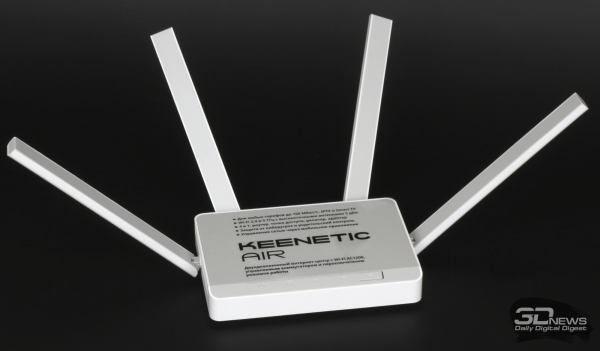
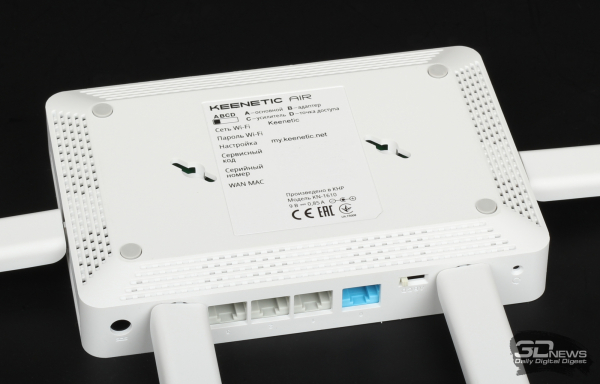
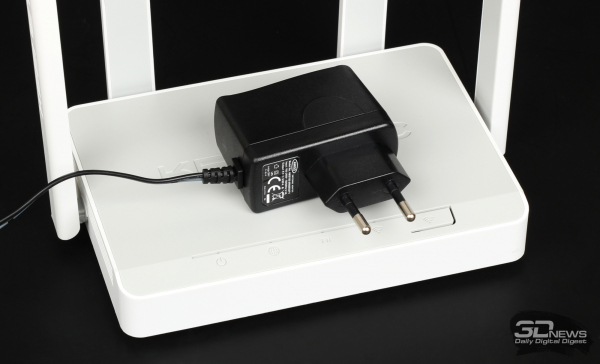
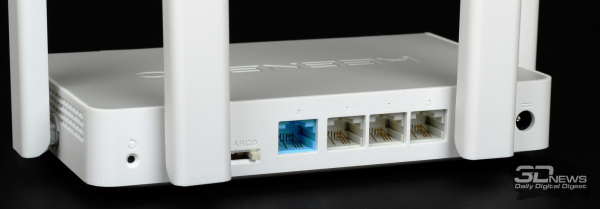
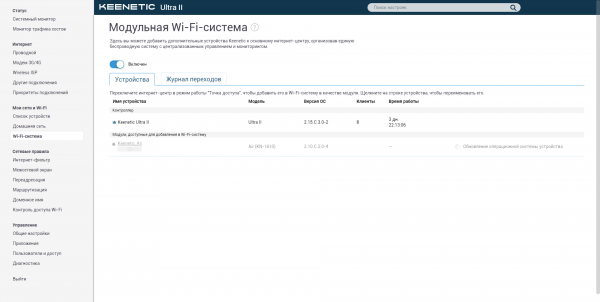
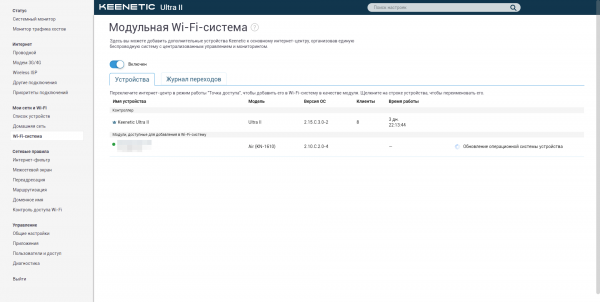
Keenetic Air is quite compact and lightweight (159 × 110 × 29 mm, 240 g), can be mounted on a wall, features four rotating antennas, and two radio modules 2 × 2 for 2.4 and 5 GHz ranges (300 and 867 Mbps respectively). It is equipped with four 100 Mbps network ports and comes with a small 7.65 W power adapter. Inside, it has a MediaTek MT7628N SoC paired with an MT7612 module, which supports 802.11b/g/n/ac. In terms of performance, it is similar to Air. But the most important feature is that the case has a hardware mode switch. Therefore, unlike other devices, to switch Air to access point mode, which is necessary for operation within the Keenetic Wi-Fi system, you don’t have to access the web interface, change settings, and wait for a reboot—just flip the switch to the desired position before powering it on and connect the ethernet cable from the system controller. There are no special requirements for the Keenetic model chosen as the controller. Of course, if you already have several routers from the company, it’s better to choose the one that is at least a bit faster in terms of ethernet ports as the main one, but it is not mandatory.

Source: 3dnews.ru
