

The latest Windows 10 May 2019 Update (also known as 1903 or 19H1) . After a long testing period, Microsoft began rolling out the build through Windows Update. The previous update caused significant issues, so this time there aren’t many major innovations. However, there are new features, minor changes, and numerous fixes. Let’s take a look at the ten most interesting points for users.
New light theme
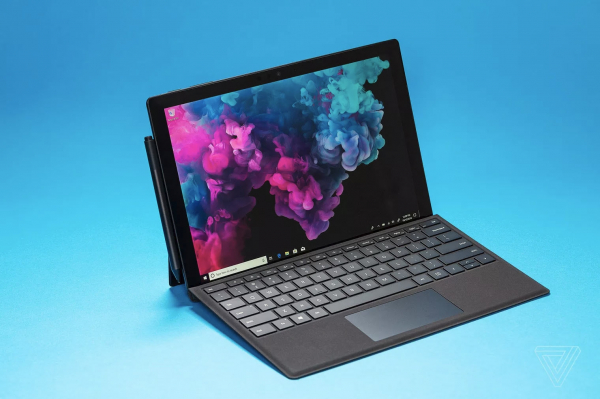
The biggest visual change in Windows 10 1903 is the new light theme, which will be standard on regular consumer systems. Previously, even in the light theme, some menus were dark, but now it has become more uniform (although the familiar mode with light windows and dark system panels remains). The dark mode in Windows 10 still doesn't always look good due to the many third-party applications that don’t support it. The light mode, on the other hand, generally appears more cohesive and natural. Microsoft also updated the default wallpapers in Windows 10 to better match the new light theme. Additionally, some elements of Fluent Design have been introduced: a transparent Start menu and notification center, shadows, and so on.
Built-in Windows virtual machine 10
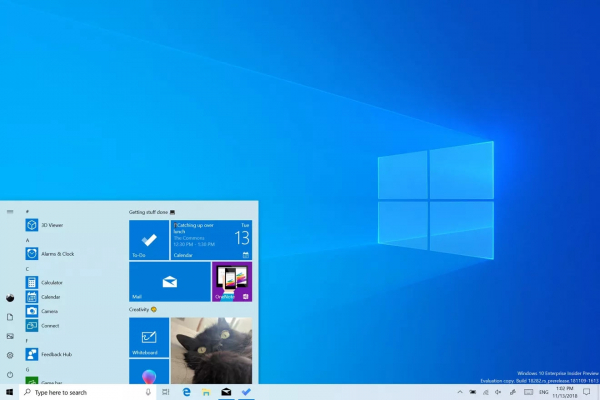
The May update introduced a new feature called Windows Sandbox. With this, the company aims to alleviate users' fears of running unknown .exe files on their computers. It has developed a simple way for all Windows 10 users to run applications in an isolated environment. Windows Sandbox essentially acts as a temporary virtual machine to isolate a specific program.
The method is designed with security in mind, so after closing the tested application, all data from the sandbox will be deleted. There's no need to configure a separate virtual machine like most experienced users do today, but the PC must support virtualization capabilities in the BIOS. Microsoft makes Sandbox a part of Windows 10 Pro or Windows 10 Enterprise — such features are indeed necessary more for business and advanced users than for everyone. Moreover, it’s not included in the system by default — it needs to be installed through control panel the OS component selection.
You can now remove even more built-in apps
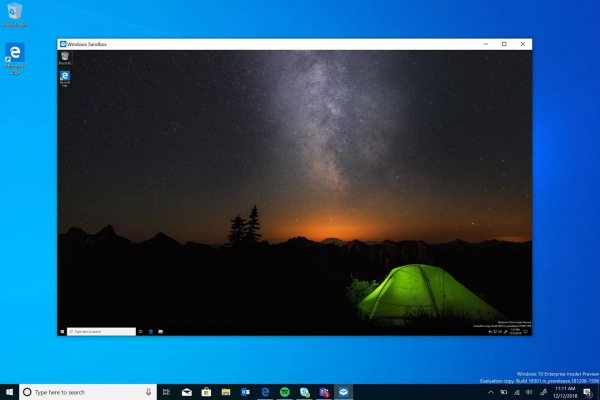
Microsoft is gradually giving Windows 10 users the ability to remove more and more freemium apps that are part of the operating system. With the 1903 update, you can now disable apps like Groove Music, Mail, Calendar, Movies & TV, Calculator, Paint 3D, and 3D Viewer. You still can't normally remove apps like Camera or Edge, but with Microsoft moving the browser to the Chromium engine, it's likely that the option to remove Edge will also be available.
Cortana and Search are now separated
Not everyone is a fan of the digital assistant Cortana in Windows 10, and the latest update from Microsoft will please them. Microsoft is separating the search functions and Cortana on the Windows 10 taskbar, allowing voice requests to be processed separately from text input in the search box for documents and files. Windows 10 will now use the built-in OS search for text queries, while Cortana will handle voice requests.
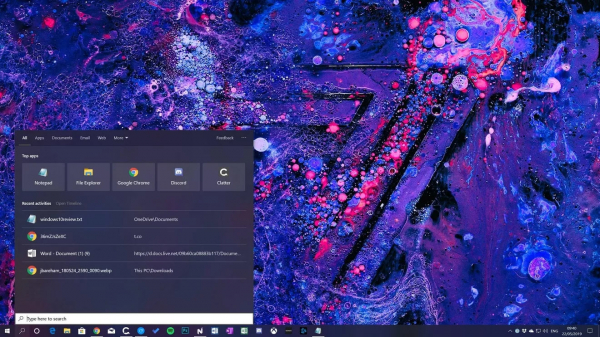
By the way, the new search interface displays popular apps, recent activities, and files, as well as options for filtering by apps, documents, email, and web results. Overall, the search hasn't changed much, but it can now be conducted across all files on the PC. This is a direction the company will surely continue to enhance in future updates, providing users with increasingly powerful search tools.
A less cluttered Start menu
In the latest update for Windows 10, the Start menu has become less cluttered. Microsoft has reduced the number of pinned apps by default and changed the way they are grouped. As a result, all the junk that is usually pinned by default is grouped into one section that can be quickly unpinned. Only new Windows 10 users will see this new menu — the rest won’t notice any changes.
New brightness slider
Among the small changes worth mentioning, there is certainly a new brightness slider. It is available in the notification center and allows you to quickly adjust the screen brightness. The tool replaces the tile that allowed switching between preset brightness levels. Now you can quickly and effortlessly set, for example, 33% brightness.
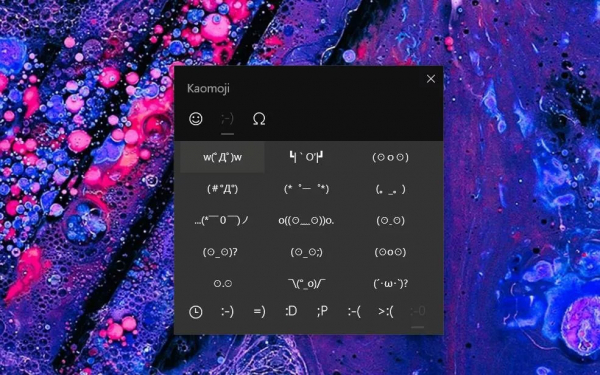
Kaomoji ༼ つ◕_◕ ༽つ
Microsoft has simplified the sending of Japanese kaomoji text emoticons ¯_(ツ)_/¯ from Windows 10 PCs to friends or colleagues. The company added test kaomoji characters in the May update, accessible through the same call of the emoji panel ("win" + "." or "win" + ";"). Users can choose from several pre-made kaomoji or create their own using the available characters. ╮(╯▽╰)╭
Desktop Apps in Windows Mixed Reality
Microsoft has improved support for the Windows Mixed Reality VR platform with the 1903 update. Previously, headsets were limited to running Steam VR games and universal Windows apps, but now desktop applications (Win32), including Spotify, Visual Studio Code, and even Photoshop, can be launched directly within mixed reality. This feature is available on the contacts panel, which now has a Classic Apps folder (beta) where installed desktop software can be selected. It's an ideal option for those who wanted to not only play but also work in virtual reality.
Windows Update Center allows postponing installation for a week
Microsoft has finally listened to Windows 10 users and provided more control over the installation of updates. Now all OS users can postpone updates for a week, and Microsoft even allows them to choose when to install the latest major version. Windows 10 users can remain on their current version while continuing to receive monthly security updates, avoiding the latest functional builds. This is an important change, especially for Windows 10 Home users, as major updates are not always stable enough. Microsoft has also changed the way disk space is allocated for Windows updates. Some patches might not install if there wasn't enough free space, so Microsoft now reserves about 7 GB of disk space for the Update Center.
Windows 10 supports signing into a Microsoft account without a password
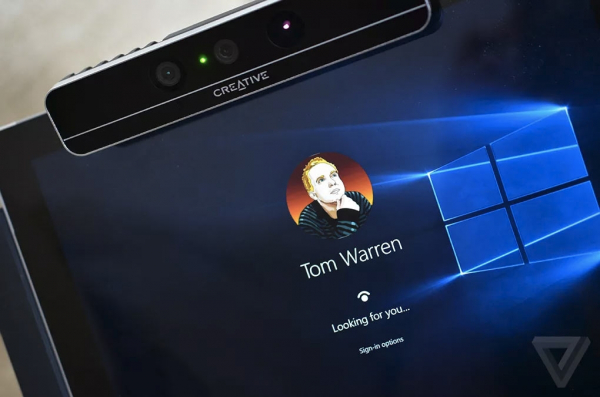
As part of the trend to move away from traditional passwords, Microsoft is offering the use of passwordless accounts. With the latest update 1903, you can set up and log into the Windows 10 operating system on your PC using only your phone number in your Microsoft account. You can create an account without a password by simply entering your phone number as the username, and a code will be sent to your mobile phone to initiate the login process. After logging into Windows 10, you can use Windows Hello or a PIN to access your PC without using a regular password.
Source: 3dnews.ru
