

Disclaimer: This note is of an entertaining nature. The concentration of useful information in it is low. It was written "for myself."
Lyrical introduction
The file dump in our organization runs on a VMware ESXi 6 virtual machine under Windows Server 2016. And it’s not just a dump. It’s a file exchange server between structural divisions: here lies collaborative work, project documentation, and folders from network scanners. In short, this is where all the operational life takes place.
And this repository of operational life began to hang. Moreover, a guest could quietly hang itself without affecting others. It could hang along with the entire host, consequently affecting all other guest machines. It could hang itself and disrupt the client services of vSphere: that is, the processes of other guests are alive, machines work correctly and respond, but the file dump doesn’t and the vSphere Client cannot connect to the host. Overall, no pattern could be identified. Hangs could occur during the day with low load. They could happen at night under zero load. They might occur at night during differential backups with moderate load. They could happen on weekends during full backups with high load. An evident degradation of the situation was observed. At first, it happened once a year, then once every six months. By the end of my patience — twice a week.
I suspected the RAM. But I couldn’t stop the dump even on weekends and run Memtest. We were waiting for the May holidays. During the May holidays, I ran Memtest and… no errors were found.
I was astonished and decided to take a vacation. While I was on vacation, the dump did not hang once. But when I returned to work on Monday — the dump was hanging. It endured a full backup and precisely after it finished, it hung. This warm welcome back from vacation prompted me to physically move the disks from the guest machine to another host.
And, although it is well known that no serious work should be done on the first day back from vacation, even though I spent the whole way to work preparing myself not to work, my outrage at yet another hang wiped my mindset and resolutions from my mind...
The physical disks were moved to another host. Hot-swapped. In the storage settings on the Drives disks appear. On the tab Datastores there are no storages on these disks. Refresh — do not appear. Well, of course, the first impulse is Add Storage. The add storage wizard explains that it supports this. Of course it supports VMFS. I had no doubt. A quick glance at the wizard's messages at each step: Next, Next, Next, Finish. My gaze didn’t even catch the small yellow circle with an exclamation mark at the bottom of one of the wizard's steps.
At the end of the wizard, the new Datastore appeared in the list… along with the Datastores from other physical disks.
I proceed to navigate the newly added Datastore, and it… is empty. Naturally, I was astonished again. 8 AM on the clock, the first 15 minutes of work after vacation, I haven't even stirred the sugar in my coffee yet. And then this happens. The first thought was — didn’t pull the right disk from the 'native' host. I checked if the desired Datastore was present on the 'native' host: no, it is not present. The second thought was: 'damn!'. I'm not sure, but it seems that the third, fourth, and at least the fifth thought were the same.
To dispel doubts, I quickly installed a fresh ESXi for testing, took a random disk and, while reading attentively, went through the wizard's steps. Yes. When adding a Datastore with the wizard, there is a loss of all data on the disk without the possibility of reverting the operation and recovering the data. Later, I read on one of the forums an assessment of such a wizard design: shitsome crap. And I completely agreed.
Starting from the sixth thought — I began to think more constructively. Alright. Initialization takes mere seconds even for a 3Tb disk. So, this is high-level formatting. This means the partition table was simply rewritten. So, the data is still there. Now let's look for some unformat tool and voila.
I boot the machine from the Strelec boot image… And discover that partition recovery programs know everything except VMFS. They know Synology partitioning, for example, but not VMFS.
The range of programs is not reassuring: at best, GetDataBack and R.Saver find NTFS partitions with an intact directory structure and live file names. But that doesn't satisfy me. I need two vmdk files: one for the system disk and one for the trash file disk.
And here I realize that I seem to be about to install Windows and restore from a file backup. At the same time, I remember that I had a DFS root there. And also a completely wild volume and branching system of access rights to the departmental folders. Not an option. The only time-acceptable option is to recover the system and data disk state along with all rights.
More Googling, forums, knowledge bases, and once again the lament of Yaroslavna: VMware ESXi does not provide a data recovery mechanism. All discussion threads have two endings: someone managed to recover with the rather expensive DiskInternals VMFS Recovery, or someone was helped by a specialist actively promoting their services. vmfs-tools and dd. The option of purchasing a DiskInternals VMFS Recovery license for $700 is not viable. Allowing an outsider from the 'territory of a potential adversary' access to corporate data is also not an option. However, it was found that UFS Explorer can read VMFS partitions as well.
DiskInternals VMFS Recovery
A trial version was downloaded and installed. The program successfully detected an empty VMFS partition:
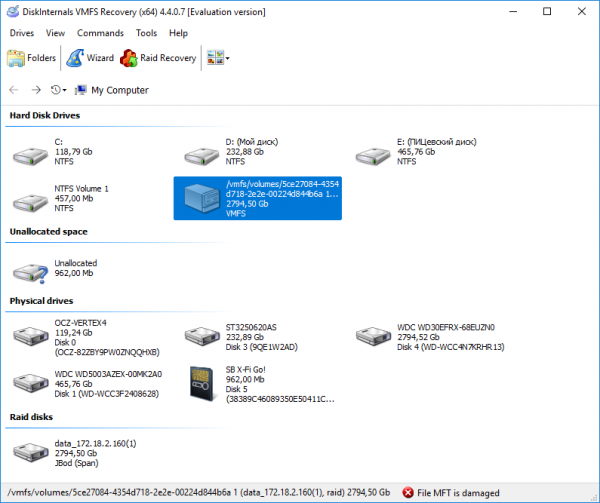
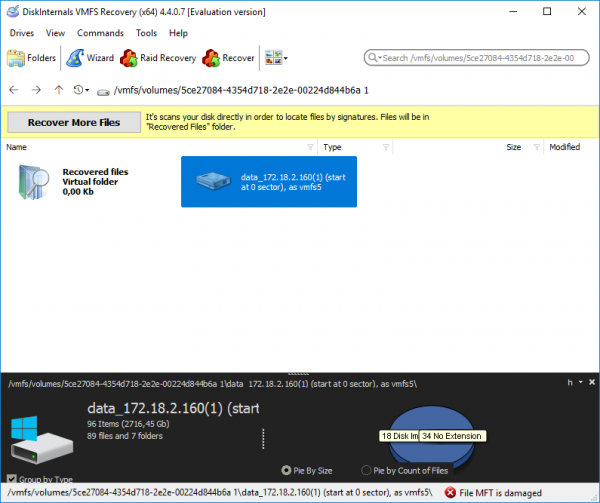
In strict tracking protection mode Undelete (Fast Scan) also found the worn Datastore with folders of virtual machines containing disks:
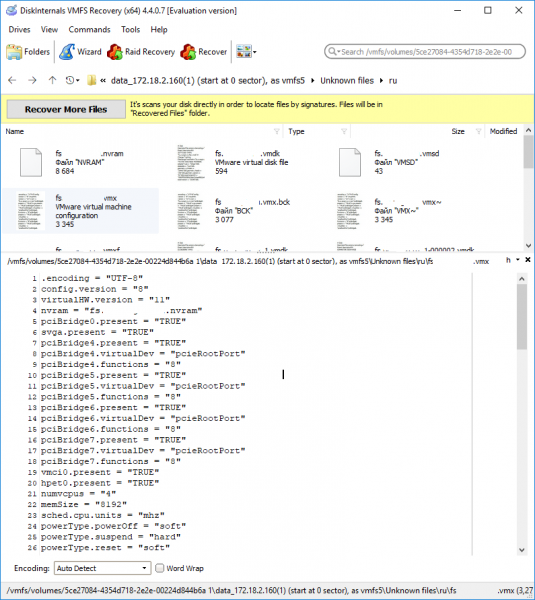
The preview showed that the files are alive:
Mounting the partition in the system was successful, but for some unknown reason, all three folders contained the same virtual machine. Of course, Murphy's law — not the one that was needed.
Three lines of shameThe attempted shameless piracy of the software ended in failure. However, UFS Explorer was pirated.
I have a very negative attitude towards software theft. Under no circumstances do I encourage the use of means to bypass licensing protection.
I was in a catastrophic position and was not proud of the measures I resorted to.
UFS Explorer
The disk scan showed the presence of 7 nodes. The number of nodes coincidentally matched the number of *-flat.vmdk files found by VMFS Recovery:
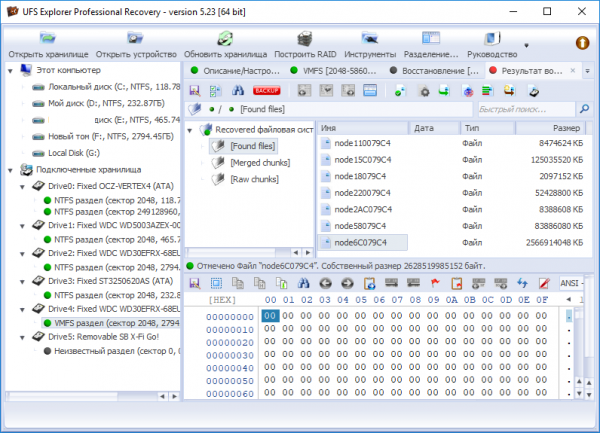
The comparison of file sizes and node sizes also showed a match down to the byte. Meanwhile, the names of the *-flat.vmdk files were recovered, and accordingly, their association with the virtual machines.
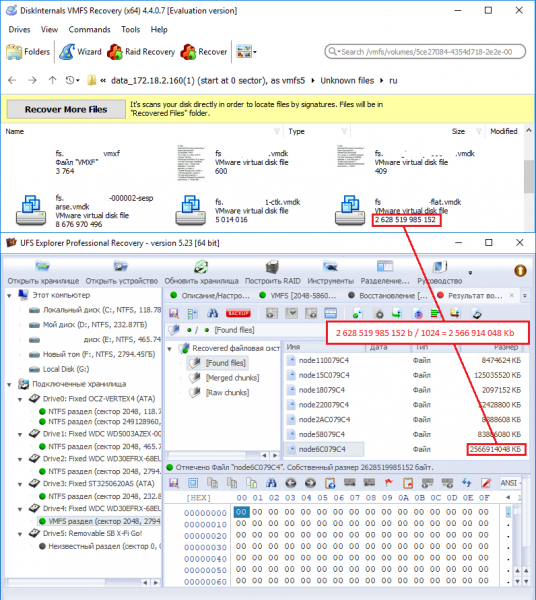
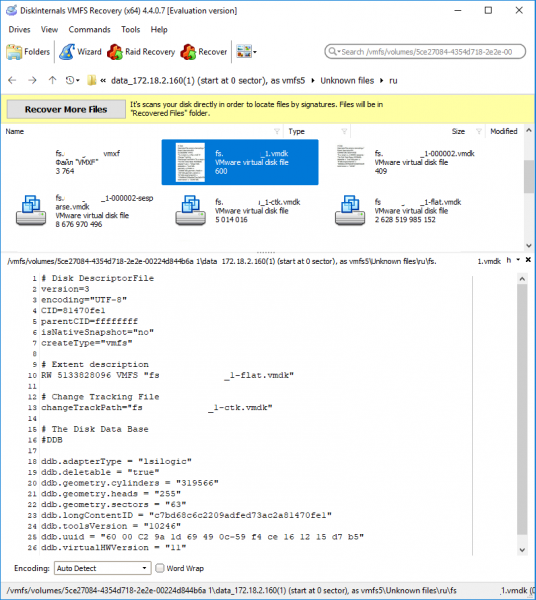
In general, vmdk disks in terms of ESXi consist of two files: one is the data file (-flat.vmdk) and the other is the 'physical' disk descriptor file (.vmdk). If you upload the *-flat.vmdk file from your local machine to the Datastore, ESXi will not recognize it as a valid disk file. There is an article in VMware's knowledge base about how to manually create a disk descriptor file: , but I didn't need to do that; I simply copied the contents of the corresponding files from the file preview area in DiskInternals VMFS Recovery:
After 4 hours of exporting a 2.5TB node from UFS Explorer and 20 hours of uploading it to the Datastore, the corrupted disk files were connected to a newly created virtual machine. The disks were recognized. No data loss was observed.

Source: habr.com
