

In the comments to the recent you asked many questions about the new version of our Windows Terminal. Today we will try to answer some of them.
Below are some of the most frequently asked questions we've heard (and still hear), along with official answers: including about replacing PowerShell and how to start using the new features today.
When and where can I get the new Windows Terminal?
- You can clone the terminal's source code from GitHub at and build it on your computer.
Note: be sure to read and follow the instructions on the README page in the repository before you attempt to build the project — there are some prerequisites and initialization steps you need to complete! - The preview version of the terminal will be available for download from the Microsoft Store in the summer of 2019.
We aim to release Windows Terminal v1.0 by the end of 2019, but we will also work with the community to ensure that this version delivers high quality.
Is Windows Terminal a replacement for Command Prompt and/or PowerShell?
To answer this question, let’s clarify a few terms and concepts:
- Command Prompt and PowerShell (for example, WSL/bash/ etc. in *NIX) are shells, not terminals, and do not have their own UI.
- When launching a shell/application/command-line tool, Windows automatically starts and connects them to Windows Console instances (as needed).
- Windows Console is the standard 'terminal-like' UI application that comes with Windows and which users have utilized over the last 30 years when launching command-line tools on Windows NT, 2000, XP, Vista, 7, 8, and 10.
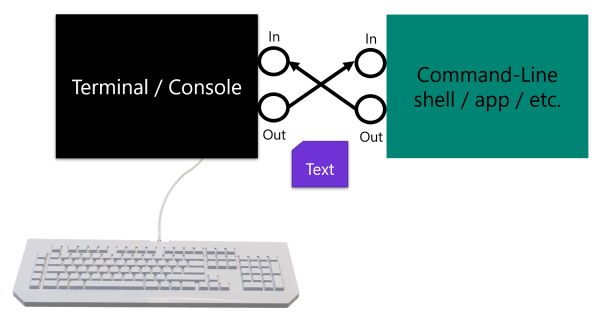
Thus, the question should likely be rephrased as 'Is Windows Terminal a replacement for Windows Console?'
The answer is 'No':
- Windows Console will continue to be included with Windows for decades to ensure backward compatibility with many millions of existing/legacy scripts, applications, and command-line tools.
- Windows Terminal will work alongside Windows Console but will likely become the preferred tool for users who want to run command-line tools in Windows.
- Windows Terminal can connect to Command Prompt and PowerShell, as well as to any other shell/tool/command-line application. You will be able to open independent tabs connected to Command Prompt, PowerShell, bash (via WSL or ssh), and any other shells/tools of your choice.
When will I get the new font?
Soon! We don't have a set timeline, but we are actively working on finalizing the font. Once it is ready for release, it will be open and available in its repository.
How it was at Build
If you missed our presentation at Build 2019, here are some of the key points that might help you clear up a few questions:
Terminal Keynote and Aspirational Video
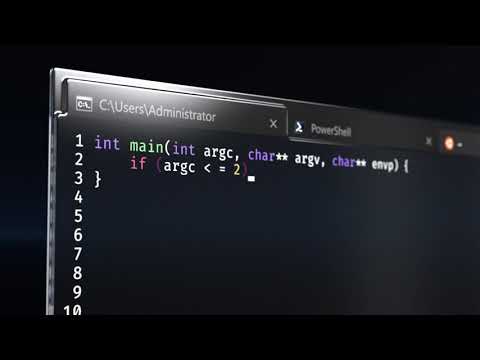
During the presentation, Rajesh Jha and Kevin Gallo announced the new terminal and showcased our new 'Terminal Sizzle Video', illustrating the desired direction for v1.0:
Session in Windows Terminal
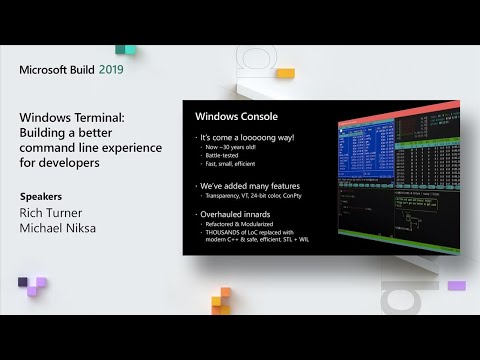
Rich Turner [Senior Program Manager] and Michael Niksa [Senior Software Engineer] conducted an in-depth session on Windows Terminal, its architecture, and code.
Conclusion
Be sure to follow updates on the pages and on Twitter and check back frequently over the coming weeks and months , dedicated to the command line, to learn more about the terminal and our progress towards v1.0.
If you are a developer and would like to get involved, please visit and review and discuss issues with the team and community, and if you have time, contribute by sending a PR containing fixes and improvements to help us make the terminal awesome!
If you are not a developer but still want to try the terminal, download it from the Microsoft Store after it releases this summer and be sure to send us feedback about what you like, what you don't like, etc.

Source: habr.com
