

Mozilla developers designs for upcoming improvements in interface elements related to data privacy and tracking prevention. Among the innovations, a new option to block social media widgets that track users' movements on external sites (such as Facebook's Like buttons and Twitter embeds). There is also a temporary disabling feature for blocking during social media account authentication forms.
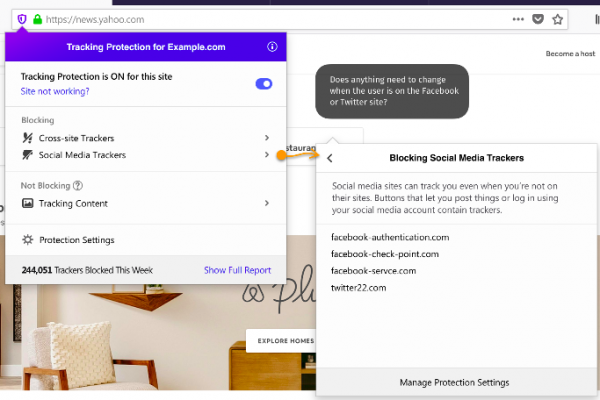
Other changes include for managing blocks, displayed when clicking on the (i) icon in the address bar. In addition to the redesign of the panel and the introduction of new options, several new indicators have been proposed to better assess the activity of various blocking modes instead of the (i) icon.
The panel also features informational banners with tips and information about disabling blocking due to the presence of a website in the whitelist (websites where blocking trackers causes display issues).
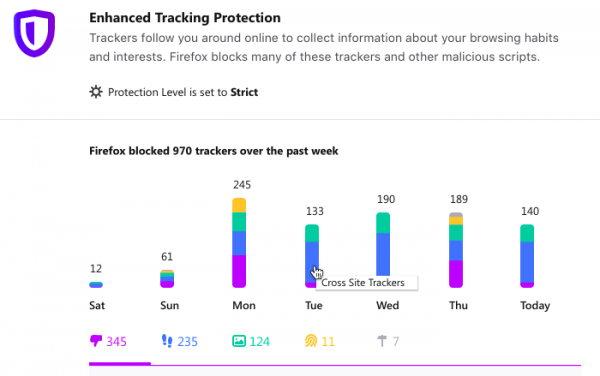
The panel now includes a link to on executed blocks, where you can track the number of blocks by day of the week and type.
The designs also feature a yet-to-be-announced new product
Firefox Proxy, which is known only to be a new addition for enhancing security on public wireless networks.
Source: opennet.ru
