

Earlier in the blog, we wrote about how electronic book formats emerged. and .
Today's article topic is EPUB.
Image: / CC BY
History of the Format
In the 1990s, proprietary solutions dominated the e-book market. Many e-reader manufacturers had their own formats. For instance, NuvoMedia used files with the .rb extension. These were containers with an HTML file and a .info file containing metadata. This situation complicated publishers' work, forcing them to typeset books separately for each format. A group of engineers from Microsoft, along with NuvoMedia and SoftBook Press, took on the challenge of changing this.
At that time, Microsoft was aiming to conquer the e-book market and was developing a reading application for Windows 95. It can be said that the creation of a new format was part of the IT giant's business strategy.
When it comes to NuvoMedia, this company is considered to be the manufacturer of the first mass-market e-reader, Its internal memory was only eight megabytes, and the battery life did not exceed 40 hours. SoftBook Press was also engaged in developing e-readers. However, their devices had a distinctive feature — an integrated modem, which allowed downloading digital literature directly from the SoftBookstore.
In the early 2000s, both companies — NuvoMedia and SoftBook — were acquired by the media company Gemstar and merged into Gemstar eBook Group. This organization continued to sell readers (for example, ) and digital books for several more years, but by 2003, .
But let's return to the development of a unified standard. In 1999, Microsoft, NuvoMedia, and SoftBook Press founded the Open eBook Forum, where they began working on the draft document that laid the foundation for EPUB. Initially, the standard was called OEBPS (which stands for Open EBook Publication Structure). It allowed for the distribution of digital publications in a single file (ZIP archive) and simplified the transfer of books between various hardware platforms.
Later, IT companies Adobe, IBM, HP, Nokia, Xerox, and publishers McGraw Hill and Time Warner joined the Open eBook Forum. Together, they continued the development of OEBPS and worked on the overall growth of the digital literature ecosystem. In 2005, the organization was renamed the International Digital Publishing Forum, or .
In 2007, IDPF changed the name of the OEBPS format to EPUB and began developing its second version. It was presented to the public in 2010. The update was almost identical to its predecessor, however, for vector graphics and embedded fonts.
By this time, EPUB was gaining market share and had become the default standard for many publishers and electronic device manufacturers. The format was already used by O'Reilly and Cisco Press, and it was supported by devices from Apple, Sony, Barnes & Noble, and ONYX BOOX.
In 2009, the Google Books project announced support for EPUB — it was used to distribute over a million free books. The format began to gain popularity among writers as well. In 2011, J.K. Rowling to launch the Pottermore site and make it the sole sales point for the digital editions of the Potter books.
The standard for distributing literature was chosen to be EPUB, primarily because of its ability to implement copy protection (). All books in the writer's online store are still .
The third version of the EPUB format was released in 2011. Developers added functionality for audio and video files as well as footnotes. Today, the standard continues to evolve — in 2017, IDPF part of the W3C consortium, which implements technology standards for the World Wide Web.
How EPUB Works
A book in EPUB format is essentially a ZIP archive. It contains the text of the publication in the form of XHTML or HTML pages or PDF files. Also stored in the archive is the media content (audio, video, or images), fonts, and metadata. Additionally, it can include extra files with CSS styles or -documents with information for speech generation services.
Content is displayed using XML markup. A fragment of a book with an embedded audio recording and an image :
<?xml version="1.0" encoding="UTF-8"?>
<!DOCTYPE html>
<html

    epub_prefix="media: http://idpf.org/epub/vocab/media/#">
    <head>
        <meta charset="utf-8" />
        <link rel="stylesheet" type="text/css" href="../css/shared-culture.css" />
    </head>
    <body>
        <section class="base">
            <h1>the entire transcript</h1>
            <audio id="bgsound" epub_type="media:soundtrack media:background"
                src="../audio/asharedculture_soundtrack.mp3" autoplay="" loop="">
                <div class="errmsg">
                    <p>Your Reading System does not support (this) audio</p>
                </div>
            </audio>

            <p>What does it mean to be human if we don't have a shared culture? What does a shared culture mean if we can't share it? It's only in the last 100 or 150 years or so that we started tightly restricting how that culture gets used.</p>

            <img class="left" src="../images/326261902_3fa36f548d.jpg"
                alt="child against a wall" />
        </section>
    </body>
</html>
In addition to the content files, the archive contains a special navigation document (Navigation Document). It describes the layout of text and images in the book. Reader applications refer to it when the reader wants to 'skip' several pages.
Another mandatory file in the archive is the package. It includes metadata—information about the author, publisher, language, title, and so on. It also contains a list (spine) of the book's subdivisions. An example of a package document can be viewed .
Advantages
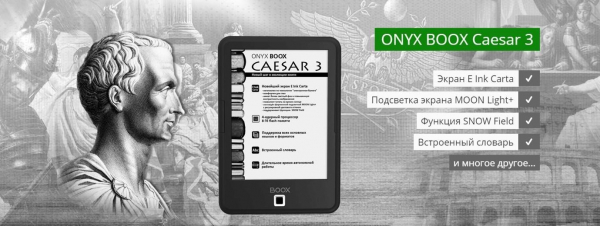
The advantage of the format is its flexibility. EPUB allows for the creation of a dynamic layout that adapts to the screen size of the device. This is one of the main reasons why the format supports a large number of e-readers (and other electronic devices). For instance, all ONYX BOOX readers work with EPUB 'out of the box', from the basic 6-inch to the premium 9.7-inch .
/
Since the format is based on popular standards (XML), it is easy to convert for online reading. EPUB also supports interactive elements. Yes, such elements exist in PDF as well, but adding them to a PDF document can only be done using proprietary software. In the case of EPUB, they are added to the book via markup and XML tags in any text editor.
Another advantage of EPUB is its features for people experiencing vision problems or suffering from dyslexia. The standard allows for the modification of text display on the screen—for example, highlighting certain letter combinations.
Moreover, as we mentioned earlier, EPUB allows the publisher to implement copy protection. If desired, e-book sellers their own mechanisms to limit access to the document. For this, it is necessary to modify the rights.xml file in the archive.
Disadvantages
To create an EPUB publication, one must understand the syntax of XML, XHTML, and CSS. At the same time, it requires working with a large number of identifier tags. In comparison, the FB2 contains only the minimally necessary set of tags—sufficient for formatting literary works. And to create no special knowledge is needed—specialized software takes care of everything.
EPUB is also criticized for the complexity of formatting comics and other books with many illustrations. In this case, the publisher has to create a static layout with fixed coordinates for each image—this can take a lot of effort and time.
What's Next
Currently, IDPF is working on new specifications for the format. One of them, for example, will help create interactive learning materials. . The same book will look different for teachers and students — in the latter case, answers to tests or control questions, for instance, will be hidden.

Image: / CC BY-SA
The new feature is expected to help reorganize the educational process. Today, EPUB is actively used by major universities, such as the University of Oxford. Several years ago, they added support for EPUB 3.0 to their digital library app.
IDPF is also developing a specification for implementing Open Annotation footnotes in EPUB. This standard was developed by W3C in 2013 — it simplifies working with complex types of annotations. For example, it allows a note to be attached to a specific area of a JPEG image. Additionally, the standard for synchronizing changes in annotations between copies of the same EPUB document. Open Annotation format notes to EPUB files now, but a formal specification for them has yet to be adopted.
Work is also underway on a new version of the standard — EPUB 3.2. It will feature formats and , which are used for font compression (in some cases, they can reduce file sizes by 30%). Additionally, developers will replace some outdated HTML attributes. For instance, instead of a separate trigger element to activate audio and video files, the new standard will have native HTML elements audio and video.
A draft and is already available in the W3C GitHub repository.
Reviews of ONYX-BOOX readers:
Source: habr.com
