

Hello everyone!
Today, I want to talk about the cloud solution for vulnerability discovery and analysis, Qualys Vulnerability Management, which is the foundation of one of our .
Below, I will show how the scanning process is organized and what information can be obtained about vulnerabilities as a result.
What can be scanned
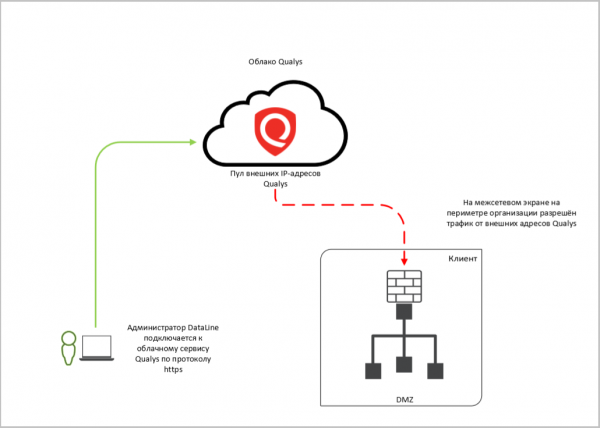
External services. To scan services that have internet access, the client provides us with their IP addresses and credentials (if authentication is required for the scan). We scan the services using the Qualys cloud and send a report based on the results.
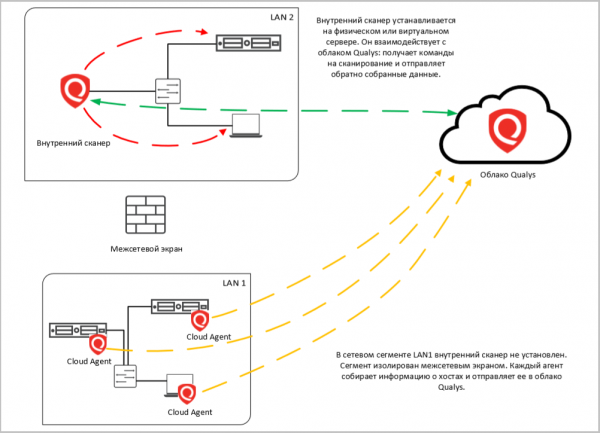
Internal services. In this case, the scanner looks for vulnerabilities on internal servers and network infrastructure. This type of scanning can help inventory the versions of operating systems, applications, open ports, and services behind them.
To scan within the client's infrastructure, a Qualys scanner is installed. The Qualys cloud serves as the command center for this scanner.
In addition to the internal server with Qualys, agents (Cloud Agents) can be installed on the objects being scanned. They collect information about the system locally, creating minimal load on the network and the hosts they operate on. The information collected is sent to the cloud.
There are three important points: authentication and selection of objects for scanning.
- Using authentication. Some clients request black-box scanning, especially for external services: they give us an IP address range without specifying the system and say "act like a hacker." But hackers rarely act blindly. When it comes to attacking (not reconnaissance), they know what they are hacking.
Blindly, Qualys might stumble upon decoy banners and scan those instead of the target system. Also, without understanding what exactly will be scanned, it is easy to misconfigure the scanner settings and inadvertently affect the service being tested.
Scanning will yield more benefits if conducted with authentication before the scanned systems (white-box). This way, the scanner will understand where it has arrived, and you will receive complete data on the vulnerabilities of the target system.

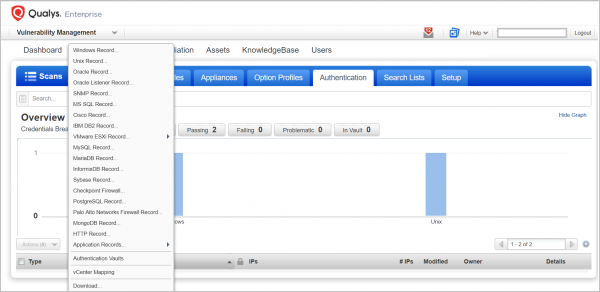
Qualys offers many authentication options. - Group assetsRunning a scan for everything at once without proper sorting will be lengthy and create excessive load on the systems. It's better to group hosts and services by importance, location, OS version, infrastructure criticality, and other characteristics (in Qualys, they are called Asset Groups and Asset Tags) and select a specific group during scanning.
- Choose a maintenance window for scanning. Even if you have planned everything and prepared, scanning generates additional load on the system. It may not necessarily cause service degradation, but it’s advisable to choose a specific time, similar to that of backups or updates.
What can be learned from reports?
At the end of the scan, the client receives a report that will include not just a list of all detected vulnerabilities, but also basic recommendations for remediation: updates, patches, etc. Qualys offers many reports: there are default templates, and you can create your own. To avoid confusion, it's better to first determine the following:
- Who will be reviewing this report: a manager or a technical specialist?
- What information do you want to obtain from the scan results? For instance, if you want to find out whether all necessary patches are installed and how the remediation of previously found vulnerabilities is being handled, that would be one report. If you simply need to inventory all hosts, that would be another.
If your goal is to present a brief but clear picture to management, you can generate an Executive Report. All vulnerabilities will be categorized by their severity levels, along with graphs and charts. For example, the top 10 most critical vulnerabilities or the most commonly encountered ones.
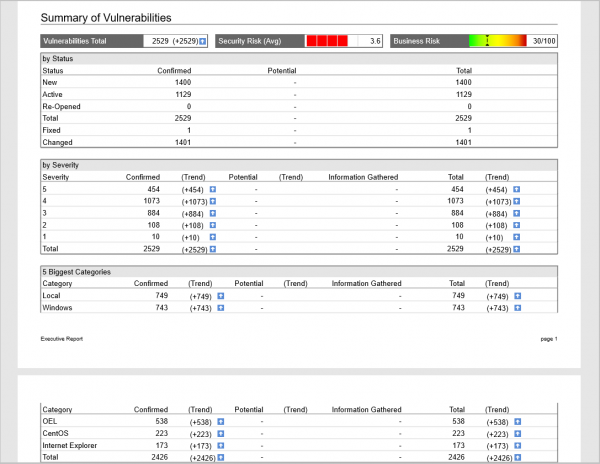
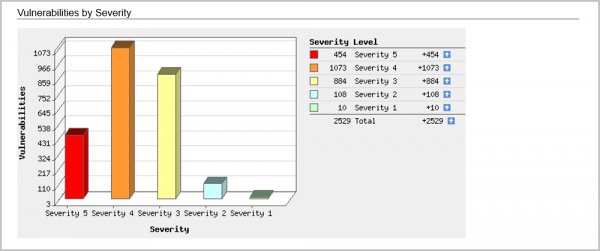
For a technical specialist, there is a Technical Report with all the details and specifics. You can generate the following reports:
Host Report. A useful tool when you need to inventory the infrastructure and obtain a complete picture of the vulnerabilities of the hosts.
Here is how the list of analyzed hosts looks, indicating the operating systems running on them.
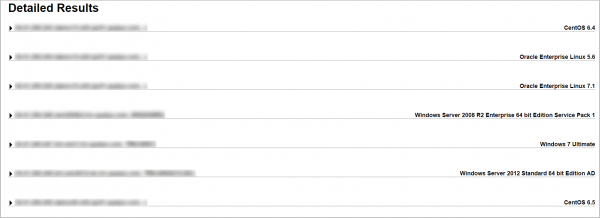
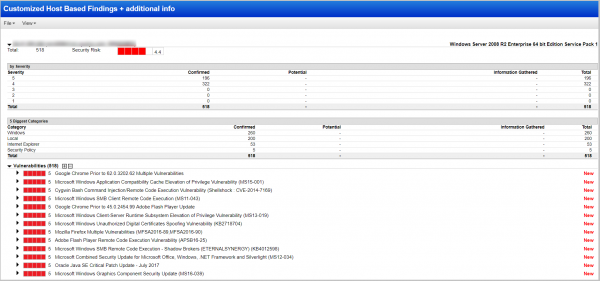
We will open the host of interest and see a list of 219 found vulnerabilities, starting from the most critical, level five:
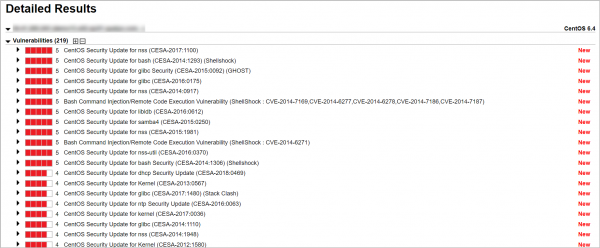
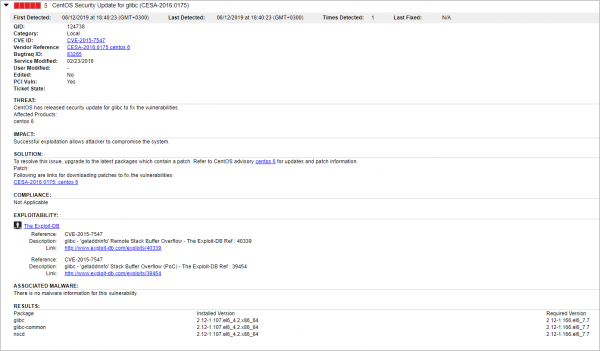
Further, you can view the details for each vulnerability. Here we see:
- when the vulnerability was recorded for the first and last time,
- industry vulnerability numbers,
- a patch to fix the vulnerability,
- are there issues with compliance to PCI DSS, NIST, etc.,
- is there an exploit and malware for this vulnerability,
- is the vulnerability detected during scans with/without authentication in the system, etc.
If this is not the first scan – yes, scanning should be done regularly 🙂 – then using Trend Report you can track the dynamics of vulnerability management. The status of vulnerabilities will be shown in comparison to the previous scan: vulnerabilities that were found previously and closed will be marked as fixed, unresolved ones as active, and new ones as new.
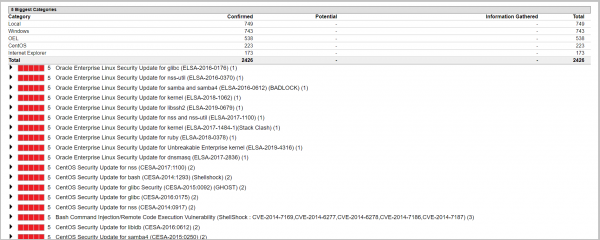
Vulnerability report. In this report, Qualys will create a list of vulnerabilities, starting with the most critical, indicating on which host this vulnerability is found. The report will be useful if you want to address, for example, all level five vulnerabilities at the moment.
You can also create a separate report only for vulnerabilities of the fourth and fifth levels.
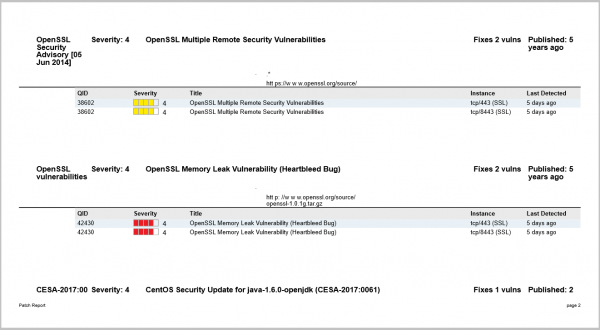
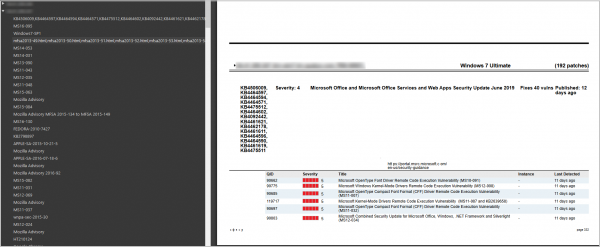
Patch report. Here, a complete list of patches needed to address the identified vulnerabilities is provided. For each patch, there are explanations about which vulnerabilities it addresses, which host/system it should be installed on, and a direct download link.
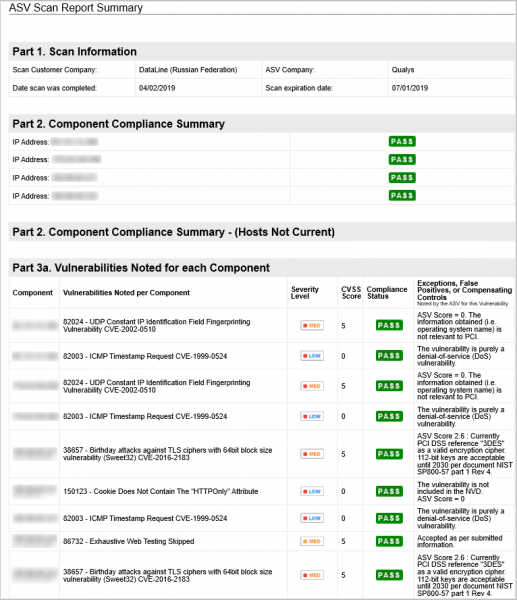
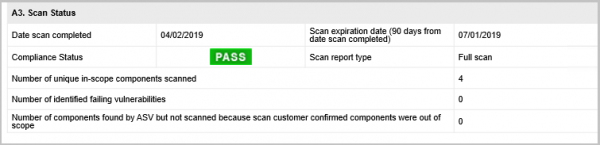
Report on compliance with PCI DSS standards. The PCI DSS standard requires scanning of information systems and applications accessible over the Internet every 90 days. After the scan, a report can be generated that shows what does not comply with the standard's requirements in the infrastructure.
Vulnerability remediation reports. Qualys can be integrated with the service desk, so all identified vulnerabilities will automatically be transformed into tickets. This report can help track progress on completed tickets and resolved vulnerabilities.
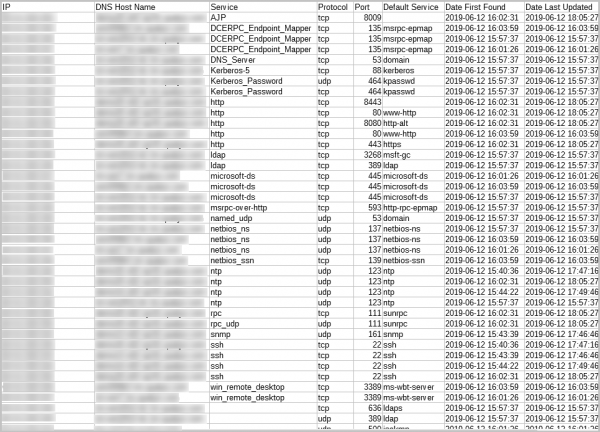
Reports on open ports. Here, information on open ports and services running on them can be obtained:
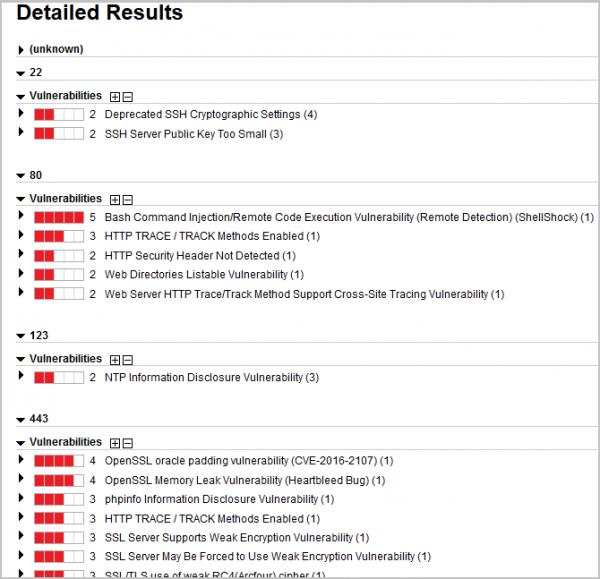
or generate a report on vulnerabilities on each port:
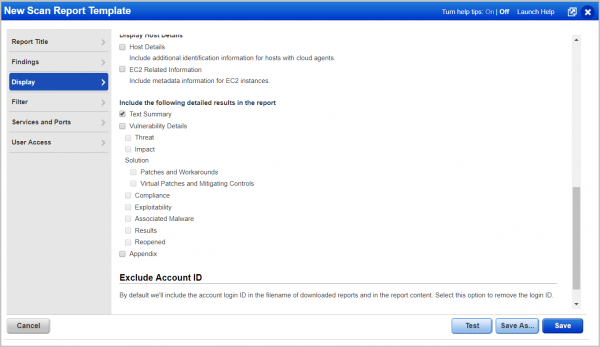
These are just standard report templates. You can create your own for specific tasks, for example, to show only vulnerabilities of at least level five criticality. All reports are available. Report formats: CSV, XML, HTML, PDF, and docx.
And remember: Security is not a result, but a process. A one-time scan helps identify problems at a moment in time, but it does not represent a comprehensive vulnerability management process.
To make it easier for you to commit to this ongoing effort, we have created a service based on Qualys Vulnerability Management.
There's a special offer for all Habra readers: with the annual subscription to the scanning service, you'll receive two months of scans for free. You can submit your requests , and in the 'Comment' field, please mention Habra.
Source: habr.com
