

The new 3CX Call Flow Designer with a visual expression editor
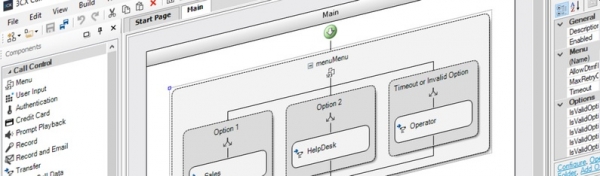
3CX adheres to the principle that our products should be simple and understandable. Therefore, we have once again updated the 3CX Call Flow Designer (CFD) development environment for voice applications. The new version features a modern user interface (new icons) and a visual editor for expressions used in script creation.
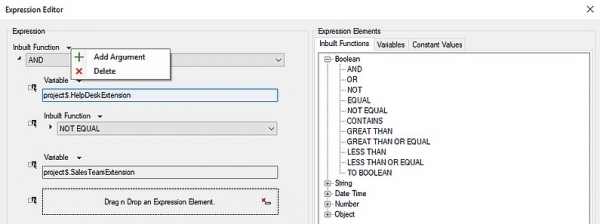
The new version of CFD offers the following features:
- Visual expression creation. You can drag and drop built-in functions, variables, and constants from the 'Expression Elements' section. Complex expressions can be intuitively created without opening multiple editor windows.
- Quick function selection. Built-in functions are now grouped into convenient categories for quick access.
- Dynamic inclusion of constants. Available constants are dynamically included in the 'Expression Elements' panel as corresponding components are added to the CFD workspace.
Please note that the new 'Transfer' component can route calls to voicemail for extension numbers only in 3CX v16 Update 2.
Download the new or update the installed version via the updates menu. After that, you can run voice applications on 3CX v16 Update 2.
Full in this CFD version.
The new 3CX CRM Template Generator for connecting your CRM
We have also introduced a new version of the template generation utility for connecting your own CRM systems to 3CX. The new CRM Template Generator features a Wizard that will guide you through all the steps to achieve a complete and functioning integration.
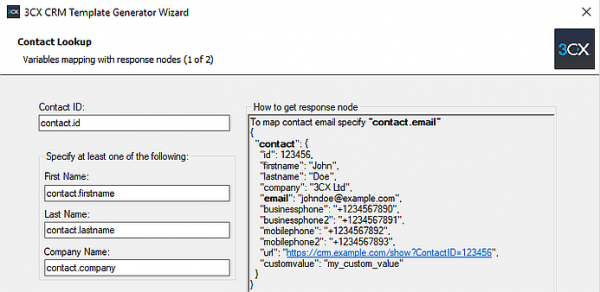
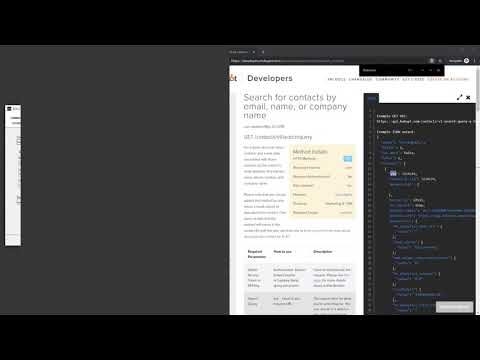
First, review the RESTful API documentation for your CRM. Then run the Template Generation Wizard.
- Follow the Wizard's prompts, specifying the corresponding parameters from your CRM's API documentation.
- Basic programming skills and RESTful API support from the CRM are required to create the XML template.
- Each section of the template is correctly formulated by the wizard, including all required parameters.
Familiarize yourself with . You can also watch a tutorial video in English.
Download the new and create your own CRM integration!
In case you need them, here are the download links for 3CX:
- Windows:
- Linux: – on the "3CX Update Channel" screen, select "Release."
- Installation on and manually.
Source: habr.com
