


Once a video surveillance system is deployed and subsequently scaled, users often become "hostages" of the established hardware. Transitioning from one hardware and services provider to another can be costly.
There are many manufacturers in the market that create their own services, introducing yet another pet into the vast zoo of solutions. "Harmonizing" different equipment within a single project is challenging, but we have figured out how to do it.
Today, we will discuss the Ivideon Bridge project, which will connect your video surveillance system to Ivideon without additional hardware (PCs and video recorders).
Ivideon Bridge is a device that allows you to connect up to 16 cameras (or channels from a DVR) to our service. Its primary purpose is to provide users of local systems access to a modern cloud service for video surveillance and video analytics with minimal costs and without the need to replace installed equipment.
Of course, such an opportunity existed before. Depending on the tasks, we connect clients using video recorders with our firmware or via NVR with installed Ivideon Server. We also permit connections to the service from any computer, whether it’s an enterprise server or a home PC.
These solutions have downsides — limited convenience and relatively high costs. Evaluating client requests and weighing the advantages and disadvantages of existing methods for connecting to our cloud, we have developed a fundamentally new device that combines low cost with high functionality. Now, it is possible to use an affordable small device that allows you to easily "wrap" all video surveillance into the cloud. This compact device will often replace a PC with Ivideon Server or a recorder in many cases.
7 Key Advantages of the Device, in addition to the obvious benefits of accessing the Ivideon service:
- low cost;
- working with 16 cameras or DVR channels, connected in any combination;
- ease of connection — Bridge automatically discovers devices on the network;
- convenience of setup — for the first time, users receive a virtually Ivideon Server, which can be configured remotely from their personal account;
- wide range of supported devices: cameras, DVRs, as well as any other devices or VMS that support RTSP or ONVIF;
- event recording for ONVIF; continuous cloud recording for RTSP on business plans;
- a wide range of features for Hikvision and Dahua equipment through the use of native protocols — working with local archives on the end device.
Ivideon Bridge is not just another video recorder, but a device with plug-and-play technology that significantly simplifies remote administration. For the first time in the 'Ivideon Server' class solution, cloud administration has been introduced.
When to use Ivideon Bridge
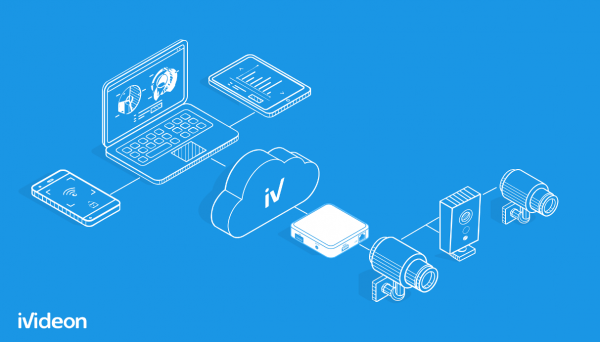
Suppose a few years ago you set up a surveillance system in your store using the most affordable cameras on the market. The system only displays and stores video from the sales floor and checkout counter. Over time, you realized that the cameras lacked features to enhance business efficiency — competitors already had systems with employee time tracking, queue detection, and smart notifications.
It may be costly for you to install a new system and dismantle the previous one, but Ivideon Bridge provides easy access to video analytics and new features without replacing all cameras. You can even add analog cameras to the cloud through a video recorder connected to the Ivideon Bridge.
If you consider the device in the context of cloud camera connectivity and remote access to the EDGE archive, you only need to install the basic plan — for example, the minimum annual cost for 8 cameras in the cloud will be just 1,600 rubles/month or 19,200 rubles/year.
5 situations where you will need the device:
- You want to expand your existing surveillance system and are purchasing new Ivideon cameras. You acquire Ivideon Bridge to integrate the old system into the cloud and combine it with the new one within a single personal account.
- The site has cameras without remote access. Ivideon Bridge will help provide multiple access to live broadcasts and archives, convenient client applications, remote notifications, and settings.
- You have multiple stores with different surveillance systems (using different login applications). You want to integrate them into a single system, centrally configure, and monitor device functionality in one personal account.
- The operations service plans to optimize its work: with cloud configuration, there is no need for physical or remote network access to the device; cameras can be added for clients through the personal account — the client connects the device to the network, while all other actions are performed remotely by the servicing organization's specialist.
- For Ivideon partners, user support is simplified. The end client only needs to physically plug in two cables into the Ivideon Bridge, and all necessary settings will be made remotely by the provider.
Characteristics and Features of the Bridge
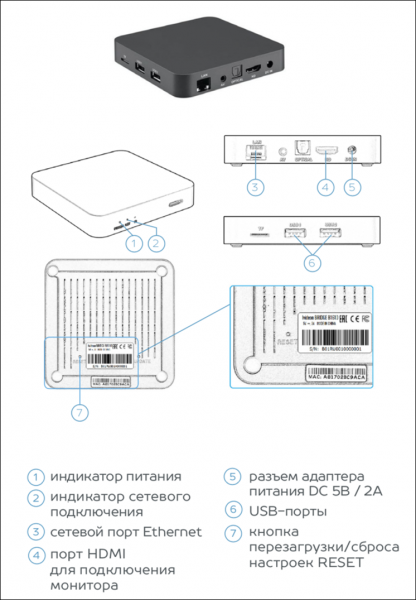
Externally, the device is a compact box with ports that easily fits in the palm of your hand. The 'heart' of the bridge is a single-board microcomputer based on a quad-core 64-bit ARM CPU operating at 2 GHz, with 2 GB of RAM on board.
To connect the bridge, a 220-volt socket and an available port on the networking equipment with Internet access are required. We have done everything possible for the device to work 'out of the box' by default, but in rare cases, a monitor and keyboard may be needed — for example, to configure the network connection in the absence of a DHCP server in the network.
The Ivideon Bridge supports operation with 16 cameras or channels of video recorders in any combination. The total bitrate of all connected cameras must not exceed 32 Mbps: you can connect 16 cameras at 2 Mbps each or 8 cameras with a bitrate of 4 Mbps. Other combinations are also allowed.
Ivideon Bridge Software includes a specialized version of Ivideon Server, which has tighter integration with Ivideon Backend — API functions for management and configuration through the cloud.
All device management functions are implemented in the Ivideon cloud; there is no local graphical interface on the device. For the first time in a solution of the 'Ivideon Server' class, remote administration through the cloud is realized — connecting and configuring cameras to the device is done entirely in the Ivideon personal account.
The bridge also operates several auxiliary system services designed to ensure the stable operation of the device and OTA (over the air) updates. Users will easily and freely update the device's software, including security patches and new features, from their personal dashboard.
Connection and Setup
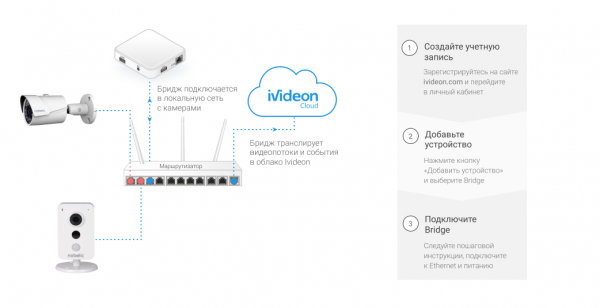
Connecting cameras to Ivideon Bridge is straightforward — in most cases, you only need to know the camera's username and password. All setup and management of the bridge is currently done through the Ivideon user dashboard, and in the future, we will add support for management from our mobile applications.
The procedure for connecting the bridge fully adheres to the algorithm for adding a camera with built-in Ivideon firmware.
Step 1. Register on Ivideon.
Step 2. Go to your personal account, click the 'Add Device' button, and select Ivideon Bridge. Here, you will need to specify the device name and enter the serial number indicated on the body or packaging box. Then, follow the instructions. During registration, you will need to connect Ivideon Bridge to the network port of the router and power it on. Registration will take a few minutes.
Starting the connection for Ivideon Bridge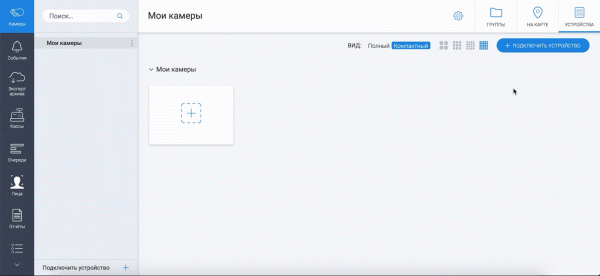
Step 3. Connect your cameras and video recorders to the Bridge.
Automatic searching for cameras on the network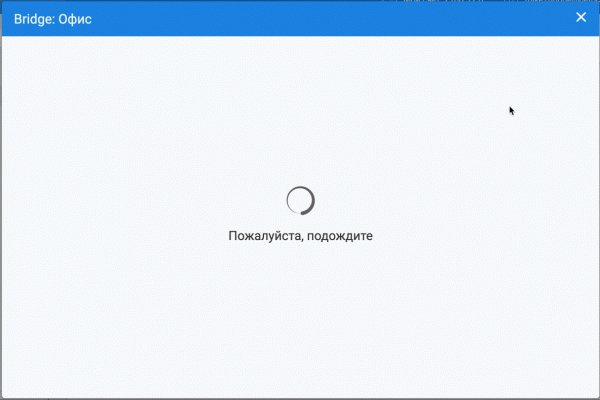
The camera being connected must at least support the RTSP protocol, preferably supporting ONVIF, which will provide more features for Ivideon. Unlike Ivideon Server, the Bridge does not have a built-in motion detector, so recording based on motion for RTSP cameras will not work; only continuous recording of the archive is possible under the business plans.
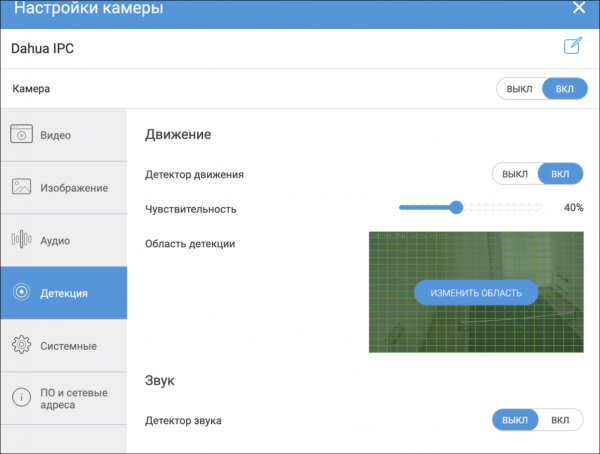
The cherry on top is the support for native Dahua and Hikvision ISAPI protocols in Ivideon Bridge: users of devices from these manufacturers will have access to the local archive directly on the camera or video recorder, as well as configure OSD and motion detector settings, including setting the detection zone.
Immediately after accessing the settings, Ivideon Bridge will search for cameras and recorders on the network. To connect the found device, click on it, enter the username and password, and if necessary, other settings, ensure that the video preview displays correctly, and confirm the connection of the camera.
Connecting the discovered camera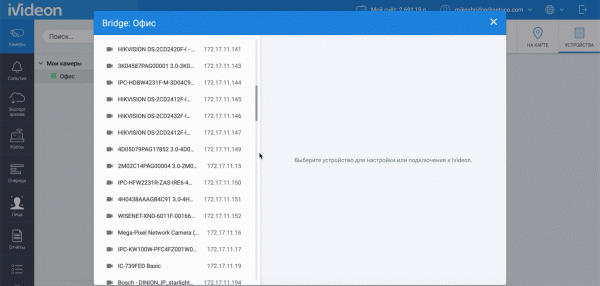
We have provided the option for expert configuration of camera connections. This mode will be necessary if you plan to connect an older recorder or camera to the cloud that cannot be automatically detected. This situation may arise when the Bridge is on a different network segment and discovery protocols based on broadcast packet transmission cannot find the device automatically.
The manual connection mode will assist in setting 'custom' configurations for video streams — for example, specifying the low stream as the primary on the camera or setting non-standard ports for RTSP streams.
Thanks to the flexibility of Bridge's settings, users can easily handle situations where the IP address, camera username/password changes, or device replacement occurs. By changing the camera, you will not lose previously recorded video archives in the cloud or the subscription you have already paid for. Meanwhile, we will continue to promptly expand support for new cameras and recorders.
In summary, Bridge offers a wide range of options for connecting devices and provides access to Ivideon devices from various manufacturers. At the same time, we 'squeeze' the maximum capabilities from the connected device according to its real characteristics.
Depending on the supported protocol on the connected camera, different sets of functions will be available in Ivideon. The most functional case involves Dahua and Hikvision devices, with which the Bridge communicates via native protocols. When connecting models from these manufacturers, the user will gain access to the video archive on the device itself.
Device Type
Working with two audio/video streams
Sound / motion detection
PTZ Control
Stream parameter management
Working with the local archive of the camera or recorder
Generic IP camera (RTSP)


Generic ONVIF device


Dahua device


Hikvision (ISAPI) device


Configuring devices connected through Bridge
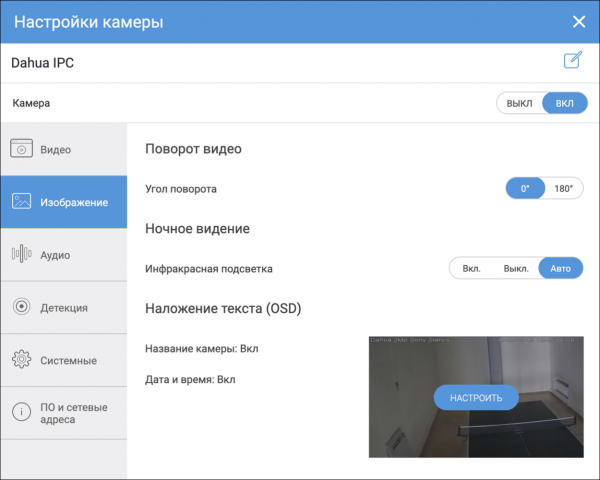
Let’s consider an example with Dahua/Hikvision camera settings.
1. Changing video stream parameters
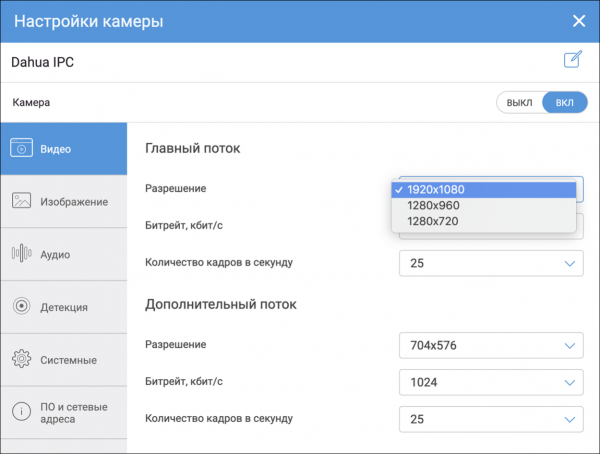
2. Adjusting the image, including backlight control and OSD text
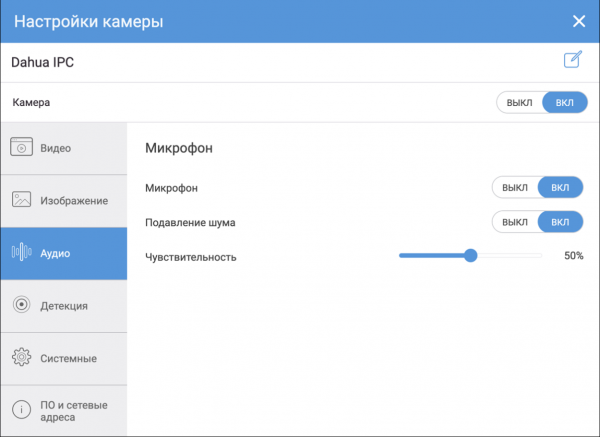
3. Microphone setup
4. Configuring motion and sound detection
And several other settings, the list of which will be continually updated.
Conclusion
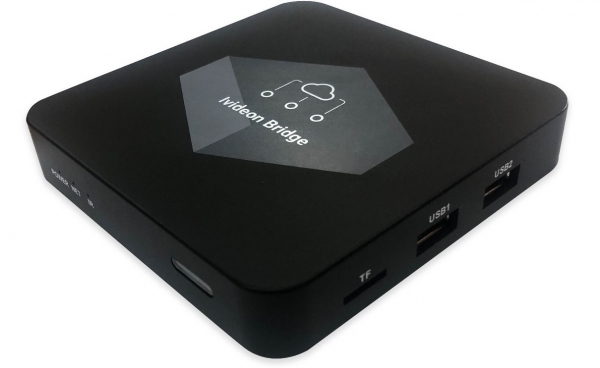
The cost of Ivideon Bridge is 6,000 rubles. In terms of price/channel, the Bridge is the most cost-effective way to connect to Ivideon.
Compare for yourself:
- camera — from 5,500 rubles/channel;
- NVR — from 3,200 rubles/channel;
- DVR with HDD — from 1,500 rubles/channel;
- Bridge — from 375 rubles/channel.
Even when compared to devices without built-in Ivideon support, the Bridge still remains more advantageous:
HiWatch 104 with HikConnect support and support for 4 cameras — from 1,087 rubles/channel (already discounted for installers).
Customers planning to upgrade their existing video surveillance systems often face the necessity of supporting both old and new equipment with different specifications, capabilities, and control interfaces. The challenges of CCTV modernization are now solved with Ivideon Bridge.
You can contact us for .
Source: habr.com
