

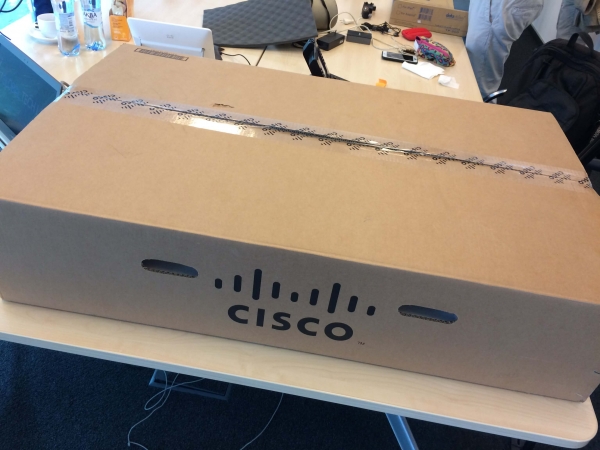
Today we have a new rack server, the Cisco UCS C240, fifth generation.
What makes this particular Cisco server interesting for unboxing, considering it's already the fifth generation?
First, Cisco servers now support the latest generation of second-generation Intel Scalable processors. Second, Optane Memory modules can now be installed for use with multiple NVMe drives.
This raises reasonable questions: don't servers from other vendors do the same? What's the big deal, since it's just an x86 server? Let's discuss everything step by step.
In addition to standalone server tasks, the Cisco C240 M5 can become part of the Cisco UCS architecture. Here, we are talking about connectivity to FI and full management of servers through UCS Manager, including Auto Deploy.
So, we have before us the Cisco 'iron' server, its fifth generation, with over 10 years on the market.
Now, let's go back to basics and recall the components of the server, and what makes the Cisco C240 M5 not just modern, but truly advanced.
Let's take a look at what comes in the box.
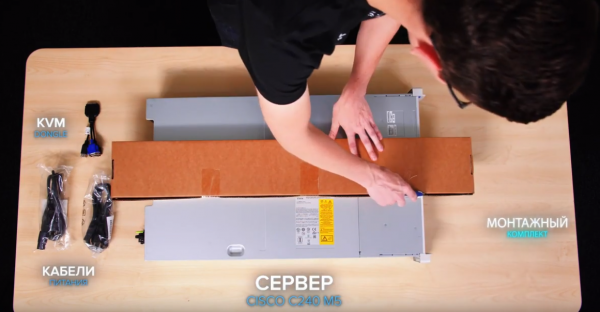
Box Contents: server, KVM Dongle, documents, disk, 2 power cables, mounting kit.
We remove the cover. Press, slide, and that's it. No screwdrivers or loose screws.
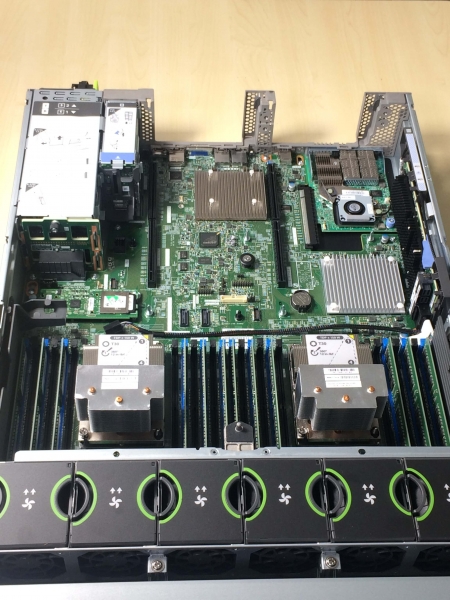
The green tags stand out immediately. All components that support hot-swapping have them. For example, you can easily replace fans without turning off the entire server.
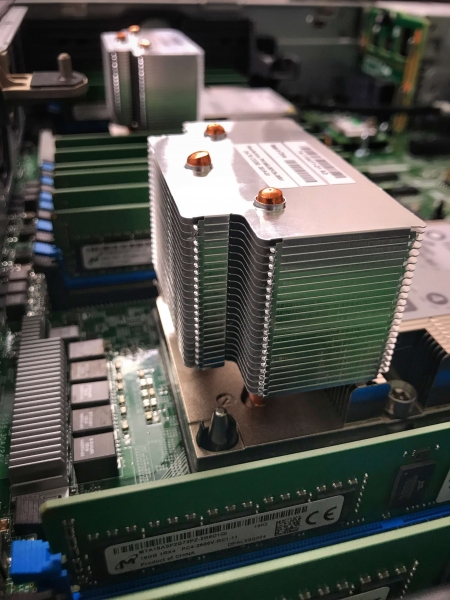
We also see massive heatsinks that hide the new Intel Scal 2 Gen processors. Note that this allows for up to 56 cores on a 2U server without any cooling issues. Additionally, it supports more memory, up to 1TB per processor. The supported memory frequency has also increased to 2933 MHz.
Next to the CPU, we see 24 slots for RAM — you can use modules up to 128 GB or Intel Optane memory up to 512 GB per slot.
Intel Optane offers us insane processing speeds. For example, it can be used as a super-fast local SSD drive.
More and more customer requests start with the words: 'I want more disks, more NVMe drives in one system.'
On the front side, we see 8 slots for 2.5-inch drives. There is also an option to order a platform with a standard 24 slots on the front panel.
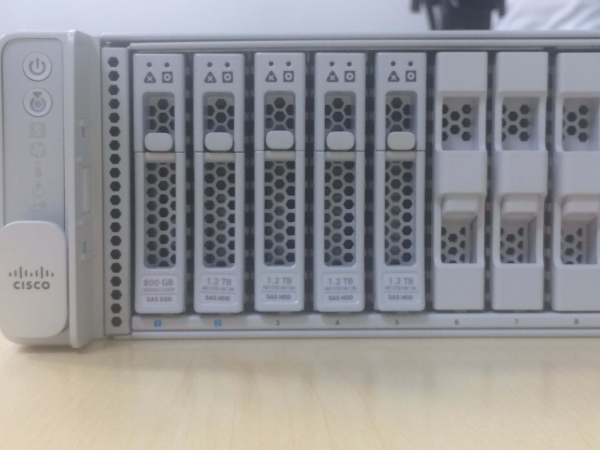
Depending on the configuration, up to 8 NVMe drives in the U.2 form factor can be installed in the first slots.
The C240 platform is very popular among customers dealing with big data. Their main request is for local boot drives and ideally hot pluggable ones.
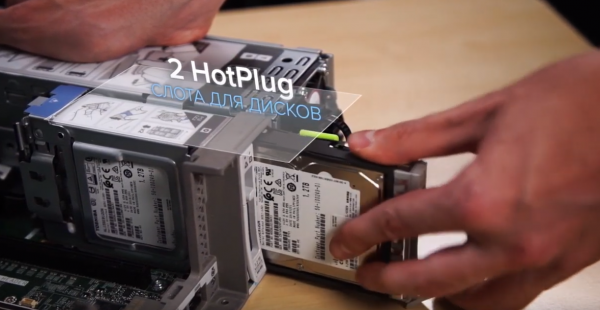
The answer to this request was Cisco's solution to add two hot-swappable drive slots at the back of the C240 M5 server.
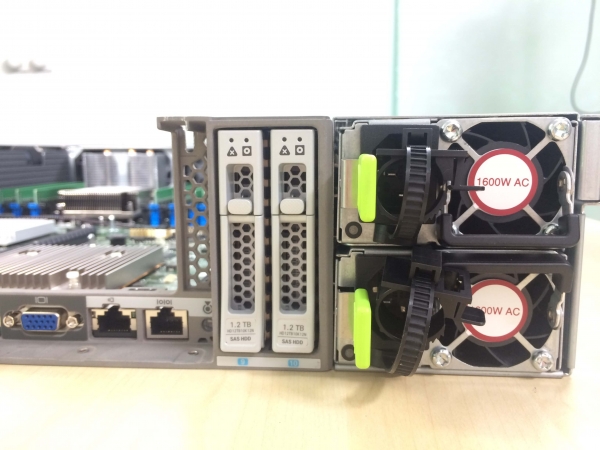
They are located to the right of the expansion slots up to the power supplies. The drives can be any type: SAS, SATA, SSD, NVMe.
Next to them, we see 1600W power supplies. They are also hot pluggable and come with green labels.
For working with the disk subsystem, you can install an LSI RAID controller with 2 GB of cache in a dedicated slot, or an HBA card for direct passthrough.
For example, this approach is used in building Cisco HyperFlex hyper-converged solutions.
There is another type of customer who doesn't need drives at all. They don't want to install a full RAID controller under the hypervisor, but they appreciate the convenience of a 2U chassis for maintenance.
Cisco has a solution for them as well.
Let me introduce the FlexFlash module:
Two SD cards with a capacity of up to 128 GB, supporting mirroring, for installing a hypervisor such as VMware ESXi. This is the option we use at ITGLOBAL.COM when building our own sites around the world.
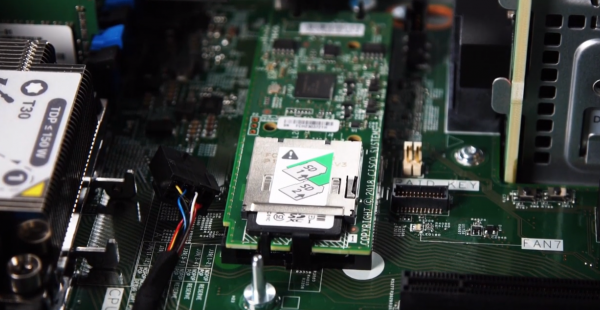
For those customers who need more space for OS booting, there is a module option with two SATA SSD drives in M.2 format, with capacities of 240 or 960 GB each. By default, this is software RAID.
For 240 GB drives, there is the option of using the Cisco Boot Optimized M.2 RAID controller, a separate hardware RAID controller for these two SSD drives.
All this is supported by all operating systems: both VMware and Windows, as well as various Linux OS.
The number of PCI slots is 6, which is typical for a 2U platform.
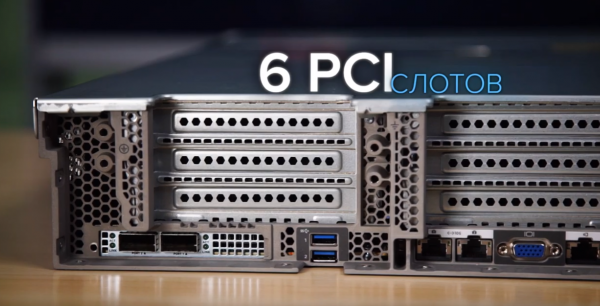
There is plenty of room inside. It is easy to install two full-fledged graphics accelerators from NVidia in servers, for example, TESLA M10 in deployment projects virtual desktops or the latest V100 edition with 32GB for artificial intelligence tasks. This is what we will be utilizing in the next unboxing.
The situation with ports is as follows:
- Console port;
- Gigabit dedicated management port;
- Two USB 3.0 ports;
- Integrated Intel x550 10Gb BASE-T dual-port network card;
- Optional mLOM card, Cisco VIC 1387 dual-port 40 Gb adapter.
The mLOM slot can only accommodate Cisco VIC cards, which are effective for both LAN and SAN traffic. When using the server within a Cisco UCS fabric, this approach allows for a unified connection to both LAN and SAN networks without the need for a separate FC adapter.
Let's install the Nvidia V100 graphics card. Remove the second riser, take out the cover, insert the card into the PCI slot, close the plastic housing, and then place the cover back on. Connect the additional power supply, first to the card and then to the riser. Reinstall the riser. Overall, everything goes smoothly without the need for screwdrivers and hammers. Quick and efficient.
In one of the upcoming materials, we will showcase its initial installation.
We are also ready to answer any questions or in the comments.
Source: habr.com
