

This overview note continues , written at the request of readers, will discuss UrBackup, BackupPC, and AMANDA.
Overview of UrBackup.
At the request of participant , I am adding a review of UrBackup, a client-server backup system. It allows for both full and incremental backups, can work with device snapshots (Windows only?), and can create file backups. The client can be on the same network as the server or connect over the Internet. It claims to track changes, allowing for quick identification of differences between backups. There is also support for data deduplication on the server side, which helps save storage space. Network connections are encrypted, and there is a web interface for server management. Let's see what it can do:
In full backup mode, the results were as follows:
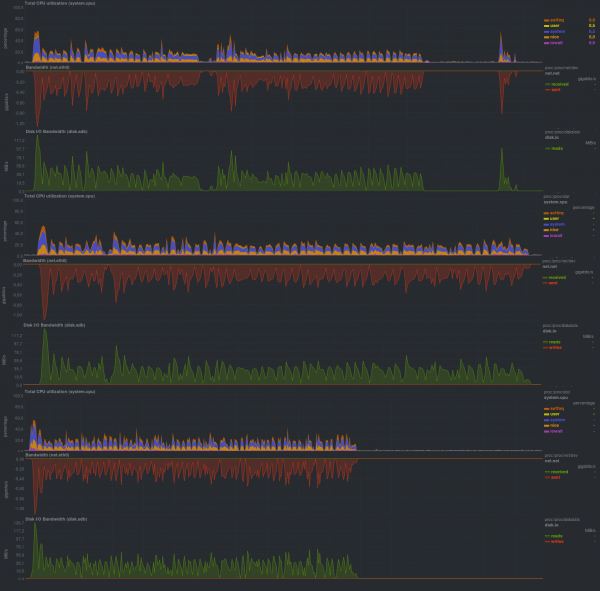
Running time:
First launch
Second run
Third run
First test
8m20s
8m19s
8m24s
Second test
8m30s
8m34s
8m20s
Third test
8m10s
8m14s
8m12s
In incremental backup mode:
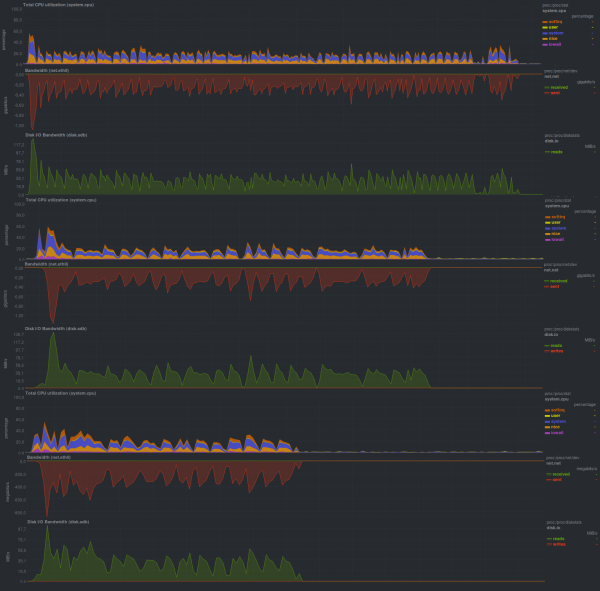
Running time:
First launch
Second run
Third run
First test
8m10s
8m10s
8m12s
Second test
3m50s
4m12s
3m34s
Third test
2m50s
2m35s
2m38s
The repository size in both cases was approximately 14 GB, indicating that deduplication is functioning on the server side. It should also be noted that there is a discrepancy in the backup creation time on the server and on the client, which is clearly visible in the graphs and is a very nice bonus, as the web interface shows the processing time of the backup on the server side without accounting for
the state of the client. Overall, the graphs for the full and incremental backups are indistinguishable. The difference likely lies only in how this is processed on the server side. Additionally, the low CPU load on the system being backed up was impressive.
Overview of BackupPC
At the request of participant I’m adding a review of BackupPC. This software is installed on a backup storage server, written in Perl, and works on top of various backup tools, primarily rsync and tar. It uses ssh and smb as transport methods, and there is also a web interface based on cgi (it runs on Apache). The web interface has an extensive list of configurations. Among its features is the ability to set a minimum interval between backups as well as a period during which backups will not be created. When choosing a file system for the backup server, it’s important to ensure support for hard links. This means you cannot split the storage file system into mount points. Overall, it leaves a pleasant impression; let’s see what this software can do:
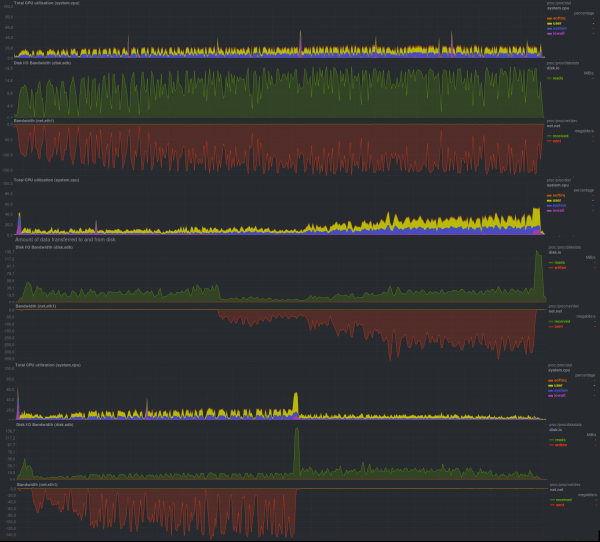
In full backup mode using rsync, the results were as follows:
First launch
Second run
Third run
First test
12m25s
12m14s
12m27s
Second test
7m41s
7m44s
7m35s
Third test
10m11s
10m0s
9m54s
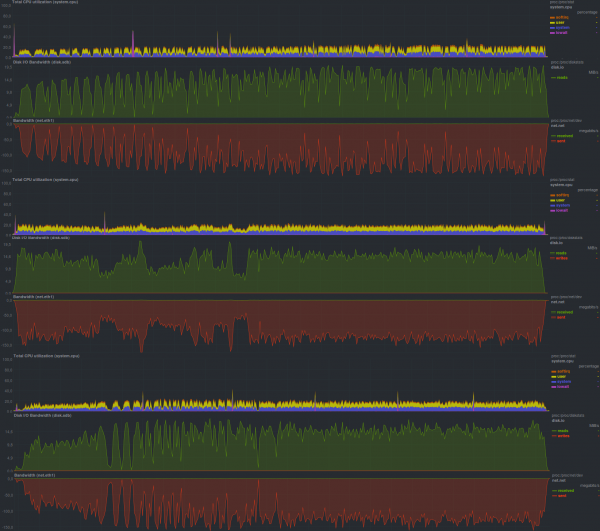
If using full backups and tar:
First launch
Second run
Third run
First test
12m41s
12m25s
12m45s
Second test
12m35s
12m45s
12m14s
Third test
12m43s
12m25s
12m5s
In incremental backup mode, we had to abandon tar as backups were not created with those settings.
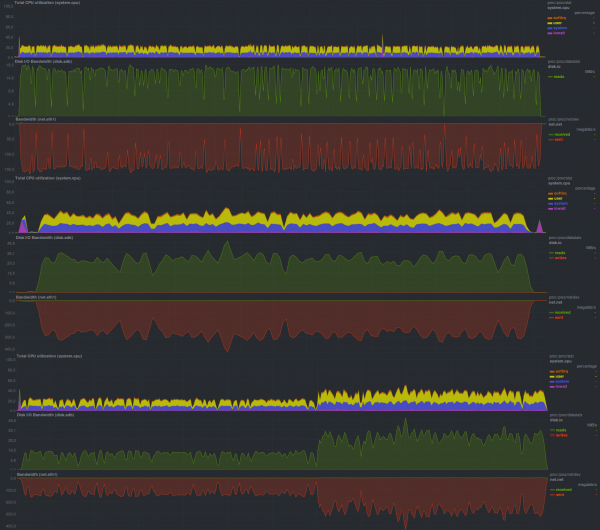
The results of creating incremental backups using rsync are as follows:
First launch
Second run
Third run
First test
11m55s
11m50s
12m25s
Second test
2m42s
2m50s
2m30s
Third test
6m00s
5m35s
5m30s
Overall, there is a slight speed advantage with rsync, and it also operates more efficiently over the network. This may be partially offset by lower CPU usage with tar as the backup program. Another advantage of rsync is its ability to handle incremental copies. The size of the repository for full backups is constant at 16 GB, while for incremental copies, it’s 14 GB per run, indicating functional deduplication.
Overview of AMANDA
At the request of participant I’m adding tests for AMANDA,
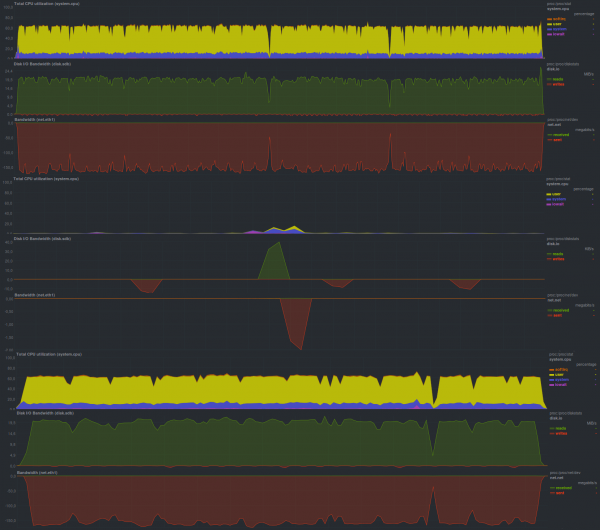
The results of the test run using tar as the archiver with compression enabled are as follows:
First launch
Second run
Third run
First test
9m5s
8m59s
9m6s
Second test
0m5s
0m5s
0m5s
Third test
2m40s
2m47s
2m45s
The program fully utilizes one processor core, but due to the limited IOPS disk on the server side for backup storage, it cannot achieve high data transfer speeds. Overall, the setup caused slightly more trouble than the other participants because the program author does not use ssh as a transport, but implements a similar key scheme, creating and maintaining a full CA. There is an option to severely restrict the client and backup server: for instance, if they cannot fully trust each other, one can, as an option, prohibit the initiation of a backup restoration from the server by setting the corresponding variable value to zero in the configuration file. There is an option to connect a web interface for management, but in general, the configured system can be fully automated with small bash scripts (or SCM, for instance, Ansible). There is a somewhat non-trivial storage configuration system, which seemingly relates to the support for an extensive list of various data storage devices (LTO tapes, hard drives, etc.). It is also worth noting that among all the programs considered in this article, AMANDA is the only one that managed to detect a directory renaming. The size of the repository after one run was 13 GB.
Announcement
Backup, Part 6: Comparison of Backup Solutions
Backup, Part 7: Conclusions
Source: habr.com
