


Yesterday, I encountered a completely unexpected turn of events during another MacOS update. I really love software updates; I'm always eager to see the new features of various programs. When I saw in the summer that I could download and install MacOS 10.15 Catalina Beta, I consciously decided against it, understanding that a beta might contain numerous bugs, and I need my MacBook daily for work. Then yesterday, I received the long-awaited notification.
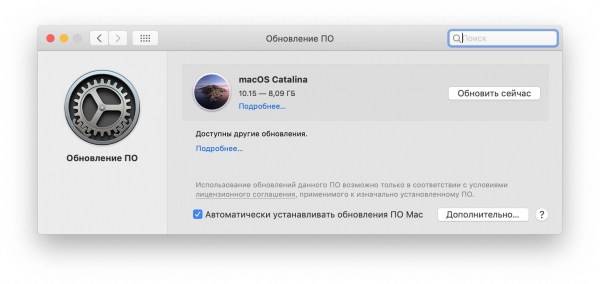
I eagerly clicked the 'Update Now' button and started waiting for the download. While the update was downloading, I decided to do something 'useful,' specifically, to delete some unnecessary junk from the laptop. This time, TeamViewer fell into the junk category for me.
The problem was not at all with TeamViewer.
I had previously used it for remote assistance to my parents, but they seem to manage well on their own now, so I no longer needed TeamViewer. Plus, one thing started to annoy me: it appeared to be lingering in the login items on my Mac, even though it wasn't listed in the system preferences under 'Users & Groups' in the 'Login Items' tab.
Be that as it may, I decided to uninstall it. To assist with this task, I had the well-known utility 'CleanMyMac' at hand. I really love this program, but this time it let me down.
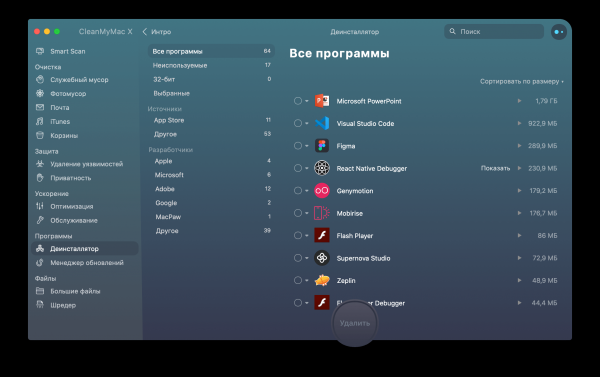
As usual, I went to the 'Uninstaller' section and selected TeamViewer for removal. Everything went smoothly, and just then, the MacOS update completed downloading. From there, everything proceeded as usual. The installation took some time, the Mac rebooted several times, and then came the long-awaited moment. The final stage of installation and setup completion. I sat there waiting to log in, and what did I see:
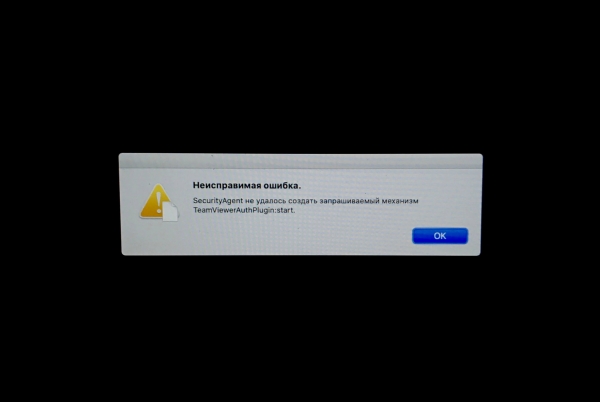
And that's where my problems began. Naturally, at first, I clicked OK about five times, but that led nowhere. The next step was to reboot a couple of times, which also didn't help! Then I started thinking. I remembered that I had just uninstalled TeamViewer and thought about the login items, realizing that I had made a mistake. This led to an hour of Googling for a solution, and the first one that came up involved manually deleting all leftover application files. It turned out that the information about login items was scattered across directories. LaunchAgents, LaunchDaemons and StartupItems, which are scattered throughout the system, under different access rights.
To delete them, access to the hard drive was needed. There are several options, and quite a bit has been written about this online. I chose to use the terminal, launching it from recovery mode.
It wasn't smooth sailing there either, as my disk is encrypted. But that didn't stop me. After searching through all the files and deleting everything that resembled TeamViewer by name, I thought I had solved the problem, but that wasn't the case! After rebooting, everything remained the same. I should clarify, as someone might logically ask: Why didn't I boot the system in safe mode? Doesn't it disable user login objects? — I’ll reply: the system wouldn’t boot in safe mode!
After another hour of this hassle, a working solution was found. It turned out that I needed to place TeamViewerAuthPlugin.bundle back in its original location, specifically in the directory /Library/Security/SecurityAgentPlugins/. And that saved me! Thanks to my friend, who midnightly deployed a local server and through ngrok and shared this file with me, which I successfully downloaded from the terminal using curl..
The conclusion of this story: be careful when uninstalling applications on MacOS!
P.S. Catalina seems fine, everything is working.
Source: habr.com
