

In the past couple of weeks, we’ve introduced several interesting updates and one new product. All these innovations and improvements align with 3CX's policy of creating an accessible multichannel call center based on UC PBX.
3CX CFD Update - CRM Survey and Lookup Components
The fresh release of 3CX Call Flow Designer (CFD) Update 3 features a new Survey component, enabling users without programming skills to create automated telephone surveys. A visual configuration wizard is used for survey creation.
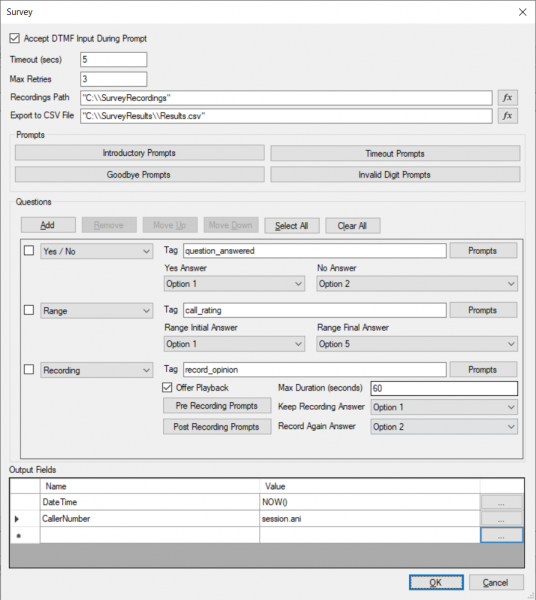
Until now, creating telephone surveys in 3CX required involving a programmer who would set up several different CFD components and link them with C# code. At user requests, we developed a ready-made Survey component, which offers the following capabilities:
- Plays general messages, such as greetings before starting the survey and notifications at the end of the survey.
- Asks questions of different types: 'Yes / No', 'rate from / to', and can simply record a voice response.
- Collects responses from participants into a CSV file, adding additional information if required.
The new CFD release also includes a CRM Lookup component. It allows for data extraction from the CRM system connected to 3CX. The CRM itself connects to 3CX as usual — through the 3CX management interface. The data retrieved via the request is passed for further processing to the voice application CFD.
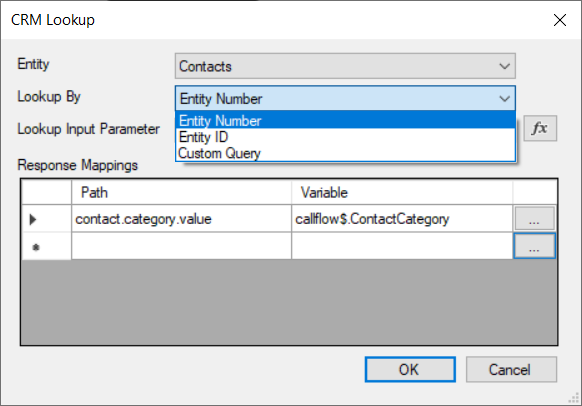
A typical use case for the component is:
- When an incoming call is received, the caller's ID is sent to the CRM.
- If a client with that Caller ID is found, the request extracts the internal number of the manager assigned to that client.
- The CFD application receives the internal number and transfers the call (using the Transfer component) to the manager's extension.
Thus, the client always reaches their servicing manager. Previously, CFD lacked such a convenient tool, requiring complex interaction between several components, which again needed a qualified developer for integration.
To use CRM Lookup, you first need to connect one of , and if your CRM is not on the list — use .
For working with 3CX CFD v16 Update 3, you need .
3CX Acquires WP-Live Chat Plugin for Multichannel Contact Centers
Recently, we acquired – a popular website visitor chat plugin with real-time analytics. It is the most popular chat for WordPress, with over 1 million downloads and more than 1000 daily downloads. The acquisition of WP-Live Chat technology follows the release of our own plugin , launched alongside 3CX v16. All these steps aim to implement a convenient and standardized multichannel contact center at the most affordable price.
For reference: WP-Live Chat was released in 2014 by the South African company Code Cabin – a developer of e-commerce solutions. 3CX will actively develop WP-Live Chat Support, which will be available for free as a standalone product. Unlike the proprietary , WP-Live Chat does not include audio/video communication with website visitors, but it has extensive analytics of user online actions.
3CX Android Beta Update
The latest beta of the 3CX Android app has received several important improvements based on your feedback.
If the phone moved outside the local network (and the IP connection changed to FQDN connection), there was sometimes an error 'request failed error' when attempting to call. This issue has now been resolved.
Along with the subscriber's name (in the Status and Chat application interfaces), the name of the remote (connected via inter-station trunk) 3CX PBX is now displayed. This is handy if there are two employees in the organization with the same name but working in different offices (connected to different 3CX PBXs). Additionally, the PBX name now appears next to the employee's Caller ID. This allows for a quick understanding of which office/which PBX you are being called from.
The voicemail listening interface has also been updated. You can now see a complete list of messages with available options. Select the appropriate option, and the message will be played in the built-in Google Play Music player.
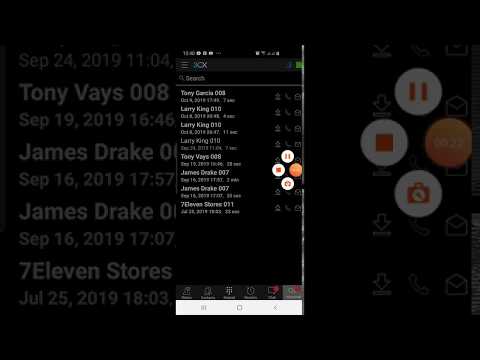
Other improvements to 3CX for Android Beta:
- A 'Do not ask again' option has been added when granting the app access to the phone's contact list.
- Files being transferred are uploaded to a dedicated folder in accordance with the Android 10 developer guidelines.
- The new dropdown filter for contacts allows you to show all contacts, only 3CX contacts, or only Android device contacts.
- The maximum number of conference participants on demand is 3. For conferences with more participants, use the Conference Scheduler.
You can install the application by connecting to If you have any issues with the application or suggestions, please leave feedback on the dedicated .
- .
Source: habr.com
