

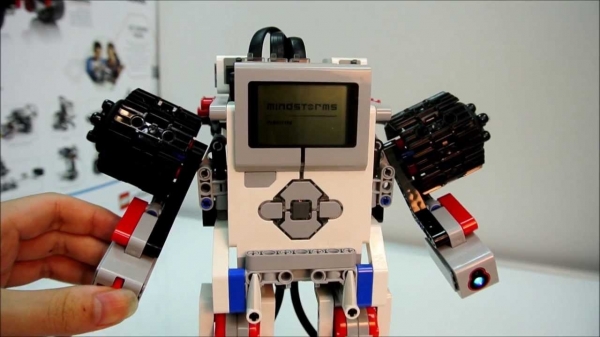
image — roboconstructor.ru
A well-known parable says that when a young mother approached a sage with her child in her arms and asked at what age she should start raising her offspring, the elder replied that she was late by as many years as the child already was. The situation with choosing a future vocation is quite similar. It is difficult to expect an infant to be aware of their inclinations and interests, but as early as middle school, various specializations begin, and by that time, it would be good to already know which direction to guide the growing child. But one thing we know for almost certain: in the coming decades, between 30% and 80% of professions will be fully automated.
Robotics, cybernetics, understanding algorithms – this is the set of skills that will likely prevent a person from facing such uncertain prospects. Of course, alongside the replacement of the workforce with robots, the concept of unconditional basic income will probably develop, but you likely wouldn’t want such a future for your child.
There are many ways to quickly introduce a young and interested audience to the basics of programming and robotics nowadays. All of them are inexpensive, relatively easy to master, and provide understanding of algorithmic principles and concepts of cybernetic devices within just a few hours. However, in classrooms, one can easily encounter drawbacks of these platforms – limited durability (and let's face it, the 'idiot-proof' aspect could be better) of prototyping boards, and software interfaces that are not particularly friendly for 11 to 12-year-old children, with a relatively small element of 'game.'
For over twenty years, a well-known manufacturer of educational kits, LEGO Education, has been tackling all these shortcomings. Of course, I’m referring to the MINDSTORMS Education EV3 platform. Starting with the Mindstorms RCX produced in the early '90s and continuing up to the latest MINDSTORMS Education EV3 set, the fundamental structure of the platform remains unchanged. At its core is the 'intelligent brick', a microcomputer with a screen and input-output ports to which all other components are connected. As in any robotic system, peripheral devices are divided into sensors and effectors. Sensors allow the robot to perceive the environment, while effectors respond according to the programmed instructions. The components of the platform connect together using simple non-solder cables, and the mechanical designs are limited only by the strength of the plastic parts and the builders' imagination.
, we discussed the general capabilities of such solutions. Now, we want to delve deeper specifically into LEGO MINDSTORMS Education EV3.
EV3
LEGO MINDSTORMS Education EV3 is compatible with LEGO Technic parts. This means that the platform can be used to create a wide variety of constructions, from simple 'vehicles' and 'robotic arms' to complex conveyor systems or even 'solvers' for Rubik's cubes. In fact, any LEGO Technic set can serve as a source of parts for projects, and there will be no issues with replacing damaged spare parts. Yes, they may not look as rugged as the old Soviet aluminum constructors, but in practice, they often prove to be even sturdier than metal products. At least in my collection, which started in 1993, there hasn’t been a single broken piece yet.
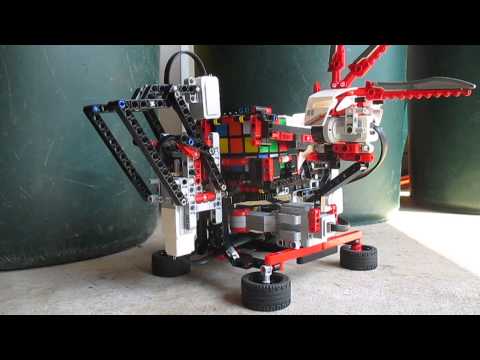
The basic educational kit MINDSTORMS Education EV3 includes 541 LEGO Technic parts. You can also purchase specialized resource kits like (or the older 9648 that was produced for NXT), as well as large constructors like (2800 pieces) or (almost 4000 pieces), and after fully enjoying the main model, use it for 'bricks' for cybernetic experiments. When calculated per LEGO piece, this set greatly outshines others, costing only 3-5 rubles per piece.
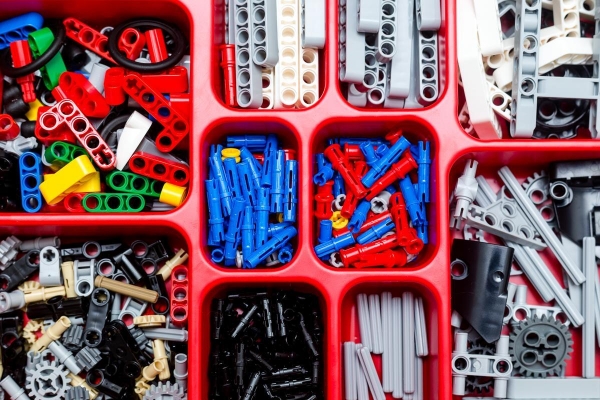
However, if someone has an old collection that includes tens of thousands of pieces, then there will be no need to worry about resources at all.
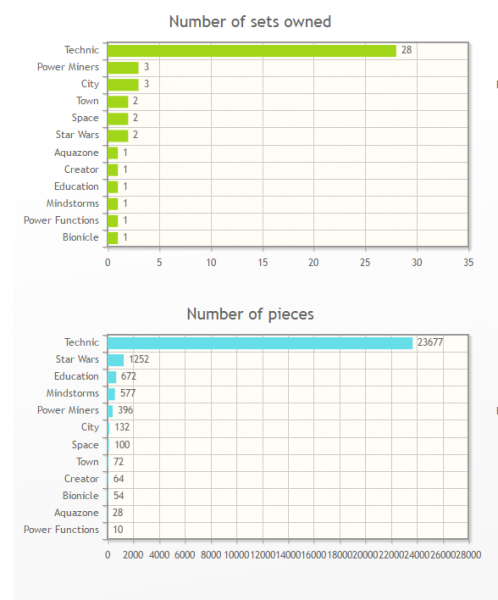
Screenshot from the Brickset service (an interactive database for Lego brick owners, allowing them to gather various statistics) by the author.
However, this only concerns 'passive' elements like beams, wheels, or connection pins. Sensors and effectors are, of course, significantly more expensive, but there are more than enough of them in the basic set. Mindstorms EV3 comes with three motors (two larger and more powerful, and one compact servo), a couple of touch sensors (which act as 'smart' buttons), ultrasonic, gyroscopic, and color sensors (the latter can also function as a light sensor). Additionally, it retains compatibility with sensors from the previous generation of Lego Education robots – Mindstorms NXT (which includes a noise level sensor, for example).
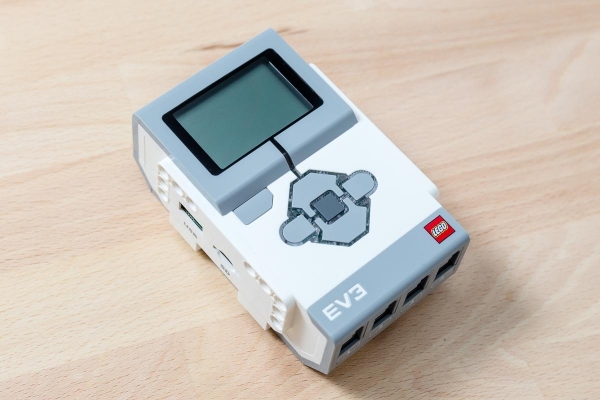
But let's return to the 'smart brick', the heart of the system. This is indeed a rather hefty and bulky 'brick', equipped with a monochrome LCD screen of 178x128 (which displays not only the menu but also various custom images during operation) with adjustable backlight color. Sensors and effectors (up to four devices of each type) are connected to it via wires with standard RJ-12 connectors; it features a microSDHC slot and a USB port.
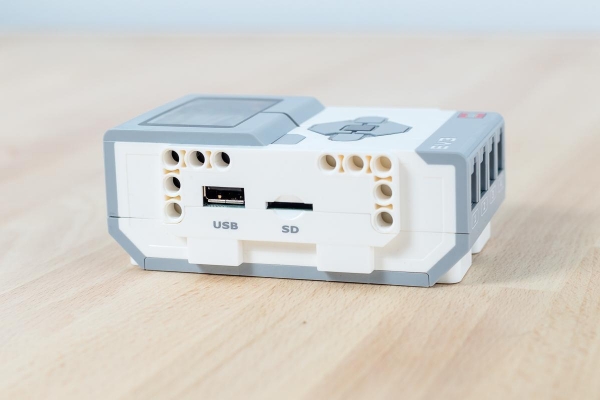
The latter can be used both for uploading programs and for firmware updates. However, the microcontroller is not lacking in wireless interfaces; if desired, programs can be uploaded via Wi-Fi (an external module is needed) or Bluetooth (which is built-in). Also, if we are building a robot with remote control, it can be operated using a wireless connection from a smartphone or tablet.
Inside the "smart brick" is a 300 MHz ARM processor, 16 megabytes of flash memory (which is where the card comes in handy), and 64 megabytes of RAM. Although these numbers may seem modest, the power is more than sufficient to execute even the most complex algorithms that you or a child during the learning process could write. When compared to the 48 MHz processor of the previous generation NXT, which recently turned ten years old, the progress is indeed noticeable. However, it cannot be said that the NXT significantly lagged behind in solving typical tasks.
Additionally, a fourth port for motors has been introduced, which is a significant enhancement justified by the upgrade.
The USB port now supports host mode, allowing not only the connection of a Wi-Fi adapter but also the linking of multiple EV3 units into one complex robot. However, the level of tasks becomes completely "not child-friendly".
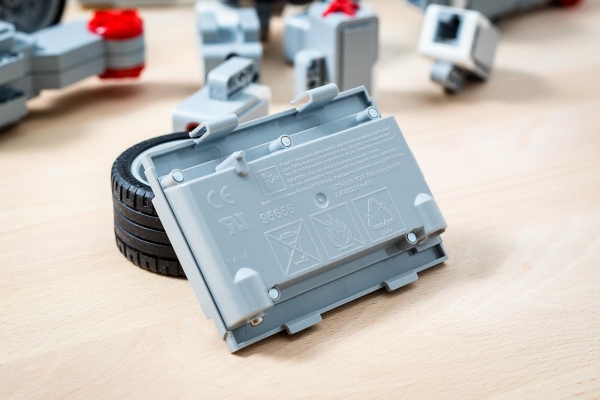
Finally, MINDSTORMS Education EV3 now supports battery power. Instead of six AA batteries, you can install the included lithium-ion battery with over two amp-hours. Of course, there's nothing stopping you from using AA batteries like eneloop, but the need to remove them for charging makes usability below average. Moreover, the price of a couple of eneloop sets with a charger is quite comparable to that of the branded battery.
Oh, and there's a large and loud speaker, which can now not only beep retro melodies from the 8-bit era but also play more pleasant sounds.
Now let's look at the effectors from the basic set. Two of them are powerful motors, similar to those previously used in NXT, elongated devices that generate significant torque thanks to an internal reduction gear.
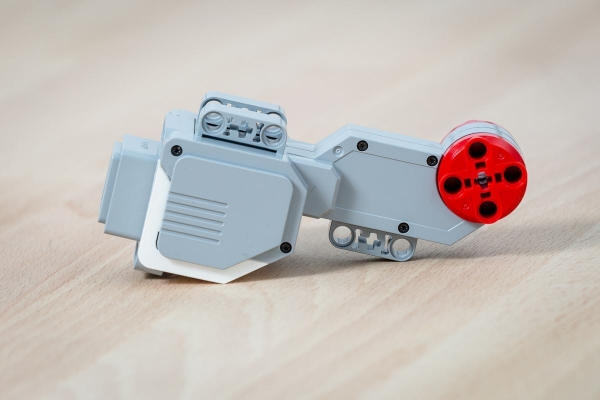
A mechanical friction clutch is provided in case of motor lock, which starts to slip if the friction exceeds the calculated level, making it quite difficult to burn out the motor.
There is an angle sensor with a resolution of one degree (the motor informs the controller about the current angle of its axis) and the ability to precisely synchronize the rotation of all connected motors.
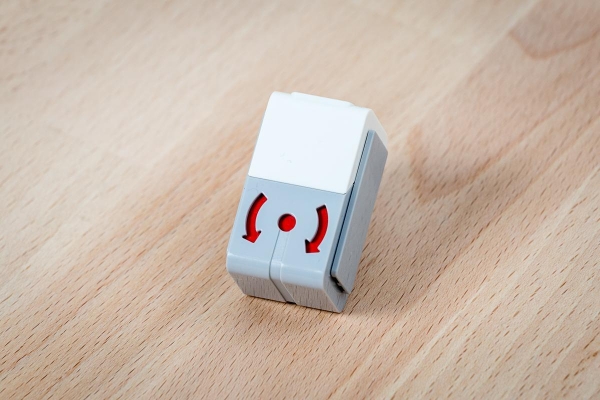
The third, so-called M-actuator (medium-sized motor) delivers three times less torque, but its rotation speed is nearly twice as high.
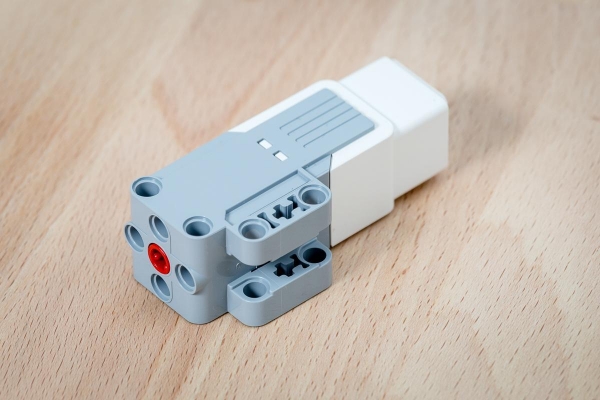
When it comes to sensors, it’s not strictly necessary to limit yourself to those offered by LEGO Education (though they are more than sufficient for any educational project); several third-party companies produce compatible and sometimes quite exotic sensors. The firmware source code and hardware specifications are fully .
Software
We’ve talked a lot about hardware, but it’s not just that which determines the effectiveness of robotics classes. The presence of truly intuitive software across many platforms (Mac, PC, mobile devices) and makes LEGO MINDSTORMS Education EV3 the platform of choice for teaching, especially at the transition from elementary to middle school, for children around ten years old.
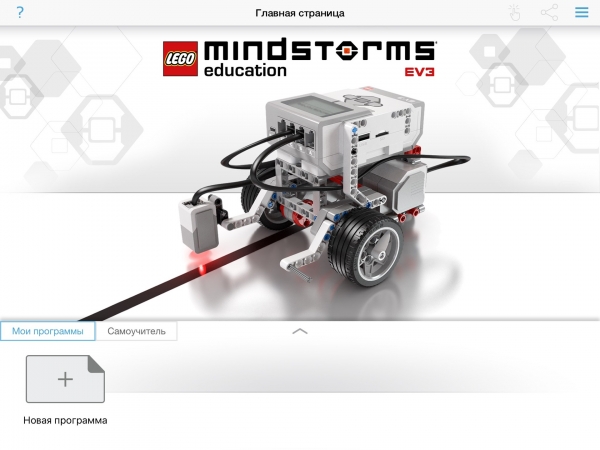
The welcome screen of the application on iPad
The visualization of algorithms in the native LEGO MINDSTORMS Education EV3 software is simply top-notch; it takes just a few minutes to grasp the basic types of interaction of logic blocks (conditions, loops, etc.), and from there, one can gradually increase the complexity of programs. Naturally, there are also ready-made learning projects for dozens of diverse robot models, and if desired, you can find thousands of interesting programs in online communities.
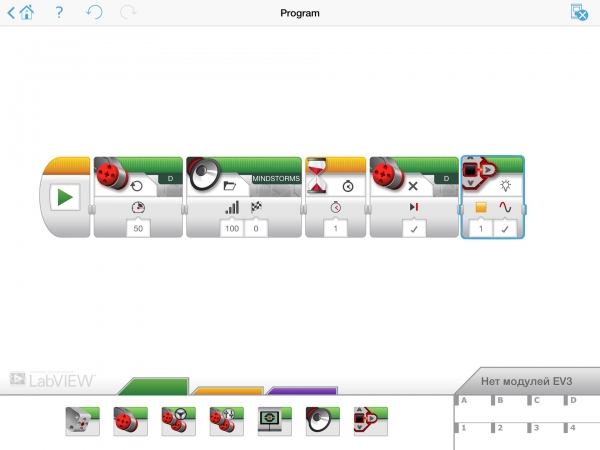
Sample program in the iPad application
Advanced users can install LabVIEW or RobotC – the 'brains' of LEGO MINDSTORMS Education EV3 are fully compatible with these packages. Unfortunately, exporting old projects for NXT without additional conversion isn't possible.
From an educational perspective, much greater interest is represented by . It allows teachers to maintain electronic notebooks for students, enabling them to assess the achievements of individual students and monitor their progress from their version of the application. Additionally, one can use not only the built-in educational materials (of which there are many) but also create their own using the integrated content editor.
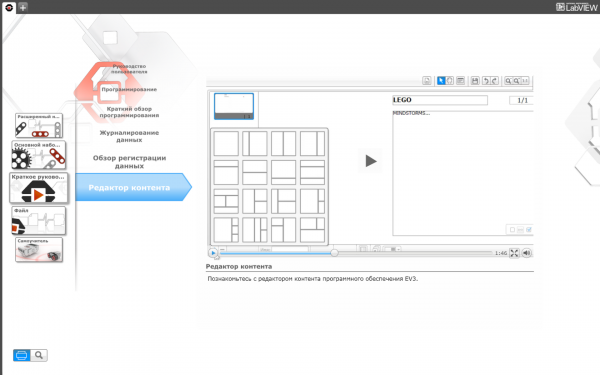
Instructional videos on using the EV3 content editor
Additionally, the desktop version features a data logging utility that allows for programming chart areas based on threshold values. This means that educators can easily demonstrate the workings of modern technologies within a smart home context, for instance.
The EV3 microcomputer will collect data from sensors in real-time and initiate specific model programs depending on the temperature background. A fan activates at high temperatures, while a heater turns on at low temperatures. Students will be able to record and analyze data, refining the model.
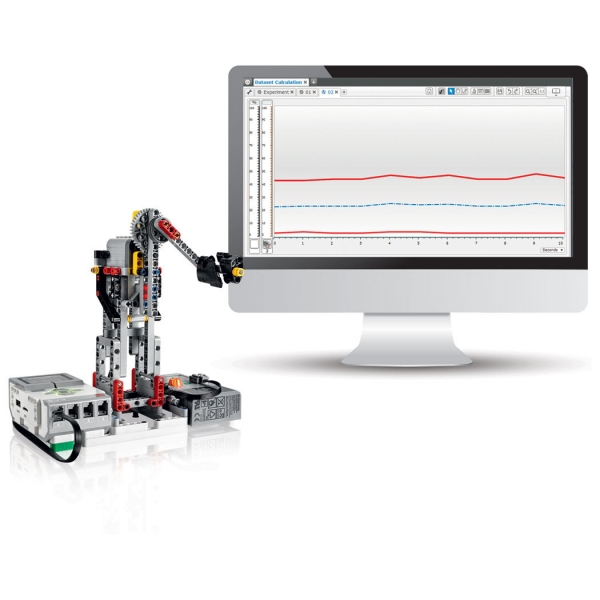
Data Logging
The openness of the 'smart brick' firmware has already made an impact: there are alternative options supporting most popular programming languages (dozens of them). Ultimately, the use of EV3 can be integrated into any educational project related to programming, as few things are as satisfying as seeing one's own algorithms in action on hardware.
Many anticipate that the price could be a sticking point in this context. Indeed, the Basic set costs 29,900 rubles, plus an additional 2,500 for the charger. However, this amount includes parts and electronics to comfortably accommodate two students, as well as complete basic software with 48 ready-made lessons (which has been completely free since January 2016, for both individuals and organizations). Of course, additional equipment and task sets could increase the cost, but within reasonable limits. For instance, a set for 8 students, including basic and resource sets LME EV3, chargers, software, and , will total 174,900. Quite reasonable for equipping, for example, a club in a school.
Yes, this is noticeably more expensive than simple Arduino-like platforms. But the capabilities and level of engagement are significantly higher. The educational program based on EV3 can be comfortably planned for the entire middle school and beyond. Furthermore, with proper use, LEGO MINDSTORMS Education EV3 will simply 'outlast' several basic kits due to its mechanical qualities, ease of replacement, and availability of parts (in my experience, only one RJ-12 cable required replacement in a 10-year-old NXT).
As a result, we see a practically open-source project, supported by a giant company with all the accompanying benefits – a long lifecycle, availability of spare parts and extensions, official and amateur guides, and a developed community. Mindstorms has become a standard for Western educational robotics classes for children, and it would be truly great to see its widespread adoption in Russia.
Choosing a path
Now to the main point. Unlike the WeDo 2.0 kits, the EV3 is aimed at middle school students, and thus at older children for whom the choice of future profession is more serious.
Using the EV3, each student will be able to actively develop the abilities that have been instilled in them through nature, upbringing, and the educational process.
A natural mathematician will closely watch the telemetry of the sensors, observing how the robot measures the distance traveled, how the angle at which it deviates is recorded, and more.
A future IT specialist will certainly dive into programming the robot, analyzing the algorithms that guide its movements. They will definitely create their own, which are not covered by the standard instructions.
A child fascinated by physics will be able to conduct visual experiments using the robot, especially since there are no issues with sensors in the kits, just as the child’s imagination will be limitless.
In short, whatever interests and favorite subjects a child may have at school, learning with the MINDSTORMS EV3 kits will help to better identify and focus on their development in the future.
In life
Currently, the company's solutions are being used by students to create interesting projects, both for various competitions and for general development. Several of these were covered by the media this year.
Astrakhan schoolboys Ruslan Kazimov and Mikhail Gladyshev developed a rehabilitation robot trainer for hand joints based on the regional technology park.
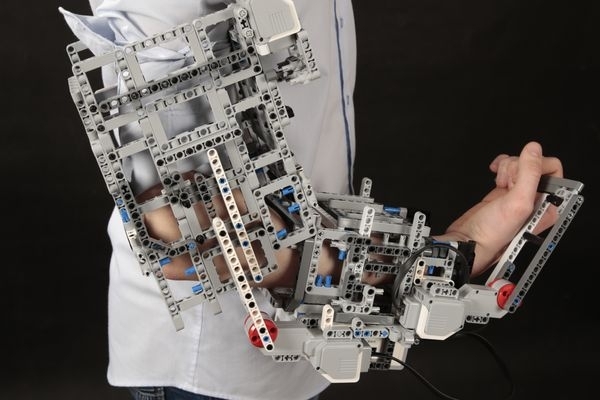
photo — rg.ru
The eighth graders spent just under two months developing the simulator. They presented their project at the regional stage of the IX All-Russian Scientific and Innovative Projects Competition in the Southern Federal District, where they took second place. They plan to create an industrial prototype – for now, the developers are offering only a prototype made from the LEGO MINDSTORMS Education EV3 educational robotics kit.
The device replicates the movements executed by the doctor – the joints begin to work, thereby restoring mobility not just for them but also for muscle groups. Currently, the devices are linked via Bluetooth, but in the future, they will interact using the internet or Wi-Fi.
Analogues of this device exist in the market; however, the Astrakhan device can work simultaneously with the shoulder, wrist, and elbow joints. Additionally, it is portable and operates on battery power. There is also the possibility of remote control, meaning that the patient can train without leaving their home.
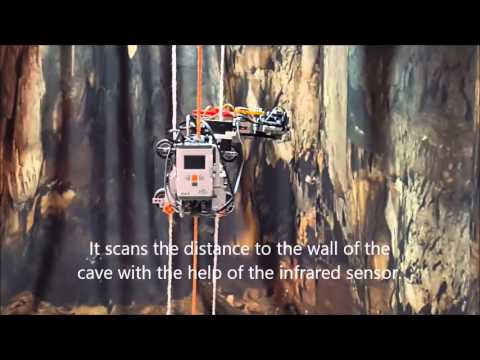
At the World Robotics Olympiad 2015 (WRO 2015), the Russian team DRL from St. Petersburg was awarded a special prize for creativity from LEGO Education (LEGO EDUCATION CREATIVITY AWARD).
The Russian team DRL presented the CaveBot project. The team from St. Petersburg, under the guidance of coach Sergey Filippov, created a unique exploratory robot for discovering uncharted areas in caves. The development touches on various scientific fields, as the unique robot makes it possible to perform tasks of varying complexity.
The team built a climbing robot equipped with various sensors to detect objects for subsequent study. The data collected can be turned into 3D models on a computer.
And 13-year-old Shubham Banerjee created (Photo: Marcio Jose Sanchez, AP)
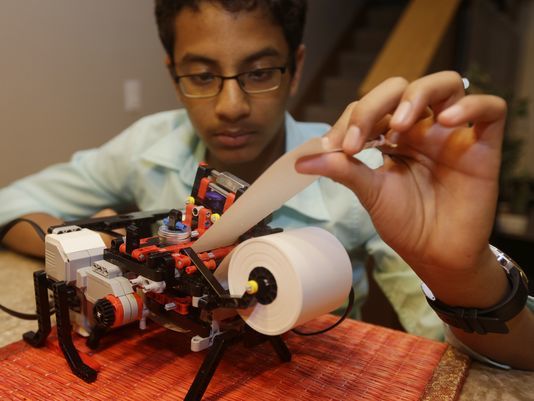
The idea to create the printer came to Shubham after researching Braille online. Realizing that Braille printers start at $2,000 and above, the schoolboy decided to make a cheaper version.
The idea to create a printer came to Shubhem after researching Braille on the Internet. Realizing that printers for blind printing cost $2,000 and up, the schoolboy decided to make a more affordable version.
Shortly after the invention, blind children and their parents began reaching out to Shubham with a single request — to create an affordable Braille printer, promising to "buy it right off the shelf."
As you can see, using MINDSTORMS Education EV3 in the learning process allows students to fully unleash their imagination, creating new mechanisms that not only help realize ideas or visually conduct experiments, but also start defining their future profession.
If you have any questions regarding the use of these solutions in the educational process (or about the products themselves) — feel free to leave them in the comments.
Source: habr.com
