

This is the second part of a series of tutorial articles on creating smart contracts in Python within the Ontology blockchain network. In the previous article, we were introduced to the Ontology smart contract.
Today we will discuss how to use the second module— Storage API. The Storage API has five related APIs that allow for addition, deletion, and modification in persistent storage within smart contracts on the blockchain.
Below is a brief description of these five APIs:
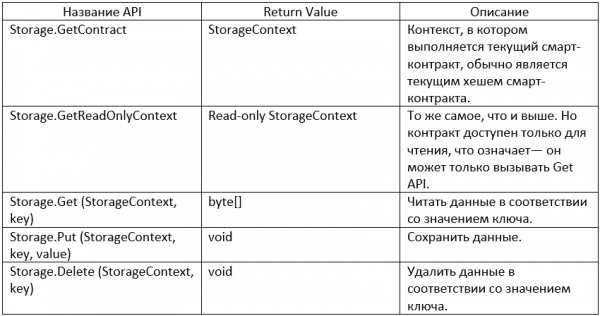
Let's take a closer look at how to use these five APIs.
0. We'll create a new contract
1. How to use the Storage API
GetContext & GetReadOnlyContext
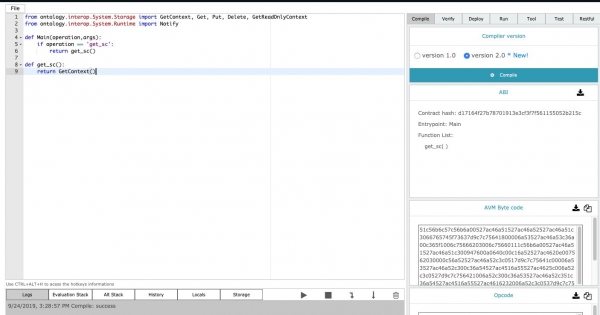
GetContext and GetReadOnlyContext retrieve the context in which the current smart contract is executed. The return value is the reverse of the current smart contract hash. As the name suggests, GetReadOnlyContext takes the read-only context. In the example below, the return value is the reverse of the contract hash shown in the upper right corner.
Put
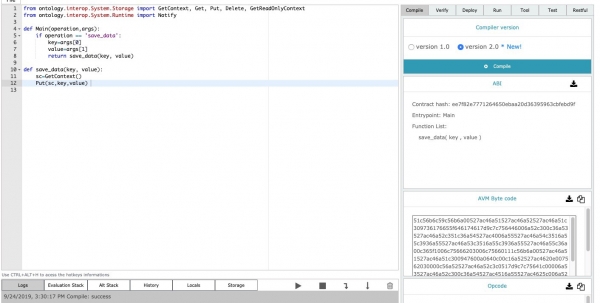
Function Put is responsible for storing data on the blockchain in the form of a dictionary. As shown, Put it takes three parameters. GetContext takes the context of the currently executing smart contract, key—this is the key value needed to store the data, and value—this is the data value to be stored. Note that if the key value is already in the storage, the function will update its corresponding value.
Get
Function Get is responsible for reading data in the current blockchain via the key value. In the example below, you can fill in the key value in the parameters panel on the right to execute the function and read the data corresponding to the key value in the blockchain.
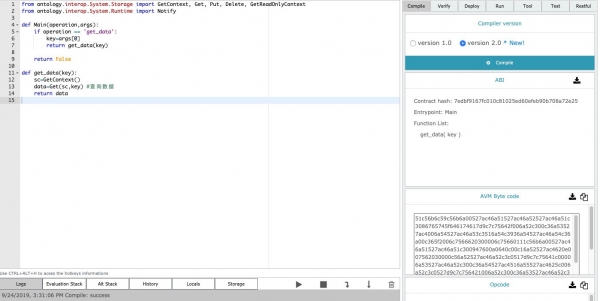
Delete
Function Delete is responsible for deleting data in the blockchain via the key value. In the example below, you can fill in the key value to execute the function in the parameters panel on the right and delete the data corresponding to the key value in the blockchain.
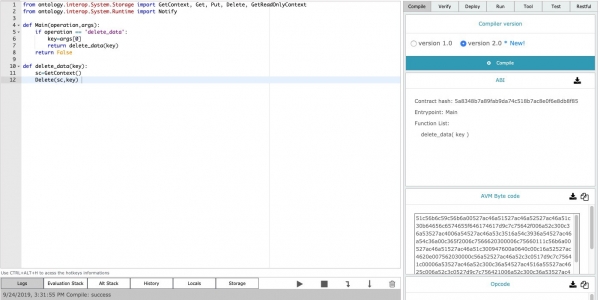
2. Example code for Storage API
The code below provides a detailed example of using the five APIs: GetContext, Get, Put, Delete, and GetReadOnlyContext. You can try running these APIs in .
from ontology.interop.System.Storage import GetContext, Get, Put, Delete, GetReadOnlyContext
from ontology.interop.System.Runtime import Notify

def Main(operation,args):
    if operation == 'get_sc':
        return get_sc()
    if operation == 'get_read_only_sc':
        return get_read_only_sc()
    if operation == 'get_data':
        key=args[0]
        return get_data(key)
    if operation == 'save_data':
        key=args[0]
        value=args[1]
        return save_data(key, value)
    if operation == 'delete_data':
        key=args[0]
        return delete_data(key)
    return False

def get_sc():
    return GetContext()

def get_read_only_sc():
    return GetReadOnlyContext()

def get_data(key):
    sc=GetContext()
    data=Get(sc,key)
    return data

def save_data(key, value):
    sc=GetContext()
    Put(sc,key,value)

def delete_data(key):
    sc=GetContext()
    Delete(sc,key)
Afterword
The blockchain storage is the core of the entire blockchain system. The Ontology Storage API is easy to use and convenient for developers.
On the other hand, storage is the focus of hacker attacks, such as the security threat we mentioned in one of the previous articles— , developers must pay special attention to security when writing code related to storage. You can find the complete guide on our here.
In the next article, we will discuss how to use Runtime API.
This article was translated by the Hashrate&Shares editorial team specifically for OntologyRussia.
Are you a developer? Join our technical community on . Also, check out the Ontology, where you can find more tools, documentation, and much more.
Close the task — earn a reward.
to the Ontology talent program for students
Ontology
— — — — —
Source: habr.com
