

A small digression: for those who want to take the time to understand why I decided to make changes, please refer to /cut.
This article is not about how I regretted spending 1000 rubles and didn't buy a router with USB support; it's about the real problem with our only local Internet service provider, which is unwilling to work properly but readily takes payments on time.
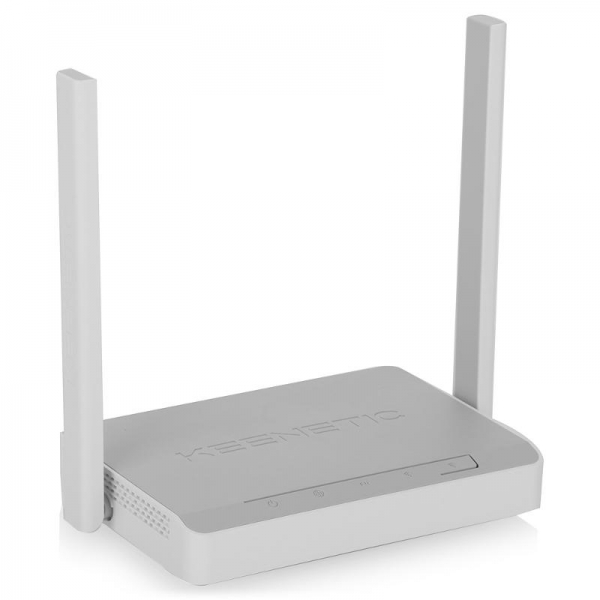
Some time ago, I bought the Keenetic KN-1310 router. At that time, I didn't care about additional options like connecting USB drives and modems, so I got the most budget-friendly one.
I just got tired of battling with the provider and decided to switch to mobile internet, as the coverage for HSPA+ and LTE is excellent here. However, this router does not support USB unlike its older siblings, and sheer curiosity led me to open it up…
So, let's get started.
Upon opening the router, we see an unpopulated USB port; looking at the datasheet for the processor , we see that this processor supports USB, and soon I realized that all the older models of this router have practically identical hardware. The traces leading to the USB port lacked jumpers, which need to be soldered as shown in the photo:
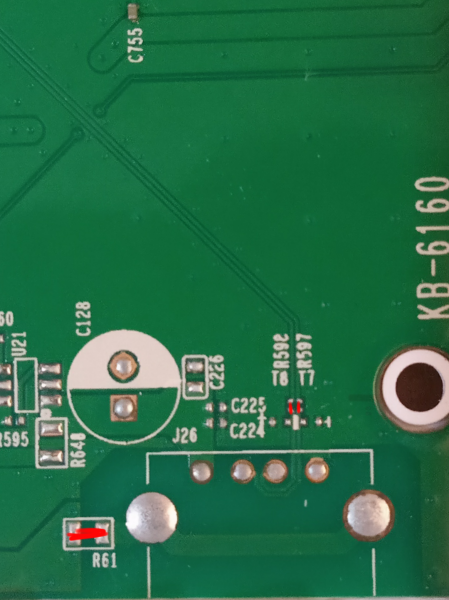
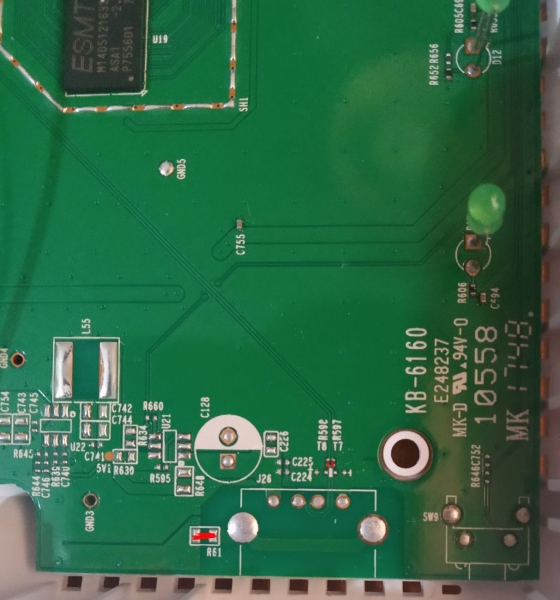
I desoldered the jumpers from an old DSL modem, but you can also solder wires.
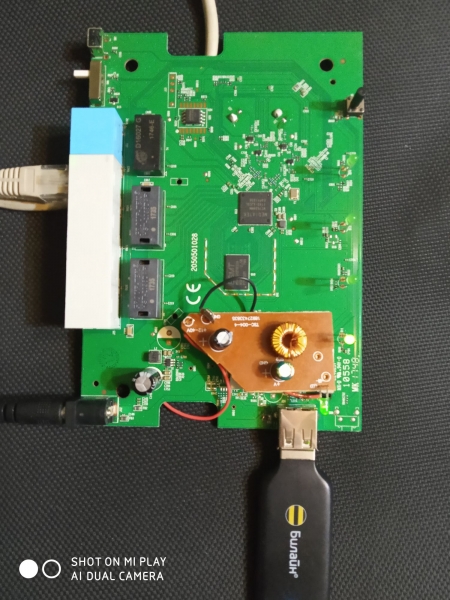
Next, we need to supply +5V to the USB port; for that, you either need to solder the entire circuit as shown in the schematic, or use any DC-DC buck converter since the router runs on +9V.
I have quite a few chargers used in cars, so I adapted one of them.
Here’s the schematic showing where I got the +9V power from and where to connect the +5V to the USB:
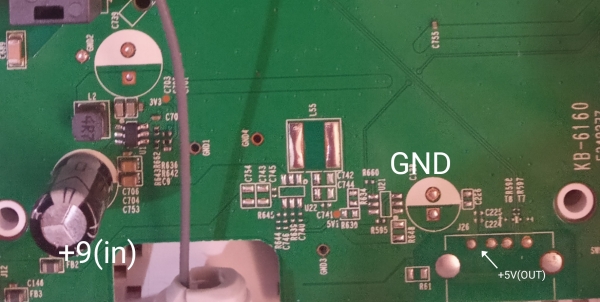
Photo with the soldered DC-DC converter:
Next, we need to flash our router. To do this, we download
I won't go into detail about the flashing process there is also a guide in the downloaded and unpacked flashing program.
After these manipulations, the router will support USB modems; if you need support for drives, flash it for the KN-1410.
Thank you all for your attention; I hope this will be useful to someone.
Source: habr.com
