

As is well known, if something bad can happen, it will surely happen. Everyone has likely had instances where an important file was accidentally deleted or where text was highlighted and destroyed in a text editor.
If you are a host or a website owner, you have probably encountered user account hacks or your own website being compromised. In such cases, it is crucial to restore the timeline, find the point of intrusion, and the vulnerability exploited by the attacker.
The NILFS2 file system is an excellent solution for such issues.
It has been included in the Linux kernel since version 2.6.30.
A key feature of this file system is that it behaves like a version control system: you can always roll back the state of the system and see what it looked like at a certain point in time.
To enable this functionality, you do not need to configure Cron scripts, take snapshots, etc. The NILFS2 file system does all this automatically. It never overwrites old data and always writes to new areas of the disk, provided there is sufficient free disk space, fully adhering to the Copy-on-Write principle.
In fact, any change to a file results in the automatic creation of a new snapshot of the file system, allowing you to use this file system as a time machine and rewind the state of files.
History
 NILFS2 was developed in the depths of , which is essentially a state-owned (it has a controlling stake) and the largest telecommunications company in Japan. Specifically, it was developed at the CyberSpace Laboratories under the guidance of .
The specific purpose for which it was developed is unknown, but it can be presumed that such a file system, with its time machine functionality, is ideal for storing data that security agencies may want to scrutinize in order to replay the entire communication picture of SMS, emails, etc.
NILFS2 is also potentially a very valuable tool for internal security services, as it allows for the recovery of all deleted emails in a mail database, exposing mistakes made by employees who might later try to hide them by deleting or altering their files.
How can you track the entire message history?On Linux servers (which is exactly where NILFS2 should be installed for internal security purposes), emails are often stored using a file-based method. The so-called format . You just need to install and configure email storage in Maildir. Another format consists of a large text file that can be easily parsed into separate messages.
If the mail server uses a database, then NILFS2 provides the ability to restore the exact timeline of database changes and to recover the database to any of those moments. Then you need to use database tools to see what was in it at that time…
However, something went wrong. Either the Japanese government changed its mind about monitoring everyone (in a Yaryov-style principle), or the performance of NILFS2 on traditional HDDs turned out to be subpar, and NILFS2 was released under the GPL license and quickly integrated into the Linux kernel, since the kernel developers had no special claims against code written by highly qualified Japanese engineers.
What does NILFS2 resemble?
In terms of usage: like a version control system . Each filesystem checkpoint is a commit that is made automatically without the user's knowledge during any change: whether it's deletion, modification of file content, or change of permissions. Each commit has a number that linearly increases.
From a programmer's perspective: like a circular buffer. The filesystem accumulates changes and writes them in chunks of approximately 8 MB (2000 * 4096, where 2000 is the number of elements in a block, and 4096 is the size of a memory page). The entire disk is divided into such chunks. Recording is done sequentially. When the free space runs out, the oldest snapshots are deleted, and the chunks are overwritten.
The main benefits of NILFS2
- Versioning!!!
- The procedure for recovering the filesystem after a crash is straightforward: upon booting, the last chunk with a valid checksum is sought and the superblock is set to it. This is practically an instant operation.
- Due to the fact that writing always happens linearly, it can show good results when working on SSDs, with slow random writing.
- can deliver good results when using SSDs, particularly with slow random writes.
- NILFS2 conserves SSD resources as it nearly eliminates the write amplification factor.
More precisely, it is no more than 2.The point is that during the cyclical rewriting of the entire disk, NILFS2 relocates unmodified data to new chunks.If we have 10% unchanging data on the disk, we obtain a 10% write increase during one full overwrite. And a 50% increase at 50% device utilization for one full disk overwrite.
The maximum write amplification factor is 2. This is very low considering that everything is written sequentially. Overall, the write amplification will be less than that of a typical fragmented file system with a 4096-byte sector. ).
- The potential simplicity of implementing replication to a remote NILFS2 file system
NILFS2 for /home
In Unix-like operating systems, there is usually a /home directory where user data is stored. Various programs save their user-specific settings in this directory.
And who, if not the users, most often make mistakes? Therefore, as they say, it is a divine command to use NILFS2 on /home.
Moreover, with the widespread adoption of SSDs, we no longer need to worry about severe performance drops when using CoW file systems.
Yes, we can create file system snapshots as often as we want in ZFS and BTRFS, but there is always a risk that a lost file change may fall between snapshots. Snapshots also need to be managed: old ones must be deleted. In NILFS2, all this happens automatically, literally every few seconds.
I created a logical volume using lvcreate (in the nvme volume group, a thin pool). I recommend creating on the LVM volume, as it can be easily expanded later. It is advisable to keep 50% free disk space for NILFS2 for a decent versioning depth.
lvcreate -V10G -T nvme/thin -n homeand formatted it to NILFS2:
mkfs.nilfs2 -L nvme_home /dev/nvme/home

mkfs.nilfs2 (nilfs-utils 2.1.5)
Start writing file system initial data to the device
      Blocksize:4096  Device:/dev/nvme/home1  Device Size:10737418240
File system initialization succeeded !!
After this, all data from the current /home needs to be copied.
I did this immediately after booting the computer, before logging into my account, as the root user. If I had logged in as my user account, some programs would have opened sockets and files in my user folder /home/user, which would have made clean copying difficult. As is known, the home folder for the root user is usually located at /root, so no files will be opened on the /home partition.
mkdir /mnt/newhome
mount -t nilfs2 /dev/nvme/home /mnt/newhome
cp -a /home/. /mnt/newhome
Regarding the last line, see .
Next, we modify /etc/fstab, where the filesystem for /home is mounted, to
/dev/disk/by-label/nvme_home /home nilfs2 noatime 0 0
Option noatime is necessary for performance improvement, so that the atime does not change with each access to the files. Next, we reboot.
Types of snapshots in NILFS2.
A regular snapshot without immunity to deletion is called a checkpoint (checkpoint or restore point).
A snapshot with protection against auto-deletion is called a snapshot, simply put, a snapshot.
Viewing checkpoints is done using the command lscp
Viewing snapshots (snapshots) lscp -s
We can also create snapshots and checkpoints ourselves at any time using:
mkcp [-s] deviceRecovering data.
NILFS allows us to mount an unlimited number of old snapshots concurrently with working on the main branch of the FS. But only in read mode.
It is arranged this way. Regular checkpoints made by NILFS2 can be automatically deleted at any moment (when disk space runs out or according to nilfs_cleanerd rules), so before mounting, we must convert the checkpoint into a snapshot or, in other words, fix the snapshot.
chcp ss checkpoint_numberAfter that, we can mount the snapshot, for example, like this:
mount -t nilfs2 -r -o cp=checkpoint_number /dev/nvme/home /mnt/nilfs/checkpoint_number After which we copy the recovering files from the snapshot to /home.
Subsequently, we remove the non-deletable flag from the snapshot, so that in the future the automatic garbage collector can delete outdated data:
chcp cp checkpoint_numberUtilities for NILFS2
And here lies the problem. Yes, of course, we can create FS, resize it online, view the list of checkpoints, create and delete them. The nilfs2-utils package provides a minimal gentleman's set.
Since NTT has ceased funding, there are no quick low-level utilities available to display the history of file changes or create diffs between snapshots.
My utility n2u
To fill this gap, I wrote , which can output the history of changes for a specific file/directory:
n2u log filenameThe output looks something like this:
          CHECKPOINT        DATE     TIME     TYPE          SIZE  MODE
             1787552  2019-11-24 22:08:00    first          7079    cp
             1792659  2019-11-25 23:09:05  changed          7081    cp
It works quite quickly for my preferred implementation method: it finds differences between files using a bisection method, quickly mounting and comparing the file/directory across different snapshots.
You can specify a range of checkpoints using the key -cp CP1:CP2 or -cp {YEAR-MM-DD}:{YEAR-MM-DD}.
You can also see the differences between checkpoints for a specific file or directory:
n2u diff -r cp1:cp2 filenameYou can display the entire history of changes: all differences between checkpoints of a specific file/directory:
n2u blame [-r cp1:cp2] filenameThe date range in this command is also supported.
A call to developers
There are many experts on Habr. Please, enhance NILFS2. Implement replication, low-level fast diffs between revisions, reflinks, and other features!
Links
.
Repositories:
.
.
Mailing lists:
. Subscription identifier for linux-nilfs.
.
.
.
Acknowledgments:
- To the NILFS2 developers: Ryusuke Konishi, Koji Sato, Naruhiko Kamimura, Seiji Kihara, Yoshiji Amagai, Hisashi Hifumi and Satoshi Moriai. Other major contributors are: Andreas Rohner, Dan McGee, David Arendt, David Smid, dexen deVries, Dmitry Smirnov, Eric Sandeen, Jiro SEKIBA, Matteo Frigo, Hitoshi Mitake, Takashi Iwai, Vyacheslav Dubeyko.
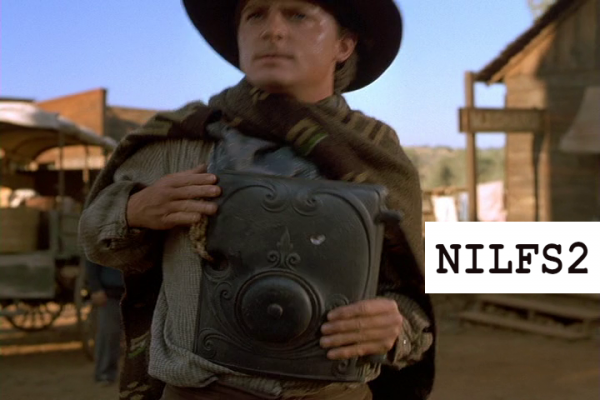
- To Amblin Entertainment and Universal Pictures for the wonderful movie series . The first image in the post is taken from the movie "Back to the Future - 3."
- Companies for support and the opportunity to publish on their blog on Habr.
P.S. Report any observed errors via private message. I increase karma for this.
You can experiment with NILFS2 by ordering a virtual machine from using the coupon below. A free trial period of 3 days is available for all new clients.
Source: habr.com
