

Note: translation.: This wonderful material from Okta clearly and simply explains the principles of how OAuth and OIDC (OpenID Connect) work. This knowledge will be useful for developers, system administrators, and even 'ordinary users' of popular web applications that are likely sharing sensitive data with other services.
In the 'stone age' of the internet, sharing information between services was easy. You simply gave your login and password from one service to another so it could access your account and retrieve any necessary information.
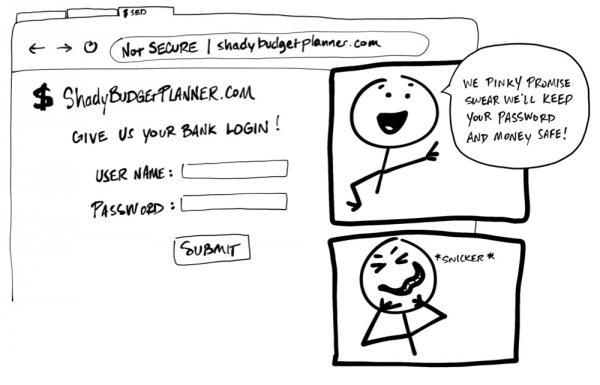
'Provide your banking credentials.' — 'We promise everything will be fine with your password and money. Honestly, truly!' *hee-hee*
Horrifying! Nobody should ever require a user to share their login and password, their credentials, with another service. There is no guarantee that the organization behind this service will store the data securely and not collect more personal information than necessary. It may seem crazy, but some applications still use such practices!
Today, there is a single standard that allows one service to securely utilize the data of another. Unfortunately, such standards use a lot of jargon and terms that complicate understanding. The aim of this material is to explain how they work through simple illustrations (Think my drawings look like child's scribbles? Well, that's fine!).

By the way, this guide is also available in video format:

Ladies and gentlemen, meet: OAuth 2.0
— is a security standard that allows one application to gain permission to access information in another application. The sequence of actions for granting permission [permission] (or consent [consent]) is often referred to as authorization [authorization] or even delegated authorization [delegated authorization]. Using this standard, you allow an application to access data or use functions of another application on your behalf without telling it your password. Awesome!
For example, imagine you come across a site called 'Terrible Pun of the Day' [Terrible Pun of the Day] and decided to register on it to receive puns daily via text messages on your phone. You really liked the site and wanted to share it with everyone you know. After all, terrible puns appeal to everyone, don’t they?

"Today's Terrible Pun: Have you heard about the guy who lost his left side? He's all right now!" (translation is approximate since the original contains a play on words)
It's clear that messaging each person in your contact list isn't an option. And if you're at all like me, you'll do anything to avoid extra work. Luckily, Terrible Pun of the Day can invite all your friends for you! You just need to give it access to your email contacts—the site will send them invitations itself (OAuth rules)!
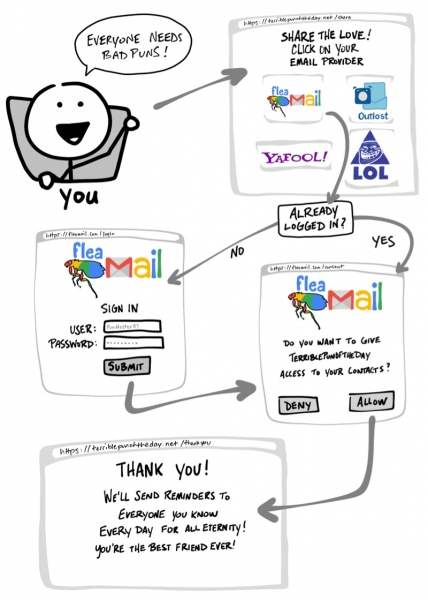
"Everyone loves puns! — Have you logged in yet? — Would you like to give Terrible Pun of the Day access to your contacts? — Thank you! Now we will send reminders to everyone you know every day for eternity! You're the best friend!"
- Choose your email service.
- If necessary, visit the email site and log into your account.
- Grant Terrible Pun of the Day permission to access your contacts.
- Return to the Terrible Pun of the Day site.
If you change your mind, apps using OAuth also provide a way to revoke access. If you decide that you no longer want to share contacts with Terrible Pun of the Day, you can go to the email site and remove the pun site from the authorized applications list.
OAuth flow
We just went through what is commonly referred to as flow [flow] OAuth. In our example, this flow consists of visible steps as well as some invisible steps where the two services negotiate secure information exchange. In the previous example with Terrible Pun of the Day, the most common OAuth 2.0 flow called the 'authorization code flow' is used. [‘authorization code’ flow].
Before diving into the details of how OAuth works, let's discuss the meaning of some terms:
- Resource Owner:

That's you! You own your credentials, your data, and control all actions that can be taken with your accounts. - Client:

An application (for example, the Terrible Pun of the Day service) that wants to gain access or perform actions on behalf of Resource Owner. - Authorization Server:

An application that knows Resource Ownerand where Resource Owneralready has an account. - Resource Server:

An application programming interface (API) or service that wants to use on behalf of Client . Resource Owner. - Redirect URI:

The link to which Authorization Server will redirect Resource Ownerafter granting permission to Client. Sometimes referred to as the 'Return URL' ('Callback URL'). - Response Type:

The type of information expected from Client. The most common Response Typeis the code, meaning Client is expected to receive Authorization Code. - Scope:

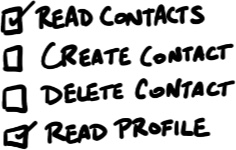
This is a detailed description of the permissions required by Client, such as access to data or performing certain actions. - Consent:

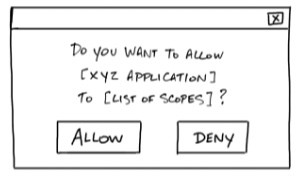
Authorization Server takes the scopes requested by, and asks Clientif they are willing to provide Resource Ownerthe appropriate permissions. ClientThis ID is used to identify - Client ID:

on Client. Authorization ServerClient Secret - This is a password known only to:

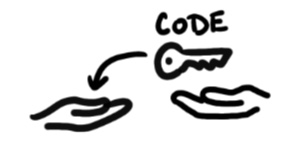
and Client. It allows them to confidentially exchange information. Authorization ServerA temporary code with a short validity period that - Authorization Code:

will exchange for Client provides Authorization ServerAccess Token A key that the client will use to communicate with. - A key that the client will use to communicate with:

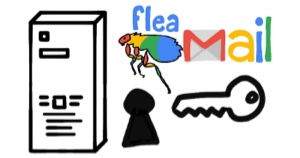
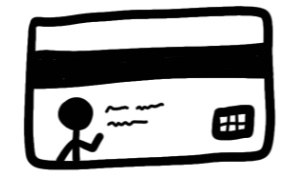
. A sort of badge or keycard providing Resource Serverpermission to request data or perform actions on Clienton your behalf. Resource Server: Sometimes, the Authorization Server and Resource Server are the same server. However, in some cases, they can be different servers, not even belonging to the same organization. For example, the Authorization Server may be a third-party service that the Resource Server trusts.






NoteNow that we are familiar with the basic concepts of OAuth 2.0, let's return to our example and examine in detail what happens in the OAuth flow.
You,
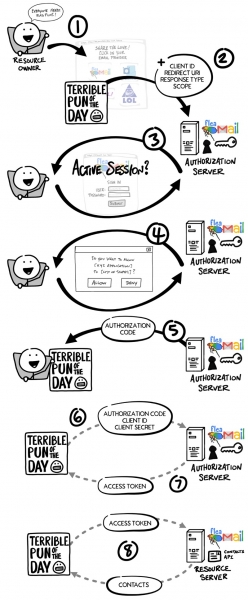
- , wish to grant the Terrible Pun of the Day service access to your contacts so that it can send invitations to all your friends. Resource Ownerredirects your browser to the page ofClientand includes in the request
- Client one or more Authorization Server(permissions) that it needs. Client ID, Redirect URI, Response Type verifies you, if necessary requesting a login and password. the scopes requested by displays a form
- Authorization Server (confirmation) listing all the
- Authorization Server requested by Consent . You agree or deny. the scopes requested byredirects you to the site of Clientusing
- Authorization Server (the authorization code). Clientdirectly connects to Redirect URI together with Authorization Code bypassing the browser of
- Client and securely sends Authorization Serverthrough (bypassing the browser Resource Owner) and securely sends Client ID, This is a password known only to and Authorization Code.
- Authorization Server checks the data and responds with A key that the client will use to communicate with‘ (access token).
- Now Client can use A key that the client will use to communicate with to send a request for Resource Server to obtain a list of contacts.
Client ID and Secret
Long before you allowed Terrible Pun of the Day to access your contacts, the Client and Authorization Server established a working relationship. The Authorization Server generated a Client ID and Client Secret (sometimes referred to as App ID and App Secret) and sent them to the Client for further interaction within the OAuth framework.
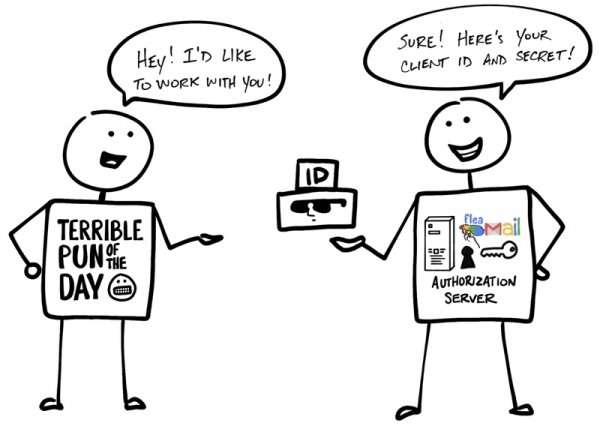
“— Hello! I would like to work with you! — No problem! Here are your Client ID and Secret!”
The name implies that the Client Secret should be kept confidential, known only to the Client and the Authorization Server. After all, it is through this that the Authorization Server verifies the authenticity of the Client.
But that's not all... Please welcome OpenID Connect!
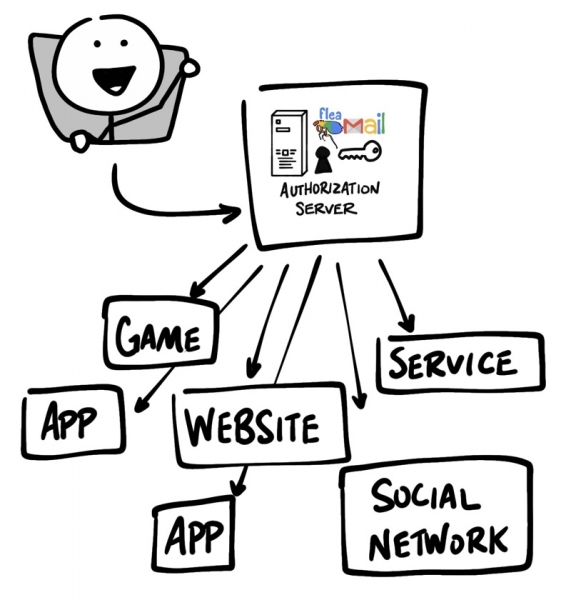
OAuth 2.0 is designed solely for authorization — to provide access to data and functions from one application to another. (OIDC) is a thin layer on top of OAuth 2.0 that adds login and user profile information for the user who has logged into the account. The session login organization is often referred to as authentication [authentication], and the information about the user logged in (i.e., about Resource Owner‘) personal data [identity]. If the Authorization Server supports OIDC, it is sometimes referred to as identity provider [identity provider], as it provides Client‘ with information about Resource OwnerClient Secret
OpenID Connect enables scenarios where a single login can be used across multiple applications — this approach is also known as single sign-on (SSO). For example, an application can support SSO integration with social networks like Facebook or Twitter, allowing users to use an account they already have and prefer to use.
The OpenID Connect flow looks the same as the OAuth flow. The only difference is that in the initial request, the specific scope used is openid, and Client ultimately receives both A key that the client will use to communicate withand ID Token.
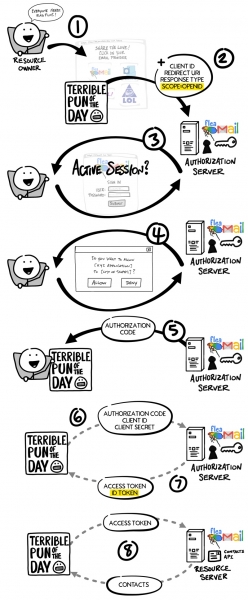
. Just like in the OAuth flow, A key that the client will use to communicate with in OpenID Connect — it is a value that is not understandable to Client‘. From the perspective of Client‘ A key that the client will use to communicate with it represents a string of characters that is sent with each request to Resource Server‘, and that determines whether the token is valid. ID Token is something entirely different.
ID Token is a JWT
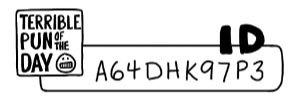
ID Token — it is a specially formatted string known as a JSON Web Token or JWT (sometimes JWT tokens are pronounced as "jots")To outside observers, the JWT may appear to be incomprehensible gibberish; however, Client it can extract various information from the JWT, such as ID, username, login time, expiration date, ID Tokenand whether there have been attempts to tamper with the JWT. The data inside ID Tokenis referred to as claims [claims].
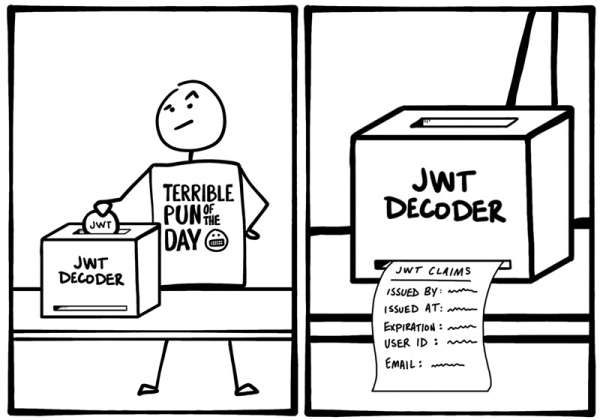
In the case of OIDC, there is also a standard way through which Client additional information about the identity can be requested, [identity] from Authorization Serversuch as email address, using A key that the client will use to communicate with.
Additional information about OAuth and OIDC
So, we have briefly discussed the principles of OAuth and OIDC. Ready to dig deeper? Here are additional resources to help you learn more about OAuth 2.0 and OpenID Connect:
As always, feel free to comment. To stay updated on our latest news, subscribe to and Okta for Developers!
P.S. from the translator
Also read in our blog:
- «»;
- «»;
- «»;
- «».
Source: habr.com
