

According to : — distributed fault-tolerant object storage , compatible with clients using the Amazon S3 API and REST API, as well as supporting operation in NFS server mode. There are optimizations for storing both small and very large objects, an integrated caching mechanism, and the ability to replicate storage between data centers. Among the project's goals is to achieve reliability of 99.9999999% through redundant replication of copies and elimination of single points of failure. The project code is written in Erlang.
LeoFS consists of three components:
- — handles operations for adding, retrieving, and deleting objects and metadata, responsible for performing replication, recovery, and forming client request queues.
- — handles HTTP requests and redirects responses to clients using REST API or S3 API, providing caching of the most requested data in memory and on disk.
- — monitors the operation of LeoFS Gateway and LeoFS Storage nodes, tracks the status of nodes and checks checksums. Ensures data integrity and high availability of storage.
In this post, we will set up LeoFS using ansible-playbook, and test S3 and NFS.
If you attempt to install LeoFS using the official playbooks, you will encounter various errors: ,. In this post, I will write what needs to be done to avoid these errors.
Where you will run the ansible-playbook, you need to install netcat.
Example inventory
Example inventory (in the repository hosts.sample):
# Please check roles/common/vars/leofs_releases for available versions
[all:vars]
leofs_version=1.4.3
build_temp_path="/tmp/leofs_builder"
build_install_path="/tmp/"
build_branch="master"
source="package"

#[builder]
#172.26.9.177

# nodename of leo_manager_0 and leo_manager_1 are set at group_vars/all
[leo_manager_0]
172.26.9.176

# nodename of leo_manager_0 and leo_manager_1 are set at group_vars/all
[leo_manager_1]
172.26.9.178

[leo_storage]
172.26.9.179 leofs_module_nodename=S0@172.26.9.179
172.26.9.181 leofs_module_nodename=S0@172.26.9.181
172.26.9.182 leofs_module_nodename=S0@172.26.9.182
172.26.9.183 leofs_module_nodename=S0@172.26.9.183

[leo_gateway]
172.26.9.180 leofs_module_nodename=G0@172.26.9.180
172.26.9.184 leofs_module_nodename=G0@172.26.9.184

[leofs_nodes:children]
leo_manager_0
leo_manager_1
leo_gateway
leo_storage
Preparing servers
Disabling SELinux. I hope the community will create SELinux policies for LeoFS.
    - name: Install libselinux as prerequisite for SELinux Ansible module
      yum:
        name: "{{item}}"
        state: latest
      with_items:
        - libselinux-python
        - libsemanage-python

    - name: Disable SELinux at next reboot
      selinux:
        state: disabled

    - name: Set SELinux in permissive mode until the machine is rebooted
      command: setenforce 0
      ignore_errors: true
      changed_when: false
Installation netcat and redhat-lsb-core. netcat needed for leofs-adm, redhat-lsb-core needed to determine the OS version .
    - name: Install Packages
      yum: name={{ item }} state=present
      with_items:
        - nmap-ncat
        - redhat-lsb-core
Creating user leofs and adding it to the wheel group
    - name: Create user leofs
      group:
        name: leofs
        state: present

    - name: Allow 'wheel' group to have passwordless sudo
      lineinfile:
        dest: /etc/sudoers
        state: present
        regexp: '^%wheel'
        line: '%wheel ALL=(ALL) NOPASSWD: ALL'
        validate: 'visudo -cf %s'

    - name: Add the user 'leofs' to group 'wheel'
      user:
        name: leofs
        groups: wheel
        append: yes
Erlang Installation
    - name: Install remote erlang-20.3.8.23-1.el7.x86_64.rpm using yum
      yum: name=https://github.com/rabbitmq/erlang-rpm/releases/download/v20.3.8.23/erlang-20.3.8.23-1.el7.x86_64.rpm
The full version of the corrected ansible playbook can be found here:
Installation, Configuration, Launch
Next, proceed as written in without build_leofs.yml
## Install LeoFS
$ ansible-playbook -i hosts install_leofs.yml

## Config LeoFS
$ ansible-playbook -i hosts config_leofs.yml

## Start LeoFS
$ ansible-playbook -i hosts start_leofs.yml
Check the cluster status on Primary LeoManager
leofs-adm statusPrimary and Secondary can be seen in the ansible-playbook logs
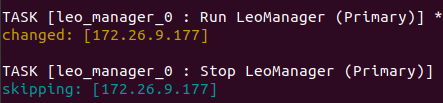
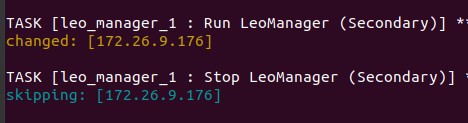
The output will look something like this
 [System Configuration]
-----------------------------------+----------
 Item                              | Value
-----------------------------------+----------
 Basic/Consistency level
-----------------------------------+----------
                    system version | 1.4.3
                        cluster Id | leofs_1
                             DC Id | dc_1
                    Total replicas | 2
          number of successes of R | 1
          number of successes of W | 1
          number of successes of D | 1
 number of rack-awareness replicas | 0
                         ring size | 2^128
-----------------------------------+----------
 Multi DC replication settings
-----------------------------------+----------
 [mdcr] max number of joinable DCs | 2
 [mdcr] total replicas per a DC    | 1
 [mdcr] number of successes of R   | 1
 [mdcr] number of successes of W   | 1
 [mdcr] number of successes of D   | 1
-----------------------------------+----------
 Manager RING hash
-----------------------------------+----------
                 current ring-hash | a0314afb
                previous ring-hash | a0314afb
-----------------------------------+----------

 [State of Node(s)]
-------+----------------------+--------------+---------+----------------+----------------+----------------------------
 type  |         node         |    state     | rack id |  current ring  |   prev ring    |          updated at
-------+----------------------+--------------+---------+----------------+----------------+----------------------------
  S    | S0@172.26.9.179      | running      |         | a0314afb       | a0314afb       | 2019-12-05 10:33:47 +0000
  S    | S0@172.26.9.181      | running      |         | a0314afb       | a0314afb       | 2019-12-05 10:33:47 +0000
  S    | S0@172.26.9.182      | running      |         | a0314afb       | a0314afb       | 2019-12-05 10:33:47 +0000
  S    | S0@172.26.9.183      | attached     |         |                |                | 2019-12-05 10:33:58 +0000
  G    | G0@172.26.9.180      | running      |         | a0314afb       | a0314afb       | 2019-12-05 10:33:49 +0000
  G    | G0@172.26.9.184      | running      |         | a0314afb       | a0314afb       | 2019-12-05 10:33:49 +0000
-------+----------------------+--------------+---------+----------------+----------------+----------------------------
Create a user
Create a user leofs:
leofs-adm create-user leofs leofs

  access-key-id: 9c2615f32e81e6a1caf5
  secret-access-key: 8aaaa35c1ad78a2cbfa1a6cd49ba8aaeb3ba39eb
List of users:
leofs-adm get-users
user_id     | role_id | access_key_id          | created_at
------------+---------+------------------------+---------------------------
_test_leofs | 9       | 05236                  | 2019-12-02 06:56:49 +0000
leofs       | 1       | 9c2615f32e81e6a1caf5   | 2019-12-02 10:43:29 +0000
Create Bucket
Bucket created
leofs-adm add-bucket leofs 9c2615f32e81e6a1caf5
OK
List of buckets:
 leofs-adm get-buckets
cluster id   | bucket   | owner  | permissions      | created at
-------------+----------+--------+------------------+---------------------------
leofs_1      | leofs    | leofs  | Me(full_control) | 2019-12-02 10:44:02 +0000
Configuring s3cmd
In the field HTTP Proxy server name specifying the Gateway server IP
s3cmd --configure

Enter new values or accept defaults in brackets by pressing Enter.
Refer to the user manual for a detailed description of all options.

Access key and Secret key are your identifiers for Amazon S3. Leave them empty to use the environment variables.
Access Key [9c2615f32e81e6a1caf5]:
Secret Key [8aaaa35c1ad78a2cbfa1a6cd49ba8aaeb3ba39eb]:
Default Region [US]:

Use "s3.amazonaws.com" for S3 Endpoint and do not modify it for the target Amazon S3.
S3 Endpoint [s3.amazonaws.com]:

Use "%(bucket)s.s3.amazonaws.com" for the target Amazon S3. The "%(bucket)s" and "%(location)s" variables can be used
if the target S3 system supports DNS-based buckets.
DNS-style bucket+hostname:port template for accessing a bucket [%(bucket)s.s3.amazonaws.com]: leofs

The encryption password is used to protect your files from unauthorized access
while in transit to S3.
Encryption password:
Path to GPG program [\/usr\/bin\/gpg]:

When using a secure HTTPS protocol, all communication with Amazon S3
servers is protected from third-party eavesdropping. This method is
slower than plain HTTP and can only be proxied with Python 2.7 or newer.
Use HTTPS protocol [No]:

On some networks, all internet access must go through an HTTP proxy.
Try setting it here if you can't connect to S3 directly.
HTTP Proxy server name [172.26.9.180]:
HTTP Proxy server port [8080]:

New settings:
  Access Key: 9c2615f32e81e6a1caf5
  Secret Key: 8aaaa35c1ad78a2cbfa1a6cd49ba8aaeb3ba39eb
  Default Region: US
  S3 Endpoint: s3.amazonaws.com
  DNS-style bucket+hostname:port template for accessing a bucket: leofs
  Encryption password:
  Path to GPG program: \/usr\/bin\/gpg
  Use HTTPS protocol: False
  HTTP Proxy server name: 172.26.9.180
  HTTP Proxy server port: 8080

Test access with supplied credentials? [Y\/n] Y
Please wait, attempting to list all buckets...
Success. Your access key and secret key worked fine :-)

Now verifying that encryption works...
Not configured. Never mind.

Save settings? [y\/N] y
Configuration saved to '\/home\/user\/.s3cfg'
If you receive an error ERROR: S3 error: 403 (AccessDenied): Access Denied:
s3cmd put test.py s3:\/\/leofs\/\nupload: 'test.py' -> 's3:\/\/leofs\/test.py'  [1 of 1]
 382 of 382   100% in    0s     3.40 kB\/s  done
ERROR: S3 error: 403 (AccessDenied): Access Denied
Then you need to set signature_v2 to True in the s3cmd config. Details can be found in this .
If signature_v2 is False, this error will occur:
WARNING: Retrying failed request: \/?delimiter= (getaddrinfo() argument 2 must be integer or string)\nWARNING: Waiting 3 sec...\nWARNING: Retrying failed request: \/?delimiter= (getaddrinfo() argument 2 must be integer or string)\nWARNING: Waiting 6 sec...\nERROR: Test failed: Request failed for: \/?delimiter=Testing upload
Creating a 1GB file
fallocate -l 1GB 1gbUploading it to Leofs
time s3cmd put 1gb s3:\/\/leofs\/\nreal 0m19.099s\nuser 0m7.855s\nsys 0m1.620sStatistics
leofs-adm du for 1 node:
leofs-adm du S0@172.26.9.179
 active number of objects: 156
  total number of objects: 156
   active size of objects: 602954495
    total size of objects: 602954495
     ratio of active size: 100.0%
    last compaction start: ____-__-__ __:__:__
      last compaction end: ____-__-__ __:__:__
We see that the output is not very informative.
Let's see where this file is located.
leofs-adm whereis leofs\/1gb
leofs-adm whereis leofs/1gb
-------+----------------------+--------------------------------------+------------+--------------+----------------+----------------+----------------+----------------------------
 del?  |         node         |             ring address             |    size    |   checksum   |  has children  |  total chunks  |     clock      |             when
-------+----------------------+--------------------------------------+------------+--------------+----------------+----------------+----------------+----------------------------
       | S0@172.26.9.181      | 657a9f3a3db822a7f1f5050925b26270     |    976563K |   a4634eea55 | true           |             64 | 598f2aa976a4f  | 2019-12-05 10:48:15 +0000
       | S0@172.26.9.182      | 657a9f3a3db822a7f1f5050925b26270     |    976563K |   a4634eea55 | true           |             64 | 598f2aa976a4f  | 2019-12-05 10:48:15 +0000
Activating NFS
Activating NFS on server Leo Gateway 172.26.9.184.
We will install nfs-utils on both the server and client
sudo yum install nfs-utilsWe will adjust the configuration file according to the instructions /usr/local/leofs/current/leo_gateway/etc/leo_gateway.conf
protocol = nfsOn server 172.26.9.184 we will start rpcbind and leofs-gateway
sudo service rpcbind start
sudo service leofs-gateway restart
On the server where leo_manager is running, we will create a bucket for NFS and generate a key for connecting to NFS
leofs-adm add-bucket test 05236
leofs-adm gen-nfs-mnt-key test 05236 nfs-client-ip-address
Connecting to NFS
sudo mkdir /mnt/leofs
## for Linux - "sudo mount -t nfs -o nolock :// "
sudo mount -t nfs -o nolock nfs-server-ip-address-where-you-have-installed-gateway:/bucket/access_key_id/key-obtained-from-gen-nfs-mnt-key /mnt/leofs
sudo mount -t nfs -o nolock 172.26.9.184:/test/05236/bb5034f0c740148a346ed663ca0cf5157efb439f /mnt/leofs
Viewing disk space through NFS client
Disk space considering each storage node has a 40GB disk (3 nodes running, 1 node attached):
df -hP
Filesystem                                                         Size  Used Avail Use% Mounted on
172.26.9.184:/test/05236/e7298032e78749149dd83a1e366afb328811c95b   60G  3.6G   57G   6% /mnt/leofs
Installing LeoFS with 6 storage nodes.
Inventory (without builder):
# Please check roles/common/vars/leofs_releases for available versions
[all:vars]
leofs_version=1.4.3
build_temp_path="/tmp/leofs_builder"
build_install_path="/tmp/"
build_branch="master"
source="package"

# nodename of leo_manager_0 and leo_manager_1 are set at group_vars/all
[leo_manager_0]
172.26.9.177

# nodename of leo_manager_0 and leo_manager_1 are set at group_vars/all
[leo_manager_1]
172.26.9.176

[leo_storage]
172.26.9.178 leofs_module_nodename=S0@172.26.9.178
172.26.9.179 leofs_module_nodename=S0@172.26.9.179
172.26.9.181 leofs_module_nodename=S0@172.26.9.181
172.26.9.182 leofs_module_nodename=S0@172.26.9.182
172.26.9.183 leofs_module_nodename=S0@172.26.9.183
172.26.9.185 leofs_module_nodename=S0@172.26.9.185

[leo_gateway]
172.26.9.180 leofs_module_nodename=G0@172.26.9.180
172.26.9.184 leofs_module_nodename=G0@172.26.9.184

[leofs_nodes:children]
leo_manager_0
leo_manager_1
leo_gateway
leo_storage
Output of leofs-adm status
Output of leofs-adm status
 [System Confiuration]
-----------------------------------+----------
 Item                              | Value
-----------------------------------+----------
 Basic/Consistency level
-----------------------------------+----------
                    system version | 1.4.3
                        cluster Id | leofs_1
                             DC Id | dc_1
                    Total replicas | 2
          number of successes of R | 1
          number of successes of W | 1
          number of successes of D | 1
 number of rack-awareness replicas | 0
                         ring size | 2^128
-----------------------------------+----------
 Multi DC replication settings
-----------------------------------+----------
 [mdcr] max number of joinable DCs | 2
 [mdcr] total replicas per a DC    | 1
 [mdcr] number of successes of R   | 1
 [mdcr] number of successes of W   | 1
 [mdcr] number of successes of D   | 1
-----------------------------------+----------
 Manager RING hash
-----------------------------------+----------
                 current ring-hash | d8ff465e
                previous ring-hash | d8ff465e
-----------------------------------+----------

 [State of Node(s)]
-------+----------------------+--------------+---------+----------------+----------------+----------------------------
 type  |         node         |    state     | rack id |  current ring  |   prev ring    |          updated at
-------+----------------------+--------------+---------+----------------+----------------+----------------------------
  S    | S0@172.26.9.178      | running      |         | d8ff465e       | d8ff465e       | 2019-12-06 05:18:29 +0000
  S    | S0@172.26.9.179      | running      |         | d8ff465e       | d8ff465e       | 2019-12-06 05:18:29 +0000
  S    | S0@172.26.9.181      | running      |         | d8ff465e       | d8ff465e       | 2019-12-06 05:18:30 +0000
  S    | S0@172.26.9.182      | running      |         | d8ff465e       | d8ff465e       | 2019-12-06 05:18:29 +0000
  S    | S0@172.26.9.183      | running      |         | d8ff465e       | d8ff465e       | 2019-12-06 05:18:29 +0000
  S    | S0@172.26.9.185      | running      |         | d8ff465e       | d8ff465e       | 2019-12-06 05:18:29 +0000
  G    | G0@172.26.9.180      | running      |         | d8ff465e       | d8ff465e       | 2019-12-06 05:18:31 +0000
  G    | G0@172.26.9.184      | running      |         | d8ff465e       | d8ff465e       | 2019-12-06 05:18:31 +0000
-------+----------------------+--------------+---------+----------------+----------------+----------------------------
Disk space considering that each storage node has a 40GB disk (6 nodes running):
df -hP
Filesystem                                                         Size  Used Avail Use% Mounted on
172.26.9.184:/test/05236/e7298032e78749149dd83a1e366afb328811c95b  120G  3.6G  117G   3% /mnt/leofs
If using 5 storage nodes
[leo_storage]
172.26.9.178 leofs_module_nodename=S0@172.26.9.178
172.26.9.179 leofs_module_nodename=S1@172.26.9.179
172.26.9.181 leofs_module_nodename=S2@172.26.9.181
172.26.9.182 leofs_module_nodename=S3@172.26.9.182
172.26.9.183 leofs_module_nodename=S4@172.26.9.183
df -hP
172.26.9.184:/test/05236/e7298032e78749149dd83a1e366afb328811c95b 100G 3.0G 97G 3% /mnt/leofsLogs
Logs are located in directories /usr/local/leofs/current/*/log
Telegram channel:
Source: habr.com
