

Previously, we developed Power over Ethernet technology in our switches solely to enhance the transmitted power. However, in the course of operating PoE and PoE+ solutions, it became evident that this was not enough. Our clients face not only a lack of power budget but also the standard limitation of Ethernet networks — a transmission distance of 100 meters. In this article, we will discuss how we circumvented this limitation and test long range PoE in practice.
Why is Long Range PoE technology necessary?
One hundred meters is quite a distance. Especially since in reality, cables are never laid out straight: they need to navigate through all the bends of a building, rise or fall from one cable channel to another, and so on. Even in medium-sized buildings, the length limitation of the Ethernet segment can become a headache for the administrator.
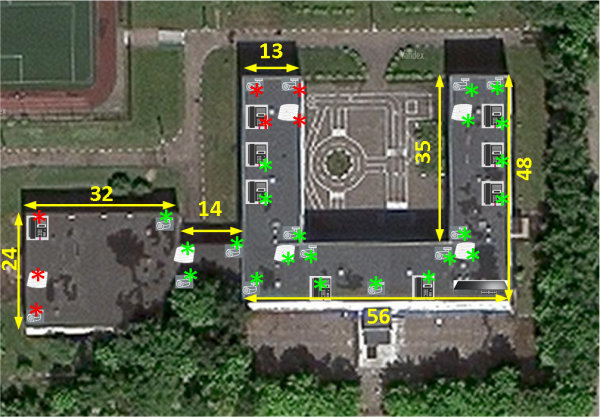
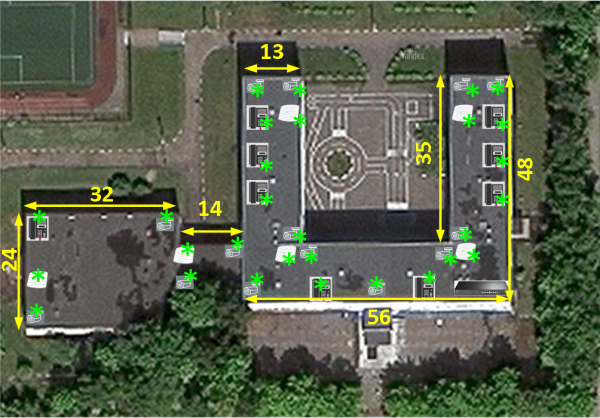
We decided to demonstrate visually using a school building which devices can receive power through PoE and connect to the network (green stars), and which cannot (red stars). If network equipment cannot be installed between buildings, then at the farthest points, devices will not be able to connect:
To overcome the distance limitation, the Long Range PoE technology is used: it allows for an extended coverage area of the wired network and to connect subscribers located up to 250 meters away. When using Long Range PoE, data and power transmission can occur in two ways:
- If the interface speed is 10 Mbps (regular Ethernet), then on segments up to 250 meters, simultaneous transmission of both energy and data is possible.
- However, if the interface speed is set to 100 Mbps (for models TL-SL1218MP and TL-SG1218MPE) or 1 Gbps (for model TL-SG1218MPE), data transmission will not occur — only power transmission. In this case, some other method of data transmission will be required, such as a separately laid optical line. Long Range PoE would then only be used for remote power.
Thus, when using Long Range PoE within the same school, network equipment that supports a speed of 10 Mbps can be placed at any point.
What Long Range PoE switches can do
The Long Range PoE feature is available in two switches from TP-Link's lineup: and .
The TL-SL1218MP is an unmanaged switch. It has 16 ports, and its total PoE budget is 192 W, allowing it to provide power of up to 30 W per port. If there is no overspending of the power budget, all 16 Fast Ethernet ports can receive power.
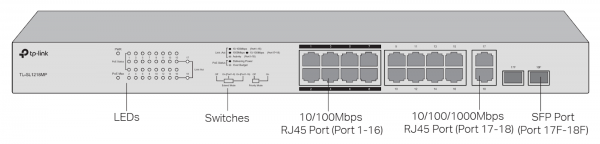
Configuration is done using switches on the front panel: one activates the Long Range PoE mode, and the other sets port priority when distributing the switch's power budget.
The TL-SG1218MPE is part of the Easy Smart switches. The device can be managed through a web interface or specialized utilities.
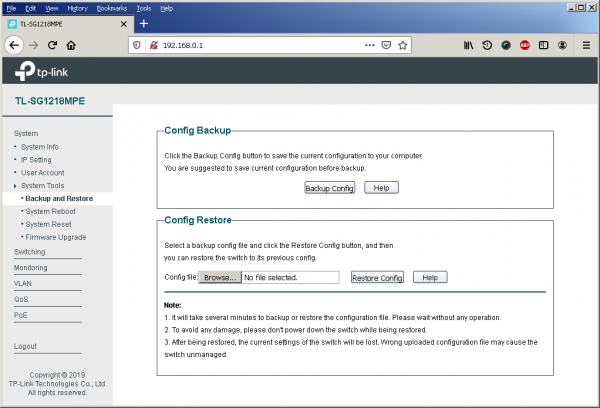
In the System interface section, administrators have access to standard routine operations: changing the login and password for the administrator account, configuring the IP address of the management module, updating the firmware, and so on.
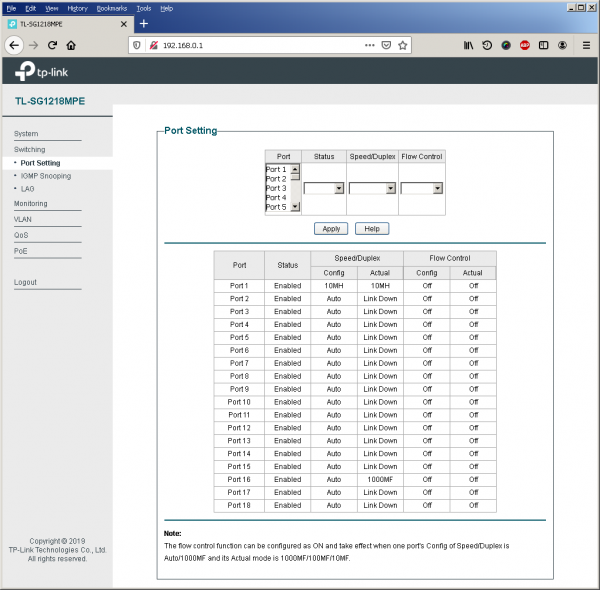
Port operation modes are set in the Switching → Port Setting section. The other tabs in the section allow enabling/disabling IGMP and grouping physical interfaces.
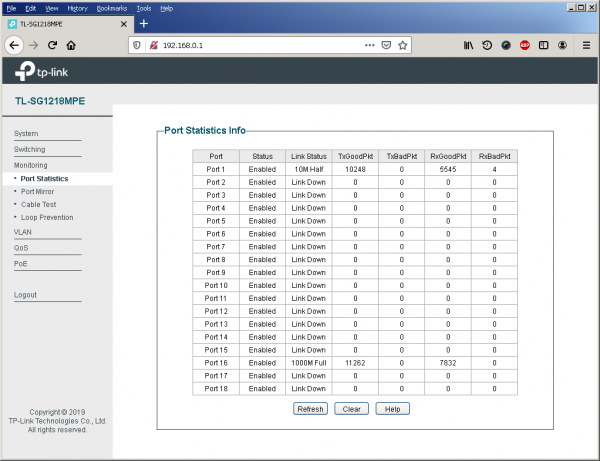
The Monitoring section provides statistical information about the operation of the switch ports. Here, traffic can also be mirrored, loop protection can be enabled or disabled, and the built-in cable tester can be run.
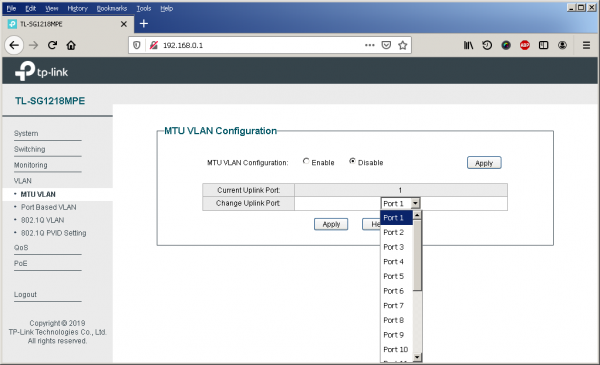
The TL-SG1218MPE supports several modes of operation with virtual networks: 802.1q tagging, port-based VLANs, and MTU VLAN. In MTU VLAN mode, the switch only allows traffic exchange between user ports and the uplink interface, meaning direct traffic exchange between user ports is prohibited. This technology is also known as Asymmetric VLAN or Private VLAN. It is used to enhance network security so that an attacker cannot intercept control of the equipment when physically connected to the switch.
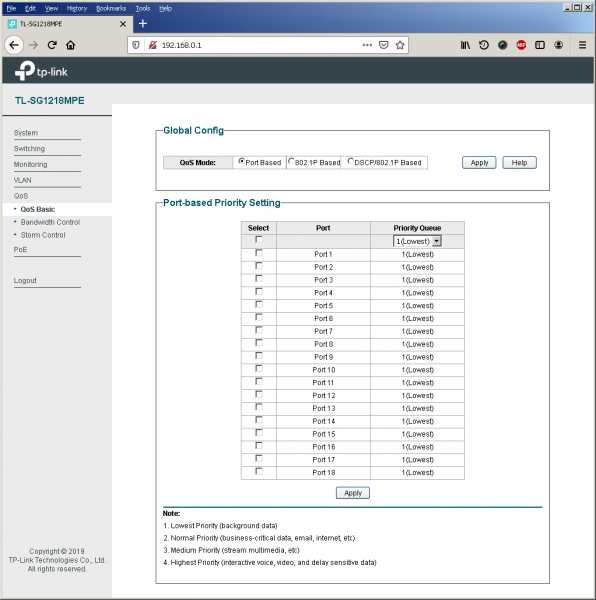
In the QoS section, interface priority can be set, user traffic speed limits can be configured, and storm control can be implemented.
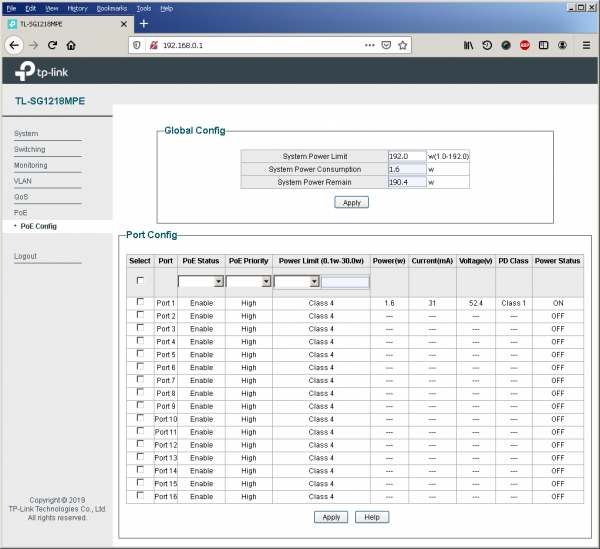
In the PoE Config section, the administrator can forcibly limit the maximum power available to specific consumers, set the power priority for interfaces, and connect or disconnect consumers.
Testing Long Range
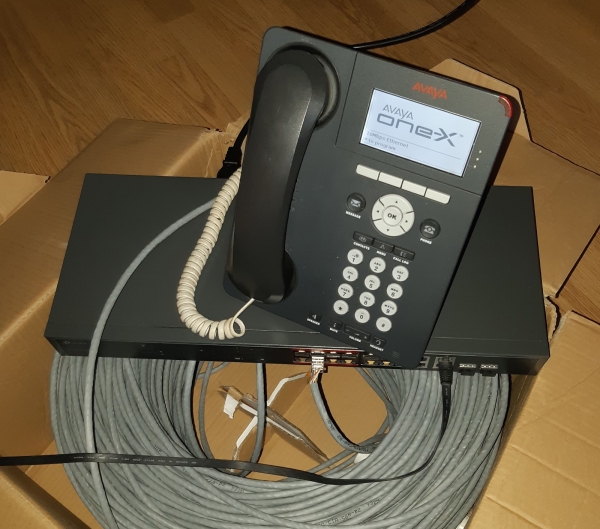
In the TL-SL1218MP model, we enabled Long Range support for the first eight ports. Our test IP phone successfully functioned. Through the phone settings, we found that the negotiated speed was 10 Mbps. Then we switched the Long Range PoE toggle to Off and checked what happened to the test phone afterward. The device booted up successfully and reported using 100 Mbps mode on its network interface; however, data did not transmit through the channel and the phone did not register on the station. Thus, powering devices connected through extended Ethernet channels is possible even without activating Long Range PoE mode, but in this case, only power will be transmitted through the channel, not data.
In standard Power over Ethernet mode (when the segment length does not exceed 100 meters), energy and data transmission occurs at speeds of up to 1 Gbps inclusive. Testing the operation of the phone powered via PoE and connected with the maximum cable length was successful.
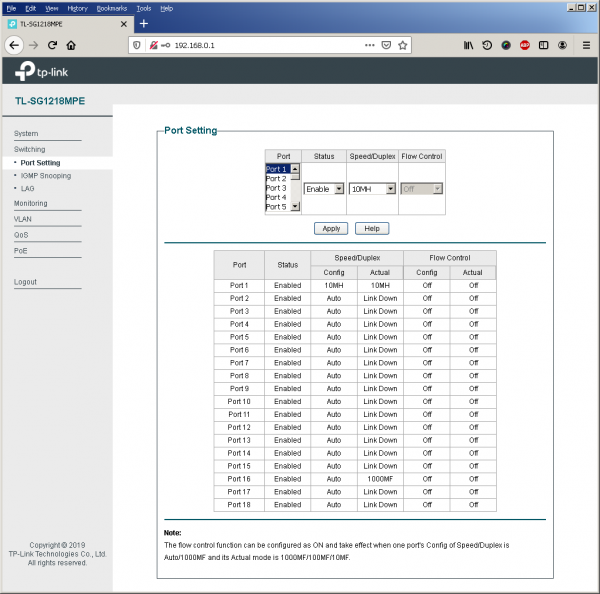
On the TL-SG1218MPE switch, we switched the port to 10 Mbps Half Duplex mode — the device connected successfully.
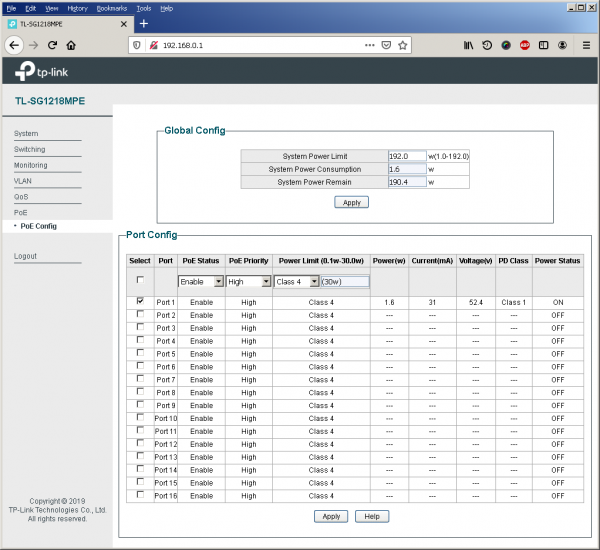
Naturally, we wanted to find out how much power the phone consumes in this configuration, and it turned out to be only 1.6 Watts.
C:<ping -t 192.168.1.10
Pinging 192.168.1.10 with 32 bytes of data:
Reply from 192.168.1.10: bytes=32 time<1ms TTL=64
Reply from 192.168.1.10: bytes=32 time<1ms TTL=64
Reply from 192.168.1.10: bytes=32 time<1ms TTL=64
Reply from 192.168.1.10: bytes=32 time<1ms TTL=64
Reply from 192.168.1.10: bytes=32 time<1ms TTL=64
Reply from 192.168.1.10: bytes=32 time<1ms TTL=64
Reply from 192.168.1.10: bytes=32 time<1ms TTL=64
Reply from 192.168.1.10: bytes=32 time<1ms TTL=64
Request timed out.
Request timed out.
Request timed out.
Request timed out.
Request timed out.
Request timed out.
Ping statistics for 192.168.1.10:
    Packets: Sent = 16, Received = 9, Lost = 7 (43% loss),
Approximate round trip times in milli-seconds:
    Minimum = 0ms, Maximum = 0ms, Average = 0ms
Control-C
However, if we switch the switch interface to 100 Mbps Half Duplex or 100 Mbps Full Duplex mode, the connection with the phone is immediately lost and does not recover.
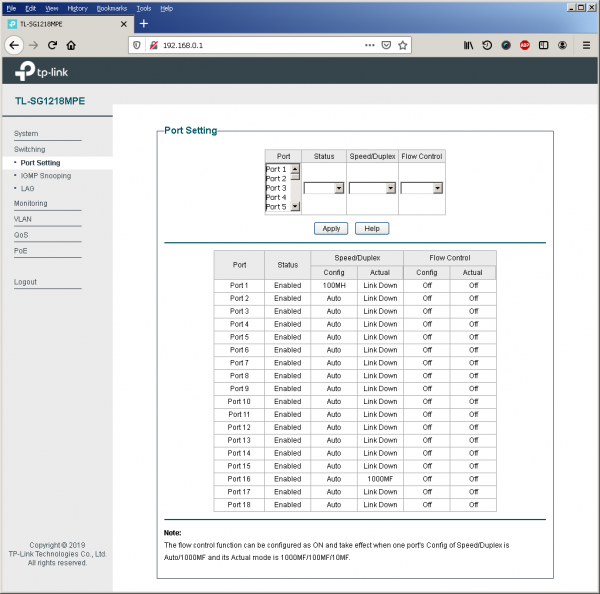
The interface itself is in Link Down state.
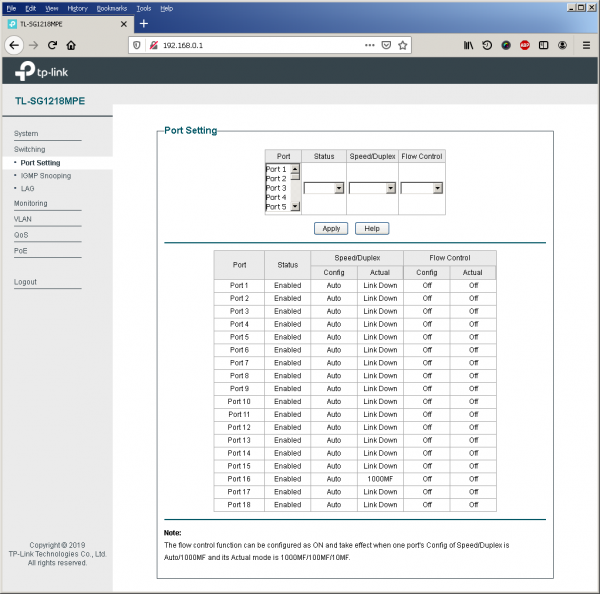
Almost the same happens if the interface is switched to auto-negotiation mode for speed and duplex. Therefore, the only way to use such long Ethernet segments is to manually set the connection speed to 10 Mbps.
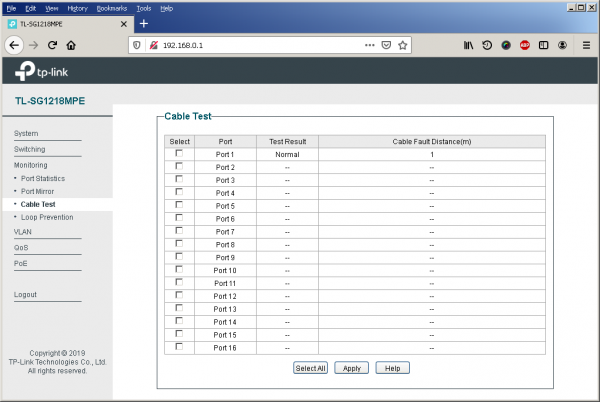
Unfortunately, such long cable segments are not detected by the built-in cable tester.
Updating Other PoE Switches
As the number of devices powered via PoE is constantly increasing, we have upgraded the power supplies in older models. Now, instead of the 110 W and 192 W power supplies, all models will have 150 W and 250 W units. You can view all these changes in the table:
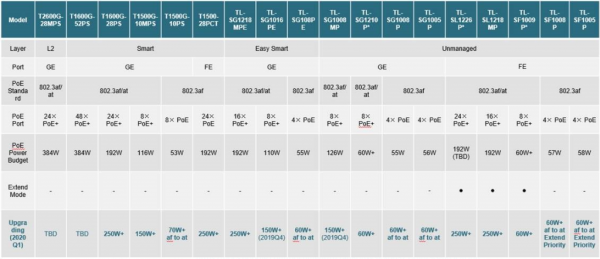
As PoE technology has begun to penetrate the consumer level, another change in the product line is the introduction of switches designed for small offices and home use.
In the unmanaged Fast Ethernet switch lineup, new models appeared in 2019 and with 5 and 8 ports. The power budget of these models is 58 W, which can be distributed among four interfaces (up to 15.4 W per port). The switches have no fans, making them suitable for placement in offices and workspaces, and can be used to connect any IP cameras and IP phones. The switches can prioritize power distribution: in case of overload, low-priority devices are disconnected.
Models and , like the SF models, are designed for desktop installation, but they feature a built-in gigabit switch, allowing connectivity for high-speed endpoint equipment supporting 802.3af.
The switch can be placed both on a desk and in a rack. This model has eight Gigabit Ethernet ports, each of which can connect a device supporting IEEE 802.3af/at with a power output of up to 30 W. The total power budget of the device is 126 W. A notable feature of the switch is its energy-saving mode, where the switch periodically pings its ports and turns off power when no device is connected. This reduces power consumption by 75%.
In addition to TL-SG1218PE, the lineup of managed switches from TP-Link includes models and . They all share the same total power budget of 55 W. This budget can be redistributed among four ports with a power output of up to 15.4 W per port. These switches have the same firmware as the TL-SG1218PE, and therefore have the same features: network monitoring, traffic prioritization, QoS, MTU VLAN.
The complete description of the TP-Link PoE device lineup is available at .
Source: habr.com
