

Developers occasionally need to pass a set of parameters or even an entire selection as input. Sometimes, very strange solutions to this task are encountered.
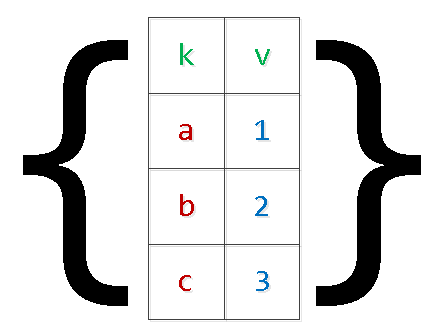
Let's approach this from the opposite direction and see how not to do it, why, and how to do it better.
Directly inserting values into the request body
Usually looks something like this:
query = "SELECT * FROM tbl WHERE id = " + value... or like this:
query = "SELECT * FROM tbl WHERE id = :param".format(param=value)There is plenty of information about this method, both written and There's more than enough:
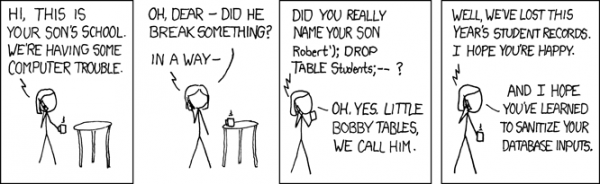
Almost always, this is a direct path to SQL injections and excess load on business logic, which has to 'stitch' your query string.
Such an approach can only be partially justified when there's a need for using partitioning in PostgreSQL 10 and earlier versions for obtaining a more efficient plan. In these versions, the list of scanned sections is determined without taking into account the passed parameters, only based on the request body.
$n-arguments
Using parameters — this is good, as it allows for , reducing the load on both business logic (the query string is formed and sent only once) and the DB server (no need for re-parsing and planning for each instance of the request).
Variable number of arguments
Problems will arise when we want to pass an unknown number of arguments in advance:
... id IN ($1, $2, $3, ...) -- $1 : 2, $2 : 3, $3 : 5, ...If we leave the query like this, it may protect us from potential injections, but it will still lead to the necessity of stitching/parsing the query for every variation based on the number of arguments.It's already better than doing it every time, but we can avoid this.
It is enough to pass just one parameter containing a serialized representation of an array.:
... id = ANY($1::integer[]) -- $1 : '{2,3,5,8,13}'The only difference is the need to explicitly convert the argument to the required array type. But this poses no problems, since we already know where we are addressing.
Passing a selection (matrix)
Usually, this involves various methods of passing data sets for insertion into the database 'in one request':
INSERT INTO tbl(k, v) VALUES($1,$2),($3,$4),...In addition to the issues described above with 'stitching' the request, this can also lead us to out of memory. and server crashes. The reason is simple — under the PG arguments, additional memory is reserved, while the number of records in the set is limited only by the application's business logic requirements. In particularly extreme cases, I've seen the 'numbered' arguments exceed $9000 — don't do that.
Let's rewrite the query, applying already the 'two-level' serialization:
INSERT INTO tbl
SELECT
  unnest[1]::text k
, unnest[2]::integer v
FROM (
  SELECT
    unnest($1::text[])::text[] -- $1 : '{"{a,1}","{b,2}","{c,3}","{d,4}"}'
) T;
Yes, in the case of 'complex' values within the array, they need to be enclosed in quotes.
It's clear that this method allows 'unfolding' the selection with an arbitrary number of fields.
unnest, unnest, …
Periodically, there are options to pass several 'arrays of columns' instead of the 'array of arrays', which I mentioned :
SELECT
  unnest($1::text[]) k
, unnest($2::integer[]) v;
With this method, if you make a mistake when generating value lists for different columns, you can easily get very unexpected results, which also depend on the server version:
-- $1 : '{a,b,c}', $2 : '{1,2}'
-- PostgreSQL 9.4
k | v
-----
a | 1
b | 2
c | 1
a | 2
b | 1
c | 2
-- PostgreSQL 11
k | v
-----
a | 1
b | 2
c |
JSON
Starting from version 9.3, PostgreSQL introduced full-fledged functions for working with the json type. Therefore, if your input parameters are defined in the browser, you can form the json object for the SQL query right there:
SELECT
  key k
, value v
FROM
  json_each($1::json); -- '{"a":1,"b":2,"c":3,"d":4}'
For earlier versions, the same method can be used for each(hstore), but a correct 'unfolding' with escaping complex objects in hstore may cause issues.
json_populate_recordset
If you know in advance that the data from the 'input' json array will be used to populate some table, you can significantly save time on 'dereferencing' fields and casting to the required types by using the json_populate_recordset function:
SELECT
  *
FROM
  json_populate_recordset(
    NULL::pg_class
  , $1::json -- $1 : '[{"relname":"pg_class","oid":1262},{"relname":"pg_namespace","oid":2615}]'
  );
json_to_recordset
And this function simply 'unfolds' the passed array of objects into a selection, without relying on the table format:
SELECT
  *
FROM
  json_to_recordset($1::json) T(k text, v integer);
-- $1 : '[{"k":"a","v":1},{"k":"b","v":2}]'
k | v
-----
a | 1
b | 2
TEMPORARY TABLE
But if the amount of data in the passed selection is very large, then putting it into one serialized parameter is difficult, and sometimes impossible, as it requires a one-time allocation of a large amount of memoryFor example, you may need to gather a large batch of data from an external system for a long time and then want to process it at once on the database side.
In this case, the best solution would be to use :
CREATE TEMPORARY TABLE tbl(k text, v integer);
...
INSERT INTO tbl(k, v) VALUES($1, $2); -- repeat many, many times
...
-- here we do something useful with the entire table
This method is particularly good for infrequent transmission of large volumes of data.
In terms of describing the structure of your data, a temporary table differs from a ‘regular’ one only by one characteristic in the system table pg_class, then moving this task to the section pg_type, pg_depend, pg_attribute, pg_attrdef, … — and not at all in any other way.
Therefore, in web systems with a large number of short-lived connections, each of them will generate new system records each time, which are deleted when the connection to the database is closed. As a result, uncontrolled use of TEMP TABLE leads to the ‘bloating’ of tables in pg_catalog and slows down many operations that use them.
Of course, this can be managed through periodic VACUUM FULL passes on the system catalog tables.
Session variables
Suppose handling data from the previous case is complex for a single SQL query, but we want to do it fairly often. That is, we want to use procedural processing in , but using temporary tables for data transfer would be too cumbersome.
We also cannot use $n parameters for passing into an anonymous block. We can turn to session variables and the function current_setting.
Prior to version 9.2, it was necessary to pre-configure custom_variable_classes for ‘custom’ session variables. In current versions, you can write something like this:
SET my.val = '{1,2,3}';
DO $$
DECLARE
  id integer;
BEGIN
  FOR id IN (SELECT unnest(current_setting('my.val')::integer[])) LOOP
    RAISE NOTICE 'id : %', id;
  END LOOP;
END;
$$ LANGUAGE plpgsql;
-- NOTICE:  id : 1
-- NOTICE:  id : 2
-- NOTICE:  id : 3
In other supported procedural languages, you can find other solutions.
Do you know other methods? Share in the comments!
Source: habr.com
