

Habr, hello, this is MyOffice. The year 2019 was a landmark for us. An increasing number of users trust us. The volume of licenses sold is measured in hundreds of thousands, and over 1 million free licenses have been provided to the education system.
The rapid growth in our customer base prevents us from sitting idle. We are constantly improving the product, working on unique features that are not available in any other editor, and we want to provide users with a more pleasant and comfortable working environment. This year, the largest number of new features was implemented in the 2019.03 release, which we published a week before the start of the New Year 2020. We can't wait to tell you more about it.
We receive feedback from our users daily, systematizing and processing all incoming requests. This helps us to better understand the real market needs and to modify our product accordingly. We have structured our business processes in a way that maximally meets customer expectations and regularly enhances the product's capabilities.
A brief historical overview of MyOfficeIt’s no secret that the main driver of sales in the software market is habit: if a user is accustomed to working with one program that meets their needs, they will be extremely reluctant to try something new. In the case of office applications, it’s this way: since even ten years ago there were no real alternatives to popular Western solutions, when trying to master any modern Russian equivalent, most users either experience skepticism or expect to see an exact copy of the well-known solution.
We started developing MyOffice six years ago. Today, more than 400 people work on it. The foundation of our development is built on three basic principles:
- Control over data.
- Collaboration.
- Mobility and cross-platform capabilities.
MyOffice can be deployed on all modern software and hardware platforms. Our software is compatible with the most popular operating systems and works on Russian computers with 'Elbrus' and 'Baikal Electronics' processors. A private cloud gives our users access to documents literally from anywhere in the world and on any device. Mobile applications are released for both Android and iOS, as well as for the Russian OS 'Aurora' (Sailfish OS).
What’s new in the 2019.03 release
For the first time in the world, office editors have introduced the audio comments feature — the ability to create and work with voice notes from the MyOffice Documents mobile application. We believe that voice notes can significantly speed up collaborative work with documents — often it is faster and easier to verbalize the necessary comment rather than typing it with a keyboard. This is particularly in demand in situations where document work needs to be done 'on the go' or while traveling.
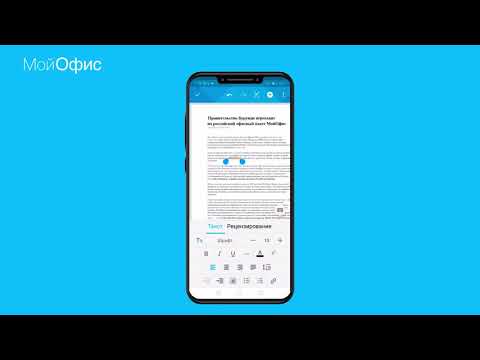
Audio comments: how it works
To leave a voice note, launch the MyOffice Documents mobile application version 2019.03 or higher, open the file you want to comment on, and hold your finger anywhere on the document for a couple of seconds. This action brings up a context menu offering to add a comment: either regular or voice.
Unlike office software from other manufacturers, which uses an insecure voice input function processed by third-party remote services, serversaudio comments in MyOffice are stored within the document itself in XODT format and are not sent for decryption to third-party services, ensuring complete control over user data.
Audio comments: what features are available
The audio comments feature is supported by all MyOffice products: in the cloud, in PC applications, and in mobile apps.
Users can:
- Create audio comments from the MyOffice Documents mobile application
- Play, pause, navigate to any part of the audio recording, and delete it. These functions are supported on all devices, regardless of platform and operating system.
- Double playback speed (available only in the cloud).
Updated application design
Many users who are just starting to work with a new product may feel uncomfortable not immediately understanding where to find a certain feature. It is important for us to make MyOffice understandable for everyone, even for those who have never worked with office applications before.
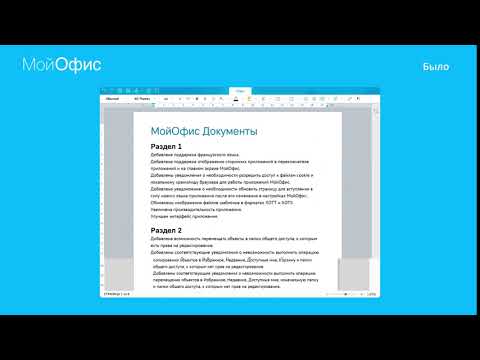
That is why MyOffice has a consistent interface across all available platforms. It doesn’t matter which device you are using at the moment—whether it's a computer, smartphone, or you're working in a browser. You won’t have to spend extra time getting used to it.
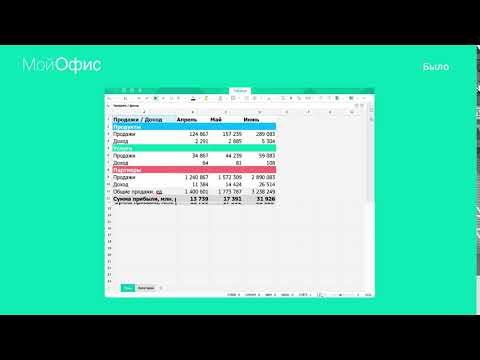
We are constantly improving the interfaces, and in the 2019.03 release, we decided to rethink the structure of the toolbar. We made the interface of the PC applications visually clearer, and in the spreadsheet editor, we also changed the grouping of functions in the tabs.
Quick Actions Menu
We conducted several focus groups and collected a large amount of feedback from our users. The research showed that many respondents want to work faster with documents. Obviously, there are 'hotkeys' for this purpose, and this is not a new concept in the world of software development. However, getting users to memorize a set of combinations is incredibly challenging.
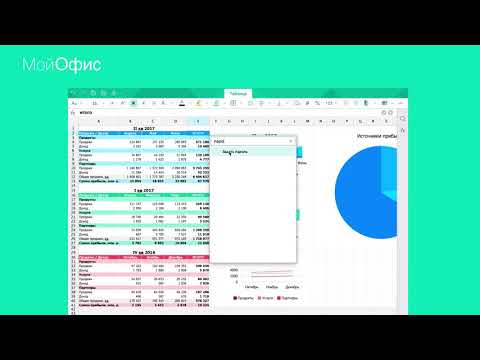
We found a solution to this issue, inspired by the world of specialized engineering software and CAD systems. Now in all components of the MyOffice platform, you can press one keyboard shortcut [Ctrl]+[\/], which will bring up the search bar for the required function. The search bar supports predictive input—you only need to type a couple of characters, and the program will suggest the full name of the command. This way, users can perform necessary actions without a mouse.
Document Comparison Feature
Anyone who works with text documents has faced the need to compare two versions of the same file. For example, you might have sent a contract for review to your counterparty, and they made edits without marking them. How can you determine what exactly was changed in the document? You could spend a lot of time reading and cross-referencing the two printed files, but that's inefficient. It’s much easier to compare the files directly and see the differences immediately.
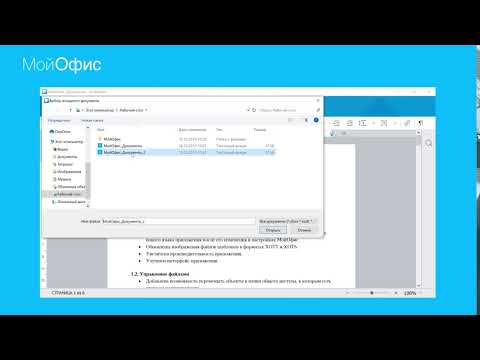
In MyOffice, the document comparison function works as follows: open the document you want to compare with another in the document editor. Then, in the top menu, select "Tools" choose the command "Compare with ..." or invoke it through "Quick Actions". The program will prompt you to specify the file to compare with the previously opened document. After the comparison process is completed, the program will create a new document that highlights the differences between the two files in edit mode.
Support for 7 interface languages
Release 2019.03 adds support for Portuguese, as well as spell checking in French and Spanish. In 2019, MyOffice entered the international market: we made our first installation of our software outside of Russia. Now, in addition to Russia, MyOffice products are also available in the Republic of Burundi and the Democratic Republic of the Congo. Moreover, we have signed several important agreements with foreign partners, and will continue to translate the interface into new languages.
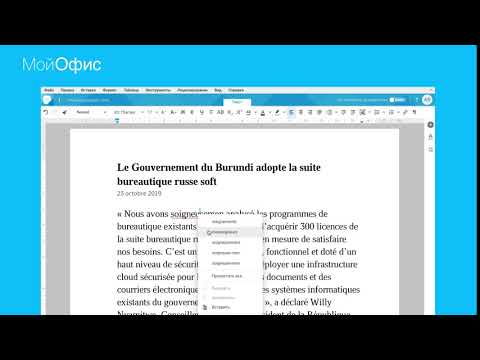
The total number of interface languages has reached seven: in addition to Russian, Tatar, and Bashkir, MyOffice is available in English, French, Spanish, and Portuguese.
Displaying Pivot Tables
The result of an analyst's work in any company is a huge table of data. Beginner analysts use simple tables, while professionals use pivot tables. They allow for analyzing, structuring, and systematizing vast amounts of homogeneous information, based on which needed parameters of the entire data set can be displayed.
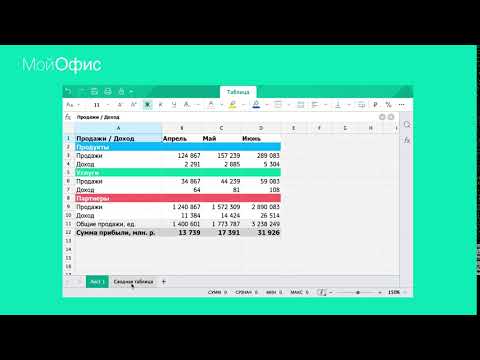
Specialized business analytics systems are often used to create pivot tables. However, not only specialized professionals need to use them, but also regular employees, on whose computers such software may not be available. In the 2019.03 release, we taught MyOffice to correctly display pivot tables from spreadsheet files.
Duplicating headers in tables
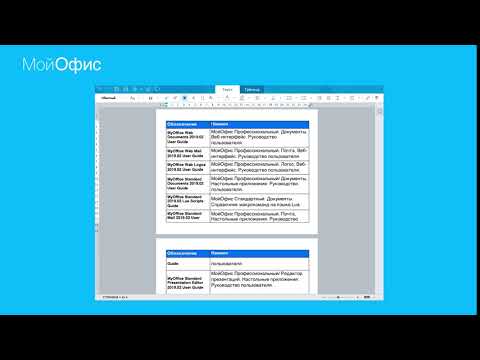
A small but extremely important feature has been added to the text editor. Users can now view and edit multi-page tables with repeating headers on each page. When the header in the 'header' section of one part of the table is changed, all others can automatically update as well.
Opening files from the cloud in the desktop application
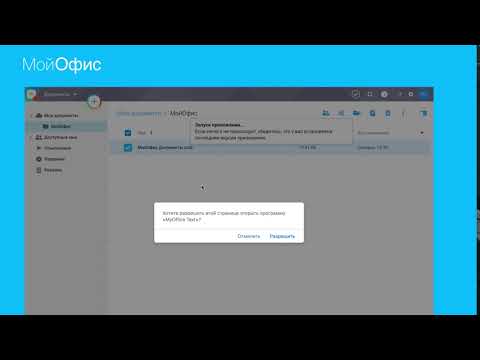
In the MyOffice cloud file manager, a faster way to open a file using the installed desktop application has been introduced. This operation can now be performed via the context menu that appears when you right-click. Additionally, working with the document and saving any changes made also occurs in real-time, just like in the cloud editor.
Is that all?
No, far from it. The volume of one article doesn't allow for a detailed description of each new feature from the 2019.03 release. A significant amount of work has been done, with the total number of changes reflected in the product documentation exceeding two hundred. For instance, the email development team has worked hard to improve event handling in calendars: synchronization with built-in calendars of mobile operating systems has been added, various scenarios for recurring events are now better processed, and additional options for working with them have been introduced.
MyOffice is constantly evolving, becoming more powerful, faster, and user-friendly. Our users keep us on our toes, and we strive to promptly meet their main requests. The audience of MyOffice license buyers is active and quite demanding. We feel a real drive, giving us the strength to move forward. Each of us is truly proud of the Russian product that is continuously improved and developed by four hundred people daily. Want to create a cool product with us? It's easy—just choose a suitable and send your resume.
Source: habr.com
