

can only 'clean up' from the table in PostgreSQL those rows that no one can see — meaning there are no active queries that started before these records were modified.
But what if there’s such an unpleasant character (a prolonged OLAP load on an OLTP database)? How to clean an actively changing table in the presence of long-running queries without stepping on rakes?
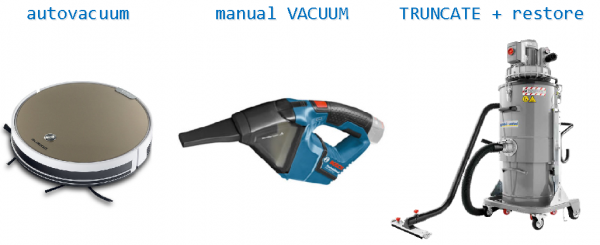
Let's lay out the rakes
First, let's define what exactly the problem is and how it may arise.
Such a situation usually occurs in a relatively small table, but in which there are a lot of changes. Typically, this is either various counters/aggregates/ratings, which are frequently updated, or a buffer queue for handling some continuously ongoing stream of events, which are constantly INSERTED/DELETED.
Let's try to simulate a scenario with ratings:
CREATE TABLE tbl(k text PRIMARY KEY, v integer);
CREATE INDEX ON tbl(v DESC); -- this index will be used to generate the ratings

INSERT INTO
  tbl
SELECT
  chr(ascii('a'::text) + i) k
, 0 v
FROM
  generate_series(0, 25) i;
And parallelly, in another connection, a long-running query starts collecting some complex statistics, but is not touching our table:
SELECT pg_sleep(10000);Now we repeatedly update the value of one of the counters. To ensure the experiment is clean, we will do this , as it would happen in reality:
DO $$
DECLARE
  i integer;
  tsb timestamp;
  tse timestamp;
  d double precision;
BEGIN
  PERFORM dblink_connect('dbname=' || current_database() || ' port=' || current_setting('port'));
  FOR i IN 1..10000 LOOP
    tsb = clock_timestamp();
    PERFORM dblink($e$UPDATE tbl SET v = v + 1 WHERE k = 'a';$e$);
    tse = clock_timestamp();
    IF i % 1000 = 0 THEN
      d = (extract('epoch' from tse) - extract('epoch' from tsb)) * 1000;
      RAISE NOTICE 'i = %, exectime = %', lpad(i::text, 5), lpad(d::text, 5);
    END IF;
  END LOOP;
  PERFORM dblink_disconnect();
END;
$$ LANGUAGE plpgsql;
NOTICE: i = 1000, exectime = 0.524
NOTICE: i = 2000, exectime = 0.739
NOTICE: i = 3000, exectime = 1.188
NOTICE: i = 4000, exectime = 2.508
NOTICE: i = 5000, exectime = 1.791
NOTICE: i = 6000, exectime = 2.658
NOTICE: i = 7000, exectime = 2.318
NOTICE: i = 8000, exectime = 2.572
NOTICE: i = 9000, exectime = 2.929
NOTICE: i = 10000, exectime = 3.808What happened? Why did even the simplest UPDATE of a single record degrade in execution time by 7 times — from 0.524ms to 3.808ms? And our rating is being built slower and slower.
MVCC is to blame for everything
The whole issue lies in , which requires the query to review all previous versions of the record. So let's clean our table of "dead" versions:
VACUUM VERBOSE tbl;INFO: vacuuming "public.tbl"
INFO: "tbl": found 0 removable, 10026 nonremovable row versions in 45 out of 45 pages
DETAIL: 10000 dead row versions cannot be removed yet, oldest xmin: 597439602Oh, there's nothing to clean! Meanwhile the executing query is getting in the way — after all, it might at some point want to access those versions (what if?), and they need to be available. Therefore, even VACUUM FULL won't help us.
We "collapse" the table
But we know for sure that the query does not need our table. So let's try to return the system's performance to reasonable limits by removing everything unnecessary from the table — even if it’s "manually," since VACUUM is not effective.
To make it clearer, let's look at an example of a buffer table. That is, there is a large stream of INSERT/DELETE operations, and sometimes the table might even end up completely empty. But if it’s not empty, we must preserve its current contents.
#0: Оцениваем ситуацию
It's clear that one could try to do something with the table after each operation, but this doesn’t make much sense — the overhead for maintenance will clearly exceed the throughput of the target queries.
Let's define the criteria — it's time to act if:
- VACUUM was run quite some time ago
We expect a large load, so let’s set it at 60 seconds since the last [auto]VACUUM. - the physical size of the table is larger than the target
We will define it as double the number of pages (blocks of 8KB) relative to the minimum size — 1 blk on heap + 1 blk for each of the indexes — for a potentially empty table. However, if we expect that a certain volume of data will always remain in the buffer, it makes sense to fine-tune this formula.
Verification query
SELECT
  relpages
, ((
    SELECT
      count(*)
    FROM
      pg_index
    WHERE
      indrelid = cl.oid
  ) + 1) << 13 size_norm -- it would be more accurate to do * current_setting('block_size')::bigint here, but who changes the block size?..
, pg_total_relation_size(oid) size
, coalesce(extract('epoch' from (now() - greatest(
    pg_stat_get_last_vacuum_time(oid)
  , pg_stat_get_last_autovacuum_time(oid)
  ))), 1 << 30) vaclag
FROM
  pg_class cl
WHERE
  oid = $1::regclass -- tbl
LIMIT 1;
relpages | size_norm | size | vaclag
-------------------------------------------
0 | 24576 | 1105920 | 3392.484835#1: Все равно VACUUM
We cannot know in advance how much a parallel query hinders us—how many records have become 'outdated' since it started. Therefore, when we finally decide to process the table in some way, we should first perform on it VACUUM —unlike VACUUM FULL, it does not interfere with parallel processes working with read-write data.
At the same time, it can clean up most of what we would like to remove. Subsequent queries on this table will then use the 'hot cache', which will shorten their duration—and thus, the total time blocking other transactions serviced by us.
#2: Есть кто-нибудь дома?
Let's check—does the table even contain anything:
TABLE tbl LIMIT 1;If there is not a single record left, we can significantly save on processing—just by executing :
It acts just like an unconditional DELETE command for each table, but much faster, as it does not actually scan the tables. Moreover, it immediately frees up disk space, so performing VACUUM after it is not required.
Whether you need to reset the sequence counter of the table (RESTART IDENTITY)—decide for yourself.
#3: Все — по-очереди!
Since we are working in a highly competitive environment, while we are checking for the absence of records in the table, someone might have already written something there. We must not lose this information, so what? Correct, we need to ensure that no one can write anymore.
To do this, we need to enable SERIALIZABLE-isolation for our transaction (yes, we start a transaction here) and lock the table 'dead':
BEGIN TRANSACTION ISOLATION LEVEL SERIALIZABLE;
LOCK TABLE tbl IN ACCESS EXCLUSIVE MODE;
This level of locking is determined by the operations we want to perform on it.
#4: Конфликт интересов
We come here and want to 'lock' the table—but what if someone was active on it at that moment, for example, reading from it? We will 'hang' waiting for the release of this lock, and others wanting to read will run into us...
To prevent this from happening, we will 'sacrifice ourselves'—if we haven’t been able to obtain a lock within a certain (acceptable small) time, we will receive an exception from the database, but at least we won’t heavily disrupt others.
For this, we will set the session variable (for versions 9.3+) or/and The main thing to remember is that the statement_timeout setting only applies to the following statement. So, this way in a merge — will not work:
SET statement_timeout = ...;LOCK TABLE ...;To avoid having to restore the 'old' value of the variable later, we use the form SET LOCAL, which limits the scope of the setting to the current transaction.
Remember that statement_timeout applies to all subsequent requests, so that the transaction cannot stretch to unacceptable lengths if there turns out to be a lot of data in the table.
#5: Копируем данные
If the table turns out to be not quite empty — the data will have to be resaved through an auxiliary temporary table:
CREATE TEMPORARY TABLE _tmp_swap ON COMMIT DROP AS TABLE tbl;
Signature ON COMMIT DROP means that at the end of the transaction, the temporary table will cease to exist, and there's no need to manually delete it in the context of the connection.
Since we assume that there aren't too many 'live' data, this operation should go quite quickly.
Well, that's about it! Don't forget to run after completing the transaction for normalizing the table statistics, if necessary.
Let's compile the final script
We use such a 'pseudo-python':
# собираем статистику с таблицы
stat <-
  SELECT
    relpages
  , ((
      SELECT
        count(*)
      FROM
        pg_index
      WHERE
        indrelid = cl.oid
    ) + 1) << 13 size_norm
  , pg_total_relation_size(oid) size
  , coalesce(extract('epoch' from (now() - greatest(
      pg_stat_get_last_vacuum_time(oid)
    , pg_stat_get_last_autovacuum_time(oid)
    ))), 1 << 30) vaclag
  FROM
    pg_class cl
  WHERE
    oid = $1::regclass -- table_name
  LIMIT 1;

# таблица больше целевого размера и VACUUM был давно
if stat.size > 2 * stat.size_norm and stat.vaclag is None or stat.vaclag > 60:
  -> VACUUM %table;
  try:
    -> BEGIN TRANSACTION ISOLATION LEVEL SERIALIZABLE;
    # пытаемся захватить монопольную блокировку с предельным временем ожидания 1s
    -> SET LOCAL statement_timeout = '1s'; SET LOCAL lock_timeout = '1s';
    -> LOCK TABLE %table IN ACCESS EXCLUSIVE MODE;
    # надо убедиться в пустоте таблицы внутри транзакции с блокировкой
    row <- TABLE %table LIMIT 1;
    # если в таблице нет ни одной "живой" записи - очищаем ее полностью, в противном случае - "перевставляем" все записи через временную таблицу
    if row is None:
      -> TRUNCATE TABLE %table RESTART IDENTITY;
    else:
      # создаем временную таблицу с данными таблицы-оригинала
      -> CREATE TEMPORARY TABLE _tmp_swap ON COMMIT DROP AS TABLE %table;
      # очищаем оригинал без сброса последовательности
      -> TRUNCATE TABLE %table;
      # вставляем все сохраненные во временной таблице данные обратно
      -> INSERT INTO %table TABLE _tmp_swap;
    -> COMMIT;
  except Exception as e:
    # если мы получили ошибку, но соединение все еще "живо" - словили таймаут
    if not isinstance(e, InterfaceError):
      -> ROLLBACK;
Is it possible not to copy the data a second time?In principle, yes, if there are no other activities assigned to the oid of the table from BL or FK from the database:
CREATE TABLE _swap_%table(LIKE %table INCLUDING ALL);
INSERT INTO _swap_%table TABLE %table;
DROP TABLE %table;
ALTER TABLE _swap_%table RENAME TO %table;
Let's run the script on the original table and check the metrics:
VACUUM tbl;
BEGIN TRANSACTION ISOLATION LEVEL SERIALIZABLE;
  SET LOCAL statement_timeout = '1s'; SET LOCAL lock_timeout = '1s';
  LOCK TABLE tbl IN ACCESS EXCLUSIVE MODE;
  CREATE TEMPORARY TABLE _tmp_swap ON COMMIT DROP AS TABLE tbl;
  TRUNCATE TABLE tbl;
  INSERT INTO tbl TABLE _tmp_swap;
COMMIT;
relpages | size_norm | size | vaclag
-------------------------------------------
0 | 24576 | 49152 | 32.705771 Everything worked out! The table has shrunk 50 times, and all the UPDATEs are running fast again.
Source: habr.com
