

Greetings everyone on my 'survival' under Windows Server without Explorer
Today, I will test regular programs for an unusual Windows.
I'll start from the beginning
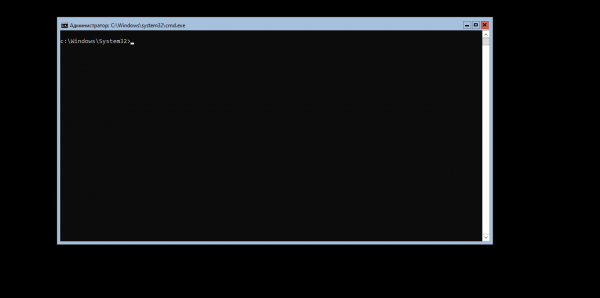
When the computer starts, the standard Windows loading screen appears, but after loading, what opens is not the desktop, but the command line and nothing else.
Downloading files from the internet via the command line
Since I don't know any other ways to download files after a clean installation that an ordinary user would use (besides connecting a second hard drive with another system), I used the built-in utility bitsadmin.exe
First, let's create a folder where we will download the files
md c:downloadThen I uploaded the files I need to my site.
For example, let’s install an alternative to the standard Explorer — Explorer++
bitsadmin.exe /transfer "Download" https://my_site/files/Explorer++.exe C:downloadExplorer++.exeDownloading process:

Download completed:

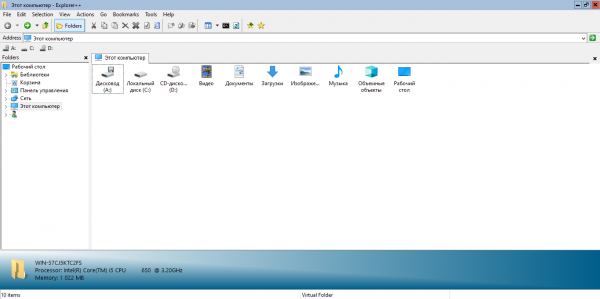
Recalling the days of MS-DOS, let’s type Explorer++.exe into the command line.
The Explorer++ I downloaded opens
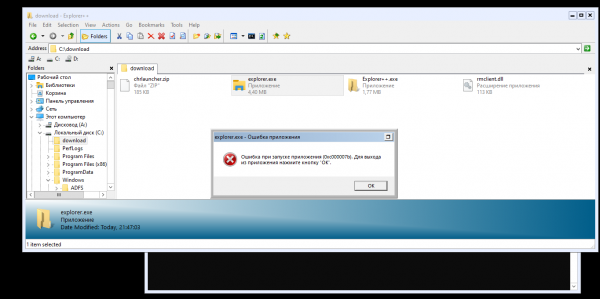
I also tried to launch the standard Explorer, extracted from my system, but it refused to work, although I begged it very much. Through Powershell, you can install not only the standard Explorer but also MMC, Eventvwr, PerfMon, Resmon, and Powershell ISE, but all this will consume resources and does not fit into the theme of the publication.
Software tests
First, let's stop using the command line for downloading files and replace it with Internet Download Manager.
As a file manager, I use explorer++, but you can download any other; this one just happened to be handy.
I installed the archiver 7zip, and it also worked without any issues.
Firefox did not install for me, so I chose Chromium Portable. Since we can't download files through the browser, we will continue to use Internet Download Manager.
VLC media player started up fine
qBittorrent also had no issues during the launch
Thunderbird gives the same error as Firefox
I will talk about office software a bit later.
Checkers [Шашки] (Lukasz Oktaba)
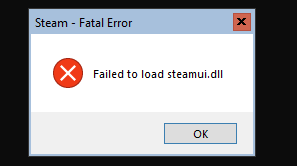
Unfortunately, it's not possible to play modern games through Steam. When starting, the client crashes with an error.
Office software
Microsoft Office does not fit within the resource consumption limits. And LibreOffice did not start, which is very disappointing.
The web version of Microsoft Office works through the browser, allowing you to edit documents, but saving them to your local machine is not possible. I haven't tested Google Docs, but I believe it will work as well.
Final
Using Windows Server without File Explorer as a 'desktop' makes no sense. If resources are tight, it's better to choose one of the lightweight Linux distributions.
In this publication, I presented an example of what I thought to test; this is not a tutorial but entertaining content. Thank you for reading.
Information sources:
Source: habr.com
