

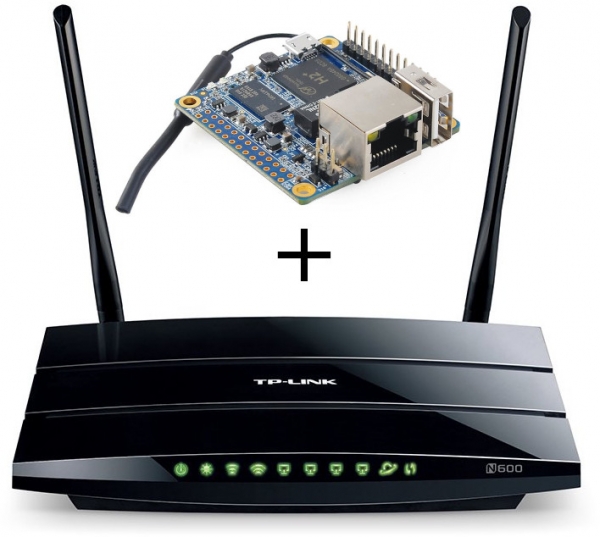
Hello everyone, I recently read about how to speed up OpenVPN on a router by offloading the encryption to a separate piece of hardware that can be soldered inside the router itself. I have a similar situation to the author — a TP-Link WDR3500 with 128 megabytes of RAM and a weak CPU that simply cannot handle the encryption of the tunnels. However, I really didn't want to mess with a soldering iron on the router. Below is my experience of transferring OpenVPN to a separate piece of hardware while keeping a backup on the router in case of failure.
Task
I have a TP-Link WDR3500 router and an Orange Pi Zero H2. We want the Orange Pi to handle the tunnel encryption in normal operation, but if something happens to it, processing VPN will revert back to the router. All firewall settings on the router should work like before. Overall, the addition of extra hardware should be transparent and seamless for everyone. OpenVPN operates over TCP, with the TAP adapter in bridge mode (server-bridge).
Solution
Instead of connecting via USB, I decided to utilize one of the router's ports and route all subnets with a VPN bridge through it to the Orange Pi. This way, the hardware will physically be in the same networks as the VPN servers on the router. After that, we set up identical servers on the Orange Pi, and on the router, we configure a proxy to route all incoming connections to the external server, and if the Orange Pi fails or becomes unavailable — then to the internal fallback server. I used HAProxy.
So it turns out:
- A client connects
- If the external server is unavailable — like before, the connection goes to the internal server.
- If it is available — the Orange Pi accepts the client.
- The VPN on the Orange Pi decrypts the packets and sends them back to the router.
- The router routes them somewhere.
Example of implementation
So, let's say we have two networks on the router — main(1) and guest(2), each with its own OpenVPN server for external connections.
Network configuration
We need to pass both networks through one port, so we create 2 VLANs.
On the router in the Network/Switch section, we create VLANs (for example, 1 and 2) and enable them in tagged mode on the required port, adding the newly created eth0.1 and eth0.2 to the corresponding networks (for instance, adding them to the bridge).
On the Orange Pi, we create two VLAN interfaces (I have Archlinux ARM + netctl):
/etc/netctl/vlan-main
Description='Main VLAN on eth0'
Interface=vlan-main
Connection=vlan
BindsToInterfaces=eth0
VLANID=1
IP=no
/etc/netctl/vlan-guest
Description='Guest VLAN on eth0'
Interface=vlan-guest
Connection=vlan
BindsToInterfaces=eth0
VLANID=2
IP=no
And we immediately create two bridges for them:
/etc/netctl/br-main
Description="Main Bridge connection"
Interface=br-main
Connection=bridge
BindsToInterfaces=(vlan-main)
IP=dhcp
/etc/netctl/br-guest
Description="Guest Bridge connection"
Interface=br-guest
Connection=bridge
BindsToInterfaces=(vlan-guest)
IP=dhcp
We enable auto-start for all 4 profiles (netctl enable). Now, after rebooting, the Orange Pi will connect to the two required networks. We configure the interface addresses on the Orange Pi in Static Leases on the router.
ip addr show
4: vlan-main@eth0:  mtu 1500 qdisc noqueue master br-main state UP group default qlen 1000
    link/ether 02:42:f0:f8:23:c8 brd ff:ff:ff:ff:ff:ff
    inet6 fe80::42:f0ff:fef8:23c8/64 scope link
       valid_lft forever preferred_lft forever

5: vlan-guest@eth0:  mtu 1500 qdisc noqueue master br-guest state UP group default qlen 1000
    link/ether 02:42:f0:f8:23:c8 brd ff:ff:ff:ff:ff:ff
    inet6 fe80::42:f0ff:fef8:23c8/64 scope link
       valid_lft forever preferred_lft forever

6: br-main:  mtu 1500 qdisc noqueue state UP group default qlen 1000
    link/ether 52:c7:0f:89:71:6e brd ff:ff:ff:ff:ff:ff
    inet 192.168.1.3/24 brd 192.168.1.255 scope global dynamic noprefixroute br-main
       valid_lft 29379sec preferred_lft 21439sec
    inet6 fe80::50c7:fff:fe89:716e/64 scope link
       valid_lft forever preferred_lft forever

7: br-guest:  mtu 1500 qdisc noqueue state UP group default qlen 1000
    link/ether ee:ea:19:31:34:32 brd ff:ff:ff:ff:ff:ff
    inet 192.168.2.3/24 brd 192.168.2.255 scope global br-guest
       valid_lft forever preferred_lft forever
    inet6 fe80::ecea:19ff:fe31:3432/64 scope link
       valid_lft forever preferred_lft forever
VPN Configuration
Next, we copy the OpenVPN settings and keys from the router. The settings can usually be found in /tmp/etc/openvpn*.conf
By default, OpenVPN running in TAP mode and server-bridge keeps its interface inactive. To make everything work, a script must be added that runs when the connection is activated.
/etc/openvpn/main.conf
dev vpn-main
dev-type tap

client-to-client
persist-key
persist-tun
ca /etc/openvpn/main/ca.crt
cert /etc/openvpn/main/main.crt
cipher AES-256-CBC
comp-lzo yes
dh /etc/openvpn/main/dh2048.pem
ifconfig-pool-persist /etc/openvpn/ipp_main.txt
keepalive 10 60
key /etc/openvpn/main/main.key
port 443
proto tcp
push "redirect-gateway"
push "dhcp-option DNS 192.168.1.1"
server-bridge 192.168.1.3 255.255.255.0 192.168.1.200 192.168.1.229
status /tmp/openvpn.main.status
verb 3

setenv profile_name main
script-security 2
up /etc/openvpn/vpn-up.sh
/etc/openvpn/vpn-up.sh
#!/bin/sh

ifconfig vpn-${profile_name} up
brctl addif br-${profile_name} vpn-${profile_name}
As a result, as soon as the connection occurs, the vpn-main interface will be added to br-main. For the guest network, the process is similar but with adjustments to the interface name and address in server-bridge.
Routing external requests and proxying
At this stage, the Orange Pi is already able to accept connections and allow clients into the desired networks. It remains to configure the proxying of incoming connections on the router.
We move the router's VPN servers to other ports, install HAProxy on the router, and configure it:
/etc/haproxy.cfg
global
        maxconn 256
        uid 0
        gid 0
        daemon

defaults
        retries 1
        contimeout 1000
        option splice-auto

listen guest_vpn
        bind :444
        mode tcp
        server 0-orange 192.168.2.3:444 check
        server 1-local  127.0.0.1:4444 check backup

listen main_vpn
        bind :443
        mode tcp
        server 0-orange 192.168.1.3:443 check
        server 1-local  127.0.0.1:4443 check backup
Enjoying
If everything goes as planned, clients will switch to the Orange Pi, the router's processor will no longer overheat, and the VPN speed will noticeably increase. All the network rules defined on the router will remain valid. In case of a failure on the Orange Pi, it will disconnect, and HAProxy will redirect clients to the local servers.
Thank you for your attention, suggestions and corrections are welcome.
Source: habr.com
