

Developers have unveiled the new version of the Opera browser, 67. With the tab grouping feature named 'Spaces', it will help users stay more organized. You can create up to five spaces, assigning each its own name and image. This approach allows users to keep tabs for work, leisure, home, hobbies, and more within different windows.
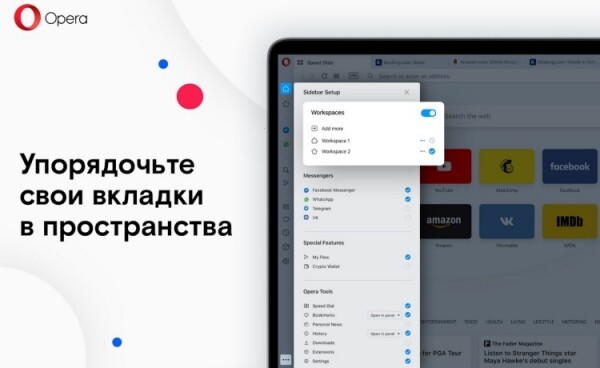
Opera conducted a study revealing that 65% of users want more order within the browser, and 60% miss a feature that allows for tab grouping. Therefore, Opera decided it was necessary to create such a tool.
Space icons are located at the top of the sidebar, where users can also see which space is currently selected. To open a link within another space, simply right-click on it and move it to the desired location using the context menu. Tabs can be similarly moved between different spaces.

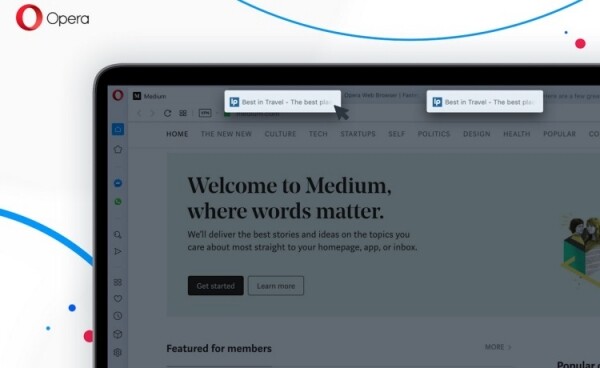
The new browser features a visual tab switcher, making it easier and more convenient to interact with web pages. To switch between tab previews, you just need to press Ctrl+Tab. Additionally, Opera can now identify duplicate tabs. In the new browser, tabs with the same URL will be highlighted in color when you hover over one of them.
‘Long ago, Opera was the first to invent tabs in browsers, but today we all understand that people would like more support from the browser interface for managing these tabs. Everyone wants order in their browser and ideally without the need to regularly manage it themselves. Spaces allow for more organization right from the start of their use without needing to learn how this function works,’ said Joanna Chaika, product director of Opera for computers.
Source: 3dnews.ru
