

Hello everyone! The course starts today , which is why we held a thematic webinar dedicated to an overview of ELB. We reviewed the types of load balancers and created several EC2 instances with a load balancer. We also explored other use cases.

, you will:
- understand what AWS Load Balancing is;
- know the types of Elastic Load Balancer and its components;
- apply AWS ELB in your practice.
Why you should know this:
- it's useful if you plan to take AWS certification exams;
- it's an easy way to distribute traffic among servers;
- it's a straightforward way to add Lambda to your service (ALB).
The open lesson was conducted by , a systems engineer at a website development and support marketing company.
Introduction
What Elastic Load Balancer is can be seen in the diagram below, which presents a simple example:
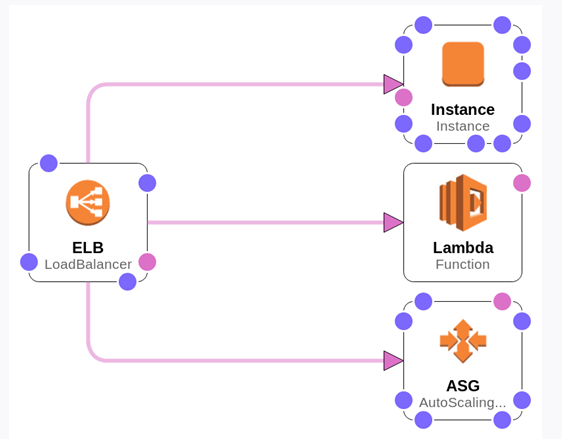
The Load Balancer accepts requests and distributes them among instances. We have one separate instance, some Lambda functions, and an AutoScaling group (a group of servers).
Types of AWS ELB
1. Let's consider the main types:
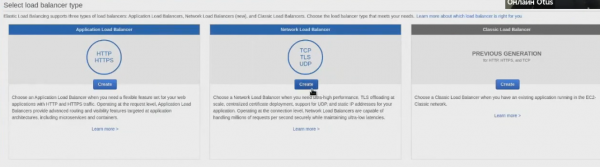
Classic Load Balancer. The first load balancer from AWS, it operates at both Layer 4 and Layer 7 of the OSI model, supporting HTTP, HTTPS, TCP, and SSL. It provides basic load balancing across multiple Amazon EC2 instances and works at both request and connection levels. Let's open it (highlighted in gray):
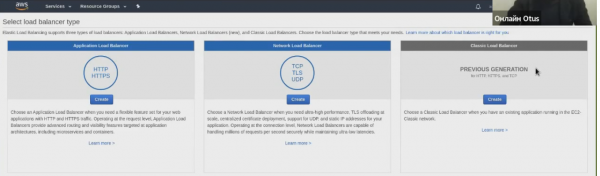
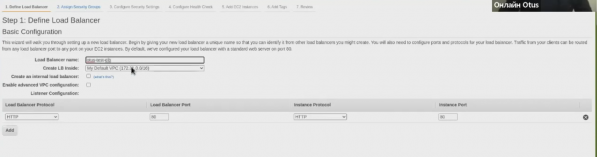
This balancer is considered outdated, so it is recommended for use only in specific cases. For example, for applications built in EC2‑Classic. In principle, nothing stops us from creating it:
2. Network Load Balancer. Suitable for high loads, operates at Layer 4 of the OSI model (can be used in EKS and ECS), supporting TCP, UDP, and TLS.
The Network Load Balancer directs traffic to target objects in Amazon VPC and can handle millions of requests per second with ultra-low latency. Additionally, it is optimized for traffic patterns with sudden and fluctuating loads.
3. Application Load Balancer. Operates at Layer 7, supports Lambda, has rules at header and path levels, supporting HTTP and HTTPS.
Provides advanced request routing aimed at delivering applications built on modern architectures, including microservices and containers. Directs traffic to targets within Amazon VPC based on the contents of the request.
For many users, the Application Load Balancer has replaced the Classic Load Balancer, as TCP is not as commonly used compared to HTTP.
Let's create it as well, resulting in two load balancers:

Load Balance Components
Common Load Balance Components (common to all load balancers):
- Access Logging Policy
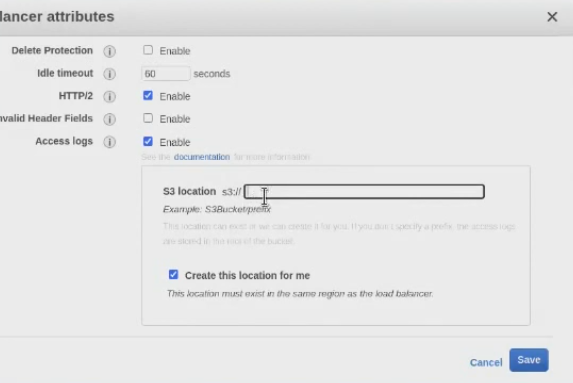
— your ELB access logs. To configure settings, you can go to Description and select the ‘Edit attributes’ button:
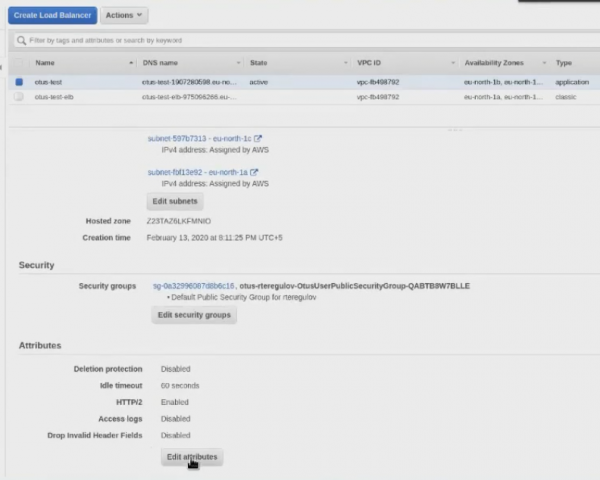
Next, specify S3Bucket — the Amazon object storage:
- Scheme
— an internal or external load balancer. The idea is whether your LoadBalancer should receive external addresses to be accessible from outside, or it can be your internal load balancer;
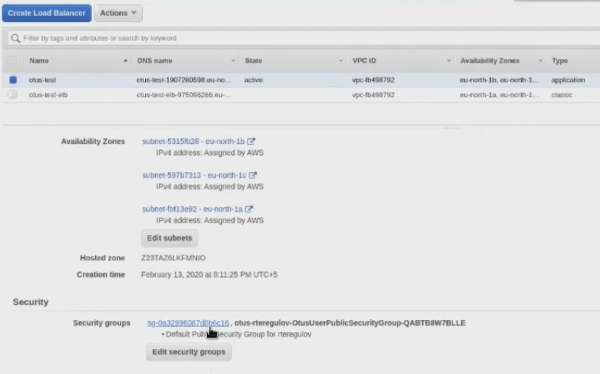
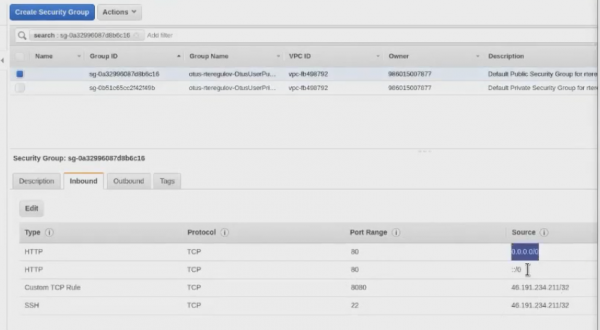
- Security Groups
— access control to the load balancer. Essentially, this is a high-level firewall.
- Subnets
— subnets within your VPC (and consequently, availability zones). Subnets are specified during creation. If the VPC is region-restricted, then Subnets are limited by availability zones. When creating a Load Balancer, it's better to create it in at least two subnets (this helps if there are issues with one availability zone);
- Listeners
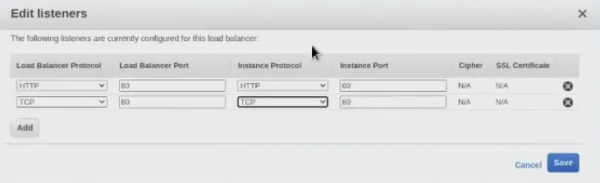
— your load balancer protocols. As mentioned earlier, for Classic Load Balancer, this can be HTTP, HTTPS, TCP, and SSL; for Network Load Balancer — TCP, UDP, and TLS; and for Application Load Balancer — HTTP and HTTPS.
Example for Classic Load Balancer:
In the Application Load Balancer, we see a slightly different interface and a fundamentally different logic:
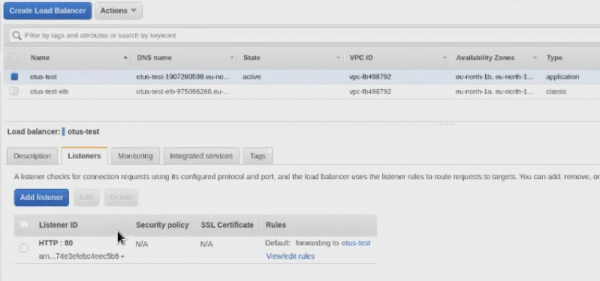
Load Balancer v2 Components (ALB and NLB)
Now let's take a closer look at the version 2 load balancers, Application Load Balancer and Network Load Balancer. These balancers have their own component features. For example, the concept of Target Groups has emerged — instances (and functions). With this component, we now have the ability to specify which Target Groups we want to direct traffic to.
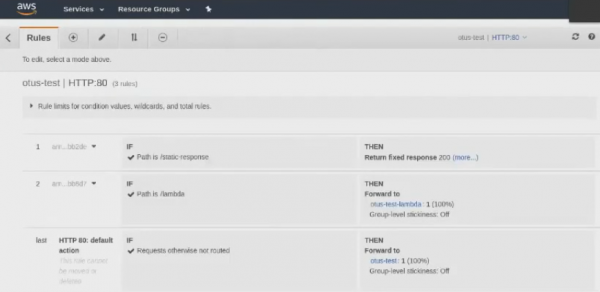
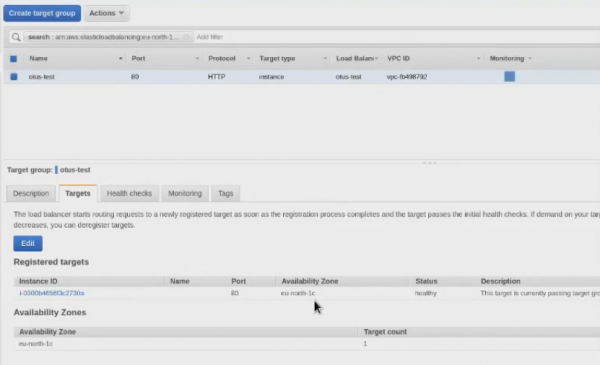
In simple terms, we specify instances in Target Groups where the traffic will be directed. If in the Classic Load Balancer you simply connect instances directly to the balancer, in the Application Load Balancer you first:
- create a Load Balancer;
- create a Target group;
- You direct traffic through the necessary ports or Load Balancer rules to the appropriate Target Groups;
- In the Target Groups, you assign instances.
This logic may seem more complicated, but in reality, it is more convenient.
The next component is Listener rules (rules for routing). This applies only to the Application Load Balancer. In the Network Load Balancer, you simply create a Listener, and it sends traffic to a specific Target Group, while in the Application Load Balancer, it gets .
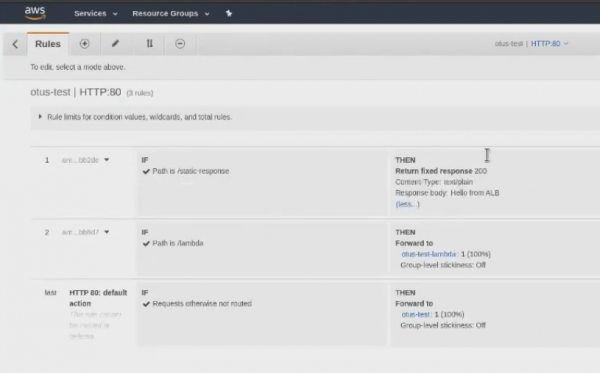
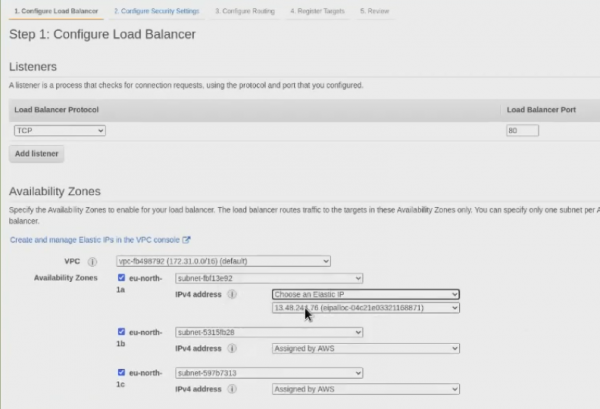
Now let's say a few words about the next component — Elastic IP (static addresses for NLB). While the Listener rules for routing applied only to the Application Load Balancer, Elastic IP pertains solely to the Network Load Balancer.
Let's create a Network Load Balancer:
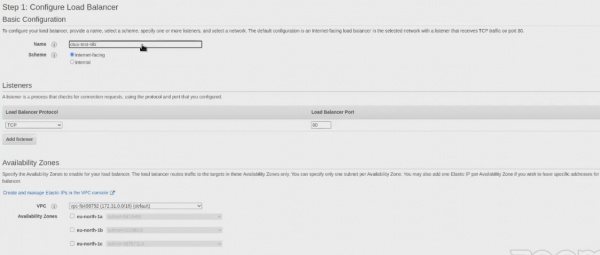
And right during the creation process, we will see that we are given the option to select an Elastic IP:
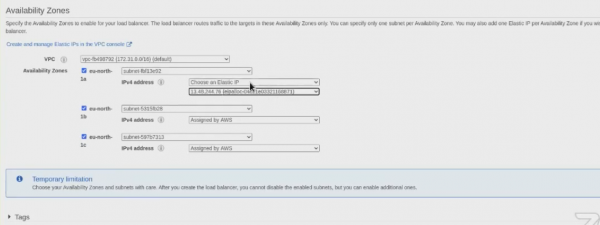
Elastic IP provides a single IP address that can be associated with different EC2 instances over time. If an EC2 instance has an Elastic IP address and that instance is terminated or stopped, you can immediately associate a new EC2 instance with the Elastic IP address. This way, your current application will not cease operation, as applications see the same IP address, even if the actual EC2 instance has changed.
Here on why Elastic IP is needed. Look, we see 3 IP addresses, but they will not stay here forever:
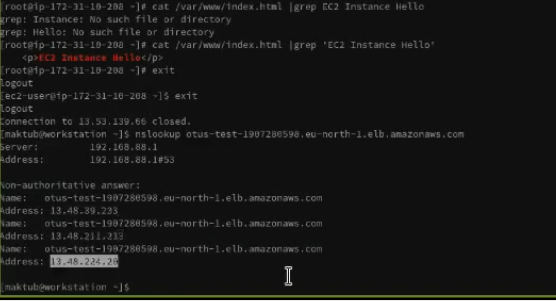
Amazon changes them over time and can do so every 60 seconds (but in practice, of course, less frequently). This means the IP addresses can change. And in the case of the Network Load Balancer, you can actually bind the IP address and specify it in your rules, policies, etc.
Let’s draw some conclusions.
ELB provides automatic distribution of incoming traffic across multiple targets (containers, Amazon EC2 instances, IP addresses, and Lambda functions). ELB is capable of distributing traffic with varying loads both within a single availability zone and across multiple availability zones. Users can choose from three types of load balancers that ensure high availability, automatic scaling, and decent protection. All of this is crucial for ensuring the resilience of your applications.
Key advantages:
- high availabilityThe service agreement implies 99.99% availability for the load balancer. For instance, multiple availability zones ensure that traffic is handled exclusively by healthy instances. In fact, load balancing can be done across an entire region, redirecting traffic to healthy target instances in various availability zones.
- securityELB works with Amazon VPC, offering various security features, including integrated certificate management, user authentication, and SSL/TLS decryption. Together, they provide centralized and flexible management of TLS settings.
- elasticityELB can handle sudden changes in network traffic. Deep integration with Auto Scaling ensures that applications have enough resources when load changes, without requiring manual intervention.
- flexibilityIP addresses can be used to route requests to your application’s target instances. This ensures flexibility in virtualizing target applications, allowing multiple applications to be hosted on a single instance. Since applications can use one network port and have separate security groups, interaction between applications is simplified when operating under a microservices architecture.
- monitoring and auditingYou can monitor applications in real-time using Amazon CloudWatch features. This includes metrics, logs, and request tracking. In simple terms, you'll be able to identify issues and accurately pinpoint performance bottlenecks.
- hybrid load balancingThe ability to balance load between on-premises resources and AWS using the same load balancer simplifies migration or expansion of on-premises applications to the cloud. It also eases failure handling through the cloud.
If you're interested in more details, here are a couple of useful links from the official Amazon website:
- .
Source: habr.com
