

The release of version 0.9 of Windows Terminal has occurred. This is the last version of the Terminal that will include new features until the release of v1. You can download Windows Terminal from or from the . Let's take a closer look at the update details!
Command-Line Arguments
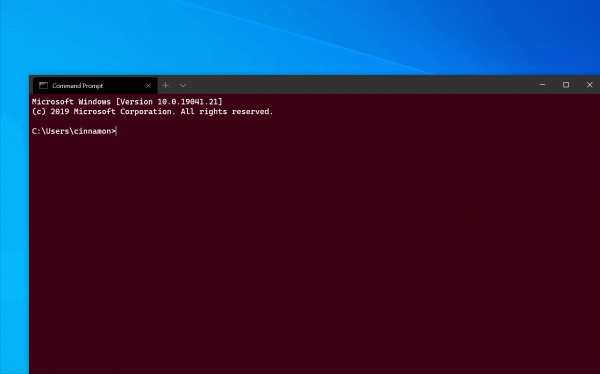
Alias wt now supports command-line arguments. You can now launch the Terminal with new tabs and panes arranged as you like, using profiles you prefer, starting from directories you choose! The possibilities are endless! Here are a few examples:
wt -d .
Opens the terminal with the default profile in the current working directory.
wt -d.; new-tab -d C: pwsh.exe
Opens the Terminal with two tabs. The first has the default profile, starting in the current working directory. The second has the default profile with pwsh.exe as the 'commandline' (instead of the default profile 'commandline'), starting in the C: directory.
wt -p 'Windows PowerShell' -d.; split-pane -V wsl.exe
Opens the Terminal with two panes, split vertically. The upper pane runs a profile named 'Windows Terminal', while the lower pane uses the default profile with wsl.exe as the 'commandline' (instead of the default profile 'commandline').
wt -d C:UserscinnamonGitHubWindowsTerminal; split-pane -p 'Command Prompt'; split-pane -p 'Ubuntu' -d \wsl$Ubuntuhomecinnak -H
See below.
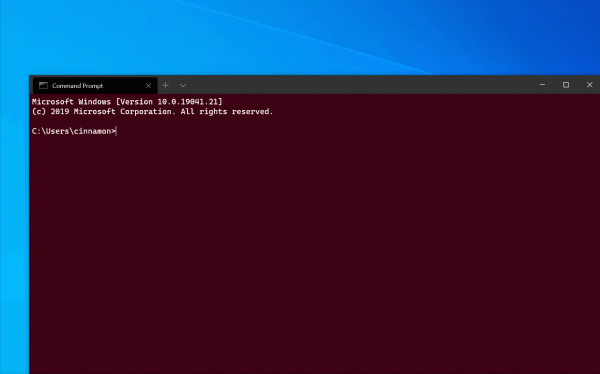
If you want to learn everything you can do with our new command-line arguments, check out the full documentation. .
PowerShell Auto-Discovery
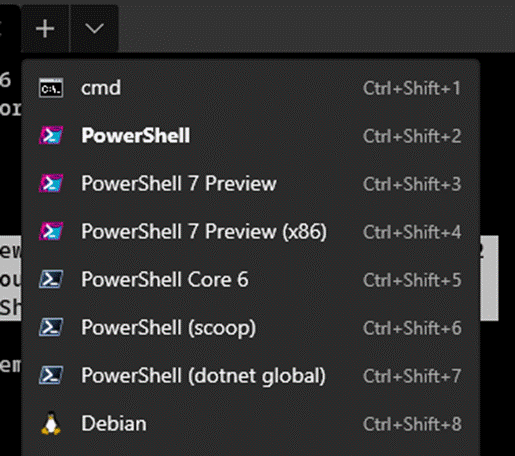
If you're a big fan of , we have great news for you. Windows Terminal now detects any version of PowerShell and automatically creates a new profile for you. The version of PowerShell that we believe is the best (starting from the highest version number, to the version GA, to the version with the best build) will be named 'PowerShell' and will take the original slot of PowerShell Core in the dropdown list.
Confirmation for Closing All Tabs
Are you someone who doesn't want to be asked every time about closing all tabs? If you answered yes, then this new feature is definitely for you! A new global setting has been created that allows you to always suppress the 'Close All Tabs' confirmation dialog. To do this, you need to set the setting 'confirmCloseAllTabs' downward API support (simultaneously with this in false at the top of the profiles.json file, and you will never see this pop-up again! Thank you for the contribution of this new feature.
Other improvements
- You can now navigate from one word to another using the Narrator or NVDA!
- You can now drag a file into the terminal, and the path to the file will be printed!
- Ctrl+Ins and Shift+Ins by default bound to copying and pasting respectively!
- You can now hold down Shift and click, to extend your selection!
- Now VS Code keys used for key binding are supported (for example, "pgdn" and "pagedown")!
Bug fixes
- The terminal will not crash when the Narrator is running!
- The terminal will not crash when an incorrect path to the background image or icon is specified!
- All our pop-up dialogs now have rounded buttons!
- The search window now works correctly in high contrast mode!
- Some ligatures are now displayed more accurately!
Let's talk
If you want to leave your feedback or have any questions, feel free to reach out to Kayla ( ) on Twitter or contact us at . We hope you enjoy this release of the Terminal and look forward to seeing you with the next update!

Source: habr.com
