

Introducing Windows Terminal v0.10! As always, you can download it from , or from the releases page on . Below, we'll take a closer look at the details of the update!
Mouse Input
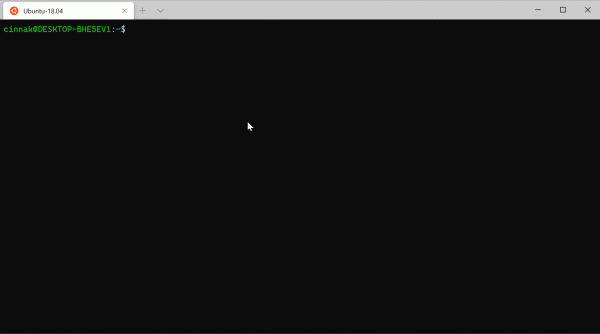
The terminal now supports mouse input in Windows Subsystem for Linux (WSL) applications, as well as in Windows applications using virtual terminal (VT) input. This means that applications like tmux and Midnight Commander will recognize clicks on items in the Terminal window! If the application is in mouse mode, you can hold down shift, to make a selection instead of sending VT input.
Settings Update
Panel Duplication
You can now open a new panel by duplicating the profile from any selected panel, simply by focusing on it and pressing a key combination. To do this in the "keybindings" section of your profiles.json, you need to add "splitMode": "duplicate" to "splitPane". You can also use other options such as "commandline", "index", "startingDirectory" or "tabTitle". If you want to learn more about these options, I recommend checking out this .
{"keys": ["ctrl+shift+d"], "command": {"action": "splitPane", "split": "auto", "splitMode": "duplicate"}}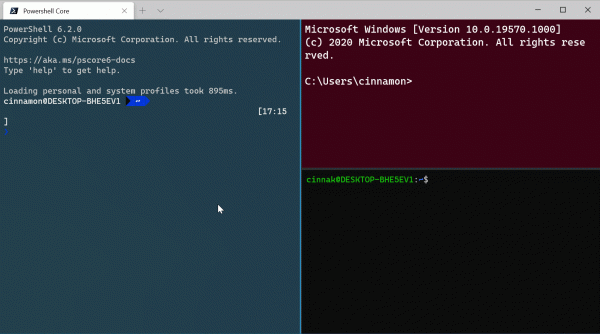
Bug fixes
- Text rendering has been significantly improved when resizing the window.
- Fixed dark theme borders (they are no longer white).
- If the taskbar is hidden and your terminal is maximized, it now automatically appears when you hover the mouse at the bottom of the screen.
- Azure Cloud Shell can now run PowerShell and supports mouse input, and can be set as the preferred shell.
- The scrolling speed has changed when using a touchpad or touchscreen.
Future Plans
We want to provide you with updated information about our plans so you know what to expect in the coming months. We are currently fixing bugs to prepare for the release of v1. Windows Terminal v1 will be released in May. After that, we plan to release the next update in June to continue our monthly update cycle. Our releases will still be available in the Microsoft Store and on GitHub!
In conclusion
As always, if you want to leave your feedback or have any questions, feel free to reach out to Kayla (Kayla, ) on Twitter. Additionally, if you would like to make a suggestion for improving the Terminal or report an error in it, please reach out to us at . We hope you enjoy this release of Windows Terminal!

Source: habr.com
