

A bit about console utilities that not many people know about, yet they can be useful for both a novice junior and a seasoned senior.
Why it's worth writing about this
It's worth writing about utilities (especially console ones) because I've noticed many people do not leverage the console's power to its fullest extent. Many limit themselves to simply creating files and navigating directories while working in the console. I believe this is a result of the lack of resources in the Russian internet that properly explain utilities, how to work with them, and what they do.
We will evaluate utilities on a 5-point scale. This is done so that you can immediately understand where, in my subjective opinion, one utility is head and shoulders above another. I am not advocating the use of anything specific, nor am I promoting only command-line utilities.No, on the contrary, I am simply giving you a choice. Whether to use or not use the knowledge I spent a lot of time acquiring is up to you.
I want to say right away that this post includes utilities that I found necessary during development. If you have suggestions on how to supplement this list, feel free to comment.
Let's move on to the list
Navigating directories
ViFM
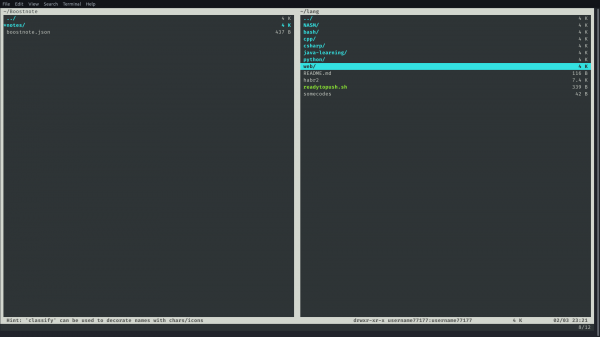
— a vim-like file manager that can quickly switch between directories and perform operations on files and directories by entering commands or hotkeys. By default, it consists of two panels (black and white) between which you can switch.
Rating: 3, as you will need to learn a bunch of vim-like commands and know vim's hotkeys to use this FM.
mc
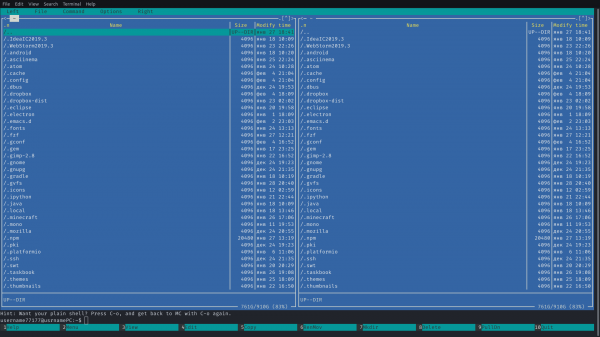
(Midnight Commander) — a classic in Linux. With it, you can also quickly navigate between directories, change permissions, open files with the built-in editor, and much more. The program has a pretty understandable interface, where hotkeys are at the bottom and two panels at the top (which you switch between using the Tab key).
Rating: 5. This is what a beginner needs, and it is suitable for advanced users. You don’t need any prior knowledge to fully utilize this FM.
Ranger
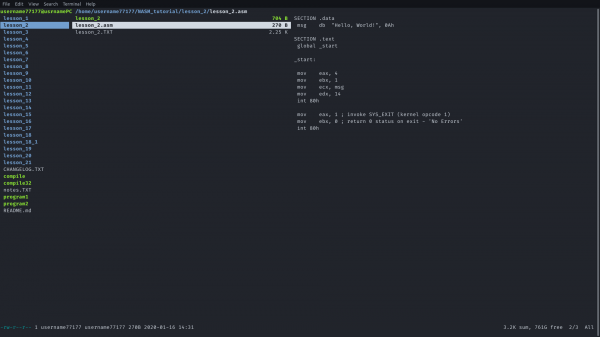
— yet another FM with a vim-like layout. However, this time the utility is written in Python, which makes it slower, but at the same time incredibly flexible and user-friendly. You can open files directly from the manager using rifle (a script that searches for which program will open a specific file on your PC). Editing, viewing shortcuts (separate from the manual invoked by the command :help), and many other features are also available.
Rating: 4. It would be a 5 if it weren't for the speed.
Quick search
Quick search is not available on the Gnome shell, for example. (This talks about quick search including file contents. Gnome just has search, and it's very slow.)
fzf
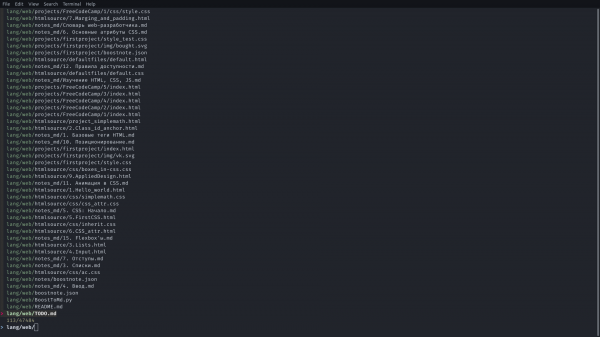
— a utility for quickly searching through directories and text in a specific set of files. It can easily be replaced by find, but is a faster and more convenient alternative.
Rating: 5. The utility does its job excellently.
hf
— another utility for quick searches in directories and files. It is distinguished by the availability of some hotkeys and a somewhat more convenient implementation of commands within the utility than its competitor.
Rating: 5
autojump
— a utility for quickly jumping through folders to a specific file.
Editing
Here I will limit myself to just listing utilities. After all, the editor is something you use constantly (and if you don't, then you certainly don't need extra explanations), so it's a matter of taste.
- Nano (standard Linux editor)
- Vi (another standard Linux editor)
- (just a configuration of Emacs, but it changes it so much that it no longer resembles vanilla Emacs.)
The terminals themselves
Alacritty (the fastest)
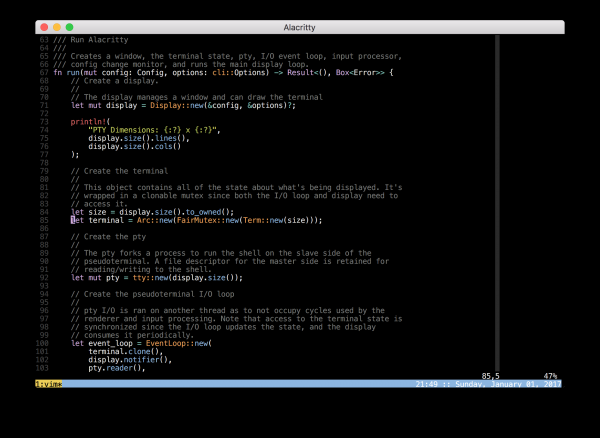
— a terminal emulator on Linux/Windows/MacOS, which is considered the fastest (that's what the author of this terminal claims).
Rating: 4. In my subjective opinion, it's not the most convenient and comfortable terminal.
Hyper (the most beautiful)
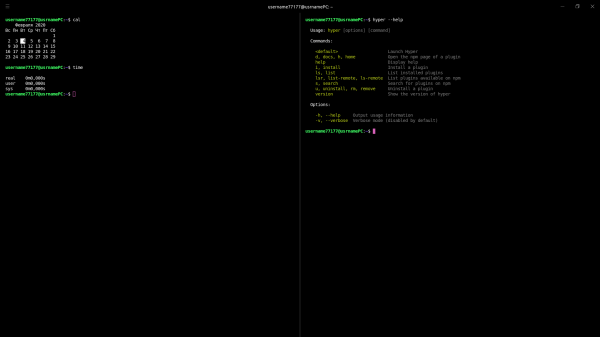
— a terminal that deserves to be tried on your system. Its interface is made with CSS/HTML, and it is based on the Electron framework (which will definitely make it a bit resource-heavy).
Rating: 5. The terminal is convenient and beautiful. It's extensible and has a ton of features.
Quick help (or searching for something)
ddgr
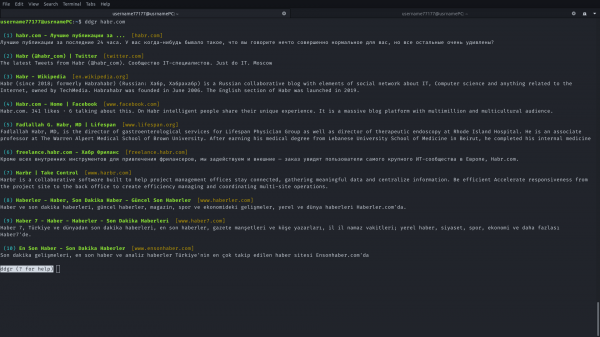
— a command-line utility that allows you to use DuckDuckGo directly from the console.
Rating: 5. The program quickly executes requests and provides results (of course, since there's no need to load HTML/CSS. Everything is parsed quickly).
tldr
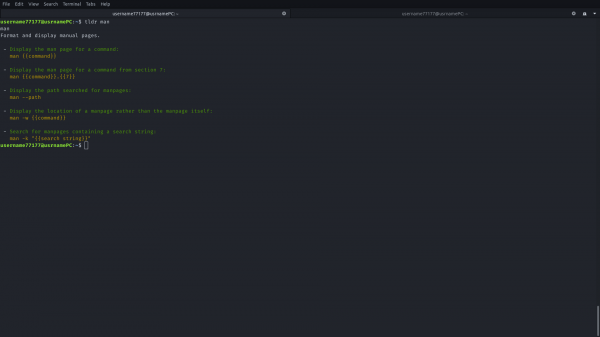
— a replacement for the standard man, which does the same thing but instead of providing a full manual for the program, it offers brief excerpts for quick usage.
Rating: 4. Sometimes tldr gives excessively short references, and there’s simply no documentation for many programs in tldr.
howdoi
— parses answers from various sites to programming questions.
Rating: 3. Often finds answers to completely unrelated questions. It’s also extremely inconvenient that only one answer is outputted.
navi
— a console utility similar to howdoi, but specifically answering questions about console commands.
how2
— a utility similar to howdoi, but providing options for which question to view the answer to. (Parses everything from StackOverflow).
Rating: 5. The best utility for quick solution searches.
Web Development
— a utility for quickly pushing websites to a free (or paid, depending on your requirements) server.
— a console utility that tells which tags are supported in browsers.
Additional utilities
trash-cli
— utility for viewing the contents of the trash.
buku
— a utility for quickly sorting and storing bookmarks from all browsers.
tmux
— a terminal multiplexer. It splits your terminal window into panes. Very convenient when you have no GUI available.
text-meme-cli
— a utility for creating text animations on any background.
asciinema
— a utility for recording terminal command history into a gif file.
Youtube-dl
— a utility for downloading videos/audios from the video hosting site Youtube.
picofeed
— a lightweight RSS client for consoles.
terminalnews
— another convenient RSS client for the console.
What kind of list is this?
This is a list of utilities that I personally use. You can find an additional list here.
I kindly ask you to contribute your utilities to the list in the comments. If this post brought even a bit of something new to your terminal — I'm glad to help.
Only registered users can participate in the survey. , please.
Was this article helpful to you?
29,2%Yes207
34,5%No244
36,3%50/50257
708 users voted. 53 users abstained.
Source: habr.com
