


Need to put equipment under monitoring, but there’s no ready template for this type of equipment in your favorite Zabbix system? Is this situation familiar? Everyone has their own way of dealing with it. One administrator searches for a solution online. Another develops their own. And some may just give up on the task. Currently, the Zabbix team is expanding the set of pre-installed templates with each new release. For example, the upcoming version 5.0 will feature a new universal template for monitoring servers using IPMI — Template Server by IPMI. Colleagues asked for help in debugging its operation on equipment from various manufacturers. This is also a unique opportunity for us to test-drive new functionality. We will share the results.
What does the new template look like?
To monitor your server using this template, you need to create a "network node" in the system with monitoring configured via IPMI and attach the Template Server by IPMI template to it (Fig. 1). There won't be a detailed description of this operation here: a thorough guide is available in the official Zabbix documentation.
Fig. 1. Template Server by IPMI
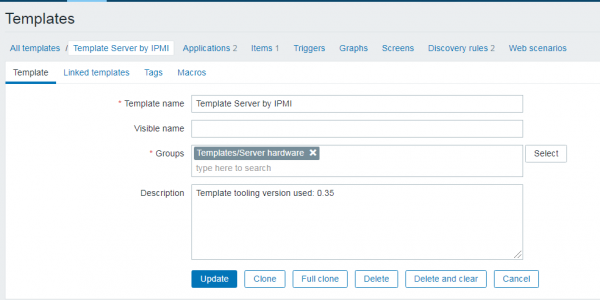
Let's explore the principles of operation and structure of this template.
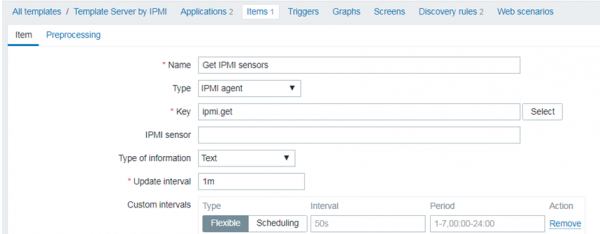
The core of the template is the ipmitool utility. It allows the necessary statistics to be obtained from the equipment via IPMI. The functionality of this utility and obtaining all required data is now accessible to users through the web interface using the IPMI agent data type and a special key ipmi.get. This has only become possible due to the introduction of the ipmi.get key in the new version.
In the Template Server by IPMI, the data item Item Get IPMI sensors (Fig. 2) is responsible for organizing the collection of information using this new functionality.
Fig. 2. Data item Item Get IPMI sensors
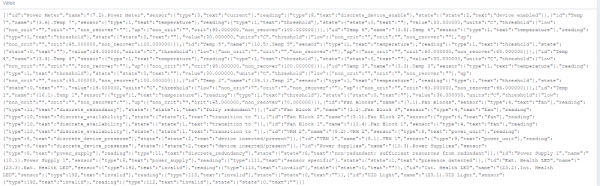
As a result of the operation of the data item Item Get IPMI sensors, information about the state of the equipment appears in the Zabbix system in a structured JSON format (Fig. 3).
Fig. 3. Example of the result from item Get IPMI sensors
In addition to the Item Get IPMI sensors data item, the template also includes two discovery rules: Discrete sensors discovery (Fig. 4) and Threshold sensors discovery (Fig. 5). These discovery rules utilize the JSON received from the Item Get IPMI sensors data item to automatically create new data items and triggers. This is clearly illustrated in the figures below in the Master item section.
Fig. 4. Discrete sensors discovery rule
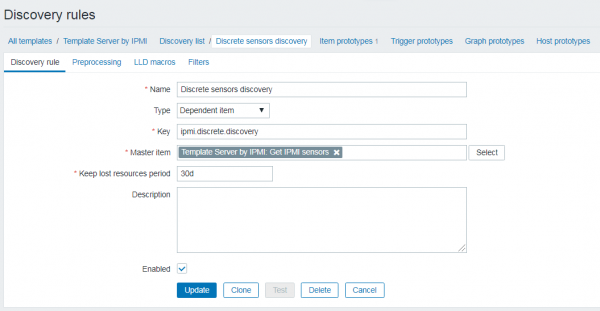
Fig. 5. Threshold sensors discovery rule
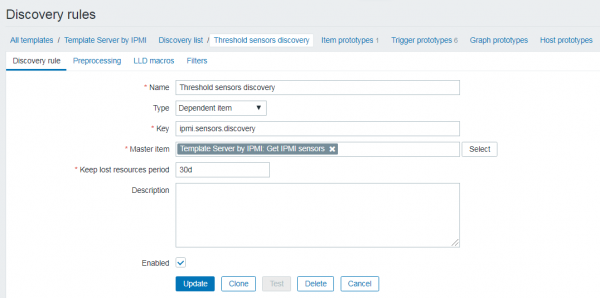
Why are there two discovery rules in the template instead of one?
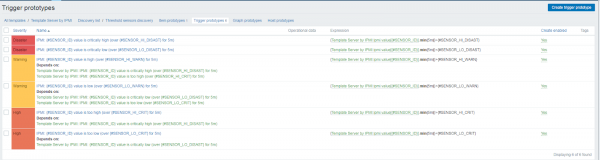
Discrete sensors discovery enables the automatic creation of data items that have a value type of 'string.' On the other hand, the Threshold sensors discovery rule allows for the automatic creation of data items that have a value type of 'number.' Furthermore, this rule can generate up to 6 triggers for each data item (Fig. 6).
The values for the trigger conditions are taken from the JSON, that is from the device itself. Triggers are created for 6 thresholds: lower warning, lower critical, lower non-critical, upper non-critical, upper critical, and upper warning. If the value for any threshold is missing in the JSON, the trigger is not created.
In the created trigger, the threshold can be overridden at the Zabbix level. However, in our opinion, the most logical way to change the trigger is to adjust it at the device level. How to do this is usually specified in the device's documentation.
Fig. 6. 6 prototypes of triggers for the Threshold sensors discovery rule
Let’s get started
To test the Template Server by IPMI, we selected servers from three manufacturers: IBM, HP, and Huawei. After a few minutes of connection, results were obtained, as shown in the table.
Table 1. Testing results for the Template Server by IPMI
Equipment Manufacturer
Equipment Model
Number of automatically created data items
Number of automatically created triggers
HP
ProLiant DL360 G5
20
24
Huawei
1288H V5
175
56
IBM
System X
139
27
All equipment was successfully monitored using the new template and the new key ipmi.key.
We were able to obtain the most data from Huawei equipment, and the least from HP. The reason for this lies in the differences in the hardware of the devices and is not related to the quality of the new template.
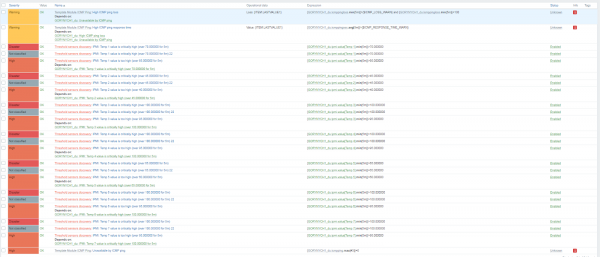
The screenshots below show the data elements and triggers automatically created by the template.
Fig. 7. Data elements automatically created by the template
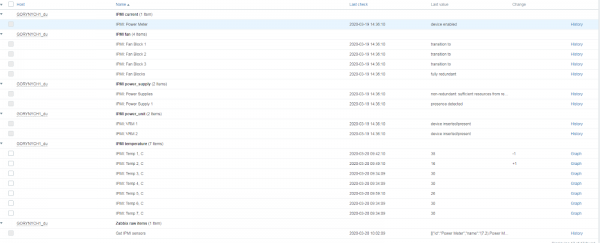
Fig. 8. Triggers automatically created by the template
* * *
The Template Server by IPMI has performed exceptionally well. It has proven to be easy to use and, most importantly, 'versatile.'
The Template Server by IPMI will be included in the list of basic templates for Zabbix 5.0. We wholeheartedly support this manufacturer's approach. Even if specialists need to create their own specialized templates, we recommend using the principles laid out by the manufacturer as observed in the Template Server by IPMI. Firstly, use automatic detection of data elements with master item. Secondly, apply automatic detection of triggers using master item wherever possible.
And we eagerly await the release of Zabbix 5.0 soon!
Author: Dmitry Untila, monitoring systems architect at 'Infosystems Jet'
Source: habr.com
