

We are incredibly proud to announce the release of Windows Terminal 1.0! Windows Terminal has come a long way since its . As always, you can download Windows Terminal from or from the releases page on . Windows Terminal will have monthly updates starting from July 2020.
Windows Terminal Preview
We are also launching the Windows Terminal Preview channel. If you consider yourself someone who loves to participate in the development of Windows Terminal and use the latest features as soon as they are available, this channel is for you! You can download Windows Terminal Preview from or from the releases page on . Windows Terminal Preview will receive monthly updates starting from June 2020.
Documentation site
After installing Windows Terminal, you will likely want to learn how to make the most out of your new tool. For this, we have launched a documentation site for Windows Terminal that contains detailed information about all settings and terminal features, as well as some tutorials to help you get started with configuring the Terminal. All documentation is available on our .
Coolest features
Windows Terminal includes many features that enhance your workflow and provide a wide range of customization options to ensure your most comfortable experience. Below, we will explore some of these features that users love the most.
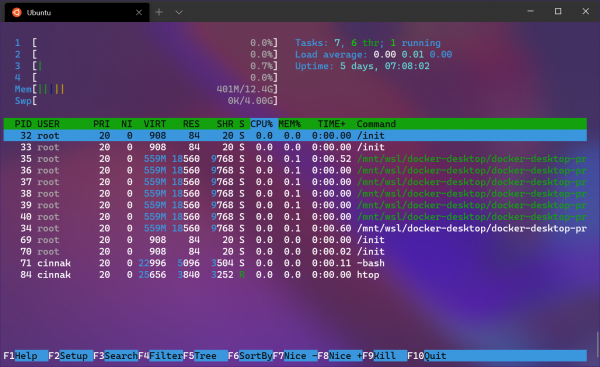
Tabs and panes
Windows Terminal allows you to run any command-line application within tabs and panes. You can create profiles for each of your command-line applications and open them side by side for the most convenient workflow. Each of your profiles can be individually customized to your liking. Additionally, the terminal will automatically generate profiles for you if you have Windows Subsystem for Linux distributions or additional versions of PowerShell installed on your computer.
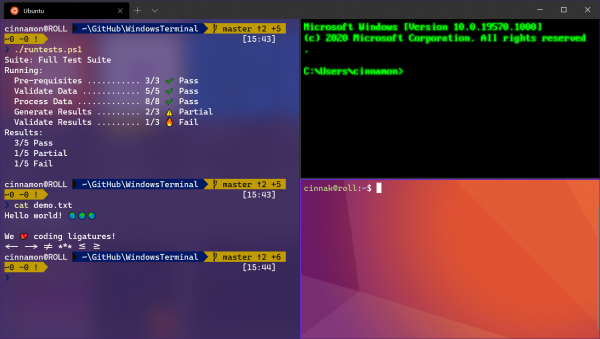
GPU accelerated text rendering
Windows Terminal uses the GPU for text rendering, providing improved performance when using the command line.
This renderer also supports Unicode and UTF-8 characters, allowing you to use the Terminal in various languages and display all your favorite emojis.
We have also included our latest Cascadia Code font in the Windows Terminal package. By default, the Cascadia Mono font is set, which is a variant that does not include programming ligatures. For additional variants of the Cascadia Code font, visit the Cascadia Code repository on .
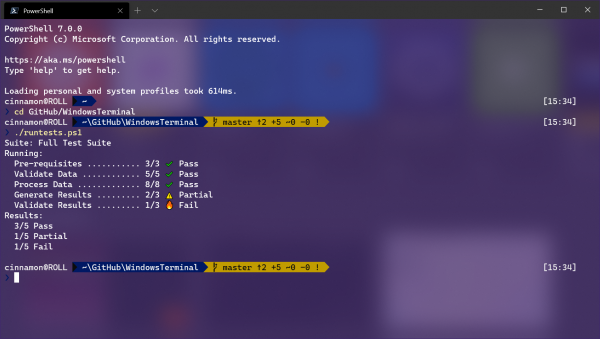
Customization Options
Windows Terminal has numerous settings that provide vast opportunities for customization. For example, you can use acrylic backgrounds and background images with unique color schemes. Additionally, for the most comfortable experience, you can add custom fonts and key bindings. Furthermore, each profile is customizable according to your desired workflow, whether it’s Windows, WSL, or even SSH!
A Bit About Community Contributions
Some of the coolest features in Windows Terminal were added by community members, including . The first feature we want to highlight is the support for background images. wrote this feature for Windows Terminal, supporting both static images and GIFs. It is definitely one of our most frequently used features.
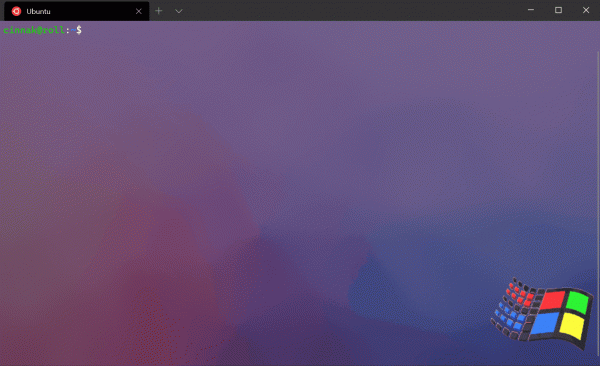
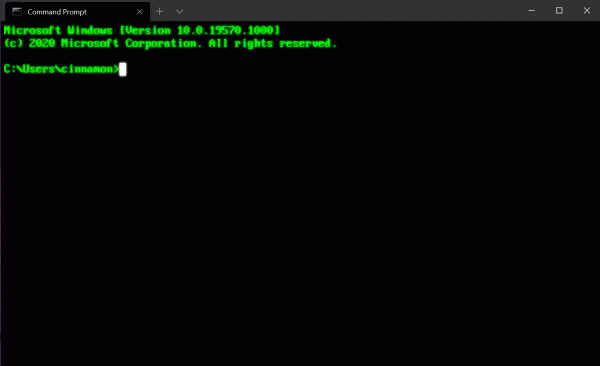
Another user favorite is the retro effects feature. added support for effects that create the feeling of working on a classic machine with a CRT monitor. No one on the team could have imagined this feature appearing on GitHub, but it was so good we just had to include it in the Terminal.
What happens next
We are actively working on new features that will be released in June. If you want to join the fun and help contribute to Windows Terminal, you can visit our repository at and check out the issues marked 'Help Wanted'! If you're curious about what we're actively working on, our milestones will give you a good idea of where we're heading, as we will soon publish our roadmap for Windows Terminal 2.0 on GitHub, so stay tuned.
In conclusion
We hope you enjoy , as well as our new and website with . If you would like to leave your feedback or have any questions, feel free to reach out to Kayla Cinnamon ( ) on Twitter. Additionally, if you would like to make a suggestion for improving the Terminal or report an error in it, please reach out to us at . Also, if you want to learn more about the developer tools presented at Build 2020, check out Kevin Gallo.
Source: habr.com
