

The subject of this article is connecting external devices to a Mac via SAS, Fibre Channel (FC), and eSATA interfaces. Let’s clarify right away that to access such devices, there's a straightforward option: assemble a cheap PC, install an HBA SAS or FC controller card (such as a basic LSI adapter), connect your devices to this controller, install any Linux on the PC, and work with the Mac over a network. But that’s basic and uninteresting. We will take a hardcore approach and connect our devices directly to the Mac. directly to the Mac.
What we will need for this:
– a decent amount of money to purchase new equipment, or luck at auctions on eBay (where, with a little effort, you can buy the required equipment from previous generations for about ten times cheaper than the price list);
– this article.
To work with magnetic tape (currently almost universally represented by the LTO format), you need a tape drive (also known as a streamer) or an LTO tape library. This is quite an expensive device to purchase new (starting from hundreds of thousands of roubles), but it's reasonably priced when buying used. Since LTO generations change approximately every two years and compatibility is limited to two generations, the secondary market is sufficiently saturated with working devices that are four years or older, meaning from the previous generation or earlier. If you are buying a new device for commercial purposes, you know why you need it. If you want to buy it for home and family, you might consider this option as a way to archive information (as the media themselves are very cheap per gigabyte).
Starting from the LTO-5 generation (and partially LTO-4), devices for working with magnetic tape are hardware connected to the computer via SAS or FC interface (usually, there are two versions of each device).
On the other hand, Apple kindly provides us with the USB-C interface in our Mac (operating over USB, Thunderbolt 3, or DisplayPort protocols), sometimes an Ethernet interface, as well as proprietary Thunderbolt 3 adapters – Thunderbolt 2 and Thunderbolt to FireWire 800.
Is it a no-win situation? Not quite. Fortunately, the Thunderbolt bus can operate in PCIe mode, allowing for the connection of PCIe cards in the same way as if they were installed directly inside the computer case. This makes any hardware configuration expansion of a Mac possible, provided the appropriate adapter and drivers are available.
The simplest conceptual solution is an external box for PCIe adapters with a Thunderbolt interface (PCIe card expansion system), into which a SAS or FC host bus adapter (HBA) can be installed. For example, such boxes are produced by and some others. Here’s the nuance: not every controller will do; only those that have drivers for macOS. There are not many such cards, and the cheapest and most popular ones (such as the LSI) are not included in this category. Fortunately, Sonnet has taken the effort to compile a for PCIe cards with various operating systems via the Thunderbolt interface.
Another solution is to purchase a ready-made Thunderbolt to SAS or Thunderbolt to FC interface converter, which essentially represents a pre-assembled unit of a box and controller. The most well-known company in this direction is , but products from other companies can also be found.
Note that not all SAS and FC controllers are certified to meet the LTO standard, as this incurs costs. Some manufacturers explicitly state that their controllers are not designed to work with tape drives.
For a complete picture, we should mention that mLogic produces a , which consists of an IBM LTO-8 drive in an external case, into which a SAS to Thunderbolt 3 converter is immediately integrated. However, this is an even more exotic item than everything described above, especially by the standards of our region. I doubt that this device can even be legally imported into Russia (LTO drives contain cryptographic components, and manufacturers like IBM and HP require permission from the FSB for the import of each model for this reason).
Next, we will examine a specific set of equipment as an example, of which the author became the owner through several successful purchases, but the general principle should remain applicable to all options.
So, we have the following equipment for working with tape:
– Apple Mac mini 2018 computer with macOS 10.15 Catalina, featuring USB-C ports with Thunderbolt 3 support;
– Apple Thunderbolt 3 / Thunderbolt 2 adapter;
– Apple Thunderbolt 2 cable;
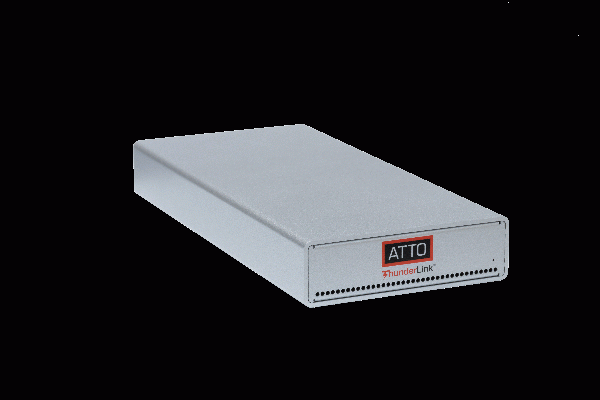
– ATTO ThunderLink SH 1068 interface converter (2*Thunderbolt / 2*SAS-2);
– SAS SFF-8088 to SFF-8088 cable;
– LTO-5 tape drive IBM TS2350;
– LTO-5 cartridges, cleaning cartridge.
Now, as they say, with all this gear, we will attempt to take off.
Download the latest version of the ThunderLink SH 1068 driver from the ATTO website (apparently, for our convenience, it is combined with the SH 2068 driver and found in the 2068 section, which is only mentioned inside the driver archive itself) and the ATTO configuration utility.
The driver, of course, requires installation. Before such actions, the author advises always to take a snapshot of the APFS file system of the boot disk with the command
tmutil localsnapshotor a backup of the boot disk if it is HFS+. Just in case. After that, it will be easy to revert from the snapshot.
Next, an inexperienced but duly cautious mind will undoubtedly lean towards carefully reading the ATTO driver installation instructions and following them. As a result – ta-dam! – we get an operating system hanging at the boot stage. Here we may need the snapshot from which we can recover by invoking Time Machine from the recovery partition, or from the same recovery partition we can manually delete the troublesome kext from the kernel extensions directory (the author generally does not recommend doing this).
Why does this happen? Because Apple has taken care of us. In the latest versions of macOS, you cannot just slip in third-party code into the boot process so easily. Kind Apple programmers have blocked such destructive behavior. More precisely, they have half-blocked it when the driver expectation is injected, but the driver itself is not, which is why everything just hangs.
What should a savvy mind do before installing the driver? First, give the command:
csrutil statusIf we receive in response:
System Integrity Protection status: enabled.
it means that kind Apple programmers care about us, so nothing will work until we disable their wonderful protection. To do this, we reboot into Recovery mode (⌘R), invoke the terminal, and give the command:
csrutil disableAfter this, we reboot into the working system and then install the driver, as well as the ATTO configuration utility (in principle, the configuration utility is only needed for diagnostics and is not required during normal operation). During the process, when prompted, we confirm the authorization of the ATTO company in the system settings. After installation, we can reboot into the recovery partition and issue a command.
csrutil enableApple is looking out for us again.
Now we have a supported driver interface to external SAS devices (or FC, if a FC converter were used). But how do we work with tape at the logical level?
As any uninitiated yet erudite mind knows, any Unix-compatible system supports tape drives at the kernel level and core system utilities, the most important of which are mt (tape management) and tar (archiver with tape archive support). However, what would an experienced mind clarify about this? Any Unix-compatible system, except for macOS. Apple has taken care of us by removing support for tape devices from their code.
But isn't it possible to restore this code by porting standard open-source Unix utilities to macOS? The good news is that Tolis has already done this (I will not provide a link) in their product Tolis Tape Tools. The bad news is that the company values the use of their results at $399. Opinions on this fact may vary, but personally, the author is not inclined to pay someone $400 for code largely written by completely different people and available as open source since the 1970s, and thus has closed this issue for himself. (By the way, there is a neglected free project on GitHub, on the same topic).
Fortunately, there exists a corporation called IBM, whose commercial appetites are of a completely different scale, and therefore do not manifest themselves in any petty details. In particular, they have developed the LTFS tape file system with open source, distributed also for macOS.
There is a nuance here: different tape device manufacturers release their own versions of LTFS that are compatible with their devices. Since the author uses an IBM tape drive, he installed the IBM version of LTFS. Other manufacturers' drives may require their own LTFS ports. There is also a universal implementation called openLTFS available on GitHub and Homebrew.
It's important for us that LTFS utilizes the media partitioning feature, which allows it to work with devices and cartridges starting from LTO-5 generation.
So, in our case, we download the IBM Spectrum Archive Single Drive Edition for macOS from the IBM website, which includes the LTFS implementation. We install the product using its own installer without any hiccups. Along the way, it also installs the FUSE package, and in the system settings, you'll need to authorize a smart programmer named Anatol Pomozov, whose work is crucial for IBM in this instance. Respect and kudos to this person.
It makes sense to immediately add the following line to the file /Library/Frameworks/LTFS.framework/Versions/Current/etc/ltfs.conf.local:
option single-drive sync_type=time@1
which sets the tape mount default to flush the write buffer after 1 minute of inactivity (the default is 5 minutes).
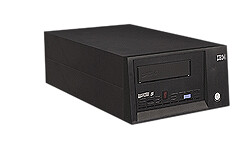
Finally, everything is ready for connection. We connect the chain: Mac – T3/T2 adapter – Thunderbolt cable – ATTO converter – SAS cable – tape drive (it doesn't matter which ports you use on the Mac, converter, or drive). We power on the converter. We power on the tape drive. We wait for the drive's initialization to finish as indicated.
We issue the command:
ltfs -o device_listHooray! We receive (in a typical IBM diagnostic manner):
307 LTFS14000I LTFS starting, LTFS version 2.4.2.0 (10418), log level 2.
307 LTFS14058I LTFS Format Specification version 2.4.0.
307 LTFS14104I Launched by «ltfs -o device_list».
307 LTFS14105I This binary is built for Mac OS X.
307 LTFS14106I GCC version is 4.2.1 Compatible Apple Clang 4.1 ((tags/Apple/clang-421.11.66)).
307 LTFS17087I Kernel version: Darwin Kernel Version 19.4.0: Wed Mar 4 22:28:40 PST 2020; root:xnu-6153.101.6~15/RELEASE_X86_64.
307 LTFS17085I Plugin: Loading «iokit» tape backend.
Tape Device list:.
Device Name = 0, Vendor ID = IBM, Product ID = ULT3580-TD5, Serial Number = **********, Product Name =[ULT3580-TD5].
We insert the cartridge, wait for it to load, and format it:
mkltfs -d 0 -nTest -r "size=10M/name=.DS_Store"Here the -d parameter specifies the drive number (always zero if it is the only one, but it cannot be omitted in this command), -n is the tape name (it can be omitted), and the -r parameter requires placing .DS_Store files not exceeding 10 megabytes in size in the index (i.e., intended for directories) section of the tape instead of the data section.
A mysterious life began in the tape drive. We wait a couple of minutes, and receive in response:
LTFS15000I Starting mkltfs, LTFS version 2.4.2.0 (10418), log level 2.
LTFS15041I Launched by «mkltfs -d 0 -nTest -r size=10M/name=.DS_Store».
LTFS15042I This binary is built for Mac OS X.
LTFS15043I GCC version is 4.2.1 Compatible Apple Clang 4.1 ((tags/Apple/clang-421.11.66)).
LTFS17087I Kernel version: Darwin Kernel Version 19.4.0: Wed Mar 4 22:28:40 PST 2020; root:xnu-6153.101.6~15/RELEASE_X86_64.
LTFS15003I Formatting device ‘0’.
LTFS15004I LTFS volume blocksize: 524288.
LTFS15005I Index partition placement policy: size=10M/name=.DS_Store.LTFS11337I Update index-dirty flag (1) — NO_BARCODE (0x0x1021081e0).
LTFS17085I Plugin: Loading «iokit» tape backend.
LTFS30810I Opening a device through iokit driver (0).
LTFS30814I Vendor ID is IBM.
LTFS30815I Product ID is ‘ULT3580-TD5 ‘.
LTFS30816I Firmware revision is H976.
LTFS30817I Drive serial is **********.
LTFS17160I Maximum device block size is 1048576.
LTFS11330I Loading cartridge.
LTFS30854I Logical block protection is disabled.
LTFS11332I Load successful.
LTFS17157I Changing the drive setting to write-anywhere mode.
LTFS15049I Checking the medium (mount).
LTFS30854I Logical block protection is disabled.
LTFS15010I Creating data partition b on SCSI partition 1.
LTFS15011I Creating index partition a on SCSI partition 0.
LTFS17165I Resetting the medium’s capacity proportion.
LTFS11097I Partitioning the medium.
LTFS11100I Writing label to partition b.
LTFS11278I Writing index to partition b.
LTFS30808I READ_ATTR (0x8c) returns -20501.
LTFS30865I READ_ATTR returns Invalid Field in CDB (-20501) 0.
LTFS30836I Cannot read attribute (-20501).
LTFS11336I The attribute does not exist. Ignore the expected error.
LTFS17235I Writing index of NO_BARCODE to b (Reason: Format, 0 files) **********.
LTFS17236I Wrote index of NO_BARCODE (b, **********).
LTFS11337I Update index-dirty flag (0) — NO_BARCODE (0x0x1021081e0).
LTFS11100I Writing label to partition a.
LTFS11278I Writing index to partition a.
LTFS30808I READ_ATTR (0x8c) returns -20501.
LTFS30865I READ_ATTR returns Invalid Field in CDB (-20501) 0.
LTFS30836I Cannot read attribute (-20501).
LTFS11336I The attribute does not exist. Ignore the expected error.
LTFS17235I Writing index of NO_BARCODE to a (Reason: Format, 0 files) 9068025555.
LTFS17236I Wrote index of NO_BARCODE (a, **********).
LTFS15013I Volume UUID is: 3802a70d-bd9f-47a6-a999-eb74ffa67fc1.LTFS15019I Volume capacity is 1425 GB.
LTFS30854I Logical block protection is disabled.
LTFS15024I Medium formatted successfully.
Mounting the formatted tape:
sudo mkdir /Volumes/LTFS
sudo chmod 777 /Volumes/LTFS/
sudo ltfs /Volumes/LTFS
We get a couple more minutes of operation from the drive, diagnostics:
307 LTFS14000I LTFS starting, LTFS version 2.4.2.0 (10418), log level 2.
307 LTFS14058I LTFS Format Specification version 2.4.0.
307 LTFS14104I Launched by «ltfs /Volumes/LTFS/.».
307 LTFS14105I This binary is built for Mac OS X.
307 LTFS14106I GCC version is 4.2.1 Compatible Apple Clang 4.1 ((tags/Apple/clang-421.11.66)).
307 LTFS17087I Kernel version: Darwin Kernel Version 19.4.0: Wed Mar 4 22:28:40 PST 2020; root:xnu-6153.101.6~15/RELEASE_X86_64.
307 LTFS14063I Sync type is «time», Sync time is 60 sec.
307 LTFS17085I Plugin: Loading «iokit» tape backend.
307 LTFS17085I Plugin: Loading «unified» iosched backend.
307 LTFS14095I Set the tape device write-anywhere mode to avoid cartridge ejection.
307 LTFS30810I Opening a device through iokit driver (0).
307 LTFS30814I Vendor ID is IBM.
307 LTFS30815I Product ID is ‘ULT3580-TD5 ‘.
307 LTFS30816I Firmware revision is H976.
307 LTFS30817I Drive serial is **********.
307 LTFS17160I Maximum device block size is 1048576.
307 LTFS11330I Loading cartridge.
307 LTFS30854I Logical block protection is disabled.
307 LTFS11332I Load successful.
307 LTFS17157I Changing the drive setting to write-anywhere mode.
307 LTFS11005I Mounting the volume.
307 LTFS30854I Logical block protection is disabled.
307 LTFS17227I Tape attribute: Vendor = IBM.
307 LTFS17227I Tape attribute: Application Name = LTFS.
307 LTFS17227I Tape attribute: Application Version = 2.4.2.0.
307 LTFS17227I Tape attribute: Medium Label =.
307 LTFS17228I Tape attribute: Text Localization ID = 0x81.
307 LTFS17227I Tape attribute: Barcode =.
307 LTFS17227I Tape attribute: Application Format Version = 2.4.0.
307 LTFS17228I Tape attribute: Volume Lock Status = 0x00.
307 LTFS17227I Tape attribute: Media Pool name =.
307 LTFS14111I Initial setup completed successfully.
307 LTFS14112I Invoke ‘mount’ command to check the result of final setup.
307 LTFS14113I Specified mount point is listed if succeeded.
And here it is, our tape on the desktop, named Test(ltfs)! The unnamed tape will be named OSXFUSE Volume 0 (ltfs).
Now you can start working with it.
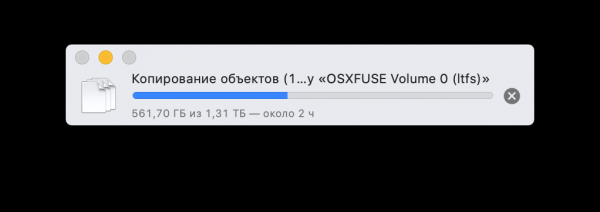
Generally, it should be kept in mind that it is advisable not to overuse browsing the contents of tape directories in Finder windows, as this is an incredibly resource-intensive operation for LTFS. It’s better to use terminal commands or simply back up the directory as a whole to tape, as shown in the window above.
By the way, there is a special IBM utility called ltfs_copy and its clones, designed for more efficient copying between tape and disk, but the author has not yet been able to find them publicly available in a superficial search.
You can unmount the tape using the command:
umount /Volumes/LTFSor simply throw it in the trash.
Actually, there are some graphical interfaces for macOS that simplify these actions, but after such complexities, why fear typing a few lines in the terminal?
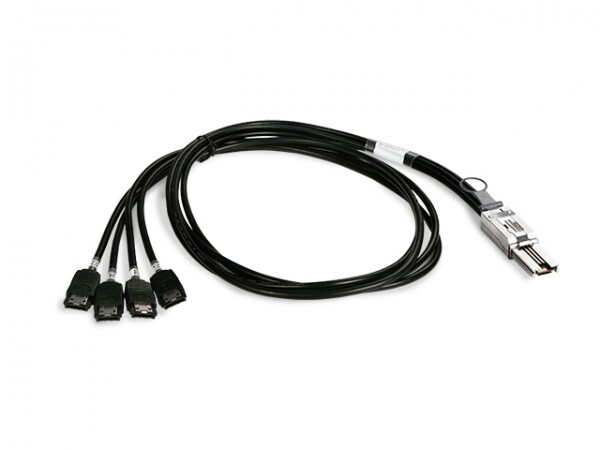
As a side effect, we can connect external eSATA disks via the SAS/4*eSATA cable.
Source: habr.com
