

With each update, Google strives to enhance the performance of Progressive Web Apps in its Chrome browser. Last month, the company replaced some Android apps for Chrome OS users with PWA versions. Now, Google has released a new build of the Chrome Canary browser that allows PWA to launch at Windows startup.

This feature was initially discovered by the internet resource Techdows and is currently hidden. To access it, users of the current version of Chrome Canary need to follow these steps:
- Type 'chrome://flags' in the browser's address bar.
- Enter 'Desktop PWAs run on OS login' in the search bar.
- From the dropdown menu, select the 'Enabled' option.
- Restart the browser.

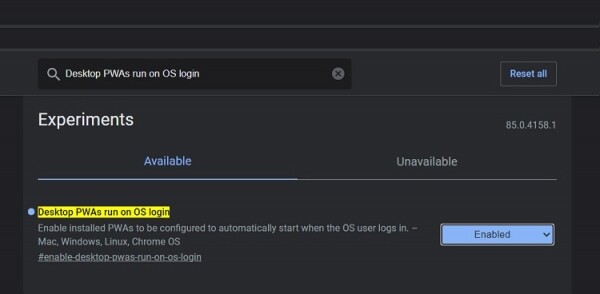
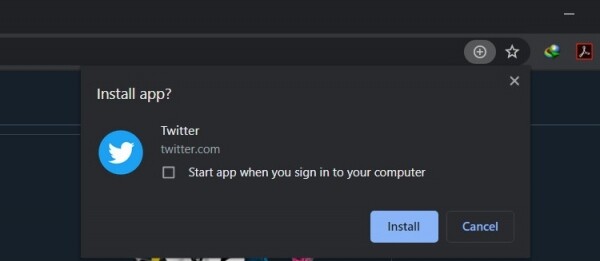
After enabling the new feature, when attempting to install a PWA app, the browser will suggest the option 'Run the app at system login'. If you check this option, the app will automatically launch at the next system login.
Unfortunately, using Chrome’s built-in features, it is currently not possible to remove the app from startup. The browser only allows you to delete the app and reinstall it without activating the new feature. However, you can use Windows Explorer and simply delete the PWA shortcut from the 'Startup' folder.
Source: 3dnews.ru
