

We're all used to NFC as a standard feature in smartphones. It seems clear enough.
Many people avoid smartphones without NFC, thinking it's only for purchases. But there are many questions.
Did you know what else this technology can do? What to do if your smartphone doesn't have NFC? How to use the chip in an iPhone not just for Apple Pay? Why doesn't it work, especially with Mir cards?
You can also charge devices through it...
Today we'll explain how it works and delve into all the details. And most importantly — why it's the most underrated technology in your smartphone!
How does NFC work?
You probably know that NFC stands for Near Field Communication.
But it's not just ordinary data transmission via radio wave. Unlike Wi-Fi and Bluetooth, NFC is more sophisticated. At its core lies electromagnetic induction. It's a really cool concept from school that I'd like to remind you about.

The idea is that you take one conductor that has no electricity. And place a second conductor, which has electricity, next to it. And guess what? In the first conductor, where there was no electricity, a current starts to flow!
Cool, right?
When we first heard about it, we thought it was impossible! Seriously? You're kidding! Let's go play Counter Strike, guys.
So, when you bring your smartphone close to an NFC tag without power, the tiny electromagnetic field from the smartphone is enough to get the electrons inside the tag moving, activating the chips inside it.
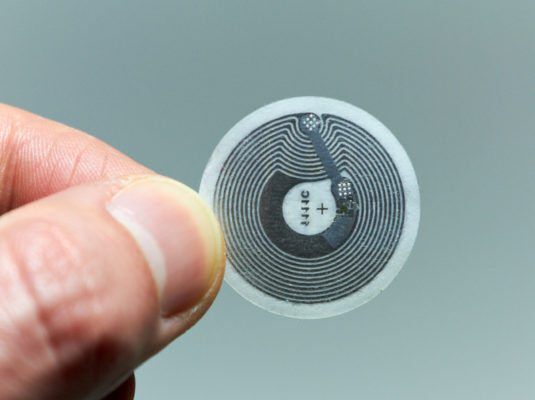
Oh, right. Each tag has a tiny chip. For example, in bank cards, the microchip even runs a simple version of Java. How about that?
You might have also heard the acronym RFID. It was developed about 30 years earlier. It stands for Radio Frequency Identification and is basically suitable only for identification. Many office buildings still have passes that use RFID.
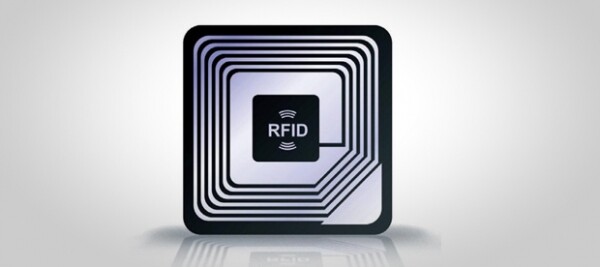
So, NFC is an advanced branch of the RFID standard and reads some of those tags. But the main difference is that NFC can also transmit data, including encrypted data.
NFC operates at a frequency of 13.56 MHz, allowing decent speeds ranging from 106 to 424 Kbps. So, an mp3 file can be downloaded in a couple of minutes, but only from a distance of up to 10 cm.
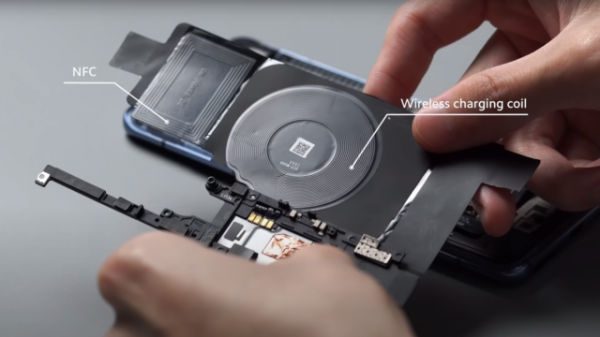
Physically, NFC is a small coil. For example, in the Pixel 4, it is attached to the back cover and looks like this.
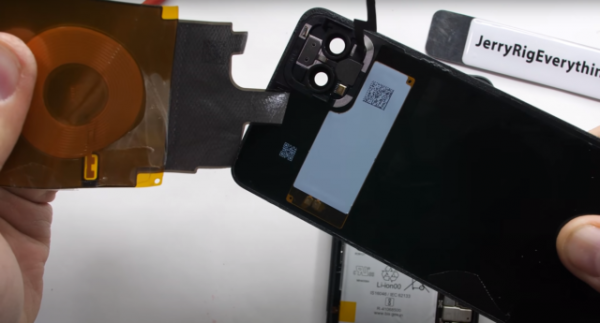
And here is how it looks in the Xiaomi Mi 10 Pro:
Now it's time to talk about what NFC can do.
The operation of this technology and related ones, such as RFID, is described in the standard ISO 14443. There’s a lot more bundled in there: for example, the Italian Mifare protocol and VME — these are used in bank cards.
NFC is kind of like USB Type-C in the world of wireless technologies, if you know what I mean.
But the key point is this. NFC can operate in three modes:
- Active. When a device reads or writes data from a tag or card. By the way, yes, data can also be written to NFC tags.
- Peer-to-peer. This is when you connect wireless headphones to your smartphone or use Android Beam — remember that? The connection occurred via NFC, while the actual file transfer happened over Bluetooth.
- Passive. When our device pretends to be something passive: a payment card or a transit pass.
Why use NFC if there's Bluetooth and Wi-Fi, which have higher speed and range?
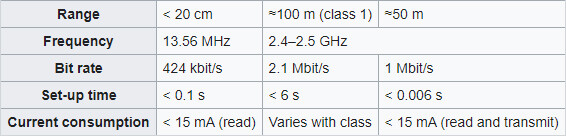
The benefits of NFC are:
- Instant connection — one-tenth of a second.
- Low power consumption — 15 mA. Bluetooth uses up to 40 mA.
- Tags do not require their own power supply.
- And not so obvious — the short range, which is necessary for security and payments.
There is also Bluetooth Low Energy, but that's a separate story.
Why? What does this give us?

Apart from the already obvious scenarios: access passes, payments, and transit passes — there are applications that can load money onto the ‘Troika’ card and other transport cards.
There is an app — Bank Card Reader. It can show recent transactions on the card. I'm not sure how ethical that is, but the app is available in the Play Market.
By the way, many wonder why Google and Apple Pay don’t work with Mir cards? It's not due to technical issues. The payment system just hasn't reached an agreement with the services. Payments can be made through its own app on Android — Mir Pay. Though it's a bit buggy, and it's not available on iPhone!
By the way, here’s a hack. If your Android doesn't have NFC, but you really want to pay, what can you do? You can place the card under the case. Just a heads up. However, thick cases may block the waves from the built-in NFC, so make sure to check.
We've already talked about devices, but there's a second important part — NFC tags. They come in two types.
- Those that can store information. They look like small stickers. Typically, the available memory capacity is around 700 bytes. Such tags were produced by Sony.
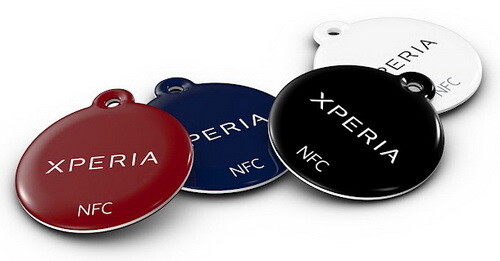
You can store a lot of things on them, for example:
- Guest Wi-Fi access
- Store contact details and use it as a business card
- Set your smartphone to go to sleep at night on the bedside table
- You can also save some data on it, like a password or a Bitcoin token. It's better to do this in an encrypted form.
Any phone with NFC can read such a tag.
What if you don't have NFC tags? You can order them, they are very cheap.
But you can take a regular bank card or a transport card, like the "Troika." These are write-protected tags. A typical example is your bank card. You can't write anything on them.
But you can program your smartphone to perform any actions when such a thing is tapped against it.
If you have Android, you can install an app like or . You can assign similar actions to NFC tags in them. Turn Wi-Fi or calls on/off, launch applications, enable night mode. For instance, you could make it so that when you place your phone on the "Troika" card, it automatically opens the . I recommend it!
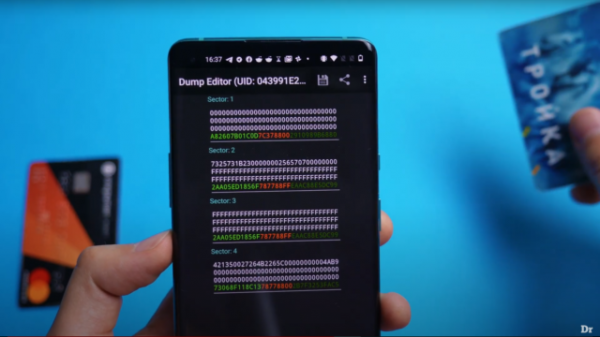
By the way, this is what the contents of the "Troika" look like.
You can also read about a guy who implanted an NFC tag in his hand on .
What else can NFC be used for?
One of the promising uses is electronic tickets. For movies or concerts. Currently, it's done via QR codes, which isn't as cool, in my opinion. Although millions of Chinese wouldn't agree with me.
About Apple
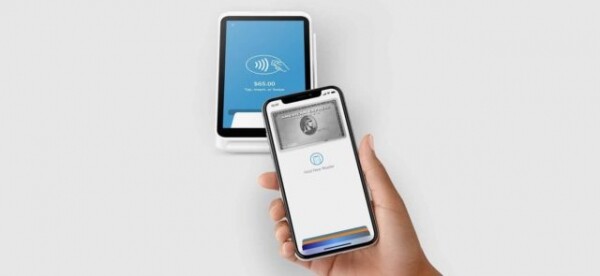
What if you have an iPhone? People think that NFC access is restricted on iPhones, but that's not true. Since iOS 11, starting in 2017, Apple opened access for developers. And there are already many apps just like those on Android. For example, NFC Tools.
However, there are still limitations: transport and bank cards, for example, cannot be scanned. Special tags are required, which we've already discussed.
What to do? In iOS 13, the Shortcuts feature (Siri) was introduced. Now it has access to any NFC tags. So you can set it up to start music with the Troika card, or turn on a smart light bulb, or a bunch of other things. Shortcuts are actually a fantastic feature. I don't understand why Android still doesn't have this.
Charging
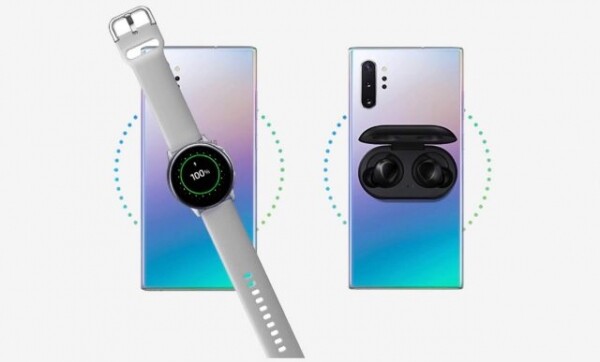
If by this point you've decided that you know everything about NFC and are tired of these dull applications, here's something exciting for you.
There's an organization called the NFC Forum that certifies NFC. Every technology has such an organization, and it's good if there's only one.
Recently, they released another update to the standard. And you know what? NFC now supports wireless charging. Yes, in fact, this is the fourth operational mode.
How, you ask? Electromagnetic induction, remember? Using that.
By the way, Qi charging works on exactly the same principle. Only the coil is larger there.
But there is one problem. The coil in NFC is small, which means the charging power is low—just 1 Watt.
Can you charge a smartphone at that speed? You shouldn't even try. However, this feature wasn't designed for that.
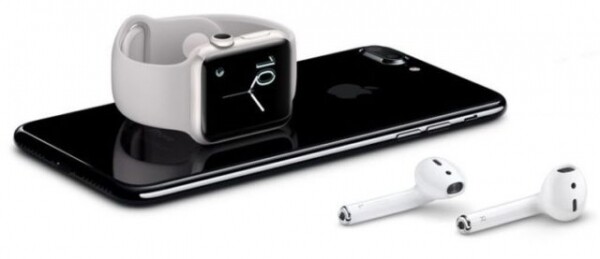
The main purpose is quite the opposite—charging other devices with a smartphone. This is similar to the reverse charging found in Galaxy and other smartphones. For example, you can charge the wireless headphones themselves rather than their case. Essentially, this is a very cheap wireless charger, available in any smartphone, that can easily be integrated into any smart device.
By the way, 1 Watt isn't exactly too little. For comparison, all iPhones except the 11 Pro come with a 5-watt charger. Meanwhile, the power of reverse wireless charging in modern flagships ranges around 5 or 7 Watts.
But there's one catch—this feature will not work on current models. Smartphones with this feature are likely to start appearing in a year and a half. So expect advertisements for this feature from Samsung.
Bonus for those who read to the end
We know you like our detailed breakdowns, but we're confident that you have ideas for similar videos, or perhaps even a ready-made script. So if you have an idea, are knowledgeable about the topic, and are ready to collaborate with us on a breakdown material—write to our new email idea@droider.ru. We will definitely create an awesome video!
Source: habr.com
