

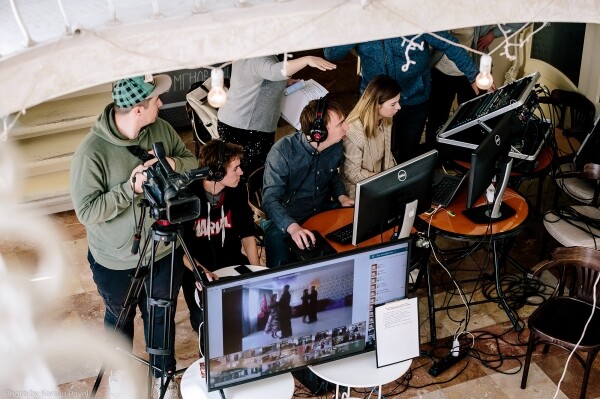
The Grand Sevastopol Officer's Ball traditionally takes place in June, but this time the preparations did not go smoothly. The organizers decided to launch the 'Sevastopol Ball Online.' Since we have been broadcasting the event for several years now, there was no turning back. Viewers on Facebook, VKontakte, and YouTube watched as 35 couples danced in their homes.
In general, after some time working with online broadcasts, we've noticed a trend where nearly every project requires (or we demand ourselves) some sort of innovation. Sometimes we use SDI for the first time, sometimes a video sender, or transmit signals using several 4G modems from the sea, a new switchboard, a signal matrix, retrieving video from a drone, restreaming to 25 VK groups, and so on. Each new project makes us dive deeper into the world of streaming. We're discussing this on the VidMK YouTube channel and decided to write about it on Habr.
So, the task is...
The dance ball is being held online due to the epidemic. There is a leading couple, and the other participants dance by mimicking them, meaning they must see and hear the main couple along with the music.
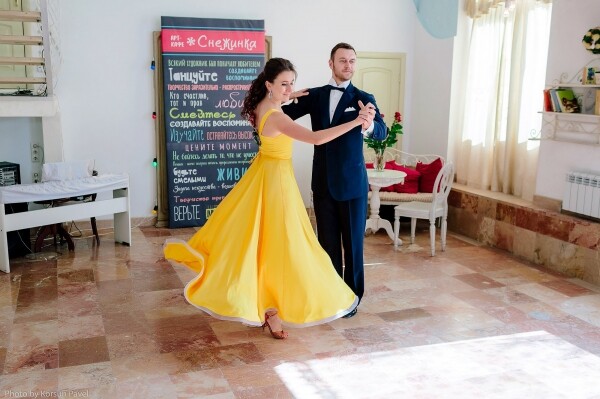
At the beginning, the Governor of Sevastopol connects to open the ball. The pre-scripted broadcast goes live on YouTube, Facebook, and VK.
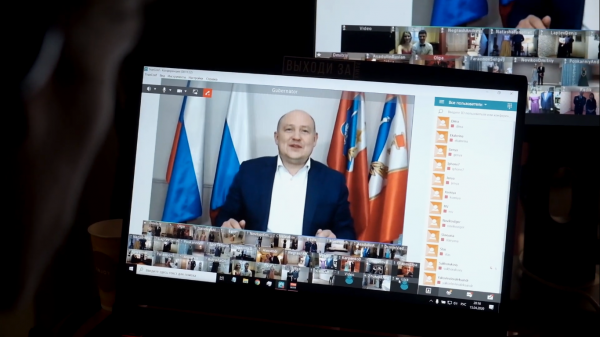
The most obvious solution was to have everyone connect via video chat. Zoom immediately came to mind, but I usually try not to grab the first popular option and look for alternatives. Perhaps they have great marketing, and even if the tool is good, there's likely something better. In the AVstream chat, TrueConf was mentioned several times, so I decided to give it a try.
It's important to note that we are in Crimea, and many popular services don't operate here. We have to search, and often the alternatives turn out to be better. For instance, instead of the blocked Trello, we started using the powerful Planfix.
TrueConf immediately appealed to us with its ability to host our own server. In theory, this would mean that we are not dependent on the overall increased load on data centers during the self-isolation period; we sit quietly in Sevastopol, mainly connecting local users and a few from other cities, and everything works reliably. Moreover, using our own server was more cost-effective. In the case of our clients, it was even provided for free, as the organizers of the ball are an NGO.
In general, we tested the product and realized that it suits us. Although we didn't stress test it with the full load of 35 people, we were a bit apprehensive about how the old computer would perform as a server. The system requirements are quite high for such a load, so we brought in a computer based on AMD Ryzen 7 2700, which made us feel more at ease.
The server was physically located where the ball broadcast was taking place. The main application for video communication was connected on the same network as proxy server. This added confidence that the image would server definitely reach the others online after that. By the way, a good internet connection is required. For our 35 participants, the upload speed reached 120 Mbps, meaning regular 100 Mbps internet would not be sufficient. Overall, the server is working, and we are off to handle the broadcast…
The signal from the camera
Any video chat allows you to select a webcam as the image source and a microphone for sound. What do we do if we need to connect a professional video camera and sound from two microphones along with a soundtrack? In short, we used NDI.
We needed to direct the entire broadcast and stream it to social media. For this purpose, we had a main computer acting as a mini OB van (mobile television studio). All work was carried out using the vMix software. It's quite powerful software for organizing broadcasts of various types and levels of complexity.
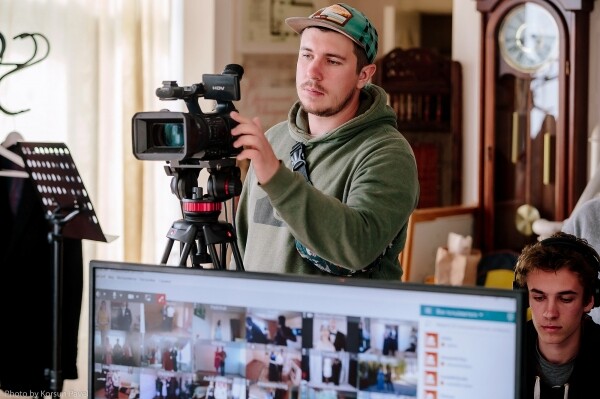
Our dance couple was filmed by one camera; we didn't need more than that. We captured the camera signal using the internal BlackMagic Intensity Pro card. In my opinion, this is a relevant card for capturing a single HDMI signal. This signal needed to be sent as a webcam input to TrueConf. We could have converted the stream into a webcam directly using vMix, but we didn't want to overload everything on one computer. Therefore, we used a separate laptop for the TrueConf call.
How to get a signal from the camera to the laptop? You can create a virtual video signal on one computer and capture it on any other computer in the local network as many times as you want. This is what NDI (Network Device Interface) is for. In essence, it’s a kind of virtual cable that doesn't require complex administration. The bandwidth of a single stream for 1080p25 is nearly 100 Mbps, so a 1 Gbps network or Wi-Fi with more than 150 Mbps is essential for stable operation. However, using a cable is better. There can be multiple NDI signals in one local network, as long as there is enough channel bandwidth.
So, on the main computer in vMix, we see the signal from the camera, sending it into the network as an NDI signal. On the meeting laptop, we catch this signal using the NDI Virtual Input program from the NDI Tools package (which is free). This mini-program creates a virtual webcam that you connect to the desired NDI signal. Essentially, that's it; our HDMI camera via NDI appeared in TrueConf.
What about sound?
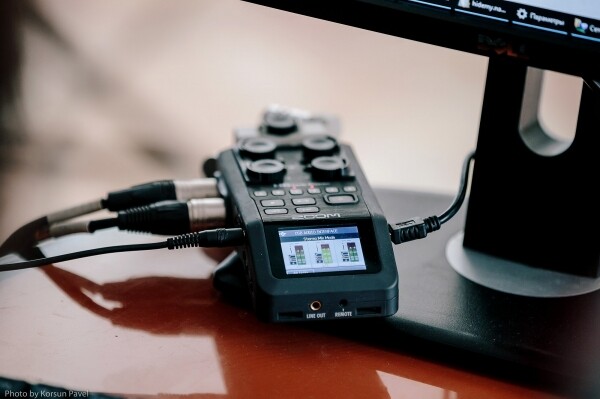
We gather the sound from two radio microphones and the soundtrack using a good audio mixer, and we feed it into vMix using an external audio interface. It is this audio mix that we send to the broadcast and into our NDI stream for TrueConf. There, instead of the laptop microphone, we select NewTek NDI Audio. Now all our dancers can see and hear our beautiful picture and quality sound during the meeting.
Broadcast picture
In TrueConf, we chose the standard meeting mode where everyone sees everyone. There was also an option where we could see everyone, but everyone only sees the hosts. This is more effective, but it wouldn't create a sense of mass participation.
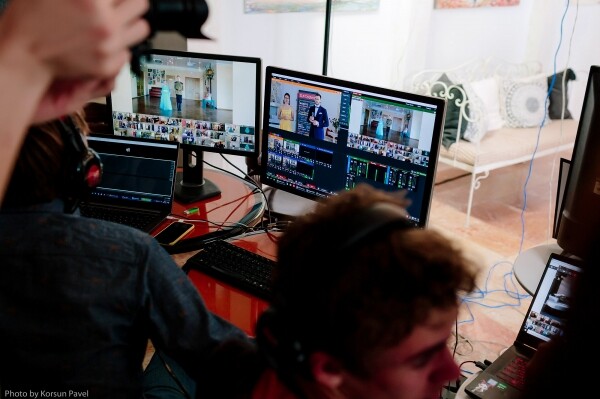
In the 'everyone sees everyone' meeting format, any window can be enlarged. This way, participants could see the main couple, and we created another user account from which we broadcasted the image and switched between pairs. We clicked on the desired couple and enlarged their screen, with the other couples appearing small at the bottom. Sometimes we displayed all the small screens to show how many people were dancing synchronously.
Now about synchronization
You are probably wondering about the delay. Yes, there was a delay of about 1-2 seconds in both directions. Here we have music playing, but the sound reaches the participants later; they dance to this rhythm, and their image comes back to us even later. We decided to overlook this for the sake of the format, and it still looked large-scale and interesting.
To solve the synchronization issue for viewers, we can introduce an artificial audio delay in our stream for social media. This way, the audience would see the participants dancing perfectly in time with the music. However, there's no guarantee that the video signal comes with the same delay for everyone. This adds another layer of complexity to the streaming setup, but we will definitely implement it next time.
By the way, the NDI Tools package includes another mini-program — Scan Converter. It creates an NDI signal by capturing your screen or webcam. This makes it easy to set up a broadcast, for example, for cyber competitions within a local network, just by using that network and webcams. No additional devices are necessary.
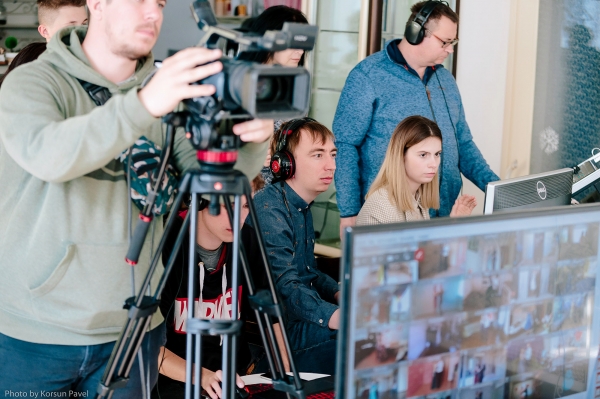
For us, this was yet another project where we needed to test new solutions that we hadn't encountered in live streams before. I will gladly respond to all your comments, and I will carefully and eagerly consider your suggestions and recommendations if you know ways to improve. The world of streaming is endless; many technologies are emerging right before our eyes, and learning together accelerates the process. Below, you can watch an overview video from the event.
Source: habr.com
