

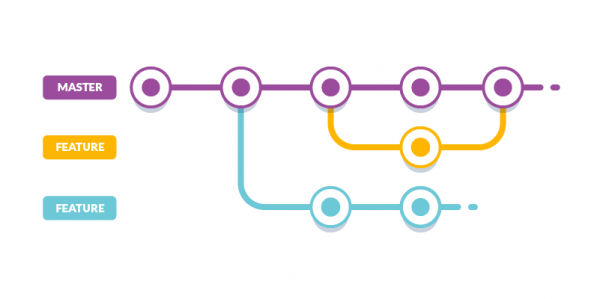
Hello! Feature branch (aka deploy preview, review app) — this refers to deploying not only the master branch but also each pull request to a unique URL. You can verify if the code works in a production environment, and features can be showcased to other developers or product managers. While working in a pull request, each new commit removes the current deployment for the old code, and a new deployment for the new code is rolled out. Questions may arise when you merge the pull request into the master branch. You no longer need the feature branch, but the Kubernetes resources are still in the cluster.
More about feature branches
One approach to create feature branches in Kubernetes is to use namespaces. In brief, the production configuration looks like this:
kind: Namespace
apiVersion: v1
metadata:
  name: habr-back-end
...

kind: Deployment
apiVersion: apps/v1
metadata:
  namespace: habr-back-end
spec:
  replicas: 3
...
For each feature branch, a namespace is created with its identifier (for example, the pull request number) and some prefix/suffix (for example, -pr-):
kind: Namespace
apiVersion: v1
metadata:
  name: habr-back-end-pr-17
...

kind: Deployment
apiVersion: apps/v1
metadata:
  namespace: habr-back-end-pr-17
spec:
  replicas: 1
...
Overall, I wrote Kubernetes Operator (an application that has access to cluster resources), . It deletes namespaces associated with old feature branches. In Kubernetes, if a namespace is deleted, other resources in that namespace are also automatically removed.
$ kubectl get pods --all-namespaces | grep -e "-pr-"
NAMESPACE            ... AGE
habr-back-end-pr-264 ... 4d8h
habr-back-end-pr-265 ... 5d7h
You can read about how to integrate feature branches into the cluster and .
Motivation
Let's look at a typical lifecycle of a pull request with continuous integration () so that when developers make changes to the code, they can be sure that nothing is broken.):
- We push a new commit to the branch.
- During the build, linters and/or tests are run.
- On the fly, Kubernetes configurations for the pull request are generated (for example, its number is inserted into a ready template).
- Using kubectl apply, the configurations are applied to the cluster (deploy).
- The pull request is merged into the master branch.
While you are working in the pull request, each new commit removes the current deployment for the old code, and a new deployment for the new code is rolled out. However, when the pull request is merged into the master branch, only the master branch will be built. As a result, we might forget about the pull request, while its Kubernetes resources are still present in the cluster.
How to use
Install the project with the command below:
$ kubectl apply -f https://raw.githubusercontent.com/dmytrostriletskyi/stale-feature-branch-operator/master/configs/production.ymlCreate a file with the following content and install via kubectl apply -f:
apiVersion: feature-branch.dmytrostriletskyi.com/v1
kind: StaleFeatureBranch
metadata:
  name: stale-feature-branch
spec:
  namespaceSubstring: -pr-
  afterDaysWithoutDeploy: 3
Parameter namespaceSubstring needed to filter namespaces for pull requests from other namespaces. For example, if there are the following namespaces in the cluster: habr-back-end, habr-front-end, habr-back-end-pr-17, habr-back-end-pr-33, then the candidates for deletion will be habr-back-end-pr-17, habr-back-end-pr-33.
Parameter afterDaysWithoutDeploy needed to remove old namespaces. For example, if a namespace was created 3 days 1 hour ago, and the parameter specifies 3 days, this namespace will be deleted. This works in reverse as well; if a namespace was created 2 days 23 hours ago, and the parameter specifies 3 days, this namespace will not be deleted.
There is another parameter that controls how often to scan all namespaces and check for days without deployment — checkEveryMinutes. By default, it is set to 30 minutes.
How it works
In practice, you will need:
- to work in an isolated environment.
- will launch a Kubernetes cluster locally.
- — command-line interface for managing the cluster.
Launching a Kubernetes cluster locally:
$ minikube start --vm-driver=docker
minikube v1.11.0 on Darwin 10.15.5
Using the docker driver based on existing profile.
Starting control plane node minikube in cluster minikube.
Specify kubectl to use the local cluster by default:
$ kubectl config use-context minikube
Switched to context "minikube".
Downloading configurations for the production environment:
$ curl https://raw.githubusercontent.com/dmytrostriletskyi/stale-feature-branch-operator/master/configs/production.yml > stale-feature-branch-production-configs.ymlSince the production configurations are set to check for old namespaces, and there are none in our newly created cluster, we will replace the environment variable IS_DEBUG to true. With this value, the parameter afterDaysWithoutDeploy is ignored, and namespaces are not checked for days without deployment, only for substring occurrence (-pr-).
If you are in Linux:
$ sed -i 's|false|true|g' stale-feature-branch-production-configs.ymlIf you are in macOS:
$ sed -i "" 's|false|true|g' stale-feature-branch-production-configs.ymlInstalling the project:
$ kubectl apply -f stale-feature-branch-production-configs.ymlChecking that the resource has appeared in the cluster StaleFeatureBranch:
$ kubectl api-resources | grep stalefeaturebranches
NAME                 ... APIGROUP                             ... KIND
stalefeaturebranches ... feature-branch.dmytrostriletskyi.com ... StaleFeatureBranch
Checking that the operator has appeared in the cluster:
$ kubectl get pods --namespace stale-feature-branch-operator
NAME                                           ... STATUS  ... AGE
stale-feature-branch-operator-6bfbfd4df8-m7sch ... Running ... 38s
If you look at its logs, it is ready to process resources StaleFeatureBranch:
$ kubectl logs stale-feature-branch-operator-6bfbfd4df8-m7sch -n stale-feature-branch-operator
... "msg":"Operator Version: 0.0.1"}
...
... "msg":"Starting EventSource", ... , "source":"kind source: /, Kind="}
... "msg":"Starting Controller", ...}
... "msg":"Starting workers", ..., "worker count":1}
Installing the prepared fixtures (ready configurations for modeling cluster resources) for the resource StaleFeatureBranch:
$ kubectl apply -f https://raw.githubusercontent.com/dmytrostriletskyi/stale-feature-branch-operator/master/fixtures/stale-feature-branch.ymlThe configurations specify to search for namespaces containing the substring -pr- once in 1 minute.:
apiVersion: feature-branch.dmytrostriletskyi.com/v1
kind: StaleFeatureBranch
metadata:
  name: stale-feature-branch
spec:
  namespaceSubstring: -pr-
  afterDaysWithoutDeploy: 1
  checkEveryMinutes: 1
The operator responded and is ready to check the namespaces:
$ kubectl logs stale-feature-branch-operator-6bfbfd4df8-m7sch -n stale-feature-branch-operator
... "msg":"Stale feature branch is being processed.","namespaceSubstring":"-pr-","afterDaysWithoutDeploy":1,"checkEveryMinutes":1,"isDebug":"true"}
Installing fixtures, containing two namespaces (project-pr-1, project-pr-2) and their deployments, services, ingress, and so on:
$ kubectl apply -f https://raw.githubusercontent.com/dmytrostriletskyi/stale-feature-branch-operator/master/fixtures/first-feature-branch.yml -f https://raw.githubusercontent.com/dmytrostriletskyi/stale-feature-branch-operator/master/fixtures/second-feature-branch.yml
...
namespace/project-pr-1 created
deployment.apps/project-pr-1 created
service/project-pr-1 created
horizontalpodautoscaler.autoscaling/project-pr-1 created
secret/project-pr-1 created
configmap/project-pr-1 created
Ingress.extensions/project-pr-1 created
namespace/project-pr-2 created
deployment.apps/project-pr-2 created
service/project-pr-2 created
horizontalpodautoscaler.autoscaling/project-pr-2 created
secret/project-pr-2 created
configmap/project-pr-2 created
Ingress.extensions/project-pr-2 created
Check that all the above resources have been successfully created:
$ kubectl get namespace,pods,deployment,service,horizontalpodautoscaler,configmap,ingress -n project-pr-1 && kubectl get namespace,pods,deployment,service,horizontalpodautoscaler,configmap,ingress -n project-pr-2
...
NAME                              ... READY ... STATUS  ... AGE
pod/project-pr-1-848d5fdff6-rpmzw ... 1/1   ... Running ... 67s

NAME                         ... READY ... AVAILABLE ... AGE
deployment.apps/project-pr-1 ... 1/1   ... 1         ... 67s
...
Since we have enabled debug, namespaces project-pr-1 and project-pr-2, consequently, all other resources should be deleted immediately without considering the parameter afterDaysWithoutDeploy. This is evident in the operator's logs:
$ kubectl logs stale-feature-branch-operator-6bfbfd4df8-m7sch -n stale-feature-branch-operator
... "msg":"Namespace should be deleted due to debug mode is enabled.","namespaceName":"project-pr-1"}
... "msg":"Namespace is being processed.","namespaceName":"project-pr-1","namespaceCreationTimestamp":"2020-06-16 18:43:58 +0300 EEST"}
... "msg":"Namespace has been deleted.","namespaceName":"project-pr-1"}
... "msg":"Namespace should be deleted due to debug mode is enabled.","namespaceName":"project-pr-2"}
... "msg":"Namespace is being processed.","namespaceName":"project-pr-2","namespaceCreationTimestamp":"2020-06-16 18:43:58 +0300 EEST"}
... "msg":"Namespace has been deleted.","namespaceName":"project-pr-2"}
If you check for the existence of resources, they will be in the status Terminating (deletion process) or already deleted (the command output is empty).
$ kubectl get namespace,pods,deployment,service,horizontalpodautoscaler,configmap,ingress -n project-pr-1 && kubectl get namespace,pods,deployment,service,horizontalpodautoscaler,configmap,ingress -n project-pr-2
...
You can repeat the creation process fixtures multiple times and ensure they will be deleted within a minute.
Alternatives
What can be done instead of an operator that works in a cluster? There are several approaches, all of which are imperfect (and their shortcomings are subjective), and everyone decides what works best for their particular project:
Delete the feature branch during the build of the master branch in continuous integration.
- To do this, you need to know which pull request is related to the commit being built. Since the feature branch namespace includes the pull request identifier — its number or branch name, you will always have to specify the identifier in the commit.
- Builds of master branches fail. For example, you have the following stages: download the project, run tests, build the project, make a release, send notifications, clear the feature branch of the last pull request. If the build fails at the notification stage, you will have to manually delete all resources in the cluster.
- Without proper context, deleting the feature branch in the master build is not obvious.
Using webhooks ().
- This might not be your approach. For example, in , only one type of pipeline supports the ability to save its configurations in the source code. When using webhooks, you need to write your own script to handle them. This script will need to be hosted in the Jenkins interface, which is difficult to maintain.
Write and add it to the Kubernetes cluster.
- Time spent on writing and maintenance.
- The operator is already working in a similar style, documented, and supported.
Thank you for your attention to the article. .
Source: habr.com
