

Red Hat OpenShift Serverless is a set of event-driven Kubernetes-oriented components for microservices, containers, and Function-as-a-Service (FaaS) implementations.
This out-of-the-box solution includes security and traffic routing tools, and combines Red Hat Operators, and to run stateless and serverless workloads on the OpenShift platform in private, public, hybrid, and multi-cloud environments.
allows developers to fully focus on building next-generation applications, offering a wide variety of programming languages, frameworks, development environments, and other tools for creating and deploying breakthrough business products.
Key features of Red Hat OpenShift Serverless:
- A wide selection of programming languages and runtime components for serverless applications. You can choose the exact set of tools you need.
- Automatic horizontal scaling based on request intensity or event occurrence for effective resource management based on actual, not hypothetical, needs.
- Full integration with OpenShift Pipelines, a Kubernetes-oriented continuous integration and delivery (CI/CD) system based on Tekton.
- A foundation in the form of a Red Hat Operator that allows administrators to safely manage running instances and update them, while managing the application lifecycle like cloud services.
- Continuous monitoring of new community releases, including Knative 0.13 Serving, Eventing, and kn (the official CLI for Knative) – as with all other Red Hat products, this means thorough testing and verification on various platforms and OpenShift configurations.
Additionally, Red Hat collaborates closely with several partners on Serverless technologies, along with Microsoft regarding Azure Functions and (more details can be found here. ) In particular, a certified OpenShift operator is already available from , and we have recently started collaborating with , so that the Serverless Framework can work with OpenShift Serverless and Knative. These partnerships can be seen as a sign of the maturity of serverless and the beginning of an industry ecosystem.
If you previously installed the preview version of Red Hat OpenShift Serverless, it can be upgraded to the public GA version (general availability). For the Technology Preview version, the OLM Subscription Update Channel will need to be reconfigured, as shown in Figure 1.
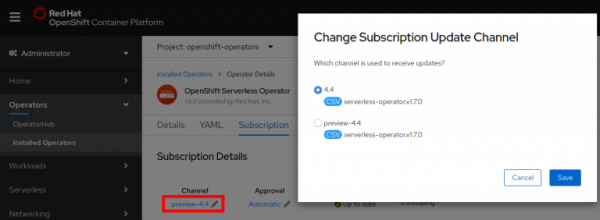
Figure 1. Updating the subscription channel.
The subscription channel must be updated to match the OpenShift Container Platform version either 4.4 or 4.3.
Knative Services – premier service management
OpenShift 4.4 greatly simplifies the deployment of applications with the OpenShift Serverless functionality, allowing for effortless deployment of Knative Services directly from the Developer mode of the OpenShift web console.
When adding a new application to a project, simply specify the resource type as Knative Service, instantly activating the OpenShift Serverless functionality and enabling scale-to-zero in standby mode, as shown in Figure 2.
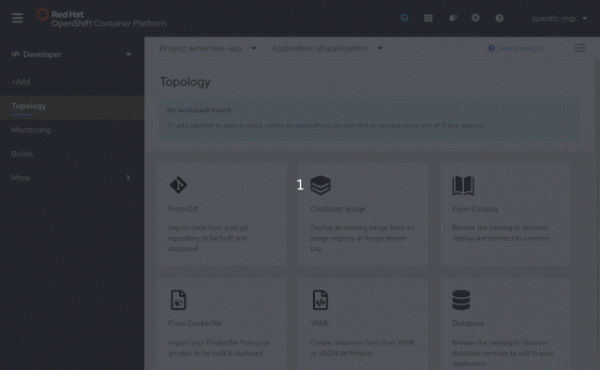
Figure 2. Choosing Knative Service as the resource type.
Simple installation using Kourier
As previously mentioned in , the use of has significantly reduced the list of requirements for installing Serverless on OpenShift, and in the GA version, these requirements have become even fewer. This reduces resource consumption, speeds up cold starts of applications, and eliminates the impact of regular, non-serverless workloads operating in the same namespace.
Overall, these improvements, along with enhancements in OpenShift 4.3.5, accelerate application creation from pre-built containers by 40-50% depending on image size.
How everything happens without using Kourier can be seen in Figure 3:
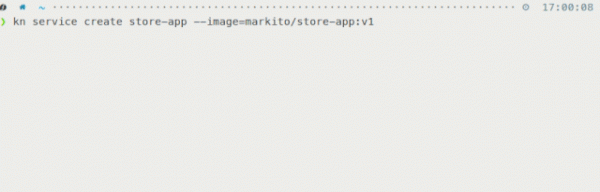
Figure 3. Application creation times when Kourier is not used.
How everything happens when using Kourier can be seen in Figure 4:
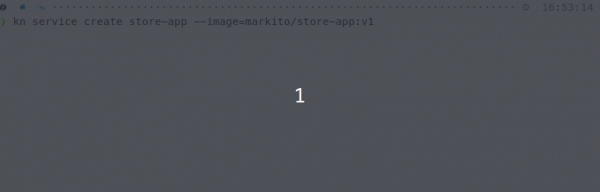
Figure 4. Application creation times when using Kourier.
TLS/SSL automatically managed
OpenShift Serverless can now automatically create and deploy TLS/SSL for the route (OpenShift Route) of your Knative Service, so you won't be distracted by implementing and maintaining these features while working on the application. In other words, Serverless frees the developer from the complexities associated with TSL, while maintaining the high level of security that everyone expects from Red Hat OpenShift.
OpenShift Serverless command line interface
In OpenShift Serverless, it is called kn and is available directly in the OpenShift console on the Command Line Tools page, as shown in Fig. 5:
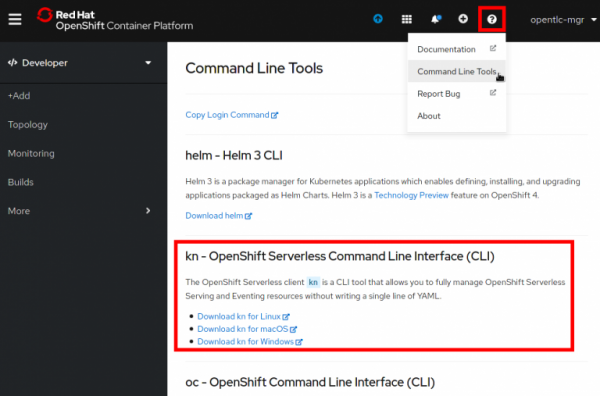
Fig. 5. OpenShift Serverless Command Line Interface download page.
When downloading from this page, you get the kn version for MacOS, Windows, or Linux, which has been verified by Red Hat and is guaranteed to be malware-free.
Fig. 6 shows how you can deploy a service in kn with just one command, creating an application instance on the OpenShift platform that can be accessed via URL in seconds:
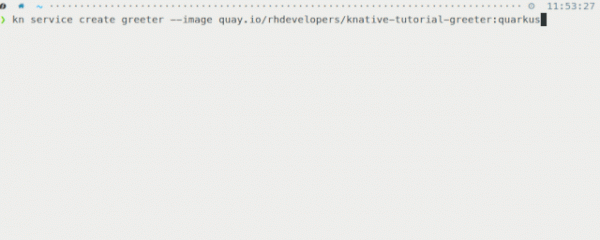
Fig. 6. Using the kn command-line interface.
This tool allows you to fully manage Serverless Serving and Eventing resources without having to view or edit any YAML configurations.
Enhanced Topology view in Developer mode of the console
Now let's see how the improved Topology view simplifies management of Knative Services.
Knative Service-centered visualization
Knative Services on the Topology view page are displayed as rectangles containing all revisions, as shown in Fig. 7:
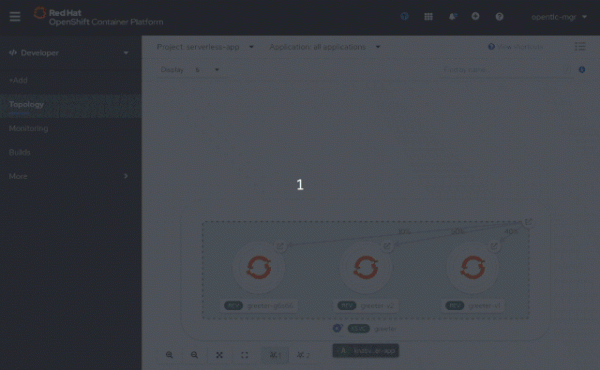
Fig. 7. Knative Services on the Topology view page.
Here you can instantly see the current traffic distribution percentages of the Knative Service, and group Knative Services within an application group for easy visual monitoring of what is happening inside the selected group.
Collapsing lists of OpenShift Knative Services
Continuing with the theme of grouping, it should be noted that in OpenShift 4.4, you can collapse Knative Services within an application group for easier viewing and service management when more complex applications are deployed in the project.
Knative Service in detail
In OpenShift 4.4, the sidebar for Knative Services has also been improved. It now features a Resources tab, where the service components, such as Pods, Revisions, and Routes, are displayed. These components also provide quick and easy access to the logs of individual pods.
The Topology view also shows traffic distribution percentages and even allows you to quickly change configurations. Thus, you can quickly ascertain the traffic distribution for the selected Knative Service in real-time by the number of pods running for the given revision, as shown in Fig. 8.
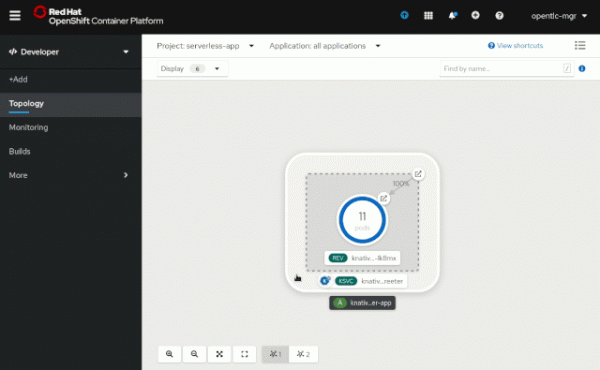
Fig. 8. Traffic distribution of the Knative Service.
A deeper look at Serverless Revisions
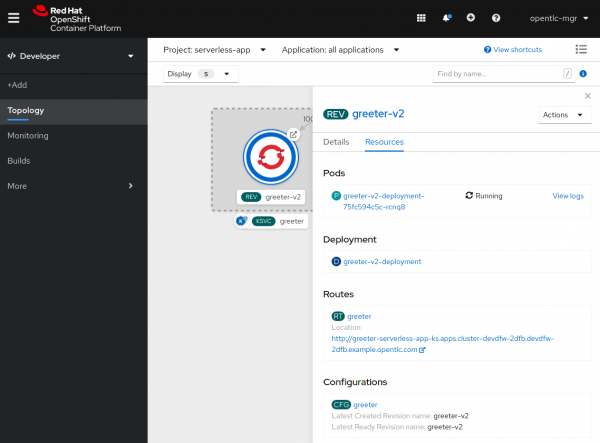
The Topology view now allows a much deeper insight into the selected revision, such as quickly seeing all its pods and, if needed, viewing their logs. Additionally, in this view, you can easily access the deployments and configuration of the revision, as well as the sub-route that points directly to this revision, as shown in Fig. 9:
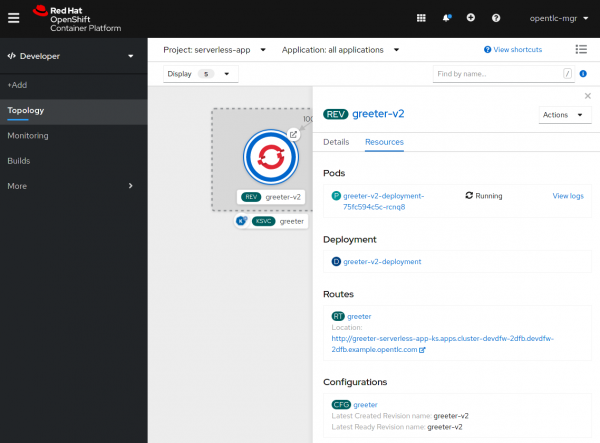
Fig. 9. Resources associated with revisions.
We hope the innovations described above will be useful to you in building and managing serverless applications, and that future versions will include even more useful features for developers, such as the ability to create event sources and more.
Interested?
We value your feedback
, what you think about serverless. Join our Google group to participate in discussions and Office Hours seminars to collaborate with us and share your feedback and suggestions.
More information
about developing OpenShift applications using the following Red Hat resources:
Source: habr.com
