

On July 10, 2020, the Austrian company Proxmox Server Solutions GmbH introduced the public beta version of a new backup solution.
We have already discussed how to use in Proxmox VE and perform using a third-party solution — Veeam® Backup & Replication™. Now, with the emergence of Proxmox Backup Server (PBS), the backup process should become more convenient and simpler.
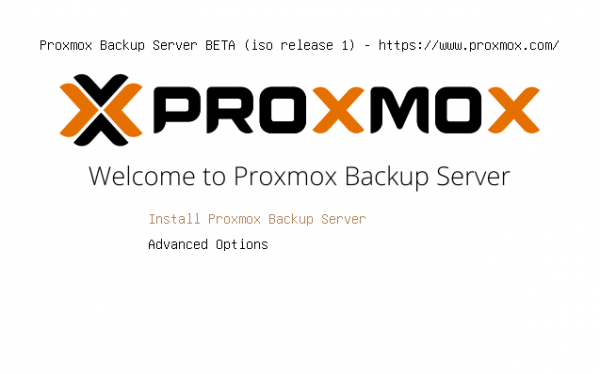
PBS is distributed under the license, developed by This will allow users to utilize and modify the software for their own needs without issues.
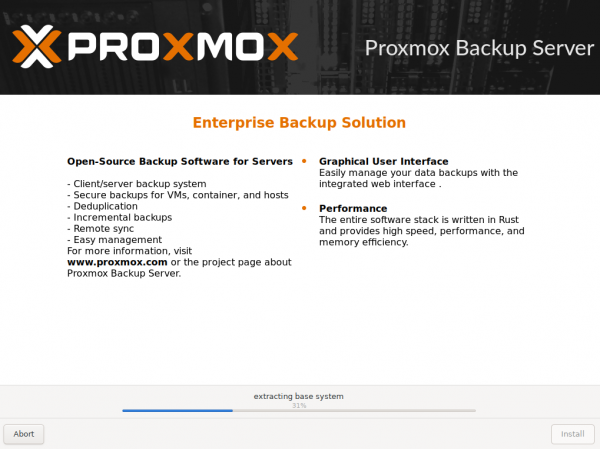
The installation of PBS is virtually identical to the standard installation process of Proxmox VE. Similarly, you will set the FQDN, network settings, and other required data. After the installation is complete, you can reboot the server and access the web interface using a link like:
https://:8007The main purpose of PBS is to perform backups of virtual machines, containers, and physical hosts. A corresponding RESTful API is provided for these operations. Three main types of backups are supported:
- vm — backing up a virtual machine;
- ct — backing up a container;
- host — backing up a host (physical or virtual machine).
Structurally, the backup of a virtual machine consists of a set of archives. Each disk drive and the configuration file of the virtual machine are packed into a separate archive. This approach accelerates the process of partial recovery (for instance, if you only need to extract a specific directory from the backup), as it eliminates the need to scan the entire archive.
In addition to the familiar format img for storing large data and virtual machine images, a new format called pxar (Proxmox File Archive Format) has been introduced, designed for storing a file archive. It is structured to ensure high performance for the resource-intensive process of data deduplication.
Looking at a typical set of files within a snapshot, you can find files along with the .pxar file, including the catalog.pcat1 files. and index.jsonThe first stores a list of all files within the backup and is intended for quickly finding the needed data. The second one, apart from the list, stores the size and checksum of each file and is designed for consistency checks.
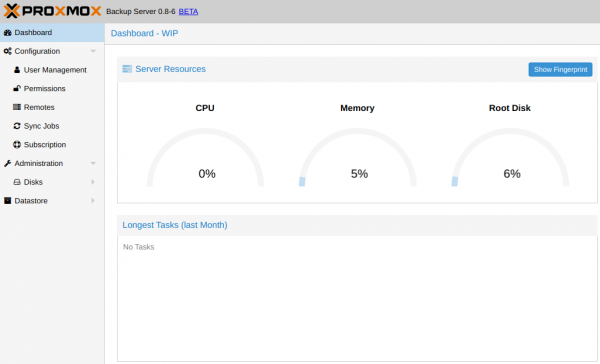
The server is traditionally managed through a web interface and/or command line utilities. Detailed descriptions of CLI commands are provided in the respective The web interface is concise and familiar to anyone who has used Proxmox VE at least once.
In PBS, you can set up tasks to synchronize local and remote data storage, support for ZFS, client-side AES-256 encryption, and other useful options. According to the roadmap, the ability to import existing backups, hosts with Proxmox VE or the entire Proxmox Mail Gateway will be available soon.
PBS can also be used to organize backups of any Debian-based host by installing the client component. We add repositories to /etc/apt/sources.list:
deb http://ftp.debian.org/debian buster main contrib
deb http://ftp.debian.org/debian buster-updates main contrib

# security updates
deb http://security.debian.org/debian-security buster/updates main contrib
We update the software list:
apt-get updateWe install the client:
apt-get install proxmox-backup-clientSupport for other Linux distributions will be added in the future.
You can already 'try out' the beta version of PBS; a ready image is available . A corresponding discussion has also appeared on the Proxmox forum. source code is also available for everyone who wishes.
Summing up. The first public beta version of PBS already demonstrates a set of very useful features and deserves the closest attention. We hope that the upcoming release will not disappoint us.
Only registered users can participate in the survey. , please.
Are you planning to try Proxmox Backup Server?
87,9%Yes51
12,1%No7
58 users have voted. 7 users abstained.
Source: habr.com
