

I finally got my certificate AWS Solution Architect Associate and I want to share my thoughts on preparing for and taking the exam.
What is AWS
To start with, a few words about AWS – Amazon Web Services. AWS is the very cloud that can probably offer almost everything used in the IT world. Want to store terabyte archives? Here’s the Simple Storage Service, also known as S3. Need a load balancer and virtual machines in different regions? Here you go with the Elastic Load Balancer and EC2. Containers, Kubernetes, serverless computing—call it what you want—it’s all there!
When I first got acquainted with how AWS works, what struck me the most was the availability of all services. Following the pay-as-you-go model, it’s easy to launch various configurations for testing or simply out of curiosity. I was really excited when I realized that for just a couple of dollars an hour, I could rent a 64-core server with 256 GB of RAM. Getting such hardware into your hands is quite difficult, but AWS allows you to play with it for a reasonable price. Add to that the quick start, where it takes just a couple of minutes between the beginning of setup and launching services, along with the ease of configuration. Yes, and after registration, AWS gives you a whole year to experiment with numerous free services. It’s hard to turn down such an enticing offer.
Preparing for the AWS Solution Architect Associate Certification
To work with AWS resources, there’s specialized documentation and numerous thematic videos available. Moreover, Amazon offers everyone the opportunity to take exams and undergo certification. I will talk in more detail about preparation and the exam itself.
The exam lasts 140 minutes and consists of 65 questions. Most often, you need to select one option from four, although there can also be questions where you choose two out of four or two out of six. The questions are mostly extensive and describe a typical scenario for which you need to choose the correct solutions from the AWS world. The passing score is 72%.
Documentation and short videos on Amazon's website are certainly a good start, but for preparing for the exam, having practical experience in the cloud and systemic knowledge would be very beneficial. With that mindset—getting to grips with the material—I set out to find an online course for AWS Solution Architect Associate preparation. I began my exploration with one of the many courses on Udemy from A Cloud Guru:
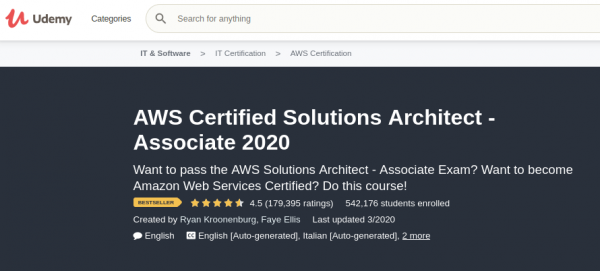
The course turned out to be successful, and I liked the combination of theoretical materials and practical labs, where I could get hands-on experience with most of the services, getting my hands dirty and gaining that invaluable experience. However, after all the lectures and labs, when I tackled the final test in the course, I realized that my superficial knowledge about the overall structure was clearly insufficient to pass.
After the first unsuccessful tests, I decided to take a similar course for exam preparation on LinkedIn. I thought it would refresh and systematize my knowledge and allow me to prepare purposefully for the exam.
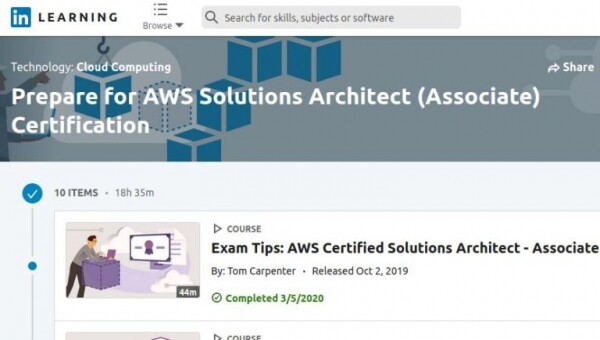
This time, to avoid gaps in my knowledge, I began keeping a notebook to jot down key points from the lectures and important exam questions. Overall, I found this course less engaging than the one from A Cloud Guru, but both courses cover the material professionally, and I think it ultimately comes down to personal preference.
After two courses and a filled notebook of lectures, I tackled the practice tests again and struggled to achieve 60% correct answers. Given all my preparation and the time spent on the lectures, I seriously contemplated my situation. It became clear that my understanding was insufficient to correctly answer some questions. This time, it seemed that the issue was not a lack of knowledge about the system as a whole, but rather a misunderstanding of specific operational scenarios.
Going through all the courses again seemed ineffective, and I sought more practice tests and detailed question breakdowns. As is often the case, I 'found' such a course with practice tests on . It's no longer a course per se, but six practice tests closely aligned with the exam. That is, in 140 minutes, you need to answer the same 65 questions and score at least 72% to pass. To give you a heads-up, the questions really do resemble those you might encounter on the actual test. After completing the practice test, the most interesting part begins. Each question is analyzed in detail with explanations of the correct options and links to AWS documentation and a site with cheat sheets and notes on AWS services: .
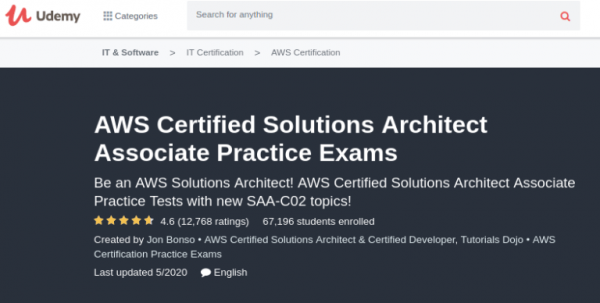
I struggled with these tests for a long time, but eventually, I ended up scoring around 80%. I solved each of them two or even three times. On average, it took me about an hour and a half to complete a test, plus another two to three hours to analyze and fill in the gaps in my notes. In total, I spent over 20 hours just on practice tests.
How the online (PearsonVUE) exam for AWS Solution Architect Associate works
The exam can be taken either at a certified center or online at home (PearsonVUE). Due to the general quarantine and chaos, I decided to take the exam at home. There are detailed requirements and recommendations for taking the exam. Overall, it’s quite logical. You need a laptop or desktop with an internet connection and a webcam. You should also test your connection speed in advance. There should be no recordings, devices, or any other screens turned on near the testing area. Windows should ideally be covered. No one is allowed to enter the room where the exam is being conducted during the test, and the door must be closed.
During the test, a special utility is installed on the PC that allows the proctor to monitor the screen, camera, and sound while taking the test. All this information is available before the test on the website The specifics of the exam, such as the questions, cannot be disclosed, but I would like to talk about the process of taking it.
About 15 minutes before the scheduled time, I opened the PearsonVUE application and started filling out the necessary fields like my full name. To confirm my identity, I needed to take a photo of my driver’s license or passport. Interestingly, the photo can be taken either with a phone or a webcam. Out of curiosity, I chose to take the pictures with my phone camera. A few seconds later, I received a link via SMS. Following the prompts, I took a photo of my ID and then pictures of the room from four angles. After the final confirmation on my phone, the screen on my laptop changed a few seconds later, indicating that everything was ready for the test.
Photos of the room from four sides and my makeshift desk made from an ironing board:
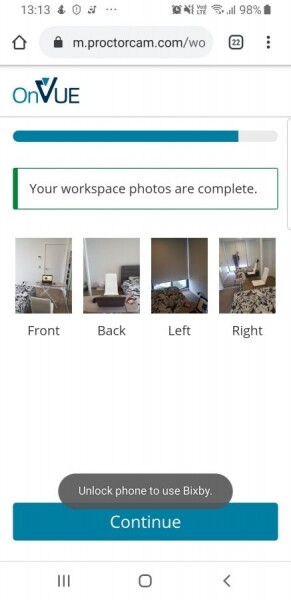
About five minutes later, I received a message in the chat, and then the examiner called me. He spoke with a typical Indian accent, but it was a bit difficult to understand him through the laptop speakers (earphones are not allowed). Before starting, I was asked to clear the documents off the table since nothing extra should be on it, and then I was asked to move the laptop around to ensure that the room matched the photos I received earlier. I was wished good luck, and the exam began.
The interface with the questions was strange at first, but then I got into the process and no longer paid attention to the appearance. The examiner called me only once and asked me not to read the questions aloud. Apparently, to avoid revealing the questions. After about an hour and a half, I answered the last question. After the test, there was another verification screen where I noticed that I had missed one question and had not selected an answer. A couple more clicks and... I could admire the result. In the end, after almost two hours of intense thinking, I could finally relax. At that moment, the examiner connected and casually congratulated me, and thus the exam successfully concluded.
A couple of days later, I received a pleasant email stating, "Congratulations, You are Now AWS Certified." My AWS account shows the passed exam and the score. In my case, it was 78%, which, while not perfect, is quite enough to pass.
In conclusion, I will add a couple of links that I mentioned earlier in the article.
Courses:
Website with AWS summaries:
Course with practice questions:
A couple of free resources from Amazon:
For me, preparing for the AWS Solution Architect Associate was a long journey. I've once again confirmed that summarizing is one of the best ways to grasp the material. The funniest part is that just before the exam, while reviewing key videos from Cloud Guru, I perceived the material I was already familiar with in a completely different way, noticing more details. However, I reached this understanding only after two online courses, a summary, and practice tests. Indeed, repetition is the mother of learning.
Source: habr.com
