


Welcome readers to our series of articles dedicated to the SMB Check Point, specifically the 1500 series model range. In we mentioned the possibility of managing your SMB series NGFW through the Security Management Portal (SMP) cloud service. Finally, it’s time to discuss it in more detail, showcasing available options and administrative tools. For those who have just joined us, let's recall the previously discussed topics: , ,
SMP is a centralized portal for managing your SMB devices, including a web interface and tools for administering up to 5,000 devices. The following Check Point model series are supported: 600, 700, 910, 1100, 1200R, 1400, 1500.
To begin, let's outline the advantages of this solution:
- Centralized maintenance of the infrastructure. Thanks to the cloud portal, you can deploy policies, apply settings, and review events—regardless of your location and the number of NGFWs in the organization.
- Scalability and efficiency. By acquiring the SMP solution, you get an active subscription supporting up to 5,000 NGFWs, which allows for easy addition of new nodes to the infrastructure, ensuring dynamic interaction between them via VPN.
You can learn more about licensing options from the SMP documentation; there are two variants:
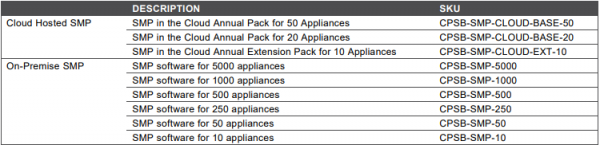
- Cloud Hosted SMP. The management server is hosted in the Check Point cloud, supporting up to 50 gateways.
- On-Premise SMP. The management server is located in the client's cloud solution, supporting up to 5,000 gateways.
We would like to add one important feature: when purchasing any model from the 1500 series, one SMP license is included in the package. Thus, by acquiring the new generation SMB, you will have access to cloud management without additional costs.
Practical Use
After a brief introduction, we will move on to a practical familiarization with the solution; currently, a demo version of the portal is available upon request at the local Check Point office. You will initially be greeted by an authorization window where you need to specify: domain, username, password.
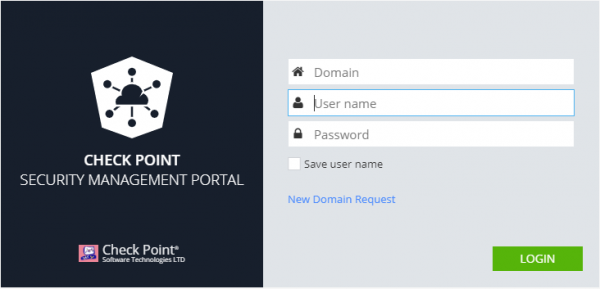
The domain specifies the address of the deployed SMP portal directly. If you acquire it through the 'Cloud Hosted SMP' subscription, you will need to submit a request by clicking the 'New Domain Request' button to deploy a new one (review period can be up to 3 days).
Next, the main page of the portal displays statistics about the managed gateways and available options from the menu.
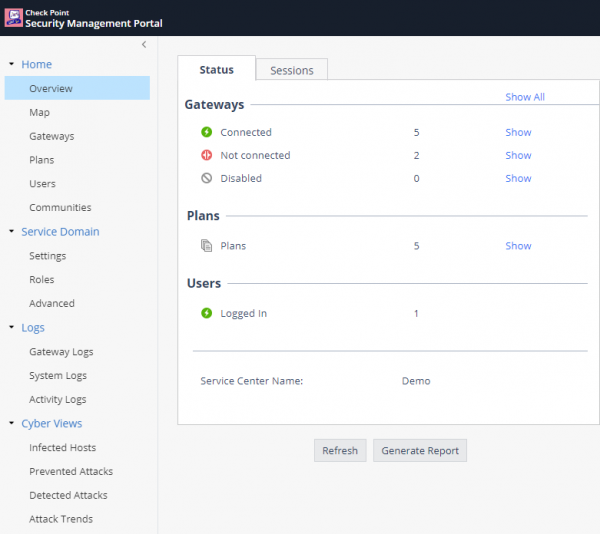
Let's examine each tab separately, briefly describing its capabilities.
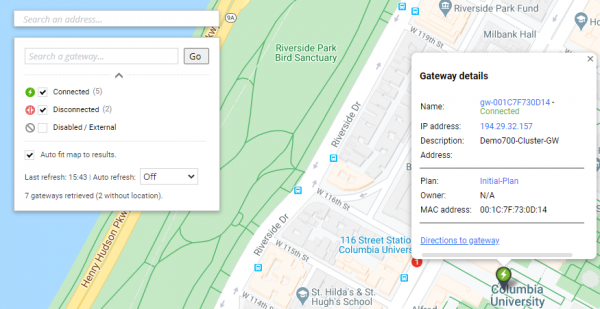
Map
This section allows you to track the location of your NGFW, view its status, or access its specific settings.
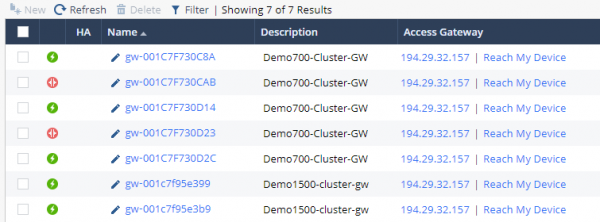
Gateways
This table includes managed SMB gateways from your infrastructure and contains information such as gateway name, model, OS version, and policy profile.
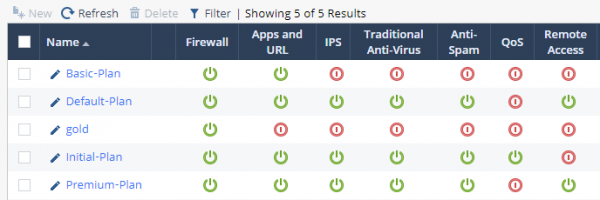
Plans
This section contains a list of profiles displaying the status of installed Blades on them, with options to select access rights for making configuration changes (specific policies can only be configured locally).
If you access the settings of a specific profile, you can get full configuration access to your NGFW.
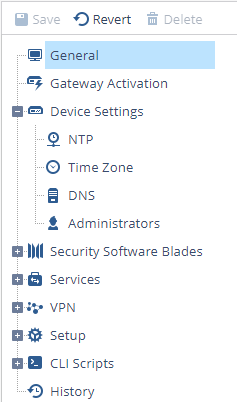
The Security Software Blades section focuses on configuring each of the NGFW blades, including:
Firewall, Applications and URLs, IPS, Anti-Virus, Anti-Spam, QoS, Remote Access, Site-to-Site VPN, User Awareness, Anti-Bot, Threat Emulation, Threat Prevention, SSL Inspection.
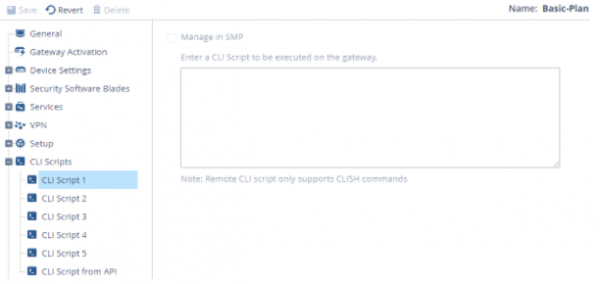
Note the option to configure CLI scripts that will be automatically applied to the gateways listed in Plans->Profile. They can be used to set identical configurations (date/time, access passwords, working with SNMP monitoring protocols, etc.).
We will not dwell on specific settings, as these have been covered earlier, there is also a course .
Logs
One of the advantages of using SMP will be centralized viewing of logs for your SMB gateways, accessible by going to Logs → Gateway Logs.

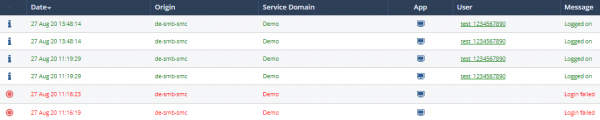
In the filter, you can specify a particular gateway, indicate the source or destination address, etc. Overall, working with logs is similar to viewing them in the Smart Console, maintaining flexibility and informativeness.
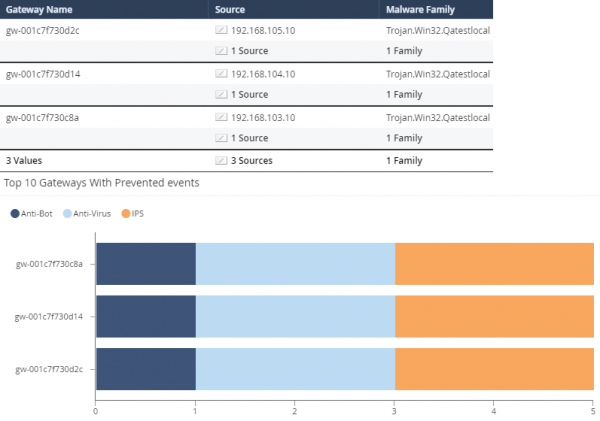
Cyber Views
This section contains statistics in the form of reports on recent security events, allowing you to systematically organize logs and present useful infographics:
General conclusions
Thus, SMP is a modern portal that combines an intuitive interface with deep capabilities for administering your NGFW solutions from the SMB family. Let’s highlight its key benefits once again:
- Remote management of up to 5000 NGFW devices.
- Portal maintenance by Check Point specialists (in the case of a Cloud Hosted SMP subscription).
- Informative and structured data about your infrastructure in a single tool.
. Stay tuned for updates (, , , , ).
Source: habr.com
