

Hi everyone, my name is Konstantin Kuznetsov, I am the CEO and founder of RocketSales. In the IT field, it is quite common to encounter a scenario where the development department lives in its own universe. In this universe, there are humidifiers on every desk, a bunch of gadgets, and cleaners for monitors and keyboards, and most likely, its own task and project management system.
What's the big deal?
Perhaps for some, it’s nothing. But we faced a problem. We are engaged in building and automating sales systems, implementing CRMs, and creating cloud infrastructure for businesses. In client projects, in addition to development and manufacturing departments, marketers, salespeople, accountants, and other employees are often involved. We started thinking about how to organize an effective project management process.
If the development and manufacturing process is organized on a platform like Jira or GitLab, then no one except the developers understands what’s going on there.To bring an outside employee into the project, you need to meet with them, explain the context, document the task somewhere, then monitor the progress in work chats, receive results through the chat, and enter them into Jira. And this is the case every time.
Development is cut off from other departments of the company; they don’t know how to engage us, and we don’t know if they need our involvement.
A couple of years ago, we discovered the Asana platform. In this article, I want to share how we organized the management process of development and production so that:
- the entire company works in a unified ecosystem,
- everyone has enough functionality,
- we can estimate the cost of each project in hours and money,
- working with clients is long-term: not limited to a single task, but within an entire project with a constant backlog of ideas.
A bit about our introduction to Asana
I spent 10 years searching for convenient project management software. Trello, Jira, Planfix, Megaplan, Bitrix24, and dozens of other task trackers didn’t pass the test of endurance. Then I found Asana. And everything clicked.
In our opinion, it is the best and fastest-growing platform for task and project management. Today, Asana is the global leader in popularity and user satisfaction. The G2 rating graph indicates this.
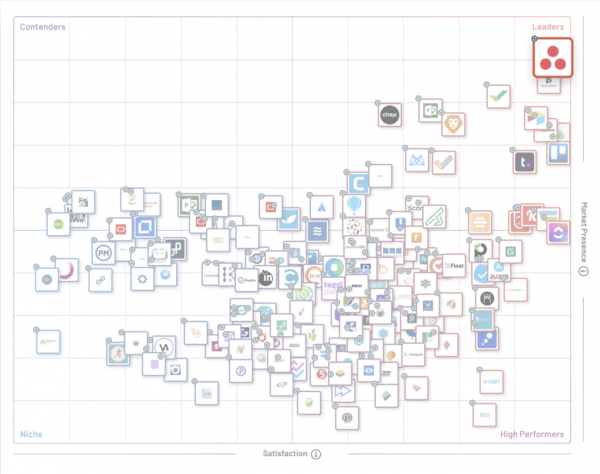
We are fans of Asana and even got certified to implement it for our clients.
Let me briefly describe the process from sales to project execution.
Since we sell IT services, our funnel is quite long and towards the end, it goes to the production department and sometimes, development.
The sales department performs standard procedures: audits, agreement on the commercial proposal, signing the contract, and transferring the deal to production. Production may refuse to accept the contract: the budget, production handover date, and estimated time allocation for project implementation must be specified.
Thanks to the integration of amoCRM + Asana, when transferring a deal from sales to production and back, work does not get interrupted. The sales department's area of responsibility is marked in blue, production in orange, and development in pink.
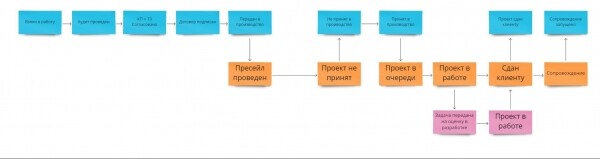
It is important that the development department, unlike the project department, does not participate in every project. Sometimes, system configuration does not require custom solutions.
So, when the manager accepts the project for production, the sales manager can switch to Asana with one click (screenshot). The project is automatically created in Asana from amoCRM.
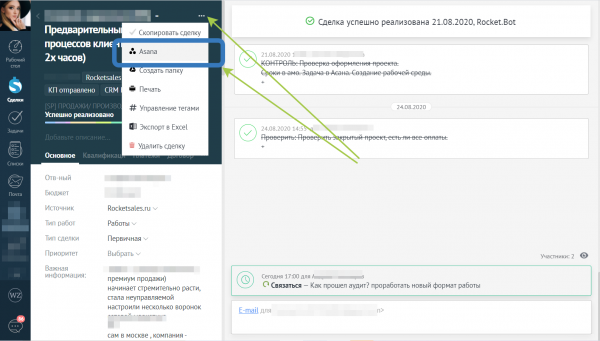
A task with the project map and commercial proposals is automatically created on the shared client project board. Here, all clients currently in production are displayed. An accountable manager is assigned, deadlines are set, the type of work is chosen, and task statuses are updated.
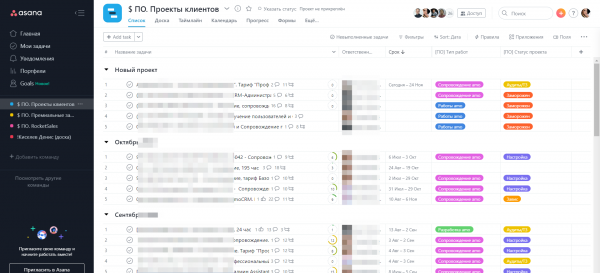
The manager can initiate any of the proposed automatic business processes in the task:
- Find/Create the Client's project + Attach the task there
- Fill the task with information about the deal
- Create a deal from the current task
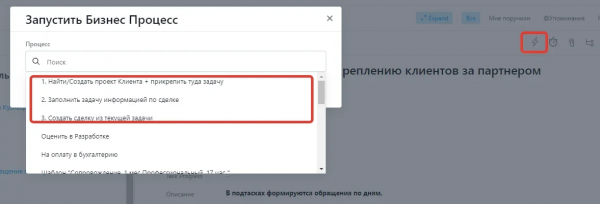
The project is filled with all the data specified in amoCRM. Depending on the type of services, a set of subtasks for the relevant work blocks is automatically created. The project manager just needs to decompose detailed tasks, assign responsibilities, and set deadlines.
This board helps to take on new projects. However, monitoring the current statuses and identifying projects at risk is inconvenient.
How we group tasks and client projects
From the general board of all projects, the manager adds the project to 3 more boards:
- the client's personal board;
- active client portfolio;
- manager's portfolio.
Let's figure out the purpose of each of these entities.
In the screenshot, you see the client's personal board.
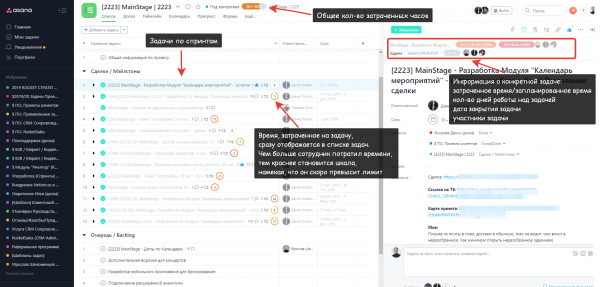
What is this board for?
Earlier, we thought in terms of tasks. I completed a task and moved on to the next one. This resulted in us doing exactly the amount of work the client requested. However, we wanted to build long-term relationships, so we shifted from task-based work to client-focused work.
We carefully record all ideas for client improvements. Even if it's a thought casually thrown out by the client, we note it down and follow through. This is how we form the backlog of tasks; our work with the client never ends.
What is on this board?
Our Asana is linked with several services:
- CRM system (for interacting with the sales department),
- TimeDoctor (for time tracking),
- ERP system (for aggregating all data in a single interface).
We have brought a quick resource control panel into Asana. Hover over the box above the task and see who worked on the task and how much time they spent.
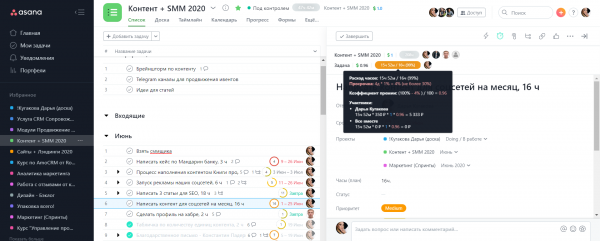
The production department's work is evaluated by hours, so it was important for us to track precisely how much time each employee spent on solving client tasks.
What does using the board provide?
As a result, in the ERP system, we see Project report.The status of the deal, project participants, project budget, number of hours worked, and deadlines.
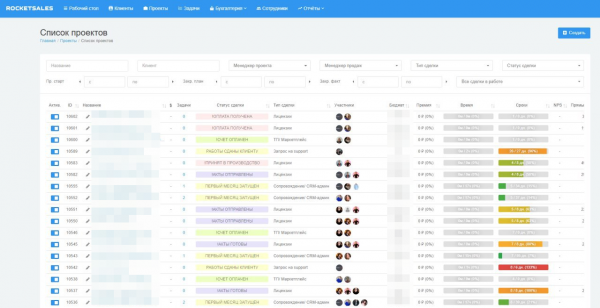
We can forecast the costs of similar development projects, making KPI calculations completely transparent without leaving room for the illusion that development only takes a couple of hours. Whenever necessary, we always have an interface we can show the client for reporting.
Asana portfolios
This functionality has been available in Asana for a long time. However, we didn't appreciate it right away. Initially, we just gathered all our managers' projects into portfolios. It turned out that during his time at the company, Denis Kiselev worked with 61 clients.
Knowing this is cool, but not enough to justify the time spent on gathering it. So we overlooked the portfolios. Everything changed when we equated a project in Asana with a single deal in the CRM system.
Previously, the manager would sign off on all projects and receive notifications of every change in the Inbox (notification feed). Every status update and new comment appeared in the feed, starting with the most recent. On Mondays, the manager would sit down and tackle tasks from the inbox sequentially. Priorities were not discussed, and sometimes important tasks were overlooked.
Now there is an employee portfolio and a project department portfolio. In the first, the manager manages their projects, while the second provides the manager with oversight functionality regarding the current workload of all employees.
Project department portfolio
In the screenshot, you see projects sorted by employees.
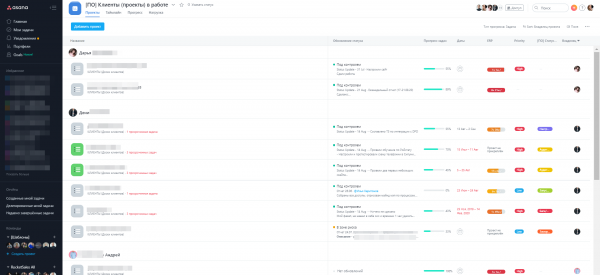
Once a week, the project manager updates the status of each project. They write what was accomplished over the past week and what is planned for the next. They assign one of three tags: under control, at risk, has issues.
The manager can quickly assess:
- the current volume of clients in the project department,
- the number of projects each manager is handling,
- the number of overdue tasks across projects,
- the presence of issues and the need to engage in projects,
- project deadlines, time spent, funnel stage, and project priority.
Portfolios also help us generate reports. After the status of a project is updated, a report on completed and planned work is automatically sent to the chat with the client.
Employee portfolio
Even the head of the project department has their own portfolio. If, knock on wood, they relinquish their powers, the new person will see all the projects under their control that they must continue to monitor.
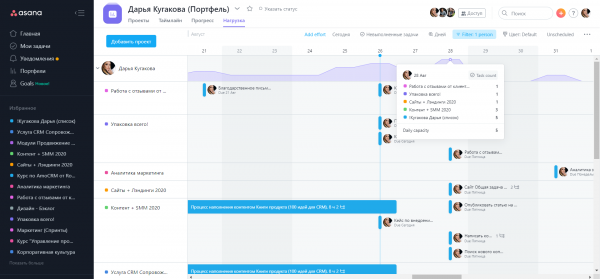
Line employees also appreciated the convenience of planning workloads in the portfolio. In the 'Workload' tab, Asana analyzes the volume of tasks considering deadlines and warns if an employee has scheduled an unmanageable amount of tasks. Deadlines and details can be changed without leaving this tab.
Bug resolution and custom development
A separate team is responsible for development. They receive two types of tasks within the business process:
- bug,
- new development.
Bugs are checked, assessed for criticality, and passed to the support service for processing.
Development tasks come either from the backlog of the company's internal products or from the project manager upon receiving a corresponding client request.
The development process generally looks like this.
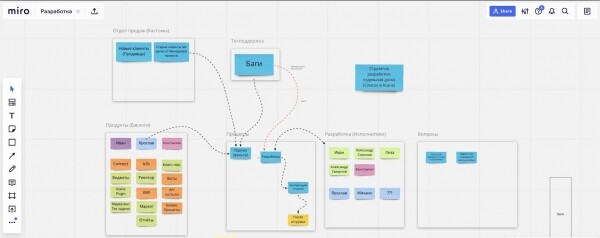
Tasks appear on the development board in Asana. Here it is.
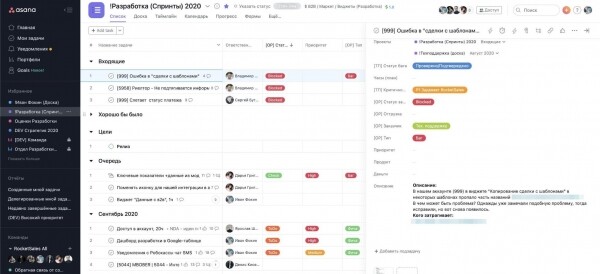
The task assigner selects the type 'Bug' or 'Feature', sets the severity level, indicates the client, and specifies the internal departments affected by the task. When the task meets all internal regulations, the assigner clicks the lightning icon in the top panel above the task and initiates the automatic business process 'Evaluate in Development.'
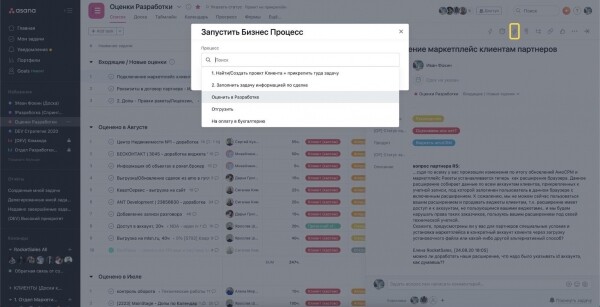
The head of the development department receives a notification about the new task for evaluation, and the task itself is temporarily moved to a separate board with the same name for evaluation.
After evaluation, the manager moves the task into the sprint corresponding to the month of the planned completion. Tasks are always present on several boards simultaneously:
- on the personal board of the project manager,
- on the technical support board,
- on the development board.
All participants and employees monitoring the task can see the progress, receive notifications, and engage in discussions directly in the task comments. Once the task is completed, the project manager or the responsible technical support specialist 'takes' it to their side to continue work on the project.
What happened when we brought the development and production departments back into a unified environment with the team?
First of all, Client projects became more long-term. With a constantly replenished backlog, the average transaction value increased.
Secondly, The quality of projects significantly improved, as the development department could ask questions at any moment to marketing, sales, accounting, etc. We gained the opportunity to timely involve the necessary team competencies and offer solutions of a completely different level.
Thirdly, both employees, managers, and clients received full transparency in planned and completed tasks. We learned to MANAGE projects, realizing that this is a purely technical process from which the human factor can be almost entirely excluded.
Fourthly, the team has become more cohesive. Previously, employees had little understanding of what the mythical departments of development and production did.
Now, seeing the process of developing and configuring systems:
- the sales department finds ideas and inspiration on how to sell,
- marketers regularly extract useful content for posts, articles, positioning, and advertising texts,
- managers analyze customer needs and behaviors, adjusting strategies.
This has resulted in a win-win-win transformation, benefitting us, our clients, and our partners. I would appreciate it if you could share your thoughts in the comments: was there anything useful in my article, and what project management methods do you use in development!
Source: habr.com
