

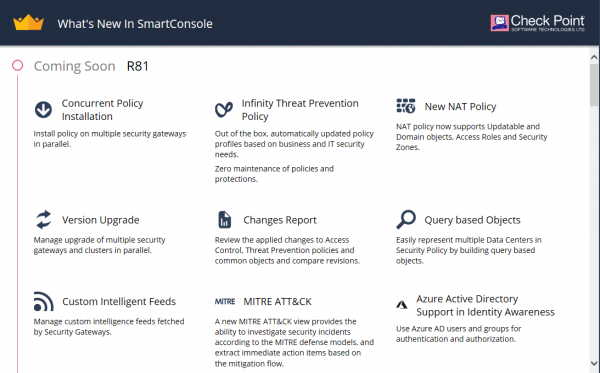
The new version of Gaia R81 has been released for early access (EA). Previously, we could familiarize ourselves with in the release notes. Now we have the opportunity to see this in real life. For this, a standard setup with a dedicated management server and gateway has been assembled. Naturally, we couldn't conduct all the full tests, but we are ready to share what immediately stands out when getting acquainted with the new system. Below are the main points that we noted during our first interactions with the system (many pictures).
Management
Upon initializing the gateway, you have the option to connect directly to the cloud management server — Smart 1 Cloud (also known as MaaS):
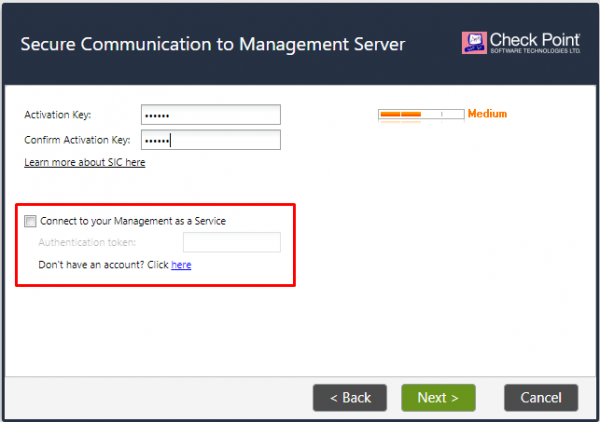
This is a relatively new feature (it is also available in the latest takes 80.40) and we will discuss this service in more detail very Here, the main advantage (in our opinion) is the long-awaited ability to manage through the browser 🙂
VxLAN and GRE
The first thing we started checking was the support for VxLAN and GRE. The Release Notes did not deceive us, everything is in place:
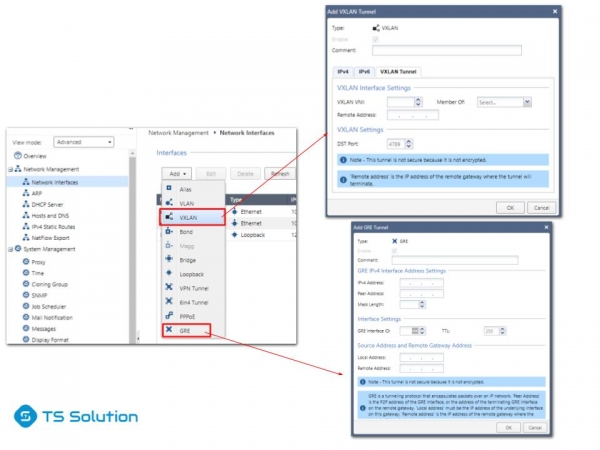
One could debate the necessity of these features on an NGFW, but it's still better when users have that choice.
Infinity Threat Prevention
This is probably the first thing that stands out when you start editing the security policy. A new activation option for the Threat Prevention blades has been added — Infinity. That is, you don’t have to choose which blades to enable, Check Point has decided everything for us (not sure how good that is):
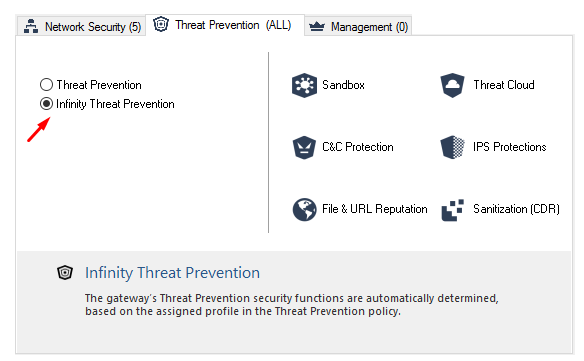
At the same time, you still have the option for the familiar self-configuration of blades.
Infinity Threat Prevention Policy
Since we are talking about Threat Prevention, let's immediately look at the Policy. This is probably one of the most significant changes:
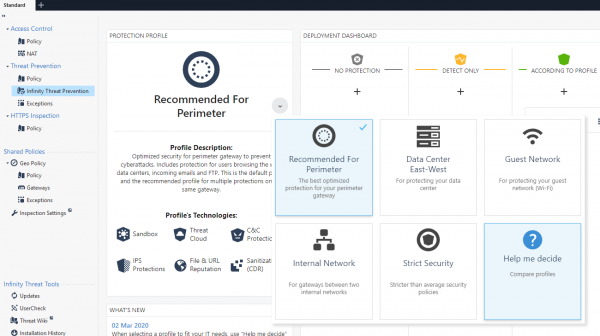
As you can see, there are now many more pre-configured policies. You can take a detailed look to see what differences exist between them by clicking on Help me decide:
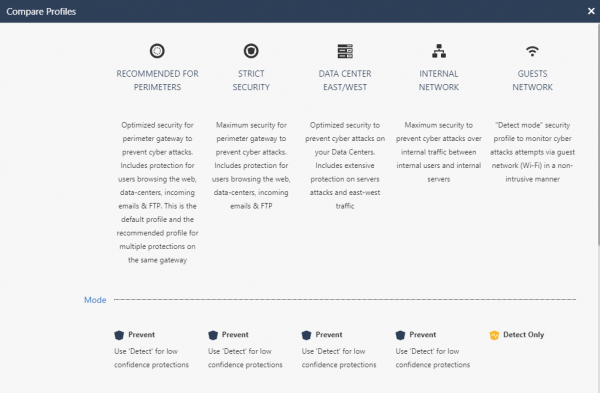
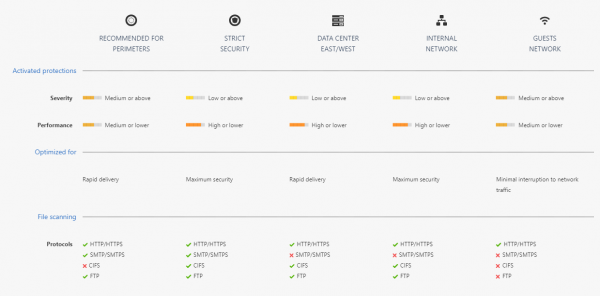
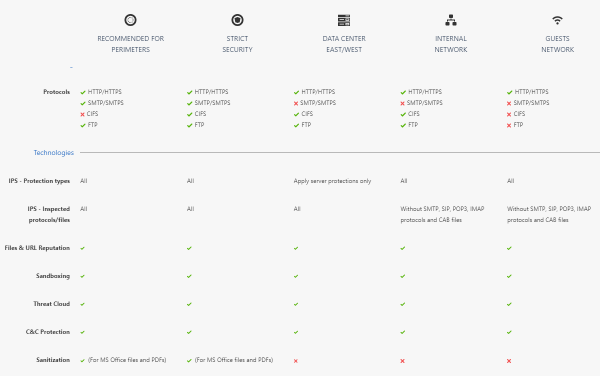
This is a dynamic policy and updates without your involvement.
Change Report
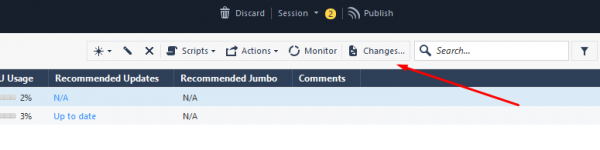
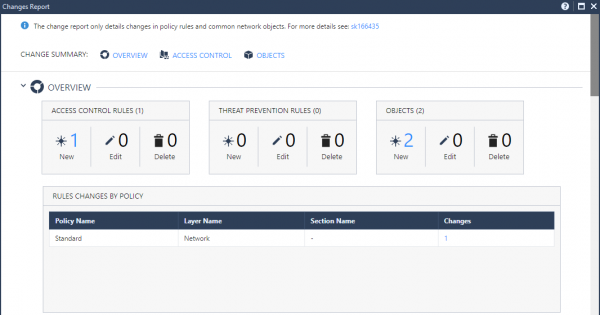
Finally, you can conveniently see exactly what has been changed during the configuration editing:
There is a general report:
And there are completely specific sections:
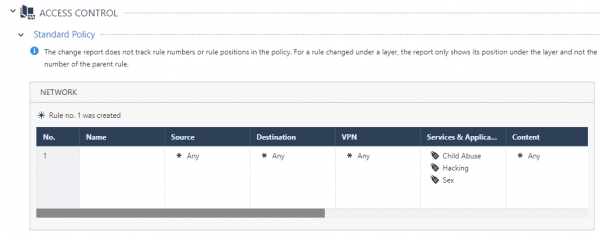
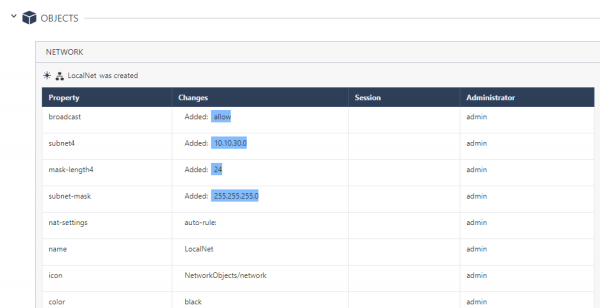
It's very convenient to track changes.
Web Management for Endpoint
As you probably know, Endpoint Management can be enabled on the management server to manage SandBlast agents. R81 introduced an interesting feature—management through the browser. This is activated in quite an interesting way. You need to enter CLI in expert mode expert and enter the command “web_mgmt_start”, and then navigate to the address — https://:4434/sba/. The web console will open before you:
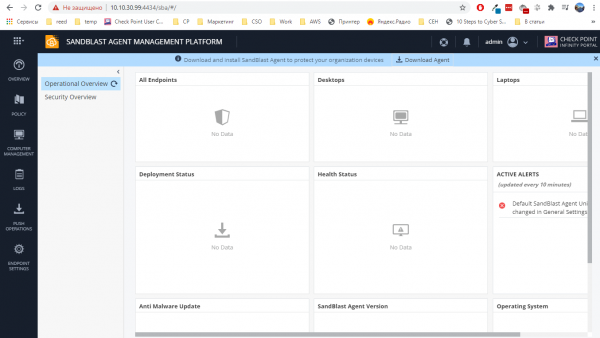
We have partially discussed this platform in the articles "" by Alexey Malko. However, this console was previously available only in the cloud; now it also works on local management servers.
Smart Update
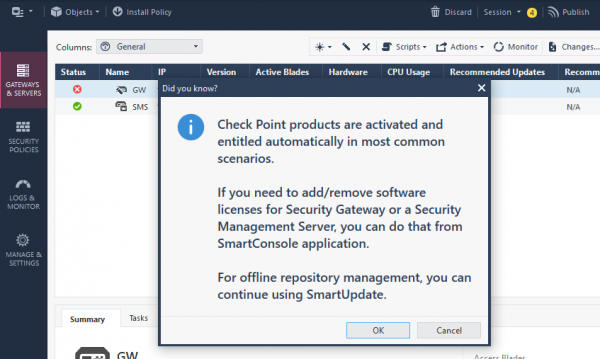
When trying to add licenses via the old reliable Smart Update, the console will kindly inform you that this can now be done without leaving the familiar Smart Console:
NAT
A highly anticipated feature. Now in NAT rules, you can use Access Roles, Security Zones or Updatable Objects. There are cases when this is very useful and necessary.
Conclusion
That's all for now. There are many more innovations that require testing (IoT, Azure AD, Upgrade, Logs API, etc.). As mentioned earlier, we will soon publish a review of the new cloud management system — . Stay tuned for updates on our channels (, , , )!
Also, don't forget about our extensive .
Source: habr.com
